📘 Login manuals • Free online PDFs
Login logo

Login Manuals & User Guides

Login is a line of smartwatches and wearable devices by iTOUCH Wearables, offering fitness tracking, mobile notifications, and customizable accessories.

Tip: include the full model number printed on your Login label for the best match.

About Login manuals on Manuals.plus

Login Smartwatches

Login smartwatches, manufactured and supported by iTOUCH Wearables, provide an accessible entry into wearable technology. These devices are designed to seamlessly integrate with your smartphone, offering essential features like fitness tracking, daily activity monitoring, smart notifications, and customizable watch faces.

Managed via the iTOUCH Wearables mobile app, Login devices aim to balance functionality with style, providing comfortable designs for everyday use. From tracking your workouts to staying connected on the go, Login smartwatches offer a convenient, user-friendly experience.

Login manuals

Найновіші посібники від manuals+ кураторськи підібраний для цього бренду.

Login L-U100 USB Flash Drive 32GB User Manual

25 липня 2026 р
Login L-U100 USB Flash Drive 32GB Product Overview This product is a general-purpose USB (Universal Serial Bus) flash drive. It is suitable for computers, laptops, TVs, car audio systems, projectors,…

Login L-103 Gentlemen Smart Watch User Manual

2 липня 2026 р
Login L-103 Gentlemen Smart Watch UNPACK CONTENTS Locate your watch and charging cable inside the box. CHARGING Insert the cable into a computer USB port or a UL-certified wall charger.…

SEAGATE LYVE Cloud Configuring Federated Login User Guide

10 жовтня 2024 р
Налаштування федеративного входу LYVE™ Cloud Overview Federated Login provides authentication without revealing user login credentials to the Lyve Cloud service. Federated Login enables your users to use a single authentication…

Як увійти в розширювач, налаштувавши IP вручну

16 жовтня 2023 р
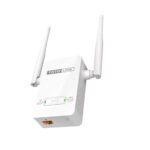
Як увійти до розширювача, налаштувавши IP-адресу вручну? Це підходить для: Усіх кроків налаштування розширювача TOTOLINK КРОК 1: Підключіть комп’ютер Підключіться до LAN-порту розширювача за допомогою мережевого…

IP-адреса маршрутизатора Xfinity

27 квітня 2023 р
Під час налаштування або усунення несправностей вашого маршрутизатора Xfinity вам може знадобитися отримати доступ до його налаштувань через IP-адресу маршрутизатора. Ця публікація надасть швидкий і простий спосіб…

Login support FAQ

Поширені запитання щодо інструкцій, реєстрації та підтримки цього бренду.

  • How do I charge my Login smartwatch?

    Insert the charging cable into a computer USB port or a UL-certified wall charger and line up the magnetic pins with the contacts on the back of the watch. Charging can take up to 2 hours. Note: avoid using fast-chargers.

  • How do I pair my Login watch with my phone?

    Download the free iTOUCH Wearables app, ensure your watch is charged, keep it close to your smartphone, and follow the in-app pairing screen to connect your device via Bluetooth.

  • Where can I find the official support for Login products?

    Support for Login smartwatches is provided by iTOUCH Wearables. You can visit their dedicated help center at support.itouchwearables.com or email support@itouchwearables.com.

  • How do I maintain and clean my Login smartwatch?

    Wipe the watch weekly with a soft, damp cloth. Clean the band based on its material, and charge it using the original cable. Maintain software readiness by periodically checking for firmware updates in the iTOUCH Wearables app.