вступ
The LOFREE Pudding Dual Mode Wireless Mouse (Model OE929) is designed for versatile use across various operating systems and devices. It offers both Bluetooth and 2.4G wireless connectivity, adjustable DPI settings, and a comfortable, ergonomic design. This manual provides instructions for setup, operation, maintenance, and troubleshooting to ensure optimal performance of your device.
Вміст упаковки
- LOFREE Pudding Dual Mode Wireless Mouse
- USB-приймач (2.4G)
- Charging Cable (USB-C to USB-A, typically)
- Посібник користувача
Продукт закінченийview
The LOFREE Pudding mouse features a unique transparent texture and an ergonomic design for comfortable use. It includes an adjustable ambient light feature and a scroll wheel with integrated button functionality.

зображення: The LOFREE Pudding mouse showcasing its high transparency texture and sleek design.

зображення: A hand holding the LOFREE Pudding mouse, illustrating its comfortable, skin-like touch and ergonomic grip.
Налаштування
1. Заряджання миші
Before first use, ensure the mouse is fully charged. Connect the provided charging cable to the mouse's charging port and to a USB power source. The ambient light may indicate charging status (e.g., breathing light while charging, solid when full).

зображення: The LOFREE Pudding mouse, highlighting its approximately 100 hours of battery life on a single charge.
2. Dual-Mode Connection
The mouse supports two wireless connection methods: 2.4G via USB receiver and Bluetooth.
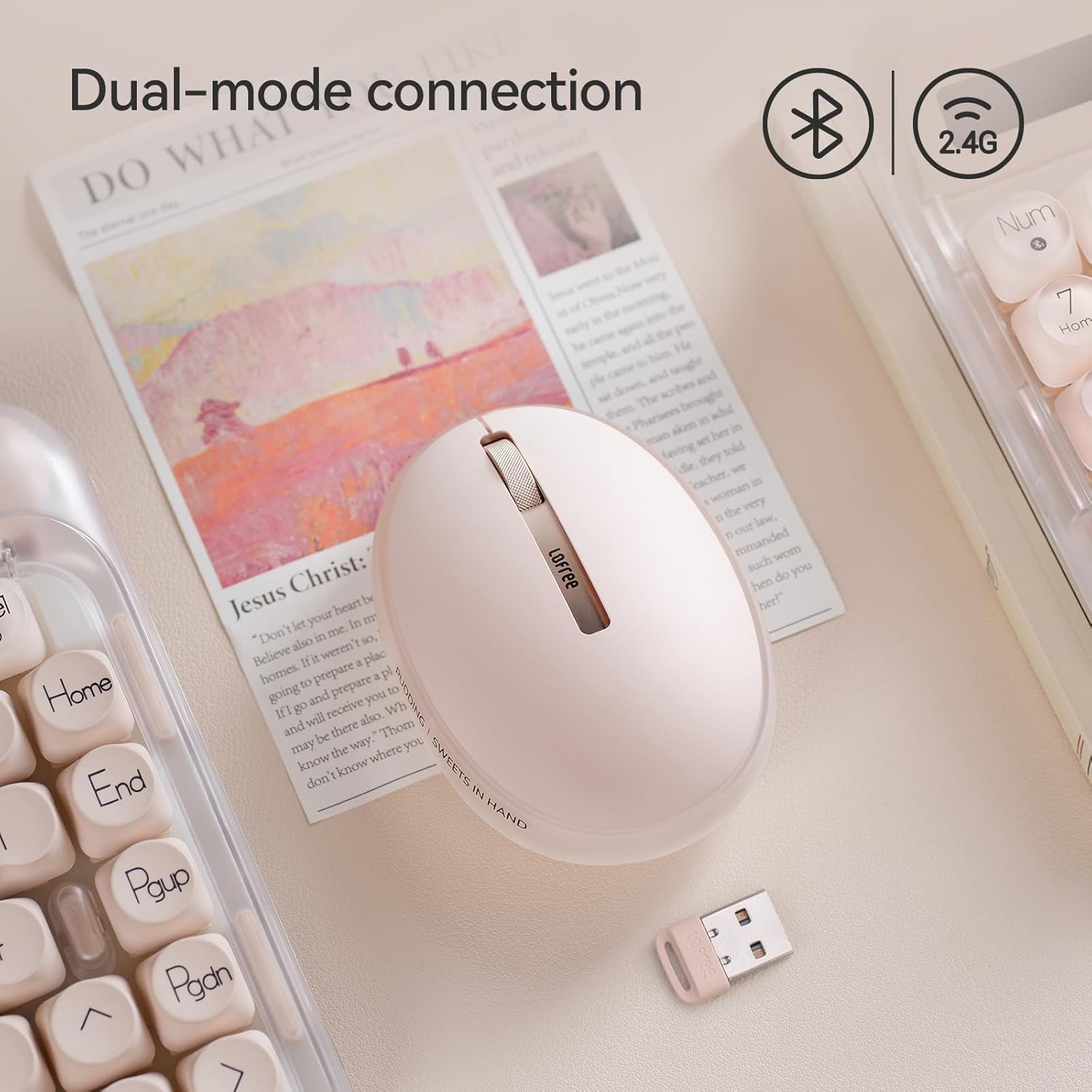
зображення: The LOFREE Pudding mouse demonstrating its dual-mode connection capability, supporting both Bluetooth and 2.4G wireless technologies.
2.1. Бездротове підключення 2.4G
- Locate the USB receiver, typically stored in a compartment on the mouse or in the packaging.
- Підключіть USB-приймач у вільний USB-порт на комп’ютері.
- Turn on the mouse. The computer should automatically detect and install the necessary drivers.
- Примітка: For systems below Windows 7, the 2.4G connection is recommended as Bluetooth mode may not be supported.
2.2. Підключення Bluetooth
- Переконайтеся, що на вашому пристрої ввімкнено Bluetooth.
- Switch the mouse to Bluetooth mode (refer to the mouse's bottom switch or button for mode selection).
- On your device, search for Bluetooth devices. The mouse should appear as "LOFREE Pudding Mouse" or similar.
- Виберіть мишу для сполучення. Дотримуйтесь будь-яких підказок на екрані, щоб завершити процес сполучення.
3. Сумісність
The LOFREE Pudding mouse is compatible with a wide range of operating systems and devices, including:
- Windows (Windows 7 and above for Bluetooth)
- macOS
- iOS
- Android
- PC, Mac, Laptop, and other compatible devices.
Інструкція з експлуатації
1. Налаштування рівнів роздільної здатності
The mouse features 5 adjustable DPI levels to suit different tasks and preferences. You can cycle through these settings by pressing the DPI button, usually located near the scroll wheel or on the bottom of the mouse.
- Доступні налаштування роздільної здатності: 600, 800, 1200, 1600, 3600.
- Press the DPI button to switch between levels. The mouse cursor speed will change accordingly.

зображення: A hand demonstrating the adjustment of DPI levels on the LOFREE Pudding mouse, with available settings of 600, 800, 1200, 1600, and 3600.
2. Ambient Light Modes
The mouse is equipped with an adjustable ambient light feature, offering two modes:
- Constant Always On: The light remains steadily illuminated.
- Режим дихання: The light gently pulses on and off.
To switch between these modes, refer to the dedicated light control button or combination of buttons on the mouse. In dormant state, the ambient light will turn off and can be reactivated by clicking any button on the mouse.

зображення: The LOFREE Pudding mouse displaying its adjustable ambient light feature, with options for "Always On" or "Breathing" modes.
3. Управління живленням
The mouse is designed to conserve battery life. It will enter a dormant state after a period of inactivity, turning off the ambient light. To wake the mouse, simply click any button.
Технічне обслуговування
1. прибирання
- Use a soft, dry, lint-free cloth to clean the mouse surface.
- Для стійкого бруду злегкаampuk тканину змочіть водою або м’яким неабразивним миючим засобом.
- Уникайте використання агресивних хімікатів, розчинників або абразивних матеріалів, оскільки вони можуть пошкодити покриття миші.
- Переконайтеся, що рідина не потрапила всередину компонентів миші.
2. Догляд за акумулятором
- Регулярно заряджайте мишу, щоб підтримувати її в робочому стані.
- Уникайте частого повного розряджання акумулятора.
- If storing the mouse for an extended period, charge it to approximately 50% to prevent deep discharge.
Усунення несправностей
Миша не відповідає / відключається
- Перевірте батарею: Ensure the mouse is charged. Connect it to a power source.
- Підключення 2.4G:
- Переконайтеся, що USB-приймач надійно підключено до робочого USB-порту.
- Спробуйте інший USB-порт.
- Ensure the mouse is switched to 2.4G mode.
- Підключення Bluetooth:
- Переконайтеся, що на вашому пристрої ввімкнено Bluetooth.
- Переконайтеся, що миша перемикається в режим Bluetooth.
- Unpair and re-pair the mouse from your device's Bluetooth settings.
- Ensure your device's operating system supports Bluetooth for mice (e.g., Windows versions below 7 may have limited support).
- Перешкоди: Перемістіть мишу ближче до приймача/пристрою. Уникайте використання її поблизу інших бездротових пристроїв, які можуть створювати перешкоди.
DPI не змінюється
- Переконайтеся, що ви натискаєте правильну кнопку налаштування DPI.
- If the mouse is unresponsive, try restarting it (turn off and on).
Ambient Light Not Working
- Check if the mouse is in a dormant state; click a button to wake it.
- Переконайтеся, що акумулятор достатньо заряджений.
- Verify you are using the correct button or combination to cycle through light modes.
Технічні характеристики
| Особливість | Деталь |
|---|---|
| Номер моделі | OE929 |
| Технологія підключення | Bluetooth, 2.4G Radio Frequency |
| Технологія виявлення руху | Оптичний |
| Рівні DPI | 600, 800, 1200, 1600, 3600 (Adjustable) |
| Ємність акумулятора | 500 мАг |
| Термін служби батареї | Приблизно 100 годин |
| Особливості | LED Lights (Ambient), Lightweight, Rechargeable, Wireless |
| Сумісність | Windows, macOS, iOS, Android (PC, Mac, Laptop) |
| Вага товару | 8.9 унції |
| Розміри упаковки | 5.2 x 4.13 x 2.4 дюймів |
Гарантія та підтримка
LOFREE products are manufactured to high-quality standards. For warranty information, technical support, or service inquiries, please refer to the official LOFREE webсайт або зверніться безпосередньо до служби підтримки клієнтів. Зберігайте чек про покупку для гарантійних претензій.
Для отримання додаткової інформації відвідайте LOFREE Store on Amazon.


