1. Вступ
This manual provides detailed instructions for the installation, operation, and maintenance of your JOOAN 4G Solar Security Camera. This outdoor wireless surveillance camera is designed for areas without traditional power or network infrastructure, utilizing 4G cellular connectivity and solar power for continuous operation. Please read this manual thoroughly before use to ensure proper setup and functionality.

Image 1.1: JOOAN 4G Solar Security Camera with its solar panel and a smartphone displaying the camera's live feed, highlighting its 4MP/5MP HD resolution capability.
2. Особливості продукту
- Підключення 4G: Operates independently using a SIM card, ideal for remote locations.
- Сонячна енергія: Equipped with a solar panel for continuous charging, reducing the need for external power sources.
- High Definition Resolution: Захоплює чітке відеоtage for effective surveillance.
- Кольорове нічне бачення: Offers multiple night vision modes including infrared, full-color, and smart color night vision for enhanced visibility in low-light conditions up to 10 meters.
- Локальне та хмарне сховище: Supports up to 256GB SD card storage and optional cloud storage for recorded footage.
- Легка установка: Designed for straightforward setup and mounting.
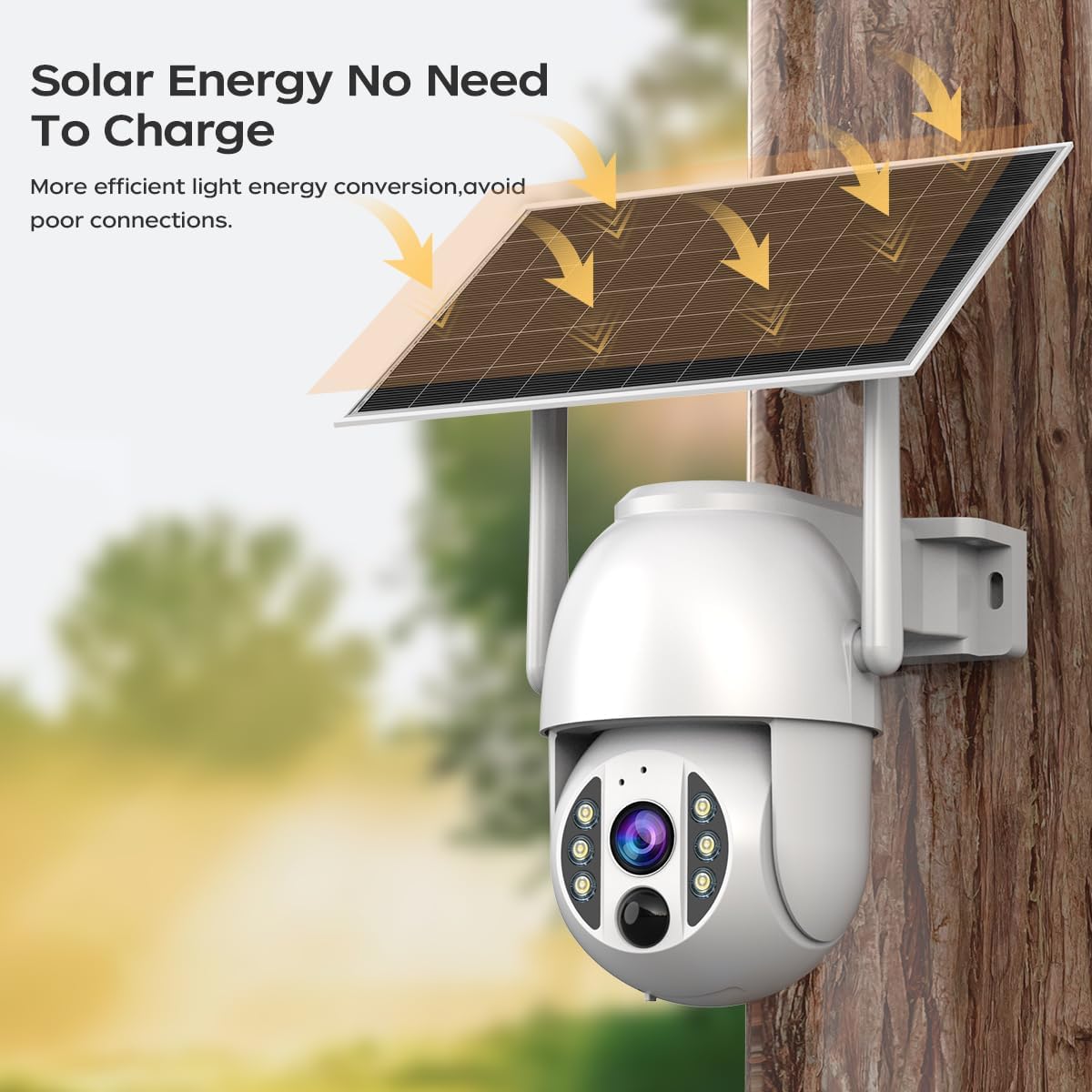
Image 2.1: The JOOAN 4G Solar Security Camera mounted with its solar panel, illustrating its solar energy capability for efficient light energy conversion and avoiding poor connections.
3. Налаштування та встановлення
3.1. Встановлення SIM-картки та SD-картки
Before mounting, install a 4G SIM card (not included) and an SD card (up to 256GB, not included) into the designated slots on the camera. Ensure the camera is powered off before inserting or removing cards.

Зображення 3.1: Крупний план view of the JOOAN camera's SD card slot, indicating support for cloud storage and a maximum 256GB SD card.
3.2. Етапи монтажу
- Positioning and Punching: Select a suitable location for the camera and solar panel. Mark the drilling points on the wall. Use a drill to create holes at the marked positions.
- Вставте розпірні гвинти: Gently tap the expansion screws into the drilled holes until they are flush with the surface.
- Встановити камеру: Align the camera bracket with the expansion screws and secure it using the provided screws.
- Повне встановлення: Attach the solar panel to the camera bracket or mount it separately in a location with ample sunlight. Ensure all connections are secure.

Image 3.2: Visual guide showing the four installation steps: 1. Positioning and punching, 2. Inserting expansion screws, 3. Mounting the camera with screws, and 4. Completing the installation with the solar panel.
3.3. Підключення до програми
Download the official JOOAN app from your smartphone's app store. Follow the in-app instructions to add your camera. There are typically two methods:
- Add APP Phone Code: Scan the QR code displayed on your mobile phone APP with the camera lens from a distance of 20-30cm to add the distribution network.
- Add Camera Body Code: Scan the QR code located on the camera body using the mobile phone APP to add the distribution network.

Image 3.3: Illustration of the two connection methods: scanning the APP phone code or scanning the camera body code to establish a network connection.
4. Операція
4.1. Увімкнення/вимкнення живлення
The camera automatically powers on when sufficient solar power is available or when connected to a power source. To power off, disconnect the power source and allow the battery to deplete, or use the app if a power-off function is available.
4.2. Жити View і Запис
Once connected to the app, you can access the live video feed. The camera supports continuous recording to the SD card or cloud storage (subscription may be required). You can also manually record video or capture screenshots from the live view.
4.3. Виявлення руху та сповіщення
Configure motion detection sensitivity and alert settings within the app. The camera will send notifications to your smartphone when motion is detected. Recorded events can be reviewed in the app's playback section.
4.4. Режими нічного бачення
The camera offers three night vision modes, selectable via the app:
- Інфрачервоне нічне бачення: Забезпечує чітке чорно-біле зображення в повній темряві.
- Повнокольорове нічне бачення: Utilizes built-in spotlights to provide color images in low-light conditions.
- Розумне кольорове нічне бачення: Automatically switches from infrared to full-color vision upon detection of motion or specific events.

Image 4.1: Comparison of the three night vision modes: Infrared night vision, Full color night vision, and Smart color night vision, demonstrating the camera's ability to pick out details in darkness up to 10 meters away.
5. Технічне обслуговування
- Очищення лінзи: Регулярно протирайте об’єктив камери м’якою сухою тканиною, щоб забезпечити чітке зображення. Уникайте абразивних засобів для чищення.
- Очищення сонячних панелей: Keep the solar panel free from dust, dirt, and debris to maximize charging efficiency. Clean with a damp тканину за потреби.
- Оновлення прошивки: Check the app periodically for available firmware updates to ensure optimal performance and security.
- Здоров'я акумулятора: Ensure the solar panel receives adequate sunlight to maintain battery charge. Prolonged periods without sunlight may require temporary charging via a USB power adapter (not included).
6. Вирішення проблем
6.1. Camera Not Connecting to 4G Network
- Переконайтеся, що SIM-картка правильно вставлена та активована з дійсним тарифним планом.
- Check 4G signal strength at the camera's location.
- Restart the camera by briefly disconnecting and reconnecting its power.
6.2. No Video Feed or Poor Quality
- Verify the camera has sufficient power.
- Check the 4G signal strength.
- Очистіть об'єктив камери.
6.3. Сонячна панель не заряджається
- Ensure the solar panel is positioned to receive direct sunlight for several hours daily.
- Clean any dirt or obstructions from the solar panel surface.
- Перевірте з'єднувальний кабель між сонячною панеллю та камерою.
6.4. SD Card Not Recording
- Ensure the SD card is correctly inserted and formatted within the app.
- Check if the SD card has sufficient free space.
- Перевірте налаштування запису в додатку.
7. Технічні характеристики
| Особливість | Деталь |
|---|---|
| Бренд | ЖУАН |
| Модель | B0GCFGYCLX |
| Джерело живлення | Сонячна енергія |
| Протокол підключення | 4G Cellular (SIM card required), Wi-Fi (for initial setup/local access if applicable) |
| Рекомендоване використання | Спостереження в приміщенні/на вулиці |
| Особливість | Легко встановити |
| Зберігання | Supports up to 256GB SD card, Cloud Storage (subscription may apply) |
8. Гарантія та підтримка
For warranty information and technical support, please refer to the JOOAN official webсайт або зверніться безпосередньо до служби підтримки клієнтів. Зберігайте чек про покупку як підтвердження покупки.
Щоб отримати додаткову допомогу, відвідайте: Магазин JOOAN на Amazon


