1. Вступ
Thank you for choosing the LG 34 Inch UltraWide WQHD Curved Monitor. This manual provides essential information for the safe and efficient use of your new monitor. Please read it thoroughly before operating the device and keep it for future reference.
Вміст упаковки
- LG 34 Inch UltraWide Curved Monitor
- Підставка для монітора (основа та шия)
- Кабель живлення
- Кабель HDMI
- Кабель DisplayPort
- Кабель USB-C
- Керівництво користувача та гарантійний талон
2. Ключові характеристики
- 34-inch WQHD UltraWide Curved Display: Expansive 21:9 screen (3440 x 1440) for enhanced productivity and immersive viewінж.
- HDR Display with 99% sRGB: Delivers vibrant, natural colors and distinct image layers, supporting HDR brightness performance.
- Висока частота оновлення 120 Гц: Ensures fluid scrolling and dynamic content for a comfortable visual experience.
- 5ms (GTG) Response Time: Provides quick pixel response for smooth motion.
- LG Switch for Multitasking & Eye Care: Enables quick split-screen functionality, customizable layouts, and Reader Mode to reduce eye strain.
- Регульована підставка: Supports height, tilt, and swivel adjustments for optimal viewкути.
- Вбудовані динаміки: Вбудований аудіопристрій для зручності.
- Кілька варіантів підключення: Включає входи DisplayPort та HDMI.
3. Налаштування
3.1 Збірка підставки
Carefully remove the monitor and stand components from the packaging. Follow the instructions below to attach the stand to the monitor.
- Покладіть монітор екраном вниз на м’яку, чисту поверхню, щоб запобігти подряпинам.
- Прикріпіть шийку підставки до задньої панелі монітора. Переконайтеся, що вона надійно зафіксувалася.
- Attach the stand base to the bottom of the stand neck. Tighten the screw(s) firmly to secure the base.
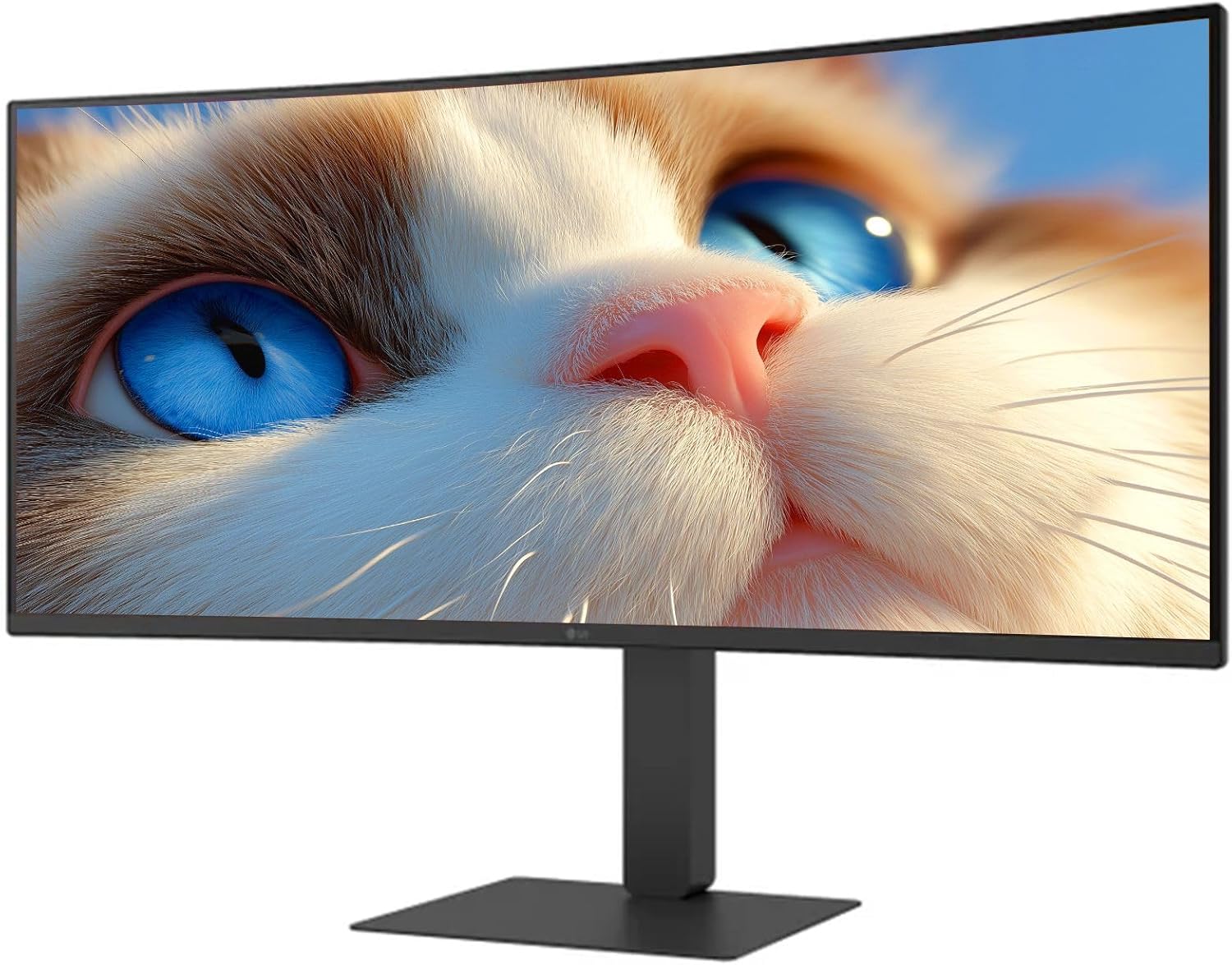
Малюнок 1: Спереду view of the LG 34 Inch UltraWide Curved Monitor with stand.

Малюнок 2: Сторона view of the LG 34 Inch UltraWide Curved Monitor with stand.
3.2 Підключення монітора
Підключіть монітор до комп’ютера або інших пристроїв за допомогою відповідних кабелів.
- Підключіть кабель живлення до входу живлення монітора, а потім до розетки.
- For video input, connect either an HDMI cable or a DisplayPort cable from your computer's graphics card to the corresponding port on the monitor.
- If your computer supports USB-C, you can use the provided USB-C cable for video, audio, and data transfer.

Малюнок 3: Задня частина view of the monitor showing available ports for connectivity.
4. Експлуатація монітора
4.1 Увімкнення/вимкнення живлення
Press the power button, usually located on the bottom center of the monitor, to turn the monitor on or off. The power indicator light will illuminate when the monitor is on.
4.2 Екранне меню (OSD)
The OSD menu allows you to adjust various monitor settings. Use the joystick button (typically located on the bottom center) to navigate the menu.
- Режим зображення: Select from various preset modes (e.g., Custom, Reader, HDR Effect) or customize settings like brightness, contrast, and sharpness.
- введення: Manually select the input source (HDMI, DisplayPort, USB-C).
- Загальне: Access settings for language, OSD transparency, and power-saving options.
4.3 Регулювання підставки
The monitor stand offers ergonomic adjustments for your comfort:
- Регулювання висоти: Обережно підніміть або потягніть монітор вгору або вниз до потрібної висоти.
- Регулювання нахилу: Hold both sides of the monitor and tilt it forwards or backwards.
- Регулювання повороту: Поверніть монітор ліворуч або праворуч на його основі.
5. Технічне обслуговування
5.1 Очищення монітора
Щоб забезпечити довговічність та оптимальну роботу вашого монітора, дотримуйтесь цих інструкцій з очищення:
- Завжди відключайте монітор від розетки перед чищенням.
- Злегка протріть м’якою тканиною без ворсу dampводою або спеціалізованим засобом для чищення екранів.
- Не розпилюйте засіб для чищення безпосередньо на екран.
- Уникайте використання абразивних засобів для чищення, розчинників або засобів на основі аміаку.
6. Вирішення проблем
Якщо у вас виникли проблеми з монітором, зверніться до наступних поширених рішень:
- Немає живлення: Переконайтеся, що кабель живлення надійно підключено як до монітора, так і до розетки. Перевірте, чи розетка працює.
- Немає сигналу: Перевірте, чи відеокабель (HDMI, DisplayPort або USB-C) правильно підключено як до монітора, так і до комп’ютера. Переконайтеся, що в екранному меню вибрано правильне джерело вхідного сигналу.
- Мерехтіння екрана: Check the video cable connection. Try adjusting the refresh rate in your computer's display settings.
- Спотворення зображення: Reset the monitor to factory settings via the OSD menu. Ensure your computer's display resolution matches the monitor's native resolution (3440 x 1440).
- Немає звуку з вбудованих динаміків: Check the volume settings on both the monitor and your computer. Ensure the audio output is correctly routed to the monitor.
If the problem persists after trying these steps, please contact LG customer support.
7. Технічні характеристики
| Особливість | Специфікація |
|---|---|
| Бренд | LG |
| Номер моделі | 195174134092 |
| Розмір екрана | 34 дюймів |
| Максимальна роздільна здатність | WQHD (3440 x 1440) |
| Частота оновлення | 120 Гц |
| Час відгуку | 5 мс (GTG) |
| Співвідношення сторін | 21:9 |
| Колірна гамма | sRGB 99% |
| Підтримка HDR | HDR10 |
| Viewкут нахилу | 178 degrees (R/L), 178 degrees (U/D) |
| Роз'єми дисплея | 1 x HDMI, 1 x DisplayPort |
| Функції полегшення зору | Low blue light, Flicker-free, Anti-glare, Reader Mode |
| Вбудовані динаміки | так |
| Розміри виробу (з підставкою) | 8.7" Г x 32.1" Ш x 19.2" В |
| Вага виробу (з підставкою) | 16.8 фунта |
8. Гарантія та підтримка
Your LG 34 Inch UltraWide Curved Monitor comes with a standard manufacturer's warranty. Please refer to the warranty card included in your package for detailed terms and conditions.
For technical support, service, or further inquiries, please visit the official LG website or contact their customer service hotline. Keep your purchase receipt and product serial number (located on the back of the monitor) handy when contacting support.