вступ
Welcome to the user manual for your Rapoo EV310M Wireless Vertical Mouse. This ergonomic mouse is designed for comfort and efficiency, featuring multi-mode wireless connectivity and adjustable DPI settings. Please read this manual carefully to ensure proper setup and optimal performance.
Вміст упаковки
- Rapoo EV310M Wireless Vertical Mouse
- USB-приймач (зберігається всередині миші)
- AA Battery (pre-installed or included)
- Короткий посібник (цей документ)
Продукт закінченийview
Familiarize yourself with the components of your Rapoo EV310M mouse.
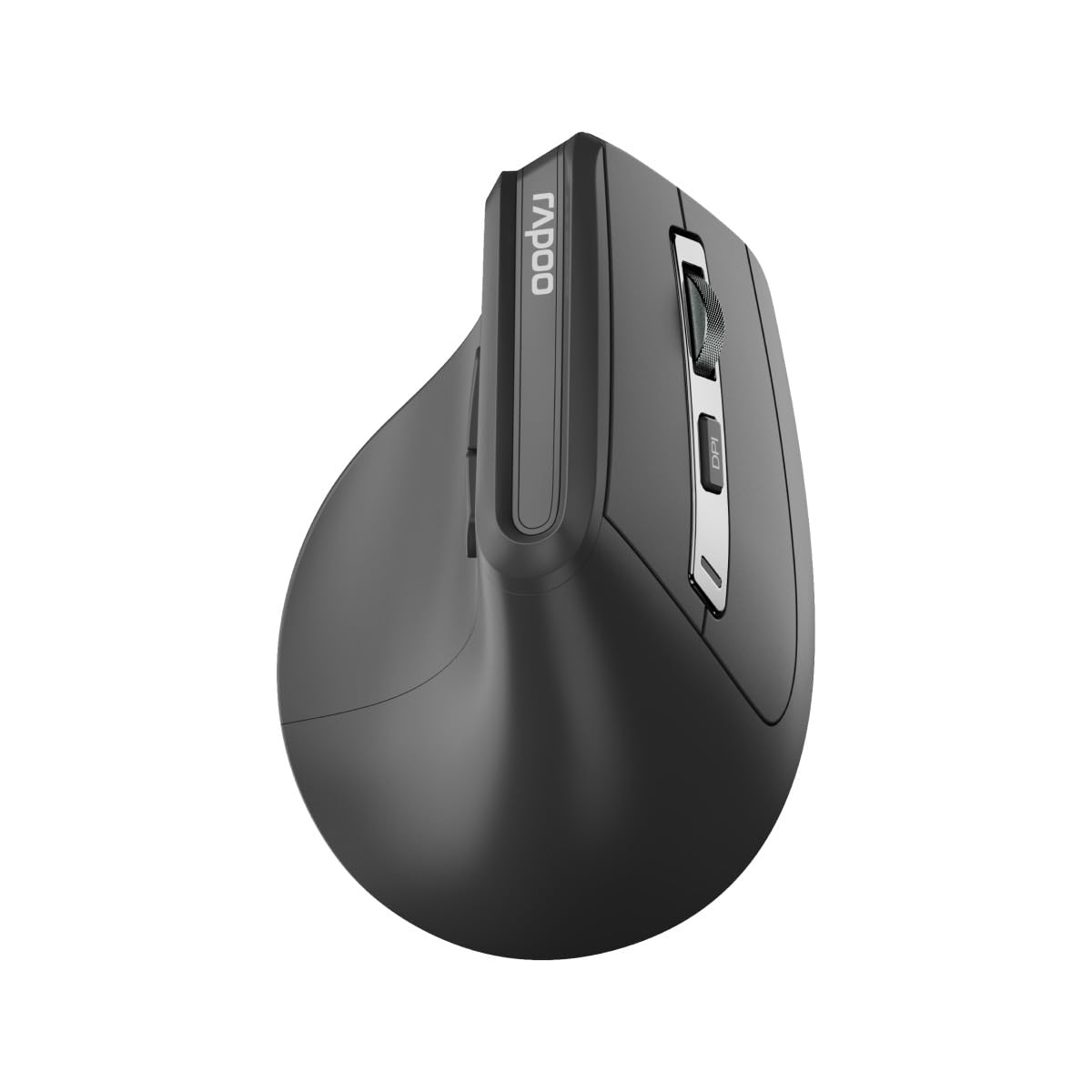
Зображення: Верх view of the Rapoo EV310M Wireless Vertical Mouse, highlighting the scroll wheel and DPI button.
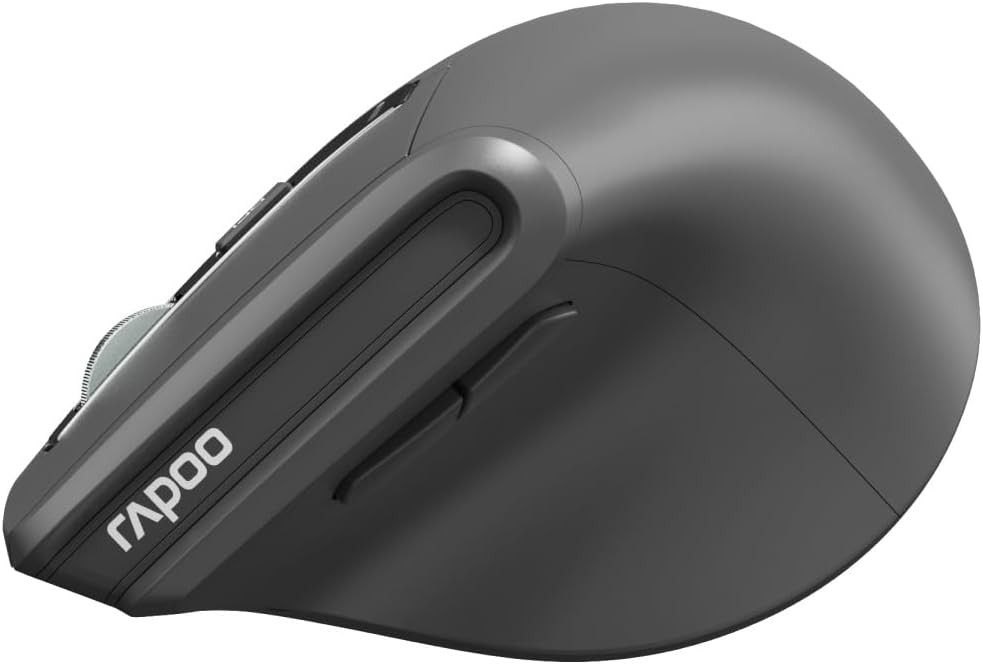
Зображення: Збоку view of the Rapoo EV310M Wireless Vertical Mouse, showing the forward and backward navigation buttons.
Функції кнопок
- Ліва кнопка миші: Стандартна функція клацання лівою кнопкою миші.
- Клацніть правою кнопкою миші: Стандартна функція клацання правою кнопкою миші.
- Колесо прокрутки: Scroll up/down, middle-click.
- Кнопка DPI: Налаштовує чутливість курсора (DPI).
- Кнопка вперед: Переміщується вперед web браузери або file дослідники.
- Кнопка "Назад": Переміщується назад web браузери або file дослідники.
- Mode Switch Button/Indicator: Switches between 2.4GHz and Bluetooth modes.
Налаштування
1. Встановлення батареї
- Знайдіть батарейний відсік на нижній стороні миші.
- Відкрийте кришку батарейного відсіку.
- Вставте одну батарейку типу АА, дотримуючись правильної полярності (+/-).
- Закрийте кришку батарейного відсіку.
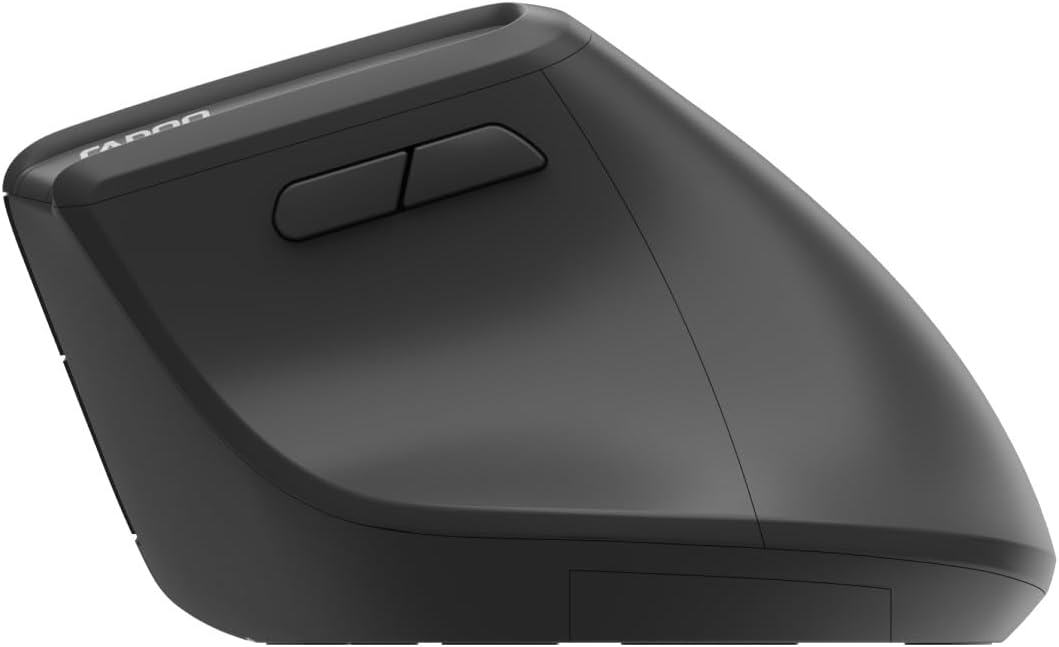
Image: Underside of the mouse, illustrating the battery compartment and the storage slot for the USB receiver.
2. Підключення миші
The Rapoo EV310M supports multi-mode wireless connection: 2.4 GHz via USB receiver and Bluetooth 3.0/5.0.
2.1. Бездротове з'єднання 2.4 ГГц
- Вийміть USB-приймач з гнізда для зберігання на нижній частині миші.
- Підключіть USB-приймач у вільний USB-порт на комп’ютері.
- Turn on the mouse using the power switch (usually on the bottom).
- The mouse should connect automatically. If not, press the mode switch button until the 2.4GHz indicator lights up.
2.2. Підключення Bluetooth
- Увімкніть мишку.
- Press the mode switch button to select a Bluetooth channel (e.g., Bluetooth 1 or Bluetooth 2). The indicator light for the selected Bluetooth channel will start blinking slowly.
- Press and hold the mode switch button for 3 seconds until the indicator light blinks rapidly. This indicates the mouse is in pairing mode.
- На комп’ютері або пристрої відкрийте налаштування Bluetooth і знайдіть нові пристрої.
- Select "RAPOO EV310M" from the list of available devices to pair.
- Після сполучення індикатор перестане блимати та світитиметься постійно кілька секунд, перш ніж вимкнеться.
Інструкція з експлуатації
1. Налаштування роздільної здатності
The DPI (Dots Per Inch) button allows you to adjust the cursor speed and sensitivity.
- Натисніть кнопка DPI located on the top of the mouse to cycle through available DPI settings (e.g., 800, 1200, 1600, 2400 DPI).
- Each press will change the sensitivity, allowing you to find your preferred cursor speed.
2. Перемикання між підключеними пристроями
The EV310M mouse can be paired with up to three devices (one 2.4GHz and two Bluetooth devices).
- Щоб перемикатися між підключеними пристроями, просто натисніть кнопка перемикання режимів на миші.
- The indicator light will briefly show which channel (2.4G, BT1, BT2) is active.
Технічне обслуговування
прибирання
Для очищення миші використовуйте м’яку суху тканину. Для стійкого бруду злегкаampПротріть тканину водою або м’яким миючим розчином. Уникайте використання агресивних хімікатів або абразивних матеріалів.
Заміна батареї
When the mouse performance degrades or the indicator light signals low battery, replace the AA battery following the installation steps in the Setup section.
Усунення несправностей
Миша не реагує
- Перевірте батарею: Переконайтеся, що акумулятор правильно встановлено та має достатній заряд. За потреби замініть його.
- Вимикач живлення: Перевірте, чи миша увімкнена.
- USB-приймач: For 2.4GHz mode, ensure the USB receiver is securely plugged into a working USB port. Try a different port.
- Підключення Bluetooth: For Bluetooth mode, ensure Bluetooth is enabled on your device and the mouse is correctly paired. Re-pair if needed.
- Відстань: Ensure the mouse is within the effective operating range of your computer (typically 10 meters).
Рух курсору нерівний
- Поверхня: Використовуйте мишу на чистій поверхні, що не відбиває світло. Рекомендується використовувати килимок для миші.
- Налаштування DPI: Adjust the DPI setting to a lower value if the cursor is too fast or jumpy.
- Чистота датчика: Check the optical sensor on the bottom of the mouse for any obstructions or dirt. Clean gently with a soft cloth.
Технічні характеристики
| Особливість | Деталь |
|---|---|
| Бренд | РАПОО |
| Номер моделі | EV310M |
| Технологія підключення | Bluetooth (3.0, 5.0), 2.4 GHz Wireless |
| Чутливість DPI | Adjustable 800-2400 DPI |
| Кількість кнопок | 6 |
| Орієнтація руки | Правша |
| Джерело живлення | Живлення від батарейок (1x AA) |
| Термін служби батареї | До 9 місяців |
| Сумісність операційної системи | ПК, Лінукс, Мак |
| Вага товару | 100 грами |
| Колір | чорний |
Гарантія та підтримка
For warranty information or technical support, please refer to the official RAPOO webсайт або зверніться до місцевого дилера. Зберігайте чек про покупку для гарантійних претензій.


