вступ
Дякуємо за покупкуasing the Klipsch ProMedia Lumina 2.1 Computer Gaming Speaker System. This manual provides essential information for setting up, operating, and maintaining your new speaker system to ensure optimal performance and longevity. The ProMedia Lumina system is designed to deliver powerful audio with deep bass and customizable RGB lighting, enhancing your gaming, music, and movie experiences.
Інформація про безпеку
Будь ласка, прочитайте всі інструкції з техніки безпеки перед використанням цього виробу. Зберігайте цей посібник для подальшого використання.
- Джерело живлення: Connect the system only to the type of power source indicated on the marking label.
- Вентиляція: Ensure proper ventilation around the speakers and subwoofer. Do not block any ventilation openings.
- Вода і вологість: Do not expose the system to water, rain, or moisture. Do not place objects filled with liquids on the system.
- Тепло: Тримайте систему подалі від джерел тепла, таких як радіатори, обігрівачі, печі або інші прилади, що виробляють тепло.
- Прибирання: Чистіть тільки сухою ганчіркою.
- Обслуговування: Не намагайтеся самостійно обслуговувати цей виріб. Зверніть усі послуги до кваліфікованого обслуговуючого персоналу.
Вміст упаковки
Перевірте наявність усіх предметів у вашій упаковці:
- 1 x Klipsch ProMedia Lumina Subwoofer
- 2 сателітні динаміки (лівий та правий)
- 1 x Bluetooth Speaker (This is listed as "Included Components" in the product data, but typically refers to the system's Bluetooth capability rather than a separate speaker unit. The system itself has Bluetooth functionality.)
- Кабель живлення
- Speaker Connection Cables
- Кабель USB-C
- 3.5-мм AUX-кабель
- Посібник користувача (цей документ)
Продукт закінченийview
The Klipsch ProMedia Lumina system consists of a powerful subwoofer and two satellite speakers, designed for a rich 2.1 audio experience. The system features integrated controls and multiple connectivity options.

малюнок 1: The complete Klipsch ProMedia Lumina 2.1 speaker system, showing the central subwoofer unit flanked by two satellite speakers. The speakers are black with silver accents and sit on small stands.
Супутникові динаміки
The two satellite speakers feature a re-envisioned cabinet design with tiltable stands for optimal sound projection. They are equipped with Microtractrix horn tweeters for pinpoint clarity.
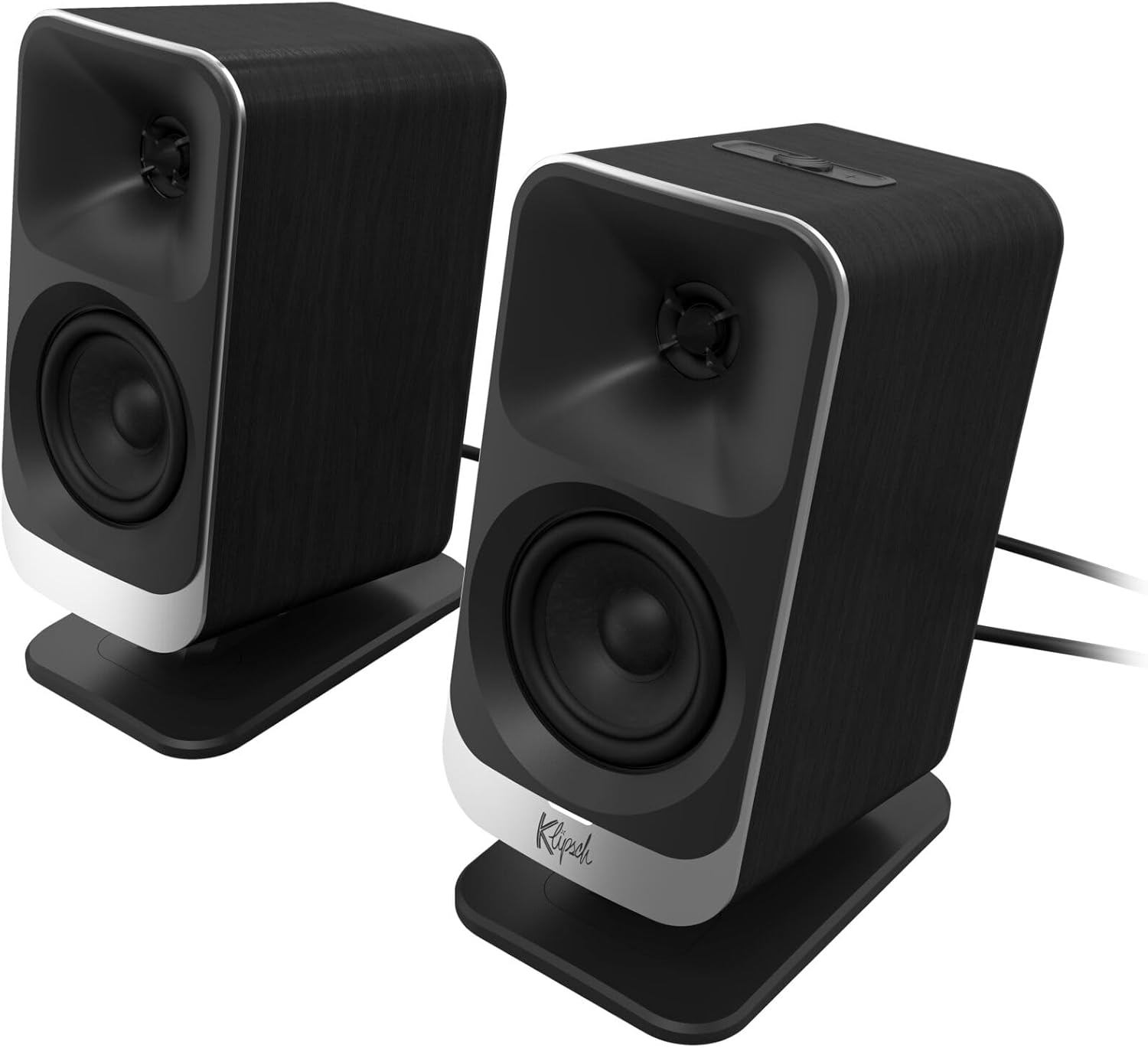
малюнок 2: Крупний план передньої частини view of the two Klipsch ProMedia Lumina satellite speakers, highlighting their black finish, silver base, and speaker cones.

малюнок 3: Задня частина view of the two Klipsch ProMedia Lumina satellite speakers, showing the various ports and controls on their back panels. The left speaker has a settings button and a headphone jack, while the right speaker has a USB-C port and a power/Bluetooth button.
Сабвуфер
Низькопрофільнийfile subwoofer delivers powerful low-end punch. It features an adjustable gain knob and cable management design for minimal floor space and maximum impact.
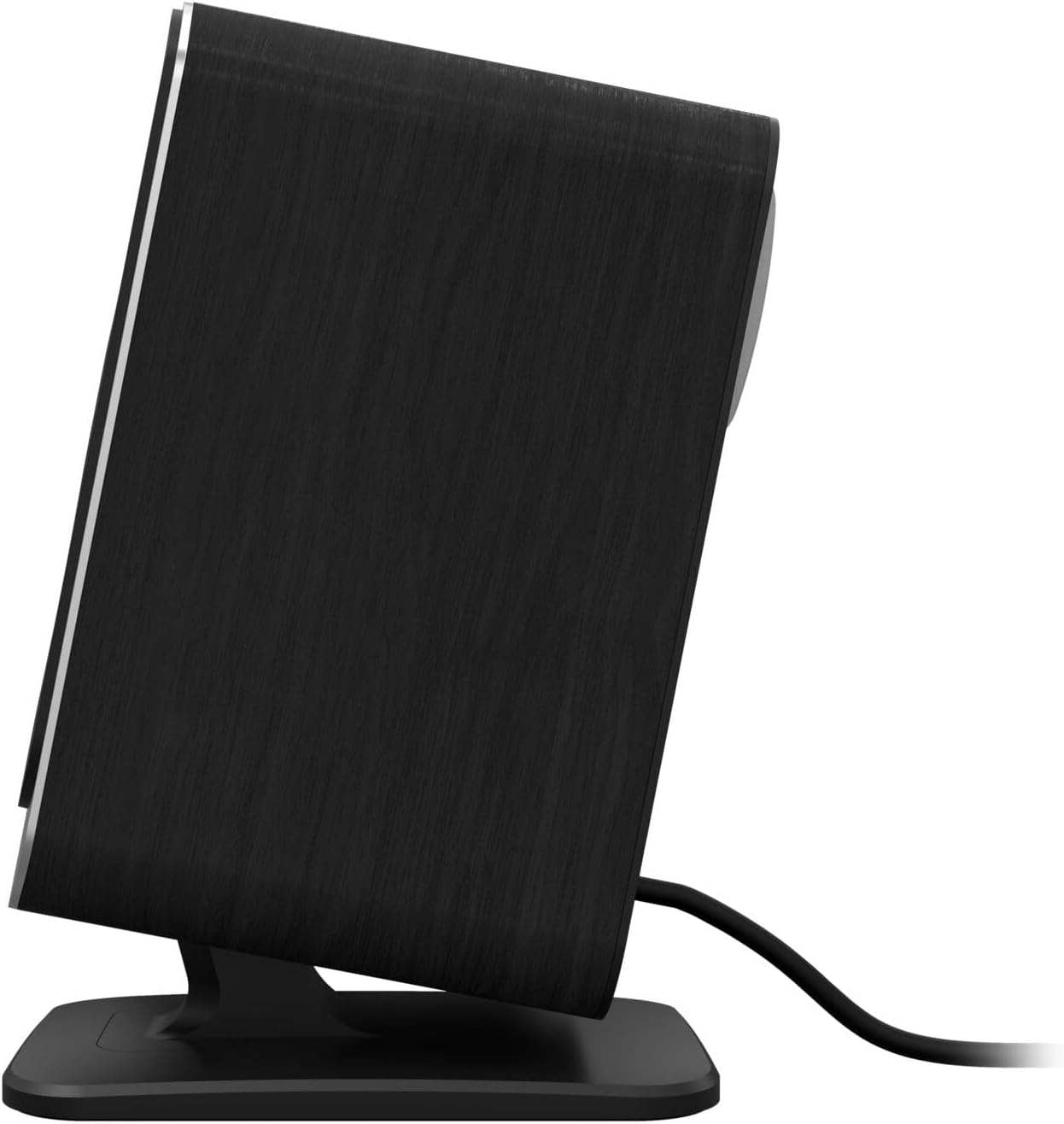
малюнок 4: Сторона view of the Klipsch ProMedia Lumina subwoofer, showcasing its compact design and textured black finish.
Відео 1: An official product video from Klipsch showcasing the ProMedia Lumina Computer Speakers with LED Lighting. The video highlights the design and lighting features of the speaker system.
Налаштування
Follow these steps to set up your Klipsch ProMedia Lumina speaker system:
- Розміщення: Place the subwoofer on the floor or a sturdy surface near your computer. Position the satellite speakers on either side of your monitor, ensuring they are at ear level for the best audio experience.
- Підключення сателітних динаміків: Connect the left and right satellite speakers to the corresponding outputs on the back of the subwoofer using the provided speaker cables. Ensure a secure connection.
- Підключення до джерела звуку:
- USB-C: Connect the USB-C cable from your computer to the USB-C input on the right satellite speaker.
- AUX (3.5 мм): Connect the 3.5mm AUX cable from your audio source (e.g., computer, smartphone) to the AUX input on the left satellite speaker.
- Bluetooth: For wireless connection, ensure Bluetooth is enabled on your device and the speaker system. Press and hold the power/Bluetooth button on the right satellite speaker to enter pairing mode. Select "Klipsch ProMedia Lumina" from your device's Bluetooth settings.
- Підключення живлення: Підключіть кабель живлення до сабвуфера, а потім увімкніть його в розетку.
- Увімкнення: Press the power/Bluetooth button on the right satellite speaker to turn on the system.

малюнок 5: The Klipsch ProMedia Lumina speaker system integrated into a gaming desktop setup, showing the satellite speakers flanking a monitor and the subwoofer placed discreetly.
Операційна
Once your system is set up, you can begin enjoying your audio. The main controls are located on the subwoofer and the right satellite speaker.
Основні елементи керування
- обсяг: Use the volume knob on the subwoofer to adjust the overall sound level.
- Високі/низькі частоти: Adjust the treble and bass knobs on the subwoofer to fine-tune your audio preferences.
- Вибір входу: Use the input button (if available on the subwoofer or remote) to switch between connected sources (USB-C, AUX, Bluetooth).
Klipsch Control App
Enhance your experience with the Klipsch Control desktop app, available on all app stores. The app allows for precision command over various settings:
- Налаштування еквалайзера: Adjust equalization settings to match your audio content.
- Режими освітлення: Customize RGB lighting effects, including night mode and music react mode.
- Контроль функцій: Access additional features and settings for personalized audio.

малюнок 6: A laptop screen displaying the Klipsch Control App interface, with a satellite speaker visible next to it, illustrating the app's role in customizing the speaker system.

малюнок 7: The rear of the Klipsch ProMedia Lumina satellite speakers displaying different customizable light patterns, showcasing the RGB lighting effects.
Технічне обслуговування
To ensure the longevity and optimal performance of your Klipsch ProMedia Lumina system, follow these maintenance guidelines:
- Прибирання: Use a soft, dry cloth to clean the surfaces of the speakers and subwoofer. Avoid using abrasive cleaners, waxes, or solvents.
- Витирання пилу: Regularly dust the speaker grilles and vents to prevent dust buildup, which can affect sound quality and ventilation.
- Управління кабелем: Keep cables organized and untangled to prevent damage and ensure a tidy setup.
- Умови навколишнього середовища: Уникайте впливу екстремальних температур, високої вологості або прямих сонячних променів на систему.
Усунення несправностей
If you encounter any issues with your speaker system, refer to the following common troubleshooting steps:
| проблема | Рішення |
|---|---|
| Немає звуку |
|
| Static or Distortion |
|
| Проблеми зі сполученням Bluetooth |
|
Технічні характеристики
| Особливість | Деталь |
|---|---|
| Назва моделі | Klipsch ProMedia Lumina |
| Номер моделі товару | 1073625 |
| Тип динаміка | Динамік комп'ютера |
| Режим аудіовиходу | Об'ємний |
| Технологія підключення | Bluetooth (5.3), USB-C, AUX (3.5mm) |
| Особливість | LED Light (Customizable RGB) |
| Максимальна вихідна потужність динаміка | 10 Вт |
| АЧХ | 20 Гц |
| Розміри продукту | 6.5" Г x 4" Ш x 9.75" В |
| Вага товару | 13.1 фунта |
| Колір | чорний |
Гарантія та підтримка
Klipsch products are designed for years of enjoyment. For warranty information and technical support, please refer to the official Klipsch webсайт або зверніться до служби підтримки клієнтів. Зберігайте чек про покупку для будь-яких гарантійних претензій.


