1. Вступ
Thank you for choosing the KTC H25T7-3 24.5 Inch 240Hz FHD Gaming Monitor. This manual provides essential information for setting up, operating, and maintaining your monitor. Please read it thoroughly before use to ensure optimal performance and safety.
Інформація про безпеку
- Не піддавайте монітор впливу дощу або вологи, щоб запобігти пожежі або ураженню електричним струмом.
- Не відкривайте монітор casing. Усередині немає деталей, які може обслуговувати користувач. Звертайтеся до кваліфікованого персоналу з будь-яким обслуговуванням.
- Розмістіть монітор на стійкій, рівній поверхні, щоб запобігти його падінню.
- Забезпечте належну вентиляцію навколо монітора, щоб запобігти перегріванню.
- Use only the power adapter and cables provided by KTC.
2. Що в коробці
Перевірте, чи всі наступні елементи присутні у вашій упаковці:
- KTC H25T7-3 24.5" FHD 240Hz Monitor (x1)
- Monitor Stand (x1)
- Короткий посібник користувача (QSG) (x1)
- Кабель DisplayPort (DP) (x1)
- Адаптер живлення (x1)
- Шнур живлення (x1)
3. Продукт закінчивсяview
The KTC H25T7-3 is a 24.5-inch Full HD (1920x1080) gaming monitor featuring a Fast IPS panel, 240Hz refresh rate, and 1ms MPRT response time for smooth visuals. It supports HDR400 and Adaptive-Sync technology to enhance your viewта ігровий досвід.
Ключові характеристики
- 24.5" FHD Fast IPS Panel: Delivers crisp 1080p resolution with wide 178° viewкути.
- Частота оновлення 240 Гц та MPRT 1 мс: Ensures ultra-smooth motion and minimal ghosting.
- Технологія Adaptive-Sync: Synchronizes the monitor's refresh rate with your GPU for tear-free gameplay.
- Підтримка HDR400: Забезпечує покращену контрастність та глибину кольору для більш захопливого візуального досвіду.
- Ергономічна підставка: Offers tilt, pivot, and height adjustments for personalized viewкомфорту.
- Функції догляду за очима: Low blue light and flicker-free technology reduce eye strain during extended use.
- Кілька варіантів підключення: Includes 2x HDMI 2.0, 1x DisplayPort 1.4, and 1x USB 2.0.

Малюнок 3.1: Закінченоview of KTC H25T7-3 monitor features including Fast IPS, 240Hz, HDR400, and adjustable stand.
4. Налаштування
4.1 Збірка підставки
- Обережно вийміть компоненти монітора та підставки з упаковки.
- Прикріпіть основу підставки до шиї підставки за допомогою наданих гвинтів.
- Вирівняйте зібрану підставку з монтажним отвором на задній панелі монітора та надійно закріпіть її.

Малюнок 4.1: Спереду view of the KTC H25T7-3 monitor with its stand assembled.
4.2 VESA Wall Mounting (Optional)
The monitor supports a 100x100mm VESA mount. To wall mount the monitor:
- Зніміть підставку з монітора, якщо вона вже прикріплена.
- Attach your VESA-compatible wall mount bracket to the four screw holes on the back of the monitor. Ensure the screws are appropriate for the VESA standard and do not overtighten.
- Follow the instructions provided with your VESA mount for secure installation.

Малюнок 4.2: Задня частина view of the KTC H25T7-3 monitor, highlighting the input ports and VESA mounting area.
4.3 З'єднувальні кабелі
Connect the necessary cables to the corresponding ports on the monitor and your computer/device:
- Потужність: Підключіть адаптер живлення до входу постійного струму монітора, а потім підключіть шнур живлення до розетки.
- DisplayPort (DP): For optimal performance (240Hz, Adaptive-Sync), connect the provided DisplayPort cable from your graphics card to the monitor's DP 1.4 port.
- HDMI: Alternatively, connect an HDMI cable from your device to one of the monitor's HDMI 2.0 ports.
- USB: The USB 2.0 port can be used for firmware upgrades or connecting peripherals.
5. Інструкція з експлуатації
5.1 Увімкнення/вимкнення живлення
Press the power button (usually located on the back or bottom of the monitor) to turn the monitor on or off. The power indicator light will illuminate when the monitor is on.
5.2 Навігація по екранному меню
The On-Screen Display (OSD) menu is controlled by a joystick button, typically located on the back of the monitor. Use the joystick to navigate through the menu options and adjust settings.
- Натисніть: Enter/Confirm selection.
- Вверх вниз: Навігація параметрами меню.
- Вліво/вправо: Налаштуйте значення або переміщуйтесь між підменю.
5.3 Налаштування параметрів дисплея
Access the OSD menu to configure various display settings:
- Яскравість/Контрастність: Налаштуйте загальний рівень яскравості та контрастності.
- Параметри кольору: Точне налаштування колірної температури, гами та окремих значень RGB.
- Режим зображення: Select from preset modes (e.g., Standard, Game, Movie, sRGB) or customize your own.
- Частота оновлення: Ensure your graphics card output is set to 240Hz for optimal performance.
- Адаптивна синхронізація: Enable this feature in the OSD menu and your graphics card control panel to eliminate screen tearing.
- HDR: Activate HDR400 for compatible content to experience enhanced dynamic range.
- Низьке синє світло: Adjust the blue light filter to reduce eye strain.

Figure 5.1: Visual representation of the 240Hz refresh rate for smooth motion.
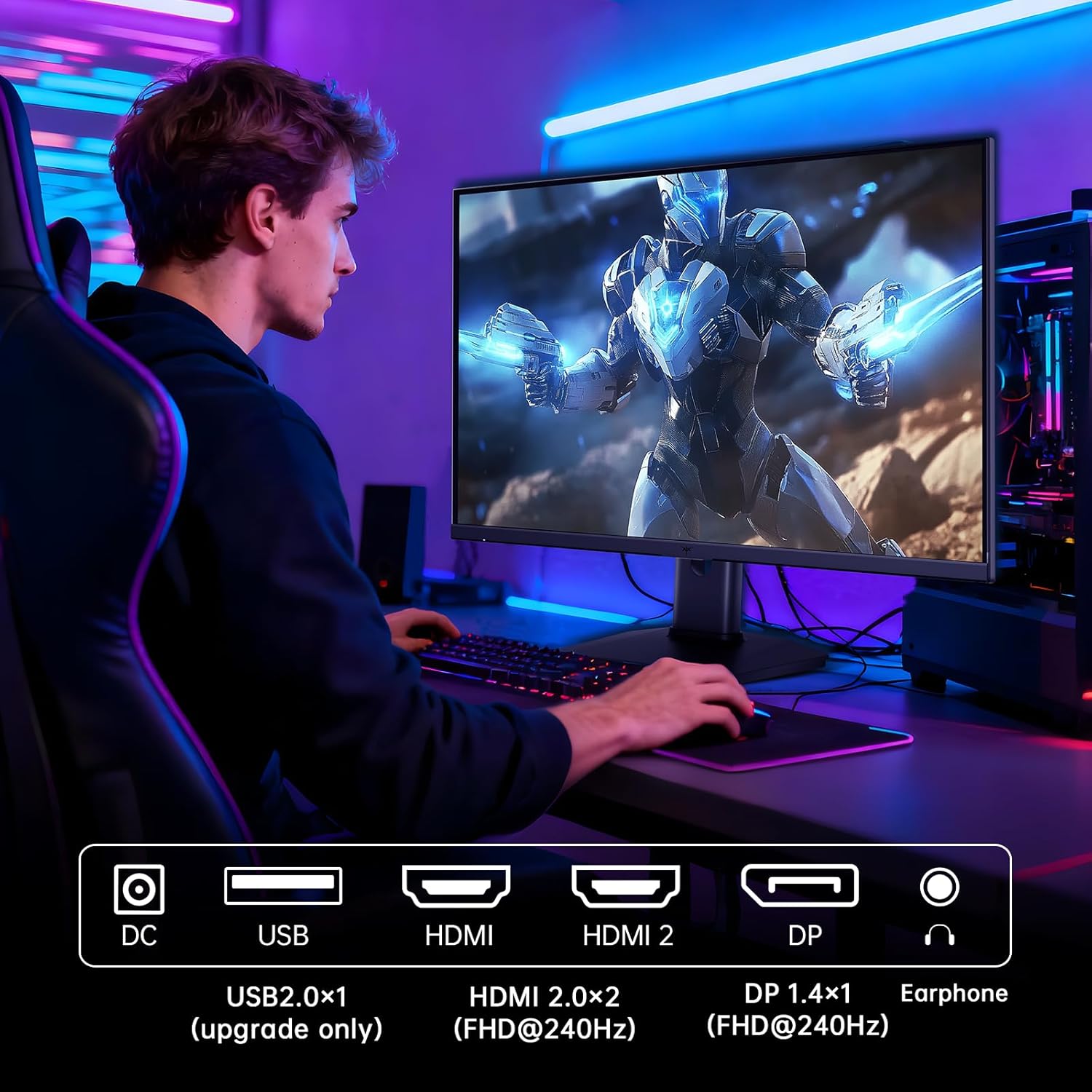
Figure 5.2: Comparison showing the effect of Adaptive-Sync on reducing stuttering and screen tearing.

Figure 5.3: Illustration of HDR400 technology delivering clear details in dark areas compared to HDR10.

Figure 5.4: Diagram illustrating hardware blue light reduction technology to filter harmful blue light bands.
5.4 Ергономічні налаштування
Підставка для монітора дозволяє здійснювати різні налаштування для оптимізації viewпозиція:
- Нахил: Відрегулюйте кут нахилу екрана вперед або назад (від -5° до 20°).
- Опорна точка: Поверніть екран на 90° для портретного режиму.
- Регулювання висоти: Raise or lower the screen by up to 110mm.
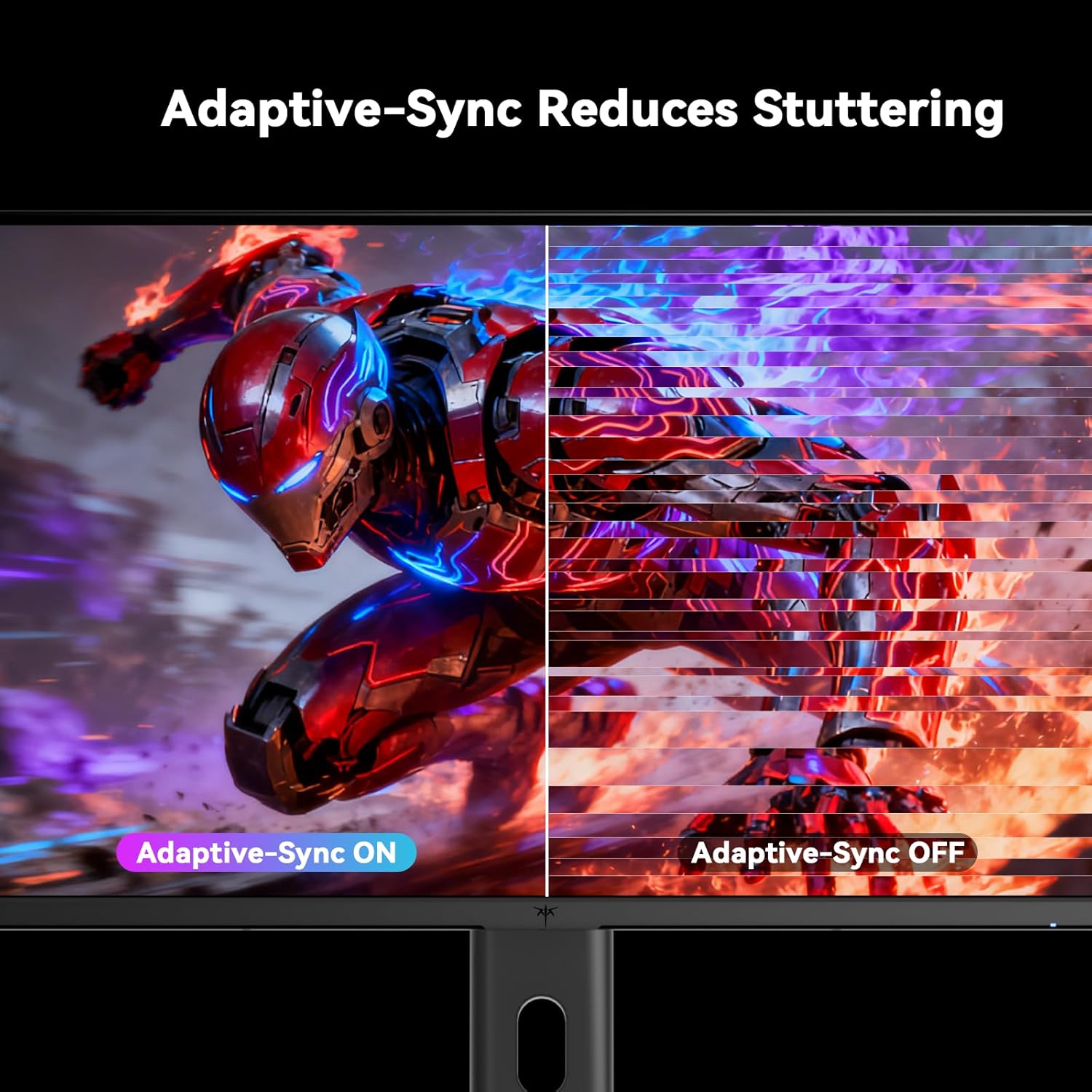
Figure 5.5: Diagram showing the tilt, pivot, and height adjustment capabilities of the monitor stand.
5.5 Офіційне відео продукту
Video 5.1: An official product video from KTC-Official showcasing the 24.5 Inch FHD 240Hz Gaming Monitor, demonstrating its features and performance.
6. Технічне обслуговування
6.1 Очищення монітора
Щоб очистити екран монітора таasing:
- Завжди відключайте монітор від розетки перед чищенням.
- Злегка протріть м’якою тканиною без ворсу dampводою або неабразивним засобом для чищення екранів.
- Не розпилюйте засіб для чищення безпосередньо на екран.
- Уникайте використання бензолу, розчинника, засобів для чищення на основі аміаку або абразивних матеріалів.
6.2 Загальний догляд
- Тримайте монітор подалі від прямих сонячних променів, надмірного тепла або холоду.
- Уникайте розміщення важких предметів на моніторі або його кабелях.
- Не блокуйте вентиляційні отвори на моніторі.
7. Вирішення проблем
Якщо у вас виникли проблеми з монітором, зверніться до наступних поширених проблем та способів їх вирішення:
| проблема | Можлива причина | Рішення |
|---|---|---|
| Немає живлення | Кабель живлення не підключено; розетка не працює | Переконайтеся, що кабель живлення надійно підключено. Перевірте розетку за допомогою іншого пристрою. |
| Немає сигналу | Video cable not connected; Incorrect input source selected; Computer/device not powered on | Check video cable connections. Select the correct input source via the OSD menu. Ensure your computer/device is on. |
| Мерехтіння екрана | Incorrect refresh rate; Cable issue; Adaptive-Sync not enabled | Set refresh rate to 240Hz. Try a different video cable. Enable Adaptive-Sync in OSD and GPU settings. |
| Спотворення/низька якість зображення | Incorrect resolution; Graphics driver issue; Monitor settings | Set resolution to 1920x1080. Update graphics drivers. Adjust OSD settings (brightness, contrast, color). |
7.1 Скидання до заводських налаштувань
If problems persist, you may perform a factory reset through the OSD menu. This will revert all monitor settings to their default values.
8. Технічні характеристики
Detailed technical specifications for the KTC H25T7-3 monitor:
| Особливість | Специфікація |
|---|---|
| Номер моделі | H25T7-3 |
| Розмір екрана | 24.5 дюймів |
| Тип панелі | Майже IPS |
| роздільна здатність | FHD 1080p (1920 x 1080 пікселів) |
| Співвідношення сторін | 16:9 |
| Частота оновлення | 240 Гц |
| Час відгуку | 1 мс (MPRT) |
| Адаптивна синхронізація | так |
| Підтримка HDR | HDR400 |
| Колірна гамма | 114% sRGB |
| Коефіцієнт контрастності | 1000:1 |
| Кольори дисплея | 16.7 мільйонів |
| Яскравість | 350 кд/м² |
| Viewкут нахилу | 178° (Г/В) |
| Підключення | 2x HDMI 2.0, 1x DisplayPort 1.4, 1x USB 2.0 |
| Сумісність з кріпленням VESA | 100х100 мм |
| Ергономічні налаштування | Tilt, Pivot, Height |
| Розміри виробу (з підставкою) | 7.6 x 21.97 x 18.23 дюймів |
| Вага виробу (з підставкою) | 11.58 фунта |
| томtage | 12 вольт (постійний струм) |
9. Гарантія та підтримка
9.1 Інформація про гарантію
KTC monitors are designed and manufactured to the highest quality standards. For specific warranty terms and conditions, please refer to the warranty card included with your product or visit the official KTC webсайт. Зберігайте чек про покупку як підтвердження покупки для гарантійних претензій.
9.2 Підтримка клієнтів
If you have any questions, require technical assistance, or experience issues not covered in this manual, please contact KTC customer support. Contact details can typically be found on the official KTC webсайті або в Короткому посібнику з початку роботи.


