1. Вступ
The ECOWITT GW1200BU Wi-Fi Gateway Weather Station is a compact device designed to monitor indoor environmental conditions and act as a central hub for various Ecowitt wireless sensors. It features built-in sensors for temperature, humidity, and barometric pressure, providing real-time data. This gateway facilitates the collection and upload of sensor data to the internet, enabling remote monitoring and integration with smart home systems. This manual provides detailed instructions for setting up, operating, and maintaining your GW1200BU device.
2. Вміст упаковки
Будь ласка, перевірте наявність та належний стан усіх перелічених нижче предметів після відкриття упаковки:
- GW1200BU Wi-Fi Gateway Unit
- USB Power Cable (1.5m/3ft extension cable included for flexible placement)
- Інструкція з експлуатації (цей документ)

Image 2.1: The GW1200BU Wi-Fi Gateway with its integrated temperature/humidity/pressure probe and USB power cable.
3. Продукт закінчивсяview
The GW1200BU is a versatile device offering several key functionalities:
- Built-in 3-in-1 Sensor: Measures indoor temperature, humidity, and barometric pressure.
- IOT Ready: Capable of pairing with Ecowitt smart control devices such as the WFC01 watering timer and AC1100 smart plug, allowing for app-based control.
- Extensive Sensor Support: Connects to a wide range of Ecowitt-developed sensors (sold separately) including outdoor temperature/humidity, rain gauges, anemometers, soil moisture sensors, pool thermometers, PM2.5 air quality sensors, water leak sensors, and lightning sensors. Supports up to 16 IoT devices.
- Частота радіочастот: Operates at 915 MHz for reliable wireless communication with sensors.

Image 3.1: The GW1200BU (right) compared to the GW1100, highlighting its features and capabilities.

Image 3.2: The GW1200BU gateway connected to power, with a smartphone showing live data from the Ecowitt app.
4. Налаштування
Follow these steps to set up your GW1200BU Wi-Fi Gateway:
- Підключення живлення: Connect the GW1200BU to a USB power source (USB 2.0 or later) using the provided USB cable. An additional 1.5m/3ft USB extension cable is included for flexible placement.
- Розміщення: Position the gateway in a central location within your home to ensure optimal reception for all connected sensors. Use the cable clip to secure the USB cable if necessary.
- Початкове увімкнення: Once powered, the device will begin its startup sequence. The RF and Wi-Fi indicator lights will provide status feedback.

Image 4.1: The GW1200BU gateway powered via a standard USB wall adapter.
5. Конфігурація Wi-Fi
To enable internet connectivity and data upload, configure the Wi-Fi settings for your GW1200BU:
- Download the Ecowitt APP: It is recommended to download the official Ecowitt APP from your smartphone's app store (available for iOS and Android).
- Дотримуйтесь інструкцій у додатку: Open the Ecowitt APP and follow the on-screen prompts to connect your GW1200BU to your home Wi-Fi network. This process typically involves selecting your Wi-Fi network and entering the password.
- Alternative Configuration (Webсайт): For advanced users, Wi-Fi configuration can also be performed via a web interface. Refer to the Quick Start Guide for detailed instructions on this method.
A successful Wi-Fi connection is indicated by a steady Wi-Fi indicator light on the GW1200BU.
6. Supported Sensors and System Expansion
The GW1200BU acts as a gateway for a wide array of Ecowitt sensors, allowing you to build a comprehensive weather monitoring system. Sensors are sold separately.
Compatible Ecowitt Sensors:
- Температура та вологість на вулиці: WN32
- Дощомір: WH40
- Wireless Anemometer: WS68
- Зовнішній датчик: WS90
- Thermo-Hygrometer Sensors: Up to 8 WN31 units
- Soil Moisture Sensors: Up to 8 WH51/WH51L units
- Pool Thermometers: Up to 8 WN34L/WN34D units
- PM2.5 Air Quality Sensors: Up to 4 WH41/WH43 units
- Датчик якості повітря: WH45/WH46
- Water Leak Sensors: WH55
- Lightning Sensor: WH57
- Пристрої Інтернету речей: Up to 16 devices, such as WFC01 (watering timer) and AC1100 (smart plug).

Image 6.1: Visual representation of the GW1200BU gateway and its compatibility with a wide range of Ecowitt outdoor and indoor sensors.
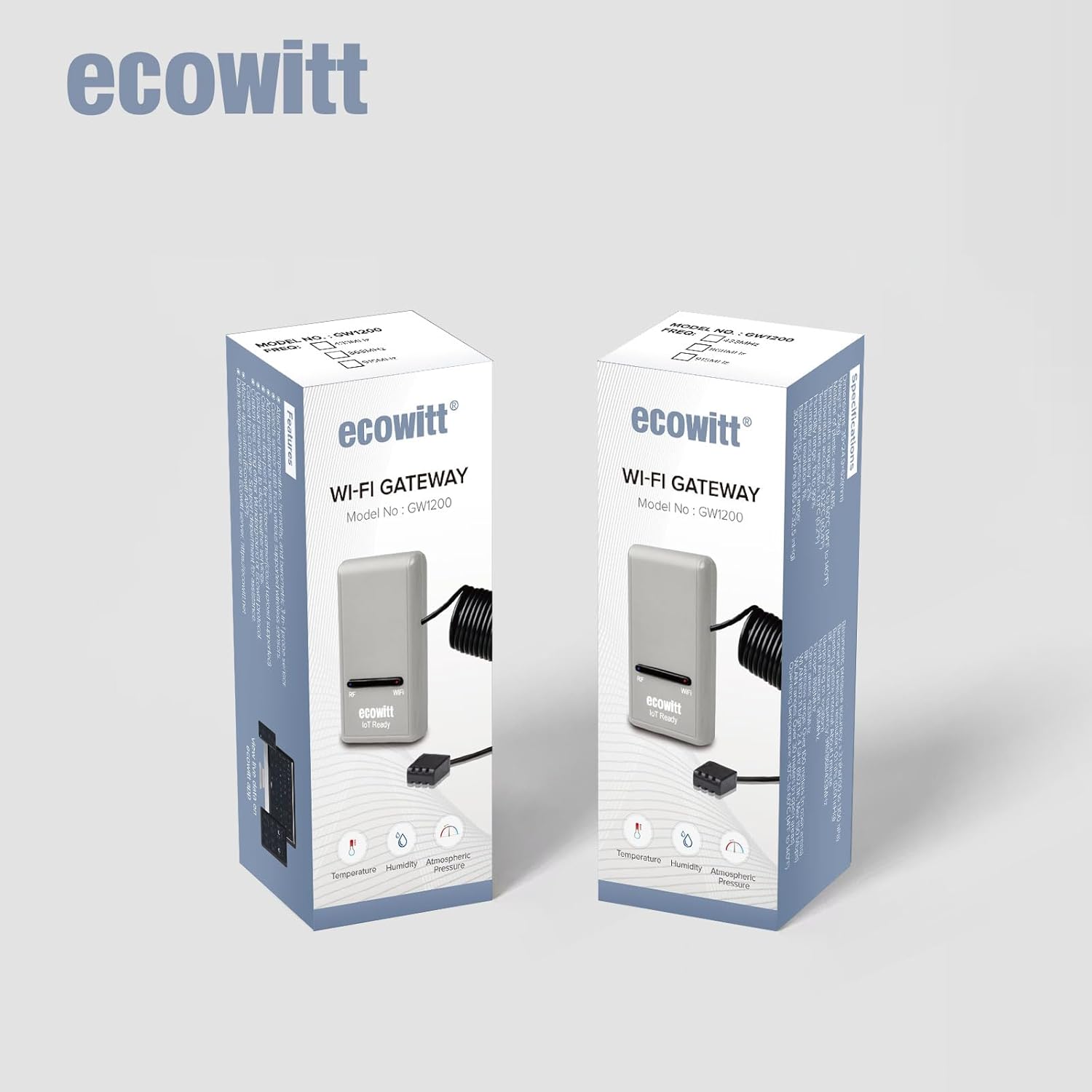
Image 6.2: An illustration of a typical Ecowitt smart home setup, demonstrating how the GW1200BU integrates with multiple sensors and devices around a property.
7. Операція: Viewing Data and Internet Services
Once your GW1200BU is connected to Wi-Fi and paired with sensors, you can access and manage your data:
- View Живі дані: Use the Ecowitt APP to view real-time data collected from all connected sensors. The app also allows you to manage sensor calibration settings and select which sensors are active.
- Internet Weather Services: After successful Wi-Fi configuration, the GW1200BU can upload data to various online weather platforms. By default, data is uploaded to ecowitt.net. Other supported services include wunderground.com, weathercloud.net, wow.metoffice.gov.uk, and customized servers.

Image 7.1: The Ecowitt app interface showing a dashboard with various live sensor readings.

Image 7.2: The Ecowitt app interface presenting historical data in graphical format for detailed analysis.
8. Оновлення мікропрограми
The GW1200BU supports firmware updates to introduce new features and improve performance. You can configure the update behavior:
- Автоматичні оновлення: You can enable automatic firmware updates through the Ecowitt APP or web interface. If enabled, the device will update itself when new firmware is available, provided it has an active internet connection.
- Ручні оновлення: By default, the automatic update option is unchecked, meaning you will need to manually initiate updates.
- Зберігання даних: Firmware updates are designed to retain your original data and settings.
Ensure your GW1200BU is connected to your router with internet access for any firmware update process.
9. Технічні характеристики
| Особливість | Специфікація |
|---|---|
| Розміри продукту | 1.97 x 1.18 x 2.17 inches; 3.88 ounces (5.0 x 3.0 x 5.5 cm) |
| Номер моделі товару | GW1200CA (variant GW1200BU) |
| Виробник | ЕКОВІТТ |
| Бренд | ЕКОВІТТ |
| Рекомендоване використання | Домашній офіс |
| Особливе використання | Built-in Temperature & Humidity Sensor and Barometric Pressure Sensor, IoT Function |
| Джерело живлення | Харчування від порту USB |
| Особливість | Налаштовуване сповіщення |
| матеріал | Акрилонітрилбутадієнстирол (АБС) |
| Технологія підключення | Wi-Fi |
| Колір | Сірий |
10. Вирішення проблем
If you encounter issues with your GW1200BU, consider the following common solutions:
- Немає живлення: Ensure the USB cable is securely connected to both the gateway and a functional USB power source. Try a different USB port or adapter.
- Проблеми з підключенням Wi-Fi: Verify your Wi-Fi network is active and the password is correct. Ensure the gateway is within range of your Wi-Fi router. Restarting your router and the GW1200BU may resolve connectivity problems.
- Sensor Data Not Appearing: Check that your external sensors are properly powered and within the GW1200BU's RF range (915 MHz). Ensure sensors are correctly paired via the Ecowitt APP.
- Неточні показання: Ensure the GW1200BU is placed in a location free from direct sunlight, heat sources, or drafts that could affect its built-in sensors. Calibrate sensors if necessary through the Ecowitt APP.
- Додаток не відображає дані: Confirm your smartphone has an active internet connection and the Ecowitt APP is updated to the latest version.
For persistent issues, refer to the detailed troubleshooting section in the Quick Start Guide or contact Ecowitt customer support.
11. Технічне обслуговування
To ensure the longevity and accurate performance of your GW1200BU:
- Прибирання: Gently wipe the device with a soft, dry cloth. Avoid using abrasive cleaners or solvents.
- Умови навколишнього середовища: Keep the gateway in a dry environment, away from extreme temperatures, direct sunlight, and excessive dust.
- Догляд за кабелем: Уникайте надмірного згинання або обтискання USB-кабелю, щоб запобігти його пошкодженню.
12. Гарантія та підтримка
The ECOWITT GW1200BU Wi-Fi Gateway Weather Station is manufactured by ECOWITT. For warranty information, technical support, or further assistance, please refer to the documentation included with your product or visit the official Ecowitt website. You can also find support and product information at the ECOWITT Store on Amazon.


