1. Вступ
Welcome to the user manual for your new Oilsky M303pro MP3 Player. This device is designed to provide a versatile audio and video experience with its advanced features, including Bluetooth, Wi-Fi, and a touch screen interface. This manual will guide you through the setup, operation, maintenance, and troubleshooting of your device to ensure optimal performance and enjoyment.
Video 1.1: Oilsky M303pro MP3 Player Overview. This video provides a visual introduction to the Oilsky M303pro MP3 Player, showcasing its key features such as the music player interface, video playback capabilities, powerful MTK 8-core processor, Google Play Store access for app downloads, Bluetooth connectivity, battery life, and the contents of the product package.
2. Що в коробці
Будь ласка, перевірте вміст упаковки, щоб переконатися, що всі елементи присутні:
- 1 x Oilsky M303pro MP3 Player
- 1 x 64 ГБ Micro SD карта
- 1 х захисна плівка
- 1 x захисний футляр
- 1 кабель USB-C
- 1 х навушники
- 1 х посібник користувача

Зображення 2.1: Комплектація. This image displays all items included in the Oilsky M303pro MP3 Player package.
3. Пристрій закінчивсяview
The Oilsky M303pro features a sleek design with a 4.0-inch IPS touch screen. Familiarize yourself with the device's physical components:

Image 3.1: Front and Back View Пристрою. This image illustrates the overall design of the Oilsky M303pro MP3 Player, highlighting its touch screen and rear panel.
Ключові компоненти:
- 4.0-дюймовий сенсорний IPS-екран: Головний дисплей для взаємодії.
- Кнопка живлення: Located on the side, used for turning the device on/off and screen lock.
- Кнопки гучності: Налаштуйте аудіовихід.
- Порт USB-C: Для зарядки та передачі даних.
- Гніздо для навушників 3.5 мм: Для дротового аудіовиходу.
- Слот для карти Micro SD: Для розширення сховища.
- Вбудований динамік: Для відтворення аудіо без навушників.
4. Налаштування
4.1 Зарядка пристрою
Before first use, fully charge your Oilsky M303pro.
- Підключіть наданий кабель USB-C до порту USB-C пристрою.
- Підключіть інший кінець кабелю USB-C до адаптера живлення USB (не входить до комплекту) або USB-порту комп’ютера.
- Індикатор заряджання показуватиме стан заряджання. Повне заряджання зазвичай триває приблизно 3 годин.

Image 4.1: Charging the Device. This image demonstrates the charging process and highlights the battery capacity and estimated usage times.
4.2 Вставлення карти Micro SD
The device comes with a 64GB Micro SD card. You can expand storage up to 512GB.
- Знайдіть слот для карти Micro SD на бічній панелі пристрою.
- Обережно вставте карту Micro SD у гніздо до клацання. Переконайтеся, що карта правильно орієнтована.
- Щоб вийняти, злегка натисніть на карту, доки вона не вискочить.

Image 4.2: Micro SD Card Insertion. This image visually guides on how to insert the Micro SD card to expand the device's storage.
4.3 Початкове увімкнення та основні налаштування
- Натисніть і утримуйте кнопку живлення, доки екран не увімкнеться.
- Дотримуйтесь підказок на екрані, щоб вибрати потрібну мову та регіон.
- Connect to a Wi-Fi network: Go to Налаштування > Мережа та Інтернет > Wi-Fi, then select your network and enter the password.
5. Інструкція з експлуатації
5.1 Basic Navigation and Touch Screen
The Oilsky M303pro features a responsive 4.0-inch IPS touch screen for intuitive control.
- Торкніться: Виберіть елемент або відкрийте програму.
- Проведіть пальцем: Navigate through menus or pages.
- Масштабування за допомогою розведення пальців: Zoom in or out on images or videos.
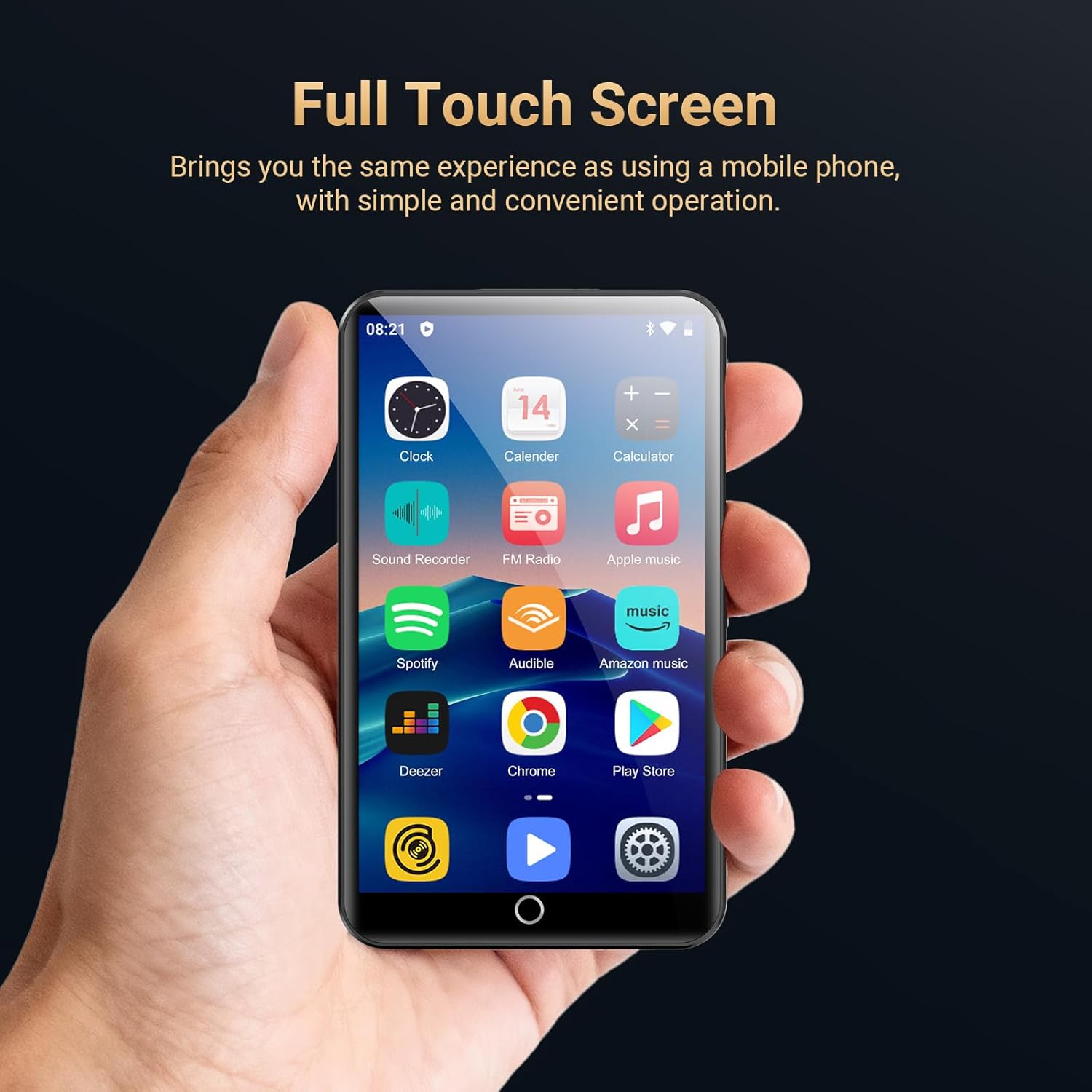
Image 5.1: Full Touch Screen Operation. This image shows the device being operated via its touch screen, similar to a smartphone.
5.2 Відтворення музики
The device supports various audio formats including MP3, OGG, FLAC, AAC, WAV, WMA, and APE.
- Відкрийте HiBy Music app or another preferred music application.
- Browse your music library by song category, artist, album, or search for specific tracks.
- Торкніться пісні, щоб розпочати відтворення.
- Use the on-screen controls for play/pause, skip, repeat, and shuffle.
- Adjust the equalizer settings to customize your audio experience.

Image 5.2: HiBy Music Player Interface. This image displays the features available within the HiBy Music application for managing and playing audio files.
5.3 Відтворення відео
The device supports 720p and 1080p HD video playback for formats such as RM, RMVB, FLV, MP4, DAT, MKV, MPG, MOV, and TS.
- Відкрийте MX Player Pro app or another video player application.
- Select the video you wish to watch from your storage.
- The player offers features like loop/random playback, variable speed, sleep timer, and gesture zoom.

Image 5.3: Video Playback with MX Player Pro. This image demonstrates the video playback capabilities and features of the pre-installed video player.
5.4 Підключення Bluetooth
Connect your Oilsky M303pro to Bluetooth headphones, speakers, or car audio systems.
- Переконайтеся, що ваш Bluetooth-аксесуар перебуває в режимі сполучення.
- На своєму пристрої перейдіть до Налаштування > Підключені пристрої > Bluetooth.
- Turn Bluetooth on and select "Pair new device".
- Select your accessory from the list of available devices to connect. The device will automatically connect to the last paired device.

Image 5.4: Bluetooth Connection. This image shows the MP3 player wirelessly connected to external audio devices.
5.5 Wi-Fi Connectivity and App Installation
Connect to Wi-Fi to access online streaming services and download applications from the Google Play Store.
- Перейти до Налаштування > Мережа та Інтернет > Wi-Fi and connect to your desired network.
- Once connected, open the Google Play Store додаток
- шукати and download popular apps like Spotify, Audible, Amazon Music, Pandora, Deezer, YouTube, Facebook, or Kindle.
- Pre-installed apps can also be uninstalled if not needed.

Image 5.5: Google Play Store and App Access. This image highlights the device's capability to download and manage applications via Wi-Fi.
5.6 Інші функції
- FM-радіо: Access local radio stations.
- Диктофон: Use the built-in microphone to record audio.
- Еквалайзер: Fine-tune audio output for different music genres or personal preference.
6. Технічне обслуговування
6.1 Очищення пристрою
Щоб зберегти зовнішній вигляд та функціональність вашого пристрою:
- Використовуйте м’яку тканину без ворсу для протирання екрана та корпусу.
- Уникайте використання абразивних мийних засобів, розчинників або аерозольних спреїв.
- Не піддавайте пристрій дії надмірної вологи.
6.2 Догляд за акумулятором
Proper battery care can extend the lifespan of your device's battery:
- Уникайте екстремальних температур, як спекотних, так і холодних.
- Не залишайте пристрій повністю розрядженим протягом тривалого часу.
- Для тривалого зберігання зарядіть акумулятор приблизно до 50% та зберігайте його в прохолодному сухому місці.
6.3 Оновлення програмного забезпечення
Periodically check for software updates to ensure your device has the latest features and performance improvements.
- Перейти до Налаштування > система > Просунутий > Оновлення системи.
- Дотримуйтесь інструкцій на екрані, щоб завантажити та встановити всі доступні оновлення.
7. Вирішення проблем
If you encounter issues with your Oilsky M303pro, refer to the following common problems and solutions:
| проблема | Рішення |
|---|---|
| Пристрій не вмикається. | Переконайтеся, що пристрій заряджений. Підключіть його до джерела живлення та спробуйте ще раз. Якщо пристрій не реагує, натисніть і утримуйте кнопку живлення протягом 10-15 секунд, щоб примусово перезавантажити пристрій. |
| Неможливо підключитися до Wi-Fi. | Check if Wi-Fi is enabled in settings. Verify the Wi-Fi password. Restart your router and the MP3 player. |
| Пристрій Bluetooth не сполучається. | Ensure the Bluetooth accessory is in pairing mode and within range. Turn Bluetooth off and on again on the MP3 player. Remove previously paired devices and try pairing again. |
| Music/Video playback issues. | Перевірте, чи file format is supported. Ensure the file is not corrupted. Try a different media player app. Verify sufficient storage space. |
| Пристрій працює повільно або не реагує. | Close unused applications. Clear cache from apps in Settings > Apps & notifications. Restart the device. Consider a factory reset if the issue persists (backup data first). |
8. Технічні характеристики
| Особливість | Деталь |
|---|---|
| Назва моделі | M303pro |
| Розміри продукту | 0.47 x 2.44 x 4.13 дюймів |
| Вага товару | 7.4 унції |
| Розмір екрана | 4 Inches (IPS Touch Screen, 480*800 pixels) |
| Операційна система | Android |
| Процесор | MTK 8-core processor |
| Internal Memory (ROM) | 16 ГБ |
| ОЗУ | 2 ГБ |
| Розширюване сховище | Up to 512GB via Micro SD Card (64GB card included) |
| Підключення | Bluetooth 5.0, Wi-Fi, USB-C, Aux (3.5mm) |
| Акумулятор | 2000mAh Lithium Polymer (up to 45-50 hrs music, 6-8 hrs video) |
| Аудіоформати | MP3, OGG, FLAC, AAC, WAV, WMA, APE |
| Формати відео | RM, RMVB, FLV, MP4, DAT, MKV, MPG, MOV, TS (supports 720p/1080p HD) |
| Особливості | Equalizer, FM Radio, Touch Screen, Voice Recorder, Preloaded Streaming Apps |
9. Гарантія та підтримка
9.1 Інформація про гарантію
Your Oilsky M303pro MP3 Player is covered by a manufacturer's warranty. Please refer to the warranty card included in your package for specific terms and conditions. Keep your proof of purchase for warranty claims.
9.2 Підтримка клієнтів
For any questions, technical assistance, or support regarding your Oilsky M303pro MP3 Player, please contact our customer service team:
- Електронна пошта: oilskyservice@hotmail.com
- Please include your model number (M303pro) and a detailed description of your issue when contacting support.


