1. Вступ
The House of Marley Get Together Go is a portable Bluetooth speaker designed for high-quality audio and outdoor durability. It features sustainable materials, multiple sound modes, and a robust, adventure-ready design.

Figure 1: Get Together Go Speaker in an outdoor environment.
Key features include IP67 waterproof and dustproof rating, up to 20 hours of playtime, customizable EQ modes, and Auracast multi-speaker pairing. The speaker is crafted from renewable bamboo and REGRIND silicone, reflecting a commitment to sustainable design.

Малюнок 2: Закінченоview of main features including EQ settings, playtime, IP67 protection, and ambient lighting.
2. Вміст упаковки
Переконайтеся, що всі предмети присутні в упаковці:
- House of Marley Get Together Go Portable Bluetooth Speaker
- Зарядний кабель USB-C
- Короткий посібник (не входить до цього посібника)
3. Налаштування
3.1 Заряджання динаміка
- Підключіть наданий зарядний кабель USB-C до зарядного порту динаміка.
- Підключіть інший кінець кабелю до сумісного USB-адаптера живлення (не входить до комплекту).
- Індикатор заряджання світитиметься під час заряджання та вимкнеться після повного заряджання.
3.2 Увімкнення/вимкнення
- To power on, press and hold the Power button until the indicator lights activate.
- Щоб вимкнути живлення, знову натисніть і утримуйте кнопку живлення, доки індикатори не згаснуть.

Малюнок 3: Спереду view of the speaker, illustrating general layout and control area.
3.3 Створення пари Bluetooth
- Переконайтеся, що динамік увімкнено.
- Press and hold the Bluetooth button on the speaker until the Bluetooth indicator light begins to flash, indicating pairing mode.
- На своєму пристрої (смартфоні, планшеті тощо) увімкніть Bluetooth та виконайте пошук доступних пристроїв.
- Select "Get Together Go" from the list of devices.
- Після підключення індикатор Bluetooth почне світитися постійно.
3.4 Auracast Multi-Speaker Pairing
The Get Together Go supports Auracast for connecting multiple compatible speakers for a larger sound experience. Refer to the official House of Marley website for detailed instructions on Auracast setup.
4. Інструкція з експлуатації
4.1 Відтворення аудіо
- Once paired via Bluetooth, play audio from your connected device.
- Use the Volume Up (+) and Volume Down (-) buttons on the speaker to adjust the volume.
- Натисніть кнопку відтворення/паузи, щоб керувати відтворенням.

Figure 4: Speaker control panel for power, Bluetooth, volume, and playback.
4.2 Custom EQ Modes
The speaker features three customizable EQ modes to optimize sound for different environments:
- Marley Signature Sound: Збалансований аудіопрофесіоналfile.
- Підсилення басів: Enhanced low-frequency response.
- Режим поза приміщенням: Optimized for open-air listening.
To switch between EQ modes, briefly press the Power button while the speaker is on. The ambient lighting may change to indicate the active mode.

Figure 5: Speaker in an outdoor setting, demonstrating its durability and suitability for various environments, where EQ modes can be adjusted.
4.3 Навколишнє освітлення
The speaker includes ambient lighting at its base. This lighting can be toggled or adjusted by pressing a dedicated button (refer to the speaker's physical controls for exact button location, often integrated with power or EQ controls).
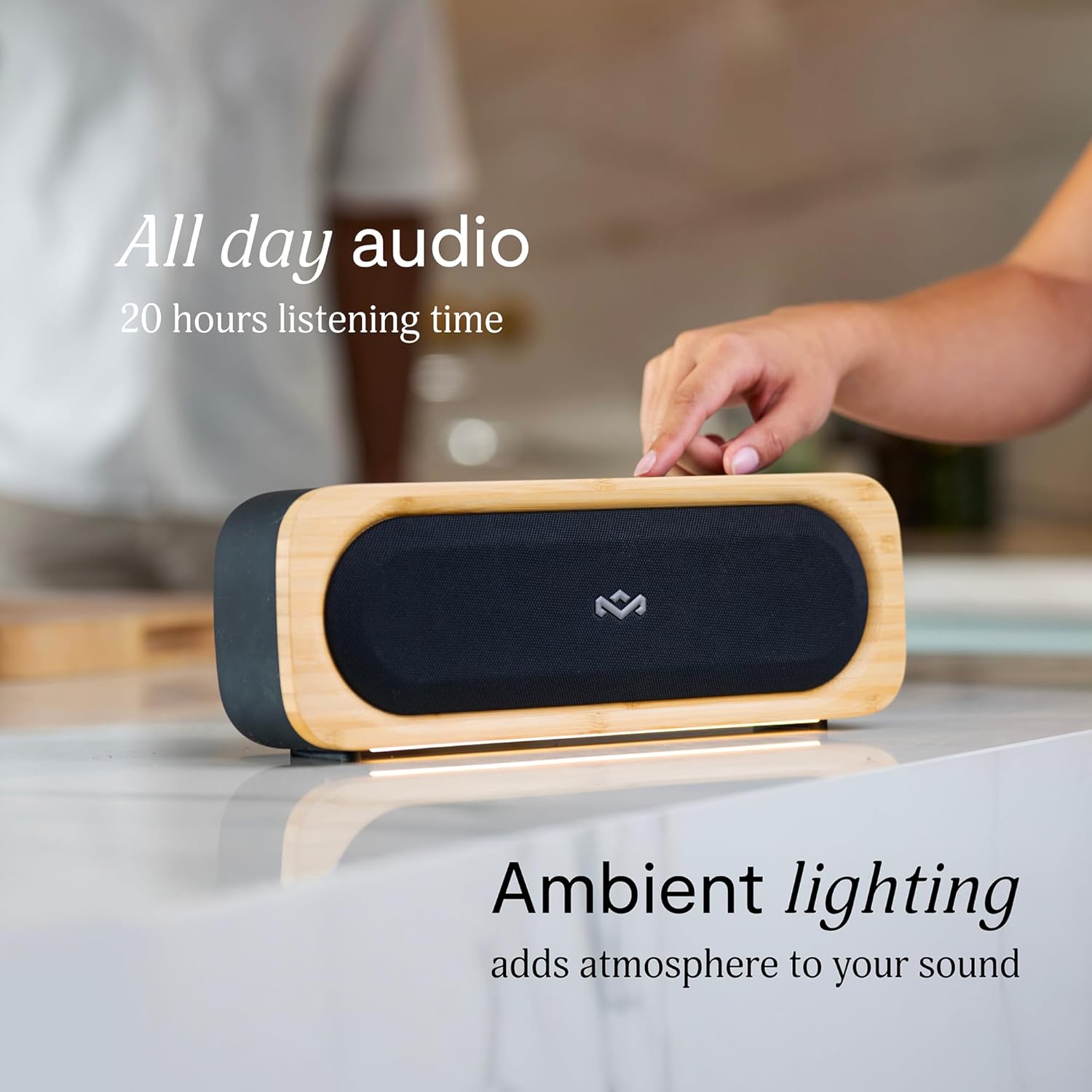
Figure 6: Speaker with ambient lighting active.
4.4 Built-in Bottle Opener
A bottle opener is integrated into the speaker's design for convenience. Locate the bottle opener on the rear or side of the speaker and use it as you would a standard bottle opener.

Figure 7: Demonstrating the use of the built-in bottle opener.
5. Технічне обслуговування
5.1 Очищення
- The speaker features a removable grill for easy cleaning. Gently detach the grill to clean any dust or debris from the speaker drivers.
- Протріть зовнішню частину динаміка м’якою тканиноюamp тканина. Уникайте використання агресивних хімікатів або абразивних засобів для чищення.
- Ensure the speaker is completely dry before reattaching the grill or using it near water.

Figure 8: Speaker with removable grill detached for cleaning.
5.2 Захист від води та пилу (IP67)
- The IP67 rating means the speaker is protected from dust ingress and can withstand immersion in water up to 1 meter for 30 minutes.
- Always ensure the charging port cover is securely closed before exposing the speaker to water or dust.
- Після контакту з водою ретельно висушіть динамік перед заряджанням.
5.3 Догляд за акумулятором
- For optimal battery life, avoid fully discharging the speaker frequently.
- Зберігайте динамік у прохолодному, сухому місці, якщо він не використовується протягом тривалого часу.
6. Вирішення проблем
6.1 Speaker Not Powering On
- Переконайтеся, що акумулятор заряджений. Підключіть динамік до джерела живлення та дайте йому зарядитися щонайменше 30 хвилин, перш ніж намагатися знову ввімкнути його.
- Press and hold the Power button for a few seconds to ensure it's not a brief press.
6.2 Проблеми зі сполученням Bluetooth
- Переконайтеся, що динамік перебуває в режимі сполучення (миготить індикатор Bluetooth).
- Ensure your device's Bluetooth is enabled and within range (typically 10 meters or 33 feet).
- Try forgetting the speaker from your device's Bluetooth settings and re-pairing.
- Перезавантажте динамік і пристрій Bluetooth.
6.3 Немає звуку або низька гучність
- Перевірте рівні гучності як на динаміку, так і на підключеному пристрої.
- Переконайтеся, що динамік правильно сполучено та підключено до вашого пристрою.
- Спробуйте відтворити аудіо з іншої програми або джерела на вашому пристрої.
7. Технічні характеристики
| Особливість | Деталь |
|---|---|
| Назва моделі | ЗБЕРІТЬСЯ РАЗОМ І ЙДІТЬ |
| Номер моделі товару | EM-JA036-SB |
| Технологія підключення | Bluetooth |
| Максимальна вихідна потужність динаміка | 20 Вт |
| Рейтинг IP | IP67 (водонепроникний та пилонепроникний) |
| Час відтворення | До 20 годин |
| Розміри продукту | 5.75" Г x 16.13" Ш x 4.75" В |
| Вага товару | 4.05 фунта |
| Матеріали | Renewable Bamboo, REGRIND Silicone, REWIND Fabric |
| UPC | 846885011706 |
8. Гарантія та підтримка
For warranty information and technical support, please refer to the official House of Marley webсайт або зверніться безпосередньо до служби підтримки клієнтів. Зберігайте чек про покупку для гарантійних випадків.
9. Зобов'язання щодо сталого розвитку
The House of Marley Get Together Go speaker is designed with sustainability in mind, utilizing:
- Renewable Bamboo: Crafted from one of the world's fastest-growing plants.
- REWIND Fabric: Made from recycled plastic bottles for a durable finish.
- REGRIND Silicone: Produced using reclaimed and upcycled post-process and post-consumer waste.

Figure 9: Details on the sustainable materials used in the speaker's construction.


