вступ
The ONIKUMA X22 Wired Gaming Headset is designed to provide an immersive audio experience for gamers. It features dynamic RGB lighting, a comfortable design, and a clear communication microphone. This manual provides essential information for the proper setup, operation, maintenance, and troubleshooting of your headset.
Ключові характеристики:
- Stunning RGB lighting effects to enhance the gaming atmosphere.
- 50mm dynamic drivers deliver impressive stereo sound.
- Features a 360-degree omnidirectional microphone with active noise reduction for clear sound.
- Convenient inline controls for RGB lighting, microphone mute, and volume adjustment.
- Designed with an adjustable suspended headband and well-ventilated ear cups for comfortable wear.
Інструкції з налаштування
Виконайте такі кроки, щоб налаштувати ігрову гарнітуру ONIKUMA X22:
- Підключіть аудіокабель: Plug the 3.5mm audio jack of the headset into the corresponding audio port on your gaming device (PC, console controller, etc.). Ensure the connection is secure.
- Connect the USB Cable (for RGB Lighting): Plug the USB-A connector into an available USB port on your device. This connection powers the RGB lighting feature. The headset will function for audio and microphone without the USB connection, but RGB lighting requires it.
- Відрегулюйте головну стрічку: Place the headset on your head and adjust the suspended headband for a comfortable fit. The headband is designed to adapt to various head sizes.
- Позиція мікрофона: Adjust the flexible microphone boom to position the microphone near your mouth for optimal voice pickup. Ensure it is not obstructing your vision.
- Початкова перевірка звуку: Play some audio or initiate a voice chat to confirm sound output and microphone input are working correctly. Adjust system volume settings as needed.
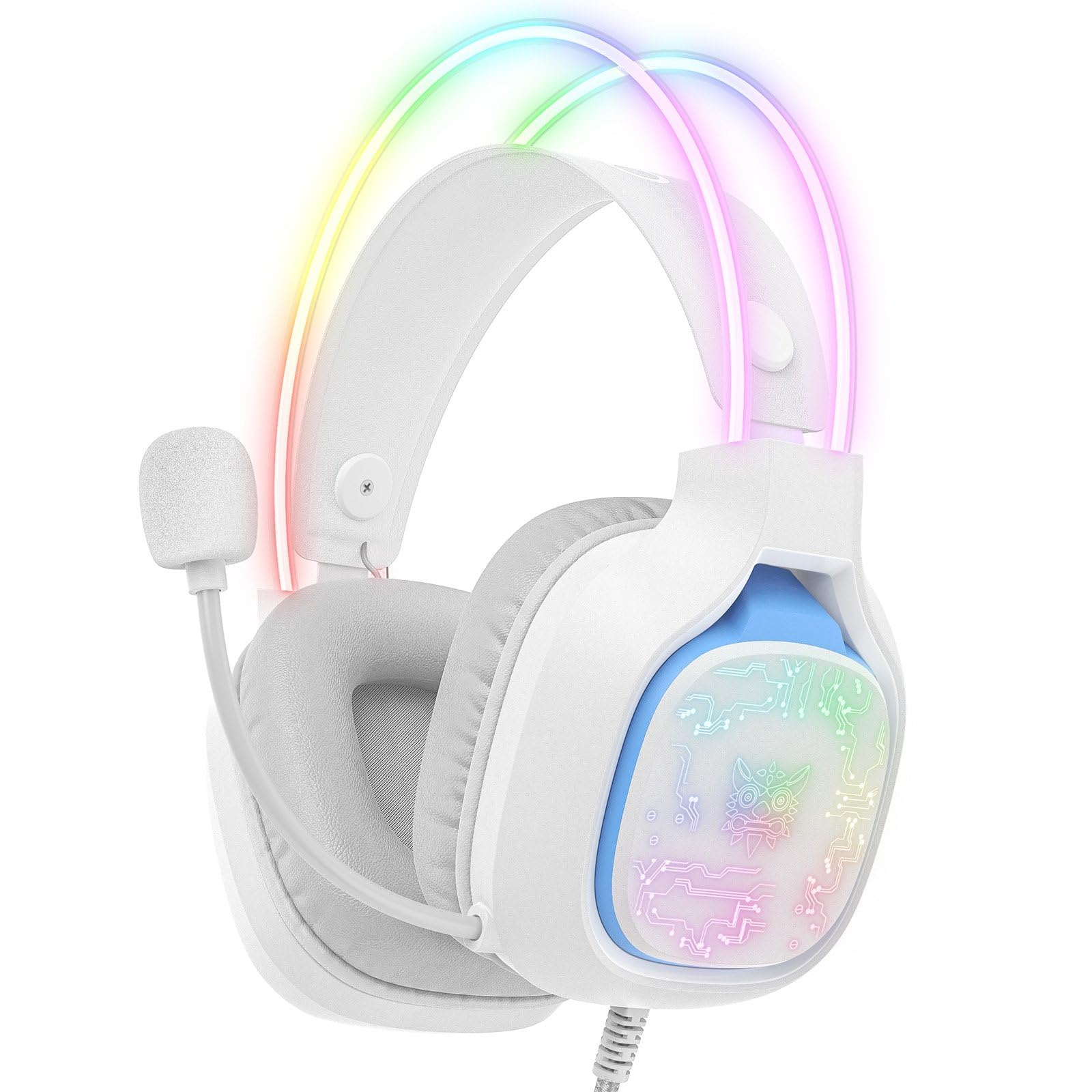
Image: The ONIKUMA X22 Gaming Headset with its 3.5mm audio jack and USB connector, ready for connection to a gaming device. The adjustable headband and microphone are visible.
Інструкція з експлуатації
The ONIKUMA X22 features convenient inline controls for easy management during use:
- Регулювання гучності: Locate the volume roller on the inline control unit. Roll it up to increase volume and down to decrease volume.
- Вимкнення мікрофона: A switch on the inline control unit allows you to quickly mute or unmute the microphone. Slide the switch to the 'Mute' position to disable the microphone, and to the 'Unmute' position to enable it.
- Керування освітленням RGB: If connected via USB, the RGB lighting will activate automatically. Some models may include a button on the inline control to cycle through lighting modes or turn the RGB off/on. Refer to the specific product packaging for detailed RGB control options if available.
For optimal performance, ensure your device's audio settings are configured to use the ONIKUMA X22 as the default playback and recording device.
Технічне обслуговування
Правильне обслуговування забезпечує довговічність та продуктивність вашої гарнітури:
- Прибирання: Використовуйте м’яку суху тканину, щоб протерти амбушури та наголов’я. Для стійкого бруду злегкаamp cloth with mild soap can be used, but ensure no liquid enters the speaker grilles or microphone. Do not use harsh chemicals or abrasive cleaners.
- Зберігання: Коли гарнітура не використовується, зберігайте її в чистому, сухому місці, подалі від прямих сонячних променів та екстремальних температур. Уникайте розміщення важких предметів на гарнітурі.
- Догляд за кабелем: Avoid sharp bends or excessive pulling on the cables. Always grasp the plug, not the cable, when disconnecting.
- Ear Cup Replacement: If the ear cushions become worn, they may be replaceable. Check the manufacturer's website or contact support for replacement parts.
Усунення несправностей
Якщо у вас виникли проблеми з гарнітурою, зверніться до наступних поширених рішень:
- Немає звуку:
- Переконайтеся, що 3.5-мм аудіороз'єм повністю вставлено в аудіопорт пристрою.
- Check the inline volume control and increase the volume.
- Переконайтеся, що гучність системи вашого пристрою не вимкнена або не встановлено занадто низький рівень.
- Переконайтеся, що гарнітуру вибрано як пристрій виведення аудіо за замовчуванням у налаштуваннях звуку вашої операційної системи.
- Перевірте гарнітуру на іншому пристрої, щоб виключити проблему, пов’язану з певним пристроєм.
- Мікрофон не працює:
- Ensure the microphone mute switch on the inline control is in the 'Unmute' position.
- Переконайтеся, що мікрофон правильно розташований біля вашого рота.
- Verify the headset microphone is selected as the default input device in your operating system's sound settings and communication applications.
- Налаштуйте рівень вхідного сигналу мікрофона в налаштуваннях звуку вашого пристрою.
- Перевірте мікрофон на іншому пристрої.
- RGB-освітлення не працює:
- Ensure the USB-A connector is securely plugged into a powered USB port.
- Спробуйте інший USB-порт.
- If there is an RGB control button on the inline unit, press it to cycle through modes or activate the lighting.
- Незручна посадка:
- Adjust the suspended headband to find the most comfortable position.
- Ensure the ear cups are fully covering your ears without excessive pressure.
Технічні характеристики
| Особливість | Деталь |
|---|---|
| Номер моделі | X22 |
| Діаметр драйвера | 50 мм |
| Діапазон частот | 20 Гц - 20 кГц |
| Тип мікрофона | 360-degree Omnidirectional with Active Noise Reduction |
| Підключення | 3.5mm Audio Jack + USB-A (for RGB) |
| Довжина кабелю | 1.8 метрів |
| вага | 364 грами |
| Розміри доставки | 23.5 х 19.4 х 11.4 см |
| Дата випуску | 26 вересня 2025 р |
Інформація про гарантію
The ONIKUMA X22 Gaming Headset is covered by a standard manufacturer's warranty. The duration and terms of the warranty may vary by region and retailer. Please retain your proof of purchase for warranty claims. For specific details regarding your warranty coverage, refer to the documentation included with your product or visit the official ONIKUMA webсайт.
Підтримка клієнтів
For technical assistance, product inquiries, or customer service, please contact ONIKUMA customer support. You can typically find contact information, including email addresses, phone numbers, or support portals, on the official ONIKUMA website. Please have your product model (X22) and purchase details ready when contacting support.
Офіційний Webсайт: www.onikuma.net (Зверніть увагу: це тимчасовий варіант) URL. Refer to your product packaging for the correct official webсайт.)


