1. Вступ
Thank you for choosing the Blackstorm 27-inch QHD Mini-LED Gaming Monitor. This monitor is designed to provide an exceptional visual experience for gaming enthusiasts, offering unparalleled precision and performance. Featuring a 27-inch IPS panel with advanced Mini-LED backlighting, it delivers superior image quality, making every gaming moment vivid and immersive. This manual will guide you through the setup, operation, and maintenance of your new monitor.
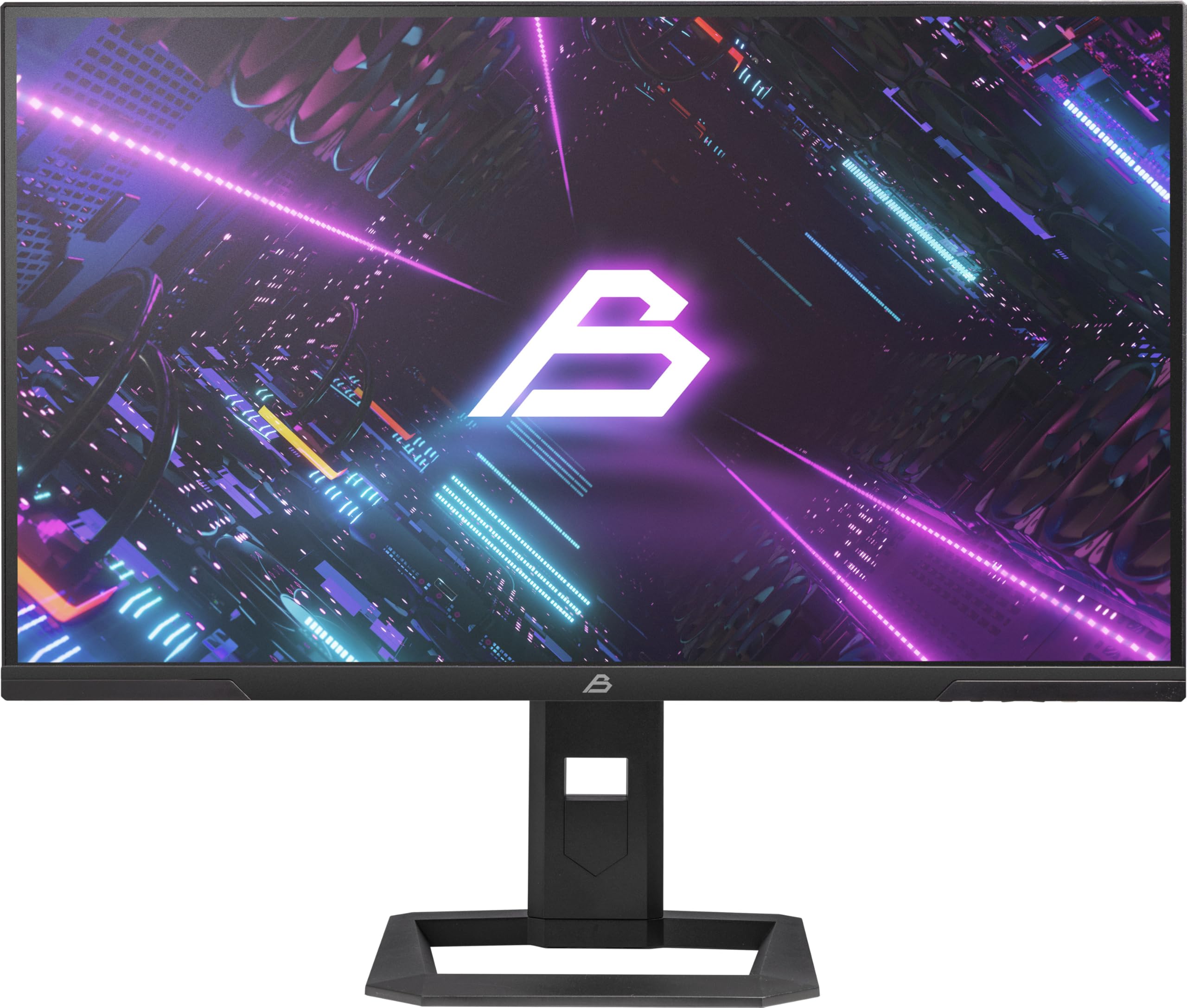
Малюнок 1: Спереду view of the Blackstorm 27-inch QHD Mini-LED Gaming Monitor.
2. Ключові характеристики
- High-Performance Gaming Display: A 27-inch IPS panel with Mini-LED backlighting provides exceptional brightness, contrast, and color reproduction, ideal for visual precision and performance in all game types.
- Smooth Gaming Experience: WQHD resolution (2560 x 1440) and a 180 Hz refresh rate ensure smooth, detailed visuals. A rapid 2 ms response time is crucial for fast-paced games.
- Superior Color Reproduction and Brightness: Covers 99% of AdobeRGB and DCI-P3 color spaces for accurate and vibrant colors. Features 450 nits (SDR) brightness and HDR1000 compatibility for an impressive gaming experience in any environment.
- Ergonomic Design and Connectivity: The ergonomic stand allows for height, tilt, swivel, and pivot adjustments. VESA 100x100 mount compatible. Includes HDMI 2.1 and DisplayPort 1.4 connections for high-resolution, fast image transfer.
- Передова технологія відображення: IPS panel with Mini-LED technology, 576 dimming zones, and a 1,000,000:1 contrast ratio.
3. Вміст упаковки
Будь ласка, уважно перевірте вміст упаковки. Якщо будь-які елементи відсутні або пошкоджені, зверніться до продавця.
- Blackstorm 27-inch QHD Mini-LED Gaming Monitor
- Підставка для монітора (основа та шия)
- Кабель живлення
- Кабель HDMI
- Кабель DisplayPort
- Посібник користувача (цей документ)
- Гарантійний талон (за наявності)
4. Інструкції з налаштування
4.1 Збірка підставки
- Обережно вийміть компоненти монітора та підставки з упаковки.
- Прикріпіть шийку підставки до панелі монітора. Переконайтеся, що вона надійно зафіксована на місці або закріплена гвинтами, як зазначено в короткому посібнику користувача.
- Прикріпіть основу підставки до шиї підставки. Щільно затягніть усі гвинти, щоб забезпечити стійкість.
- Помістіть зібраний монітор на стійку, рівну поверхню.

Малюнок 2: Задня частина view of the monitor showing the stand attachment and port area.
4.2 Підключення до комп’ютера
- Переконайтеся, що і комп'ютер, і монітор вимкнені.
- Connect one end of the provided HDMI or DisplayPort cable to the corresponding port on your computer's graphics card.
- Connect the other end of the cable to the HDMI 2.1 or DisplayPort 1.4 input on the back of the monitor.
- Підключіть кабель живлення до входу живлення монітора, а потім підключіть інший кінець до розетки.
- Power on your computer, then power on the monitor. The monitor should automatically detect the input signal.
4.3 Ергономічні налаштування
Підставка для монітора дозволяє здійснювати різні налаштування для оптимізації viewкомфорт:
- Регулювання висоти: Обережно підніміть або потягніть монітор вгору або вниз до потрібної висоти.
- Регулювання нахилу: Нахиліть екран монітора вперед або назад, щоб знайти оптимальне viewкут.
- Регулювання повороту: Поверніть монітор ліворуч або праворуч на його основі.
- Регулювання повороту: Rotate the monitor 90 degrees to switch between landscape and portrait orientation.

Малюнок 3: Сторона view illustrating the monitor's adjustable stand.
5. Експлуатація монітора
5.1 Екранне меню (OSD)
The OSD menu allows you to adjust various monitor settings. Typically, buttons are located on the back or bottom edge of the monitor. Refer to the quick start guide for exact button locations.
- Press the OSD button to open the menu.
- Використовуйте кнопки навігації (вгору/вниз/вліво/вправо) для перегляду пунктів меню.
- Натисніть кнопку вибору, щоб увійти до підменю або підтвердити налаштування.
- Press the exit button to return to the previous menu or close the OSD.
5.2 Налаштування параметрів дисплея
Основні налаштування, які ви можете налаштувати, включають:
- Яскравість/Контрастність: Adjust for optimal visual comfort.
- Параметри кольору: Fine-tune color temperature, gamma, and color space (e.g., AdobeRGB, DCI-P3).
- Частота оновлення: Ensure your computer's display settings are configured to utilize the monitor's 180 Hz refresh rate for the smoothest experience.
- Режим HDR: Enable HDR1000 for compatible content to experience enhanced dynamic range.
- Динамічне підсвічування: This feature enhances depth and realism. For competitive gaming requiring extreme responsiveness, you may choose to disable dynamic backlighting for a more consistent and precise image.
6. Технічне обслуговування
Належний догляд забезпечить довговічність та оптимальну роботу вашого монітора.
- Очищення екрану:
- Завжди вимикайте живлення та від’єднуйте монітор від мережі перед чищенням.
- Злегка протріть м’якою тканиною без ворсу dampводою або засобом для чищення екранів на основі аміаку та спирту.
- Wipe the screen gently to remove dust and smudges. Avoid applying direct pressure.
- Очищення Casing:
- Використовуйте м’яку суху тканину для протирання монітора casing.
- Уникайте використання абразивних засобів чи розчинників, які можуть пошкодити поверхню.
- Вентиляція: Переконайтеся, що вентиляційні отвори монітора не заблоковані, щоб запобігти перегріву.
- Зберігання: Якщо монітор не використовується протягом тривалого часу, зберігайте його в прохолодному, сухому місці, в ідеалі в оригінальній упаковці.
7. Вирішення проблем
Якщо у вас виникли проблеми з монітором, зверніться до наступних поширених рішень:
| проблема | Можливе рішення |
|---|---|
| Немає зображення на екрані / повідомлення «Немає сигналу» |
|
| Зображення розмите або спотворене |
|
| Монітор не вмикається |
|
| Кольори виглядають неправильно |
|
If the problem persists after trying these solutions, please contact Blackstorm customer support.
8. Технічні характеристики
| Особливість | Специфікація |
|---|---|
| Бренд | Чорна буря |
| Модель | GMF27QHD180-MLED |
| Розмір екрана | 27 дюймів |
| Технологія дисплея | IPS with Mini-LED |
| роздільна здатність | 2560 x 1440 пікселів (WQHD) |
| Частота оновлення | 180 Гц |
| Час відгуку | 2 мілісекунд |
| Яскравість (SDR) | 450 candela/square meter |
| Коефіцієнт контрастності | 1,000,000:1 |
| Колірна гамма | 99% AdobeRGB, DCI-P3 |
| Підтримка HDR | HDR1000 |
| Зони затемнення | 576 |
| Співвідношення сторін | 16:9 (1.77:1) |
| Апаратний інтерфейс | DisplayPort 1.4, HDMI 2.1 |
| Особливості | HDR, Height Adjustment, Tilt Adjustment, Swivel Adjustment, Pivot Adjustment, Adjustable Stand |
| Сумісність VESA | 100x100 мм |
| Розміри продукту | 23.5 х 54 х 96 см; 12.66 кг |

Figure 4: Energy efficiency label. For more details, visit База даних EPREL.
9. Гарантія та підтримка
For warranty information, please refer to the separate warranty card included with your product or visit the official Blackstorm website. For technical support, troubleshooting assistance beyond this manual, or service inquiries, please contact Blackstorm customer support through their official channels.
Більше інформації та контактні дані ви можете знайти на Blackstorm Store on Amazon.


