вступ
This manual provides detailed instructions for the setup, operation, and maintenance of your LIGE EF21-I Smartwatch. Please read this manual thoroughly before using the device to ensure proper function and to maximize its features.
Інформація про безпеку
- Не намагайтеся розібрати або змінити годинник.
- Тримайте годинник подалі від екстремальних температур і прямих сонячних променів.
- Уникайте сильних ударів або падінь на годинник.
- Do not use corrosive chemicals to clean the watch.
- This device is not a medical device. Health data is for reference only and should not be used for medical diagnosis or treatment.
- Ensure charging contacts are clean and dry before charging.
Вміст упаковки
Перевірте наявність усіх предметів у вашій упаковці:
- LIGE EF21-I Smartwatch
- USB магнітний зарядний кабель
- Зарядний кабель типу С
- Посібник користувача

Image: The package includes both a USB magnetic charging cable and a Type-C charging cable for versatile power options.
Посібник із налаштування
1. Початкове заряджання
Before first use, fully charge your smartwatch. Connect the magnetic charging cable to the charging contacts on the back of the watch and the USB end to a power adapter (not included) or a computer USB port. The watch display will show the charging status.

Image: The smartwatch connected to its magnetic charger, indicating its 800 mAh battery capacity.
2. Встановлення та сполучення програм
To unlock all features, download and install the "Fit CloudPro" app on your smartphone.
- Scan the QR code in the manual or on the watch (if available) or search for "Fit CloudPro" in your phone's app store (compatible with Android 8.0+ and iOS 12.0+).
- Відкрийте застосунок і створіть обліковий запис або увійдіть у систему.
- Переконайтеся, що Bluetooth увімкнено на вашому смартфоні.
- У додатку перейдіть до розділу пристроїв і виберіть «Додати пристрій» або подібну опцію.
- Select "EF21-I" from the list of available devices to pair.
- Дотримуйтеся вказівок на екрані, щоб завершити процес створення пари.
Після сполучення годинник синхронізує час і дані з вашим телефоном.
Інструкція з експлуатації
Основна навігація
- Сенсорний екран: Проведіть пальцем ліворуч/праворуч, вгору/вниз, щоб переходити між меню та функціями. Торкніться, щоб вибрати.
- Бічні кнопки: Typically, one button acts as a power/back button, while others may be customizable shortcuts. Refer to the on-screen prompts for specific functions.

Image: The 1.43-inch AMOLED display offers brilliant colors and a fluid, efficient user experience.
Функція виклику Bluetooth
The EF21-I Smartwatch supports Bluetooth calls, allowing you to make and receive calls directly from your wrist.
- Ensure the watch is connected to your smartphone via Bluetooth.
- Access the "Call" or "Phone" function on your watch.
- You can use the dial pad, access your contacts, or view історія викликів.
- Advanced noise cancellation ensures clear audio during calls.
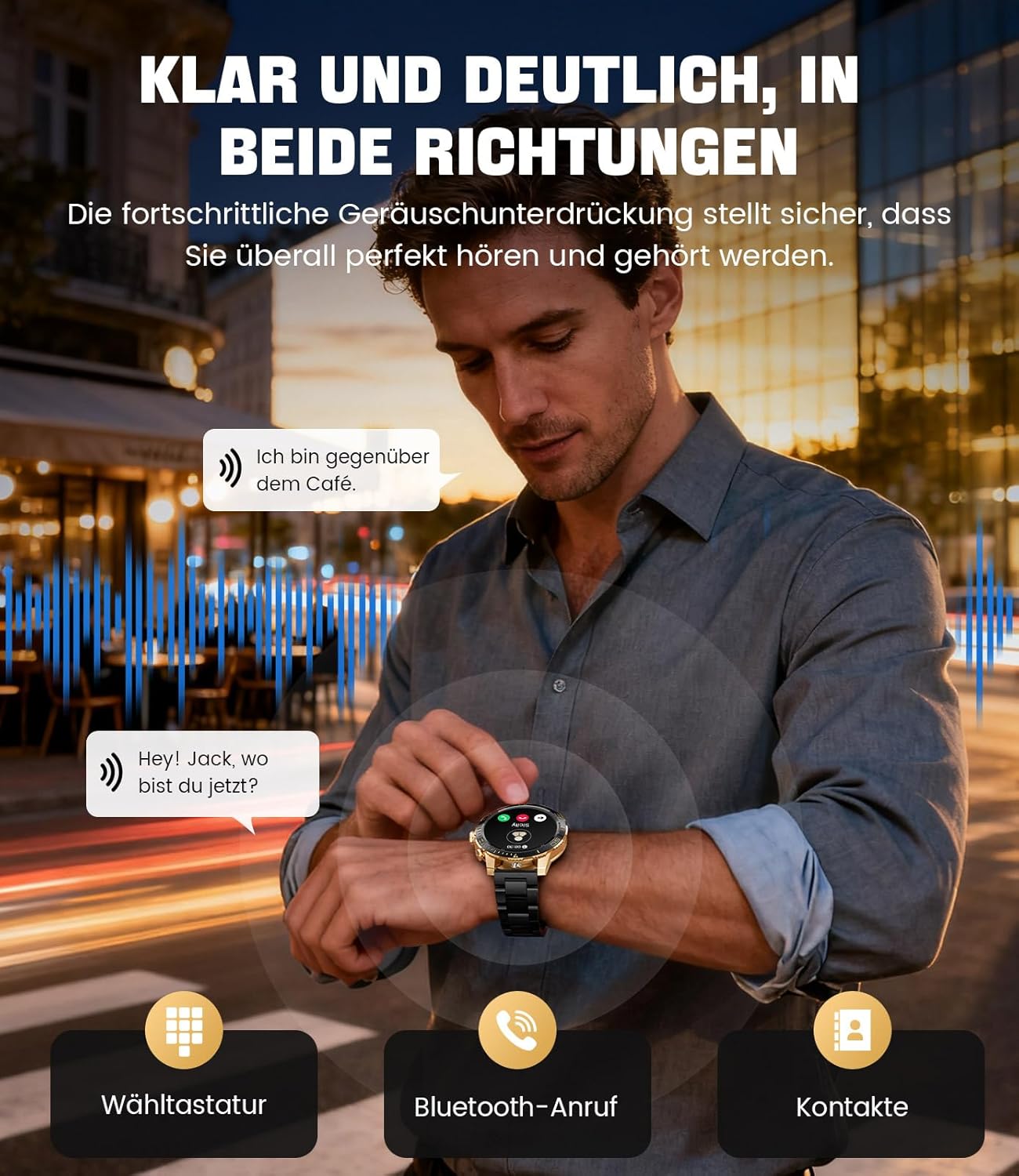
Image: The smartwatch allows clear two-way communication with advanced noise cancellation, featuring a dial pad, Bluetooth call option, and contacts access.
Сповіщення
Receive real-time notifications from your smartphone apps directly on your watch.
- Enable app notifications in the "Fit CloudPro" app settings.
- The watch will display incoming calls, SMS, and messages from social media apps (e.g., Facebook, Twitter, Instagоперативна пам'ять, WhatsApp).
- A quick glance at your wrist allows you to stay informed discreetly.

Image: The smartwatch displays real-time notifications from various social media applications, keeping you informed discreetly.
Моніторинг здоров'я
The EF21-I Smartwatch acts as your 24/7 health guardian, providing continuous monitoring of key health metrics.
- ЧСС: Відстежує ваш пульс протягом дня.
- Кисень крові (SpO2): Вимірює рівень насичення крові киснем.
- Відстеження сну: Analyzes your sleep patterns, distinguishing between deep sleep, light sleep, and awake times.
- Моніторинг стресу: Відстежує рівень стресу.
- Сидячі нагадування: Сповіщає вас про необхідність рухатися після періодів бездіяльності.
View detailed health data and trends in the "Fit CloudPro" app.
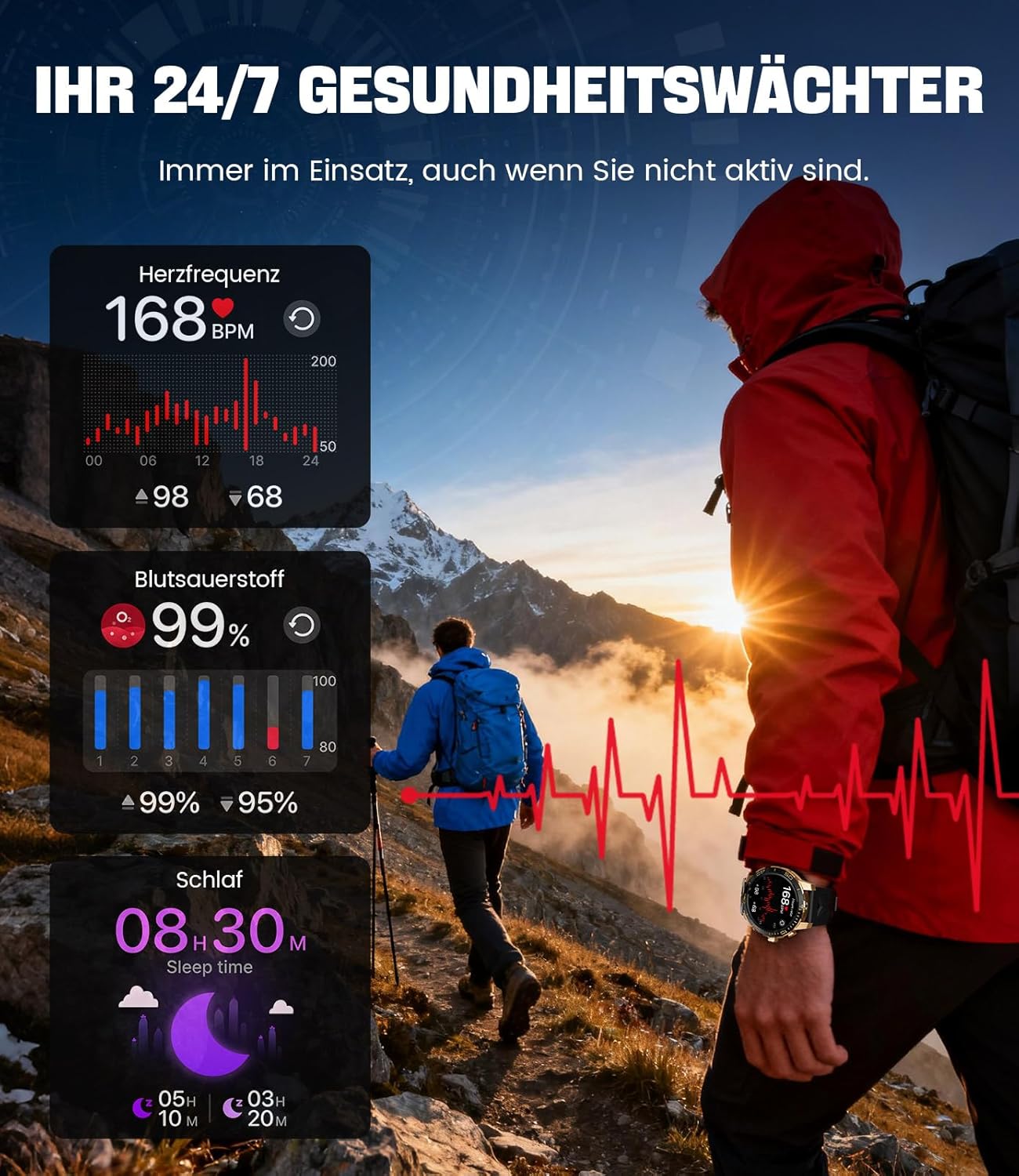
Image: The smartwatch functions as a 24/7 health guardian, monitoring heart rate, blood oxygen, and sleep patterns, even when you are not actively engaged in exercise.
Спортивні режими
With over 200 sports modes, the watch helps you track your workouts and achieve your fitness goals.
- Виберіть потрібний спортивний режим у меню годинника.
- The watch records data such as heart rate, calories burned, and steps taken.
- Automatic recognition for walking, running, and cycling is supported.
- Review your activity data in the "Fit CloudPro" app for performance analysis.

Image: The smartwatch supports over 200 training modes, tracking heart rate, calories, and steps for various activities.
Настроювані циферблати
Персоналізуйте свій смарт-годинник за допомогою різноманітних циферблатів.
- The watch comes with several pre-installed classic watch faces.
- Access over 200 additional designs through the "Fit CloudPro" app.
- Ви також можете завантажувати власні фотографії, щоб створювати власні циферблати годинника.
Додаткові функції
- Прогноз погоди: Отримуйте оновлення погоди в режимі реального часу.
- Будильник: Встановлюйте будильники безпосередньо на зап'ясті.
- Дистанційне керування камерою: Use your watch to trigger your phone's camera.
- Ліхтарик: Activate a flashlight function on your wrist.
- Phone Locator: Find your misplaced smartphone using the watch.

Image: The smartwatch features a wrist flashlight function, providing illumination for outdoor activities.
Технічне обслуговування
прибирання
- Протріть екран та корпус годинника м’якою тканиною без ворсу.
- Для стійких плям dampзлегка змочіть тканину водою.
- Уникайте використання агресивних хімікатів, абразивних матеріалів або ультразвукових очищувачів.
- Переконайтеся, що зарядні контакти чисті та не мають сміття.
Водостійкість (IP68)
The LIGE EF21-I Smartwatch is IP68 water-resistant, meaning it can withstand immersion in water up to 1.5 meters for up to 30 minutes. It is suitable for daily use, hand washing, and swimming.
- Не використовуйте годинник у гарячій воді, саунах або парних.
- Уникайте натискання кнопок під водою.
- After exposure to water, especially saltwater, dry the watch thoroughly.
Усунення несправностей
Годинник не вмикається
- Переконайтеся, що годинник повністю заряджений. Підключіть його до зарядного пристрою щонайменше на 30 хвилин.
- Натисніть і утримуйте кнопку живлення протягом кількох секунд.
Unable to Pair with App
- Переконайтеся, що Bluetooth увімкнено на вашому смартфоні.
- Переконайтеся, що годинник достатньо заряджений.
- Перезавантажте і смартфон, і смарт-годинник.
- Try unpairing and re-pairing the device through the "Fit CloudPro" app.
- Перевірте, чи має додаток необхідні дозволи на вашому телефоні.
Неточні дані про здоров'я
- Переконайтеся, що годинник щільно прилягає до зап'ястя, не надто вільно і не надто туго.
- Очистіть датчик на задній панелі годинника.
- Уникайте надмірних рухів під час вимірювань.
- Remember that health data is for reference and not for medical use.
Сповіщення не отримано
- Переконайтеся, що годинник підключено до телефону через Bluetooth.
- Check notification settings in the "Fit CloudPro" app.
- Ensure your phone's notification settings allow the app to send notifications.
- Disable any battery optimization settings for the "Fit CloudPro" app on your phone.
Технічні характеристики
| Особливість | Деталь |
|---|---|
| Бренд | LIGE |
| Номер моделі | EF21-I |
| Розмір дисплея | 1.43 дюймів |
| Тип дисплея | AMOLED |
| Ємність акумулятора | 800 мАг (літій-полімерний) |
| Підключення | Bluetooth |
| Сумісність операційної системи | Android 8.0+ та iOS 12.0+ |
| Рейтинг водонепроникності | IP68 |
| Ємність пам'яті | 256 Мб |
| Особливості | Weather forecast, Sedentary reminder, Alarm clock, Touch screen, Always-on display, Bluetooth calling, Heart rate monitor, SpO2 monitor, Sleep monitor, 200+ sports modes, Phone locator |
| GPS | GPS через смартфон |

Image: The smartwatch features impact resistance, indicated by a 'Military Grade Drop-Tested' badge.
Гарантія та підтримка
Інформація про гарантію
The product is supported by a 12-month warranty. Please retain your proof of purchase for warranty claims.
Підтримка клієнтів
For technical assistance, troubleshooting, or warranty inquiries, please contact LIGE customer support. Refer to the contact information provided with your purchase or visit the official LIGE webсайт.


