вступ
This manual provides detailed instructions for the MECHEER JK-TM02-FR Digital Programmable Timer Outlet. This device allows you to automate the on/off cycles of electrical appliances, helping to save energy and enhance home security. Please read this manual carefully before use to ensure proper operation and safety.
Інструкції з техніки безпеки
- Не занурюйте таймер у воду чи іншу рідину.
- Do not connect any appliance that exceeds the maximum load rating (16A, 3680W).
- Переконайтеся, що таймер надійно підключений до заземленої розетки.
- Do not disassemble or attempt to repair the unit. Contact qualified personnel for service.
- Зберігати в недоступному для дітей місці.
Продукт закінченийview
The MECHEER JK-TM02-FR is a digital timer outlet designed for easy programming and control of your electrical devices. It features a clear LCD screen and intuitive buttons for setting various programs.
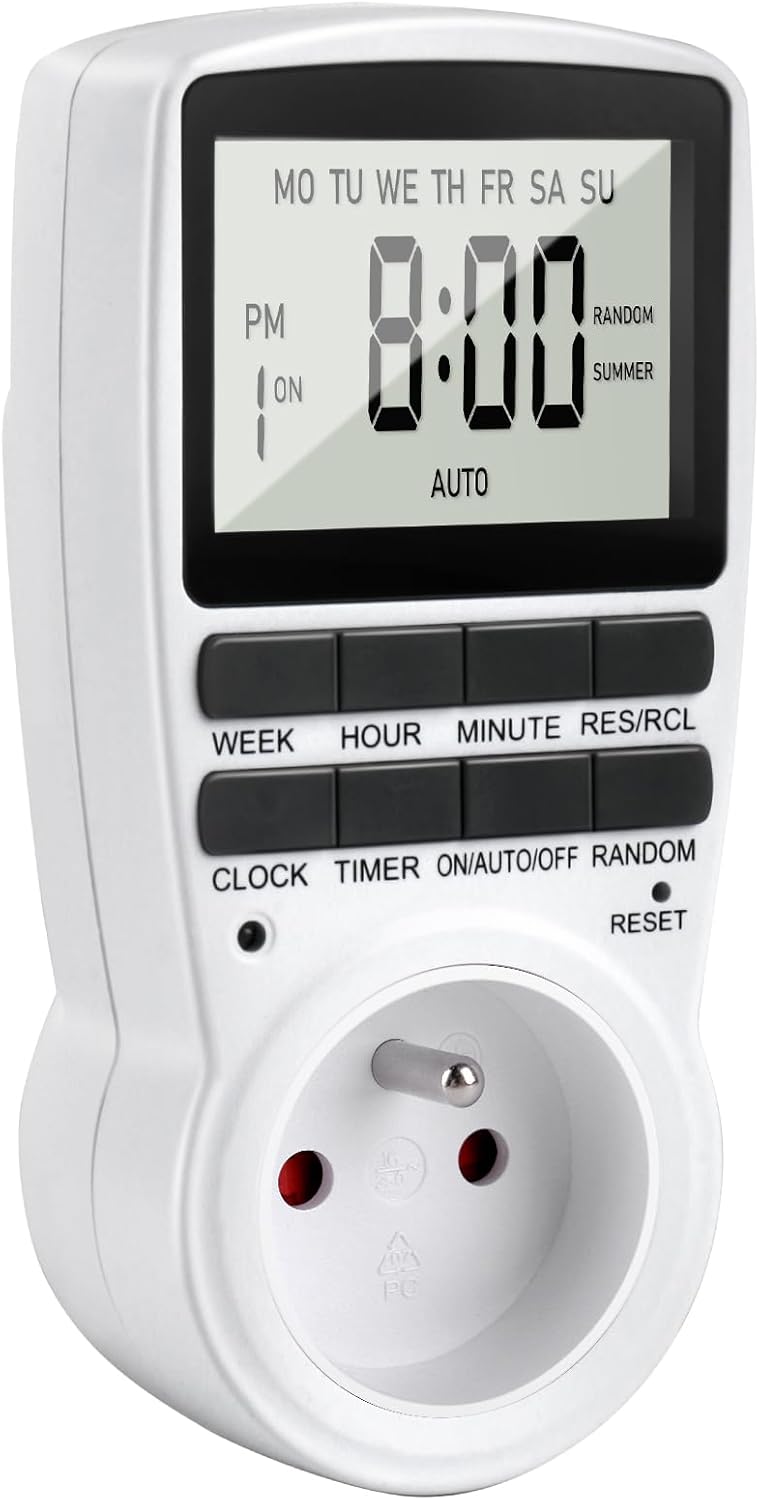
малюнок 1: Фронт view of the MECHEER JK-TM02-FR Digital Programmable Timer Outlet, showing the LCD display and control buttons.
Ключові характеристики:
- Up to 16 On/Off programs.
- Multiple day combinations (daily, specific days, weekdays, weekends).
- Random mode for enhanced home security.
- Функція ручного керування.
- Великий LCD дисплей з підсвічуванням.
- Built-in backup battery to retain settings during power outagес.
Функції кнопок:
- ТИЖЕНЬ: Встановлює день тижня.
- ГОДИНА: Встановлює годину.
- ХВИЛИНА: Встановлює хвилину.
- РЕС/РЦЛ: Скидання або відкликання налаштувань програми.
- ГОДИННИК: Enters or exits clock setting mode.
- ТАЙМЕР: Входить у режим налаштування програми.
- ON/AUTO/OFF: Cycles through ON, AUTO, and OFF modes.
- Випадково: Activates/deactivates random mode.
- СКИДАТИ: Resets the unit to factory defaults (requires a pointed object).
Налаштування
1. Initial Charge and Reset:
Before first use, plug the timer into a live electrical outlet for at least 30 minutes to charge the internal backup battery. After charging, use a small pointed object (like a pen tip) to press the СКИДАННЯ button to clear all memory and reset the unit to factory defaults. The display will show "0:00".
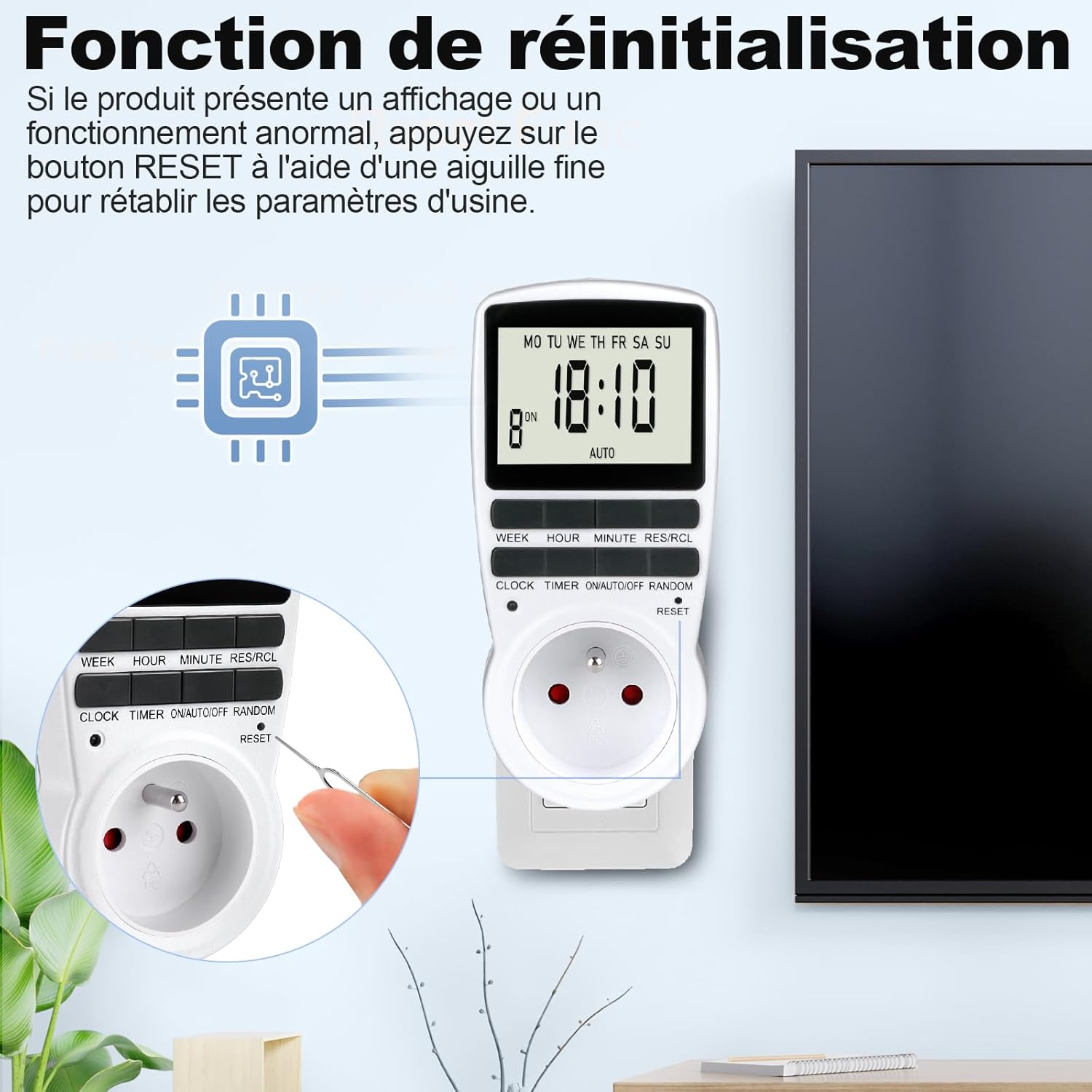
малюнок 2: Locating and pressing the RESET button with a pointed object to clear settings.
2. Встановлення поточного часу:
- Натисніть ГОДИННИК кнопку.
- Поки тримає ГОДИННИК, натисніть ТИЖДЕНЬ кілька разів, доки не відобразиться потрібний день тижня.
- Поки тримає ГОДИННИК, натисніть ГОДИНА button repeatedly until the correct hour is displayed.
- Поки тримає ГОДИННИК, натисніть ХВИЛИНА кілька разів, доки не відобразиться правильна хвилина.
- Відпустіть ГОДИННИК кнопка. Поточний час тепер встановлено.

малюнок 3: Visual guide for setting the current time (Step 1: Set current time, Step 2: Set schedule, Step 3: Activate AUTO mode).
Щоб перемикатися між 12-годинним (AM/PM) та 24-годинним форматами, натисніть кнопку ГОДИННИК і ТАЙМЕР кнопки одночасно.
Інструкція з експлуатації
1. Programming On/Off Cycles (16 Programs):
The timer allows you to set up to 16 distinct ON/OFF programs. Each program consists of an ON time and an OFF time.
- Натисніть ТАЙМЕР button once. The display will show "1 ON". This is for the first ON program.
- Прес ТИЖДЕНЬ to select the desired day(s) for this program. Options include:
- MO TU WE TH FR SA SU (Every day)
- MO (Monday only)
- TU (Tuesday only)
- ... (Each individual day)
- MO TU WE TH FR (Weekdays)
- SA SU (Weekends)
- MO TU WE TH FR SA (Mon-Sat)
- MO WE FR (Mon, Wed, Fri)
- TU TH SA (Tue, Thu, Sat)
- MO TU WE (Mon, Tue, Wed)
- TH FR SA (Thu, Fri, Sat)
- MO WE FR SU (Mon, Wed, Fri, Sun)
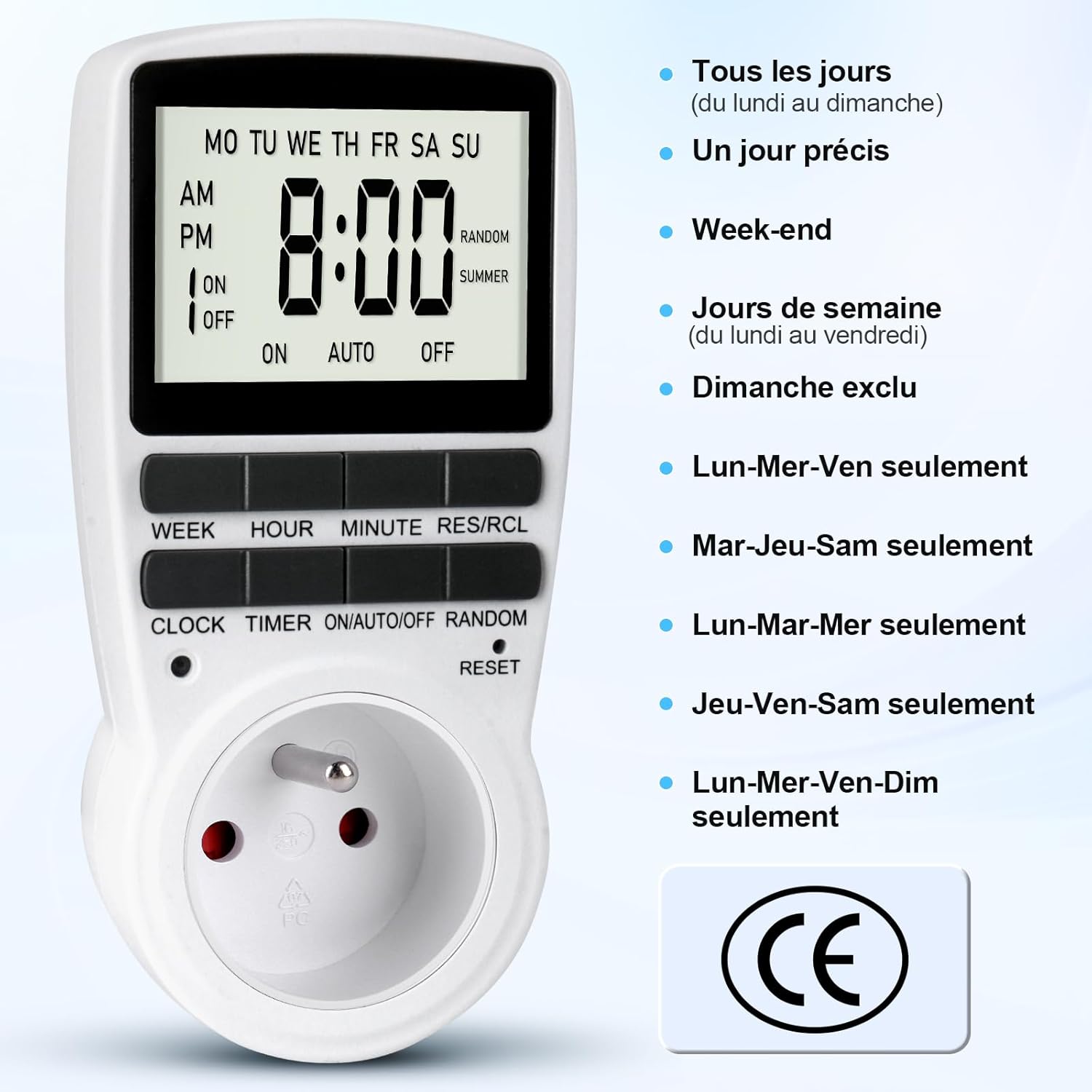
малюнок 4: Various day combination options available for programming the timer.
- Прес ГОДИНА щоб встановити потрібну годину для часу увімкнення.
- Прес ХВИЛИНА щоб встановити потрібну хвилину для часу увімкнення.
- Прес ТАЙМЕР again. The display will show "1 OFF". This is for the first OFF program.
- Повторіть кроки 2-4, щоб встановити потрібний(і) день(и), годину та хвилину для часу вимкнення.
- Продовжуйте натискати ТАЙМЕР to cycle through "2 ON", "2 OFF", up to "16 ON", "16 OFF", and set additional programs as needed.
- Після налаштування всіх потрібних програм натисніть кнопку ГОДИННИК кнопку, щоб повернутися до відображення поточного часу.

малюнок 5: Illustration of setting multiple On/Off programs, such as for an aquarium light or a toaster.

малюнок 6: Example of a daily On/Off timer, such as turning on a coffee machine at 7:00 AM and off at 8:00 AM.
2. Activating Programs (ON/AUTO/OFF Mode):
Once programs are set, you need to select the operating mode:
- Натисніть УВІМК./АВТО/ВИМК кнопка для перемикання між режимами:
- ON: The connected appliance is continuously ON, ignoring all programs.
- АВТО: The connected appliance will operate according to the programmed ON/OFF times. The display will show "AUTO".
- ВИМКНЕНО: The connected appliance is continuously OFF, ignoring all programs.
- For your programs to run, ensure the timer is in АВТО режим.
3. Random Mode (Anti-Theft):
The random mode is designed to deter intruders by making it appear as if someone is home. When activated, the timer will randomly turn the connected appliance ON and OFF within a specific time window (e.g., 6:00 PM to 6:00 AM).
- Переконайтеся, що таймер увімкнено АВТО режим.
- Натисніть ВИПАДКОВО button. "RANDOM" will appear on the display.
- Щоб деактивувати, натисніть кнопку ВИПАДКОВО button again. "RANDOM" will disappear from the display.

малюнок 7: Using the random mode to simulate occupancy and enhance home security while away.
4. Summer Time Adjustment:
To adjust for daylight saving time (summer time):
- Натисніть ГОДИННИК і ВИПАДКОВО buttons simultaneously. The display will show "SUMMER" and the time will advance by one hour.
- Повторіть дію, щоб повернутися до стандартного часу.
Технічне обслуговування
The MECHEER JK-TM02-FR timer requires minimal maintenance.
- Прибирання: Wipe the unit with a dry, soft cloth. Do not use abrasive cleaners or immerse in water.
- Резервна батарея: The internal NiMH 1.2V backup battery maintains your programmed settings for over 100 hours during a power outage, provided it is adequately charged. Regular use (plugged into an outlet) keeps the battery charged.
Усунення несправностей
- Дисплей порожній або не реагує:
- Переконайтеся, що таймер підключено до електричної розетки.
- The internal battery might be depleted. Plug the timer in for at least 30 minutes to charge.
- Perform a full reset by pressing the СКИДАННЯ button with a pointed object. Note that this will erase all programmed settings.
- Програми не працюють:
- Перевірте, чи увімкнено таймер АВТО режим. Натисніть УВІМК./АВТО/ВИМК доки не з’явиться напис «AUTO».
- Verify that the current time is set correctly.
- Review your programmed ON/OFF times to ensure they are set as intended.
- Ensure the connected appliance is switched ON (if it has its own power switch).
- Random mode is not working:
- Ensure "RANDOM" is displayed on the screen. If not, press the ВИПАДКОВО кнопку.
- Confirm the timer is in АВТО режим.
Технічні характеристики
| Бренд | МЕЧЕЕР |
| Номер моделі | JK-TM02-FR |
| Колір | Сірий |
| матеріал | Полікарбонат |
| Розміри продукту (Д x Ш x В) | 5 х 8 х 15 см |
| Вага товару | 150 г |
| Максимальне навантаження | 16А / 3680Вт |
| Робоча температура | -10°C до 40°C |
| Мінімальний час схоплювання | 1 хвилина |
| Точність | ±1 Minute/Month |
| Резервна батарея | NiMH 1.2V (>100 Hours) |
Гарантія та підтримка
For information regarding warranty coverage, please refer to the purchase documentation or contact your retailer. For technical support or further assistance, please contact MECHEER customer service through the platform where the product was purchased.


