1. Вступ
Дякуємо за покупкуasing the LG 43 inch UHD AI UA73 4K Smart TV. This television combines stunning 4K Ultra High Definition visuals with advanced Artificial Intelligence features and the intuitive webOS25 platform. Enjoy vibrant colors, sharp details, and smart functionalities including AI-powered search and voice control. This manual provides essential information for setting up, operating, and maintaining your new television.
2. Інформація про безпеку
Будь ласка, уважно прочитайте всі інструкції з техніки безпеки перед використанням телевізора. Зберігайте цей посібник для подальшого використання.
2.1 Електробезпека
- Не перевантажуйте розетки та подовжувачі.
- Переконайтеся, що шнур живлення надійно підключено до телевізора та розетки.
- Не торкайтеся вилки мокрими руками.
2.2 Розміщення
- Розмістіть телевізор на стійкій рівній поверхні або надійно закріпіть його на стіні за допомогою сумісного кріплення VESA.
- Забезпечте належну вентиляцію навколо телевізора, щоб запобігти перегріву.
- Тримайте телевізор подалі від прямих сонячних променів, джерел тепла та вологи.
2.3 Очищення
- Перед чищенням від’єднайте телевізор від мережі.
- Use a soft, dry cloth to clean the screen and exterior. Do not use liquid cleaners or sprays directly on the TV.
3. Вміст упаковки
Перевірте наявність усіх елементів у коробці:
- LG 43 inch UHD AI 4K Smart TV (Model 43UA73006LA)
- AI Magic Remote Control
- Шнур живлення
- Тумба під телевізор (2 шт.) та гвинти
- User Manual and Regulatory Information
- Батарейки для пульта дистанційного керування (2 батарейки типу АА)
4. Налаштування
4.1 Розпакування та встановлення підставки
- Обережно вийміть телевізор з упаковки. Рекомендується, щоб цей крок виконували двоє людей.
- Покладіть телевізор екраном вниз на м’яку рівну поверхню, щоб запобігти пошкодженням.
- Attach the stand pieces to the TV using the provided screws, ensuring they are securely fastened. Refer to the diagram in the quick setup guide for specific screw locations.
- Alternatively, if wall-mounting, follow the instructions provided with your VESA-compatible wall mount kit.
4.2 Підключення периферійних пристроїв
Connect external devices such as Blu-ray players, game consoles, or soundbars to the appropriate ports on the back of the TV.
- Порти HDMI: Для відео та аудіо високої чіткості.
- Порти USB: Для підключення USB-накопичувачів.
- Вхід антени/кабельного телебачення: Для підключення антени або кабельного телебачення.
- Оптичний цифровий аудіовихід: Для підключення до саундбара або аудіоресивера.
4.3 Початкове увімкнення та підключення до мережі
- Підключіть шнур живлення до телевізора, а потім до розетки.
- Натисніть кнопку живлення на пульті дистанційного керування або на телевізорі.
- Follow the on-screen instructions for the initial setup wizard. This will guide you through language selection, time zone, and network connection.
- Виберіть свою мережу Wi-Fi та введіть пароль або підключіть кабель Ethernet для дротового з’єднання.
5. Операція
5.1 AI Magic Remote Control
The AI Magic Remote allows for intuitive control of your TV, including point-and-click navigation and voice commands.
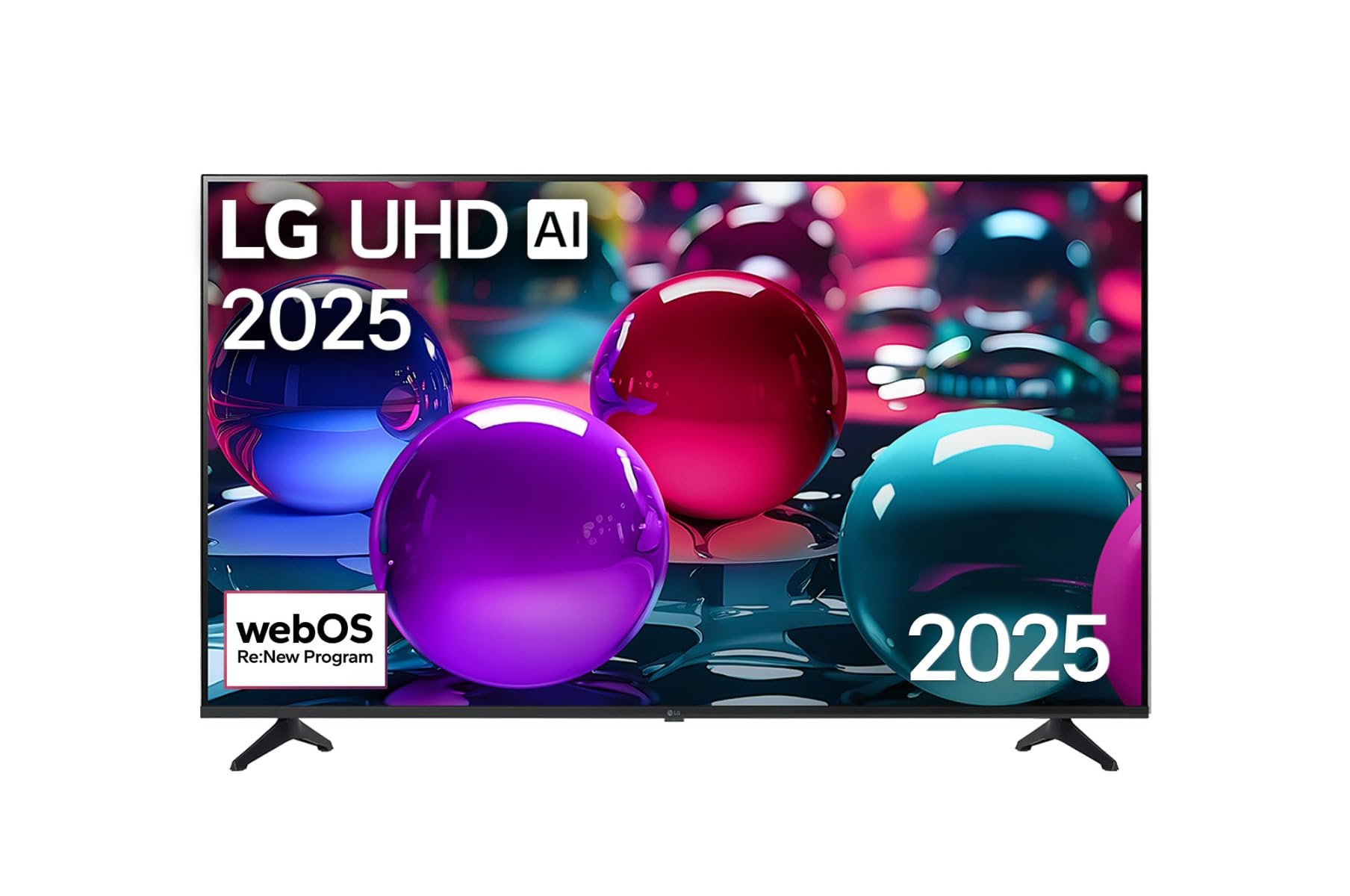
This image displays the LG 43 inch UHD AI 4K Smart TV, highlighting its webOS Re:New Program and Artificial Intelligence features. The accompanying AI Magic Remote is shown with a speech bubble indicating 'Just speak!', emphasizing its voice control capabilities.
- Кнопка живлення: Вмикає або вимикає телевізор.
- Коліщатко прокручування/Кнопка OK: Навігація по меню та підтвердження вибору.
- Кнопка голосового керування: Press and hold to activate AI Search, AI Chatbot, or AI Concierge. Speak your command into the remote.
- Кнопка "Додому: Отримує доступ до webГоловний екран ОС.
- Кнопка Назад: Повернення до попереднього екрана.
- Збільшення/зменшення гучності: Регулює гучність.
- Канал вгору/вниз: Змінює канали.
5.2 webOS Interface
The webOS Home screen provides quick access to apps, inputs, and settings. Use the Magic Remote to point and click on desired options or navigate with the directional buttons.
- App Launcher: Customize and access your favorite streaming services and applications.
- Селектор введення: Switch between HDMI inputs, USB, or live TV.
- Налаштування: Adjust picture, sound, network, and general TV settings.
5.3 Функції штучного інтелекту
Leverage the power of AI for enhanced TV experience:
- Пошук AI: Use voice commands to find content, information, or apps quickly.
- Штучний чат-бот: Interact with the TV for assistance or information.
- Штучний консьєрж: Receive personalized content recommendations and smart home integration.
6. Технічне обслуговування
6.1 Очищення телевізора
Щоб підтримувати зовнішній вигляд та продуктивність телевізора:
- Завжди відключайте телевізор від мережі перед чищенням.
- Використовуйте м’яку тканину без ворсу, щоб обережно протерти екран. Для стійких плям злегка протрітьampзмочіть тканину водою, потім негайно витріть насухо.
- Протріть каркас телевізора та підставку м’якою сухою тканиною.
- Do not use abrasive cleaners, alcohol, benzene, or thinners, as these can damage the screen or finish.
6.2 Оновлення програмного забезпечення
Your LG Smart TV periodically receives software updates to improve performance and add new features. Ensure your TV is connected to the internet to receive these updates automatically. You can also manually check for updates in the TV's settings menu.
7. Вирішення проблем
Якщо у вас виникли проблеми з телевізором, зверніться до наступних поширених рішень:
| проблема | Можливе рішення |
|---|---|
| Немає живлення | Check if the power cord is securely plugged in. Try a different power outlet. |
| Немає зображення, але звук є | Переконайтеся, що вибрано правильне джерело вхідного сигналу. Перевірте кабельні з’єднання із зовнішніми пристроями. |
| Звуку немає, але зображення є | Check volume levels and mute settings. Verify audio output settings in the TV menu. |
| Пульт не працює | Replace batteries. Ensure there are no obstructions between the remote and the TV. Re-pair the Magic Remote if necessary (refer to TV settings). |
| Неможливо підключитися до Wi-Fi | Перезавантажте маршрутизатор і модем. Перевірте пароль Wi-Fi. Переконайтеся, що телевізор знаходиться в зоні дії маршрутизатора. |
| Проблеми з якістю зображення (наприклад, розмиття, спотворення) | Check the resolution of the input source. Adjust picture settings in the TV menu. |
Якщо проблема не зникає, зверніться до служби підтримки клієнтів LG.
8. Технічні характеристики
| Особливість | Деталь |
|---|---|
| Бренд | LG |
| Назва моделі | 43UA73006LA |
| Розмір екрана | 43 дюймів |
| Технологія дисплея | LED |
| роздільна здатність | 4K UHD (3840 x 2160) |
| Співвідношення сторін | 16:9 |
| Операційна система | webOS25 |
| Особливості | AI Processor, AI Magic Remote, HDR10, Sleep Timer |
| Колір | чорний |
| Вага товару | 6.8 кілограмів (14.96 фунти) |
| Розміри продукту | 37.68 x 37.68 x 21.97 дюймів |
| Дата першої доступності | 28 листопада 2025 р |
9. Гарантія та підтримка
9.1 Гарантія на виріб
Your LG 43 inch UHD AI UA73 4K Smart TV is covered by a limited manufacturer's warranty. Please refer to the warranty card included in your package for specific terms, conditions, and duration of coverage. Keep your proof of purchase for warranty claims.
9.2 Підтримка клієнтів
For technical assistance, troubleshooting beyond this manual, or warranty service, please contact LG Customer Support:
- Webсайт: Відвідайте офіційну службу підтримки LG webсайт із поширеними запитаннями, завантаженнями та запитами на обслуговування.
- телефон: Зверніться до гарантійного талона або до офіційного webсайт регіональних контактних телефонів.