вступ
This manual provides detailed instructions for the setup, operation, maintenance, and troubleshooting of your MCHOSE Mix 87 TKL Wired Gaming Keyboard. Please read this manual thoroughly to ensure proper use and to maximize the performance of your device.
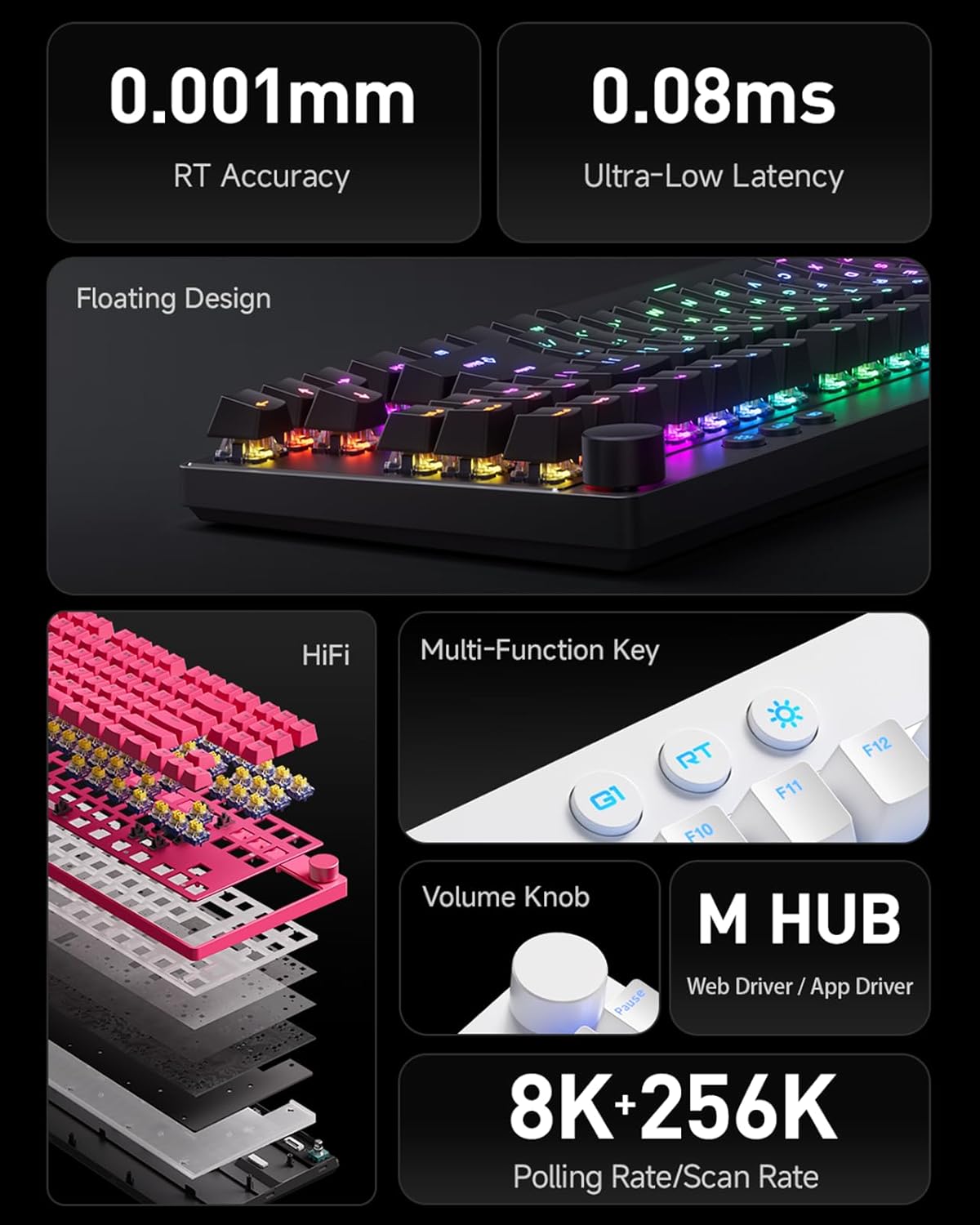
Зображення: Оверview of MCHOSE Mix 87 TKL keyboard features, highlighting 0.001mm RT Accuracy, 0.08ms Ultra-Low Latency, Floating Design, HiFi sound dampening, Multi-Function Key, Volume Knob, M HUB software, and 8K Polling Rate / 256K Scan Rate.
1. Налаштування
1.1 Вміст упаковки
Перевірте наявність усіх елементів в упаковці:
- MCHOSE Mix 87 TKL Wired Gaming Keyboard
- Кабель USB-C
- Посібник користувача (цей документ)
- Знімач ковпачків клавіш (якщо входить до комплекту)
- Знімач перемикача (якщо входить до комплекту)
1.2 Підключення клавіатури
- Locate the USB-C port on the back or side of the MCHOSE Mix 87 keyboard.
- Підключіть один кінець наданого кабелю USB-C до порту USB-C клавіатури.
- Connect the other end of the USB-C cable to an available USB port on your computer, gaming console (PS5, XBOX), or laptop.
- Клавіатура буде автоматично розпізнана вашою операційною системою.
1.3 Driver Installation (MCHOSE Driver)
For advanced customization and features, install the MCHOSE driver software:
- Visit the official MCHOSE webсайт (www.mchose.com) to download the latest MCHOSE driver (M HUB Web/App Driver).
- Дотримуйтеся вказівок на екрані, щоб завершити встановлення.
- The driver allows for key remapping, RGB lighting adjustments, and activation of advanced gaming features like Rapid Trigger and Berserk Mode.
- All settings can be saved to the keyboard's onboard memory.
2. Інструкція з експлуатації
2.1 Основні функції клавіатури
The MCHOSE Mix 87 functions as a standard TKL keyboard for typing and general computer use upon connection.
2.2 Volume Knob Operation

Image: Close-up of the volume knob on the MCHOSE Mix 87 TKL keyboard, illustrating its functions: Rotate to Adjust Volume and Press to Mute.
- Обертати: Turn the knob clockwise to increase volume, and counter-clockwise to decrease volume.
- Натисніть: Натисніть ручку, щоб вимкнути або ввімкнути звук.
2.3 Multi-Function Keys and RGB Lighting

Image: Close-up of the multi-function keys (G1, RT, Adjustable Lighting) and volume knob on the MCHOSE Mix 87 TKL keyboard.
The keyboard features dedicated multi-function keys for quick access to specific features:
- G1 Key: One-Key Desktop Switch (Customizable). This key can be configured via the MCHOSE driver for various functions.
- RT Key: One-Key Profile Switching. Use this key to cycle through different Rapid Trigger profiles configured in the MCHOSE driver.
- Lighting Key (Sun icon): Adjustable Lighting Brightness. Press this key to cycle through different RGB brightness levels or lighting effects. Further customization is available through the MCHOSE driver.
2.4 Advanced Customization (MCHOSE Driver)

Image: Diagram illustrating advanced features of the MCHOSE Mix 87 TKL keyboard, including Magnetic Switch Algorithm 3.0, RT Smart (15-Level Adjustability), ADC Direct Connection for WASD keys, and Customizable Dynamic Keystroke Travel (DKS, SOCD, MT, TGL, RS, key macros).
The MCHOSE driver unlocks the full potential of your keyboard:
- Перепризначення клавіш: Assign custom functions to any key.
- RGB освітлення: Customize per-key RGB lighting, effects, and brightness.
- Швидкий тригер: Adjust the sensitivity and behavior of Rapid Trigger for instant key activation and deactivation.
- Berserk Mode: Activate specialized gaming modes for enhanced performance.
- Регульована точка спрацьовування: Set the actuation point for each key from 0.1mm to 4.0mm to match your preference.
- Dynamic Keystroke Travel (DKS): Configure multiple actions based on key press depth.
- Simultaneous Opposite Cardinal Directions (SOCD): Manage conflicting directional inputs for precise movement in games.
- Запис макросу: Create and assign complex key sequences to a single key.
- Інші особливості: Explore MT (Mod-Tap), TGL (Toggle), and RS (Rapid Stop) functionalities for advanced control.
3. Технічне обслуговування
3.1 Очищення клавіатури
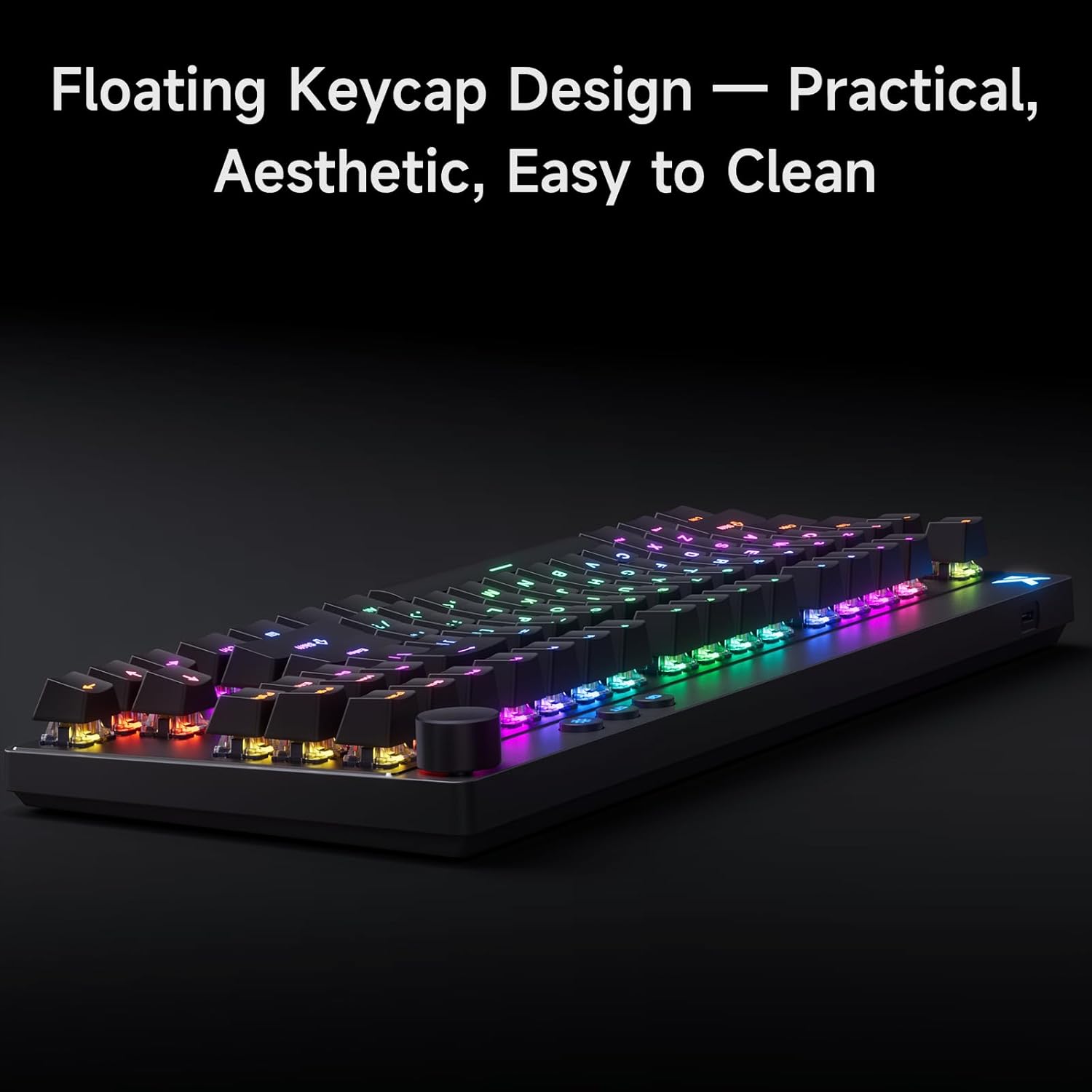
Image: The MCHOSE Mix 87 TKL keyboard showcasing its floating keycap design, which facilitates easy cleaning and maintenance.
The MCHOSE Mix 87 TKL keyboard features a floating keycap design, which makes cleaning easier:
- Видалення пилу: Використовуйте балончик зі стисненим повітрям, щоб здути пил та сміття між клавішами.
- Очищення ковпачків клавіш: Gently remove keycaps using a keycap puller (if provided). Clean keycaps with a soft, damp тканиною та м’яким мильним розчином. Переконайтеся, що ковпачки клавіш повністю сухі, перш ніж знову їх прикріплювати.
- Очищення поверхні: Wipe the keyboard surface with a soft, lint-free cloth. For stubborn marks, slightly dampПротріть тканину водою або м’яким засобом для чищення електроніки. Уникайте надмірного зволоження.
- Обслуговування комутатора: The keyboard uses magnetic switches. Avoid disassembling the switches unless you are familiar with the process, as it may void your warranty.
Завжди від’єднуйте клавіатуру від комп’ютера перед чищенням.
4. Вирішення проблем
4.1 Клавіатура не реагує
- Перевірити підключення: Ensure the USB-C cable is securely connected to both the keyboard and the computer's USB port. Try a different USB port.
- Цілісність кабелю: Test with a different USB-C cable if available, to rule out a faulty cable.
- Перезавантажте комп'ютер: Іноді просте перезавантаження системи може вирішити проблеми з підключенням.
- Перевірка водія: Verify that the MCHOSE driver is installed correctly and up to date.
4.2 Клавіші не реєструються або друкуються двічі
- Adaptive Dynamic Calibration 2.0: The keyboard features Adaptive Dynamic Calibration 2.0, which automatically recalibrates key actuation on every press. This should prevent most issues related to inconsistent key presses.
- Clean Keycaps/Switches: Dust or debris under a keycap can interfere with switch operation. Refer to the Maintenance section for cleaning instructions.
- Параметри драйвера: Check the MCHOSE driver for any custom actuation point settings that might be too sensitive or too deep for your typing style. Reset to default if necessary.

Image: A user interacting with the MCHOSE Mix 87 TKL keyboard, illustrating the function of Adaptive Dynamic Calibration 2.0 for precise and stable key actuation without manual adjustment.
4.3 Проблеми з RGB-підсвічуванням
- Регулювання яскравості: Use the dedicated lighting key (sun icon) to adjust brightness.
- MCHOSE Driver: All RGB lighting customization is managed through the MCHOSE driver. Ensure the driver is running and settings are applied.
- Конфлікти програмного забезпечення: If you have other RGB control software installed, it might conflict with the MCHOSE driver. Try disabling other software.
5. Технічні характеристики
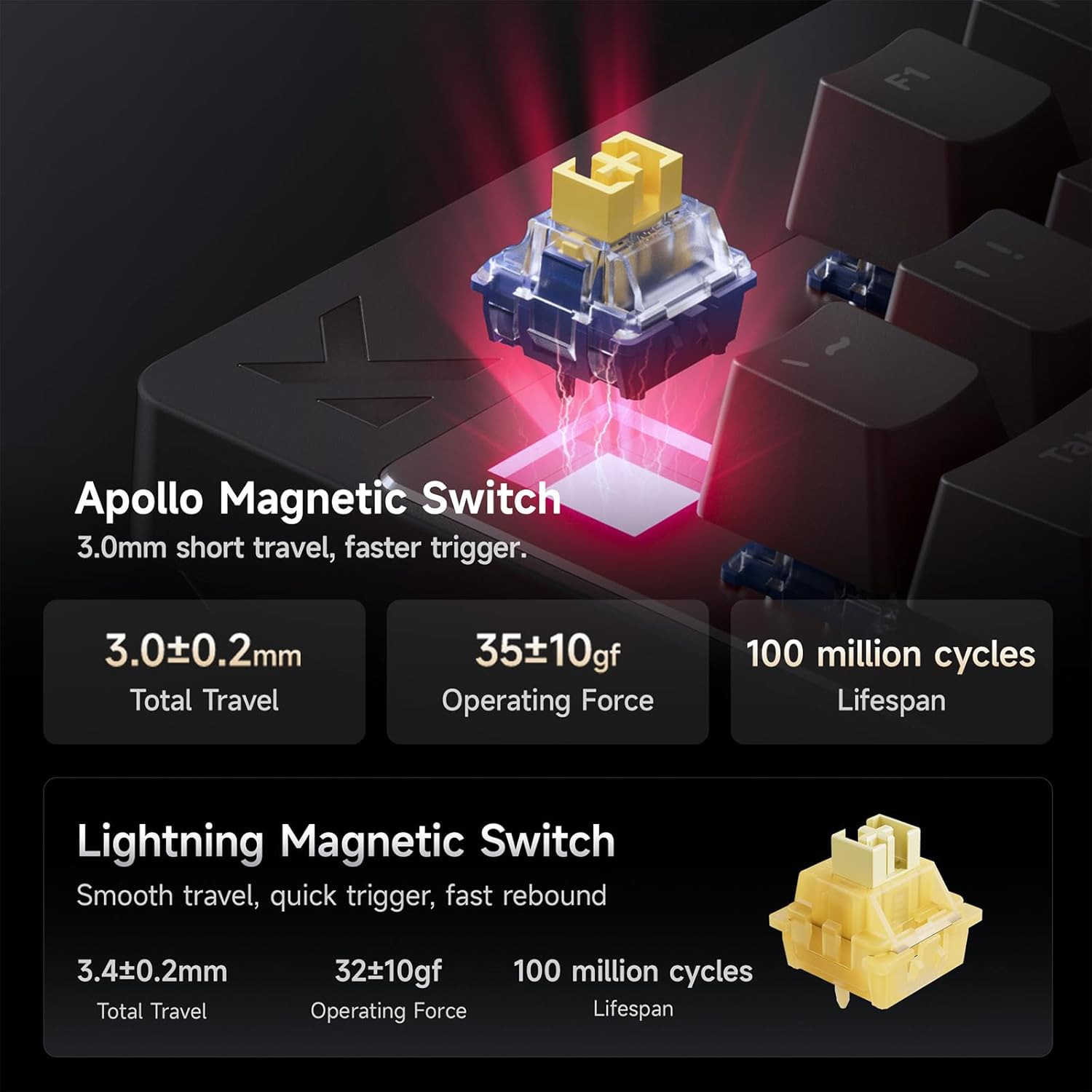
Image: Detailed specifications for the Apollo Magnetic Switch and Lightning Magnetic Switch, including total travel, operating force, and lifespan.
| Особливість | Деталь |
|---|---|
| Модель | Змішайте 87 |
| Макет | TKL (Tenkeyless) |
| Підключення | Дротовий (USB-C) |
| Тип перемикача | Magnetic Hall Effect Switches (e.g., Apollo Magnetic Switch) |
| Пункт активації | Регулюється від 0.1 мм до 4.0 мм |
| Rapid Trigger Accuracy | 0.001 мм |
| Затримка | 0.08ms (Ultra Esports Edition) |
| Швидкість опитування | 8K (8000 Гц) |
| Швидкість сканування | До 256K |
| Клавіатури | PBT with front-facing shine-through legends, Floating Keycap Design |
| Підсвічування | RGB |
| Сумісні пристрої | PC, Laptop, Gaming Console (PS5, XBOX) |
| Розміри продукту | 14.5 см (Д) x 6 см (Ш) x 1.2 см (В) |
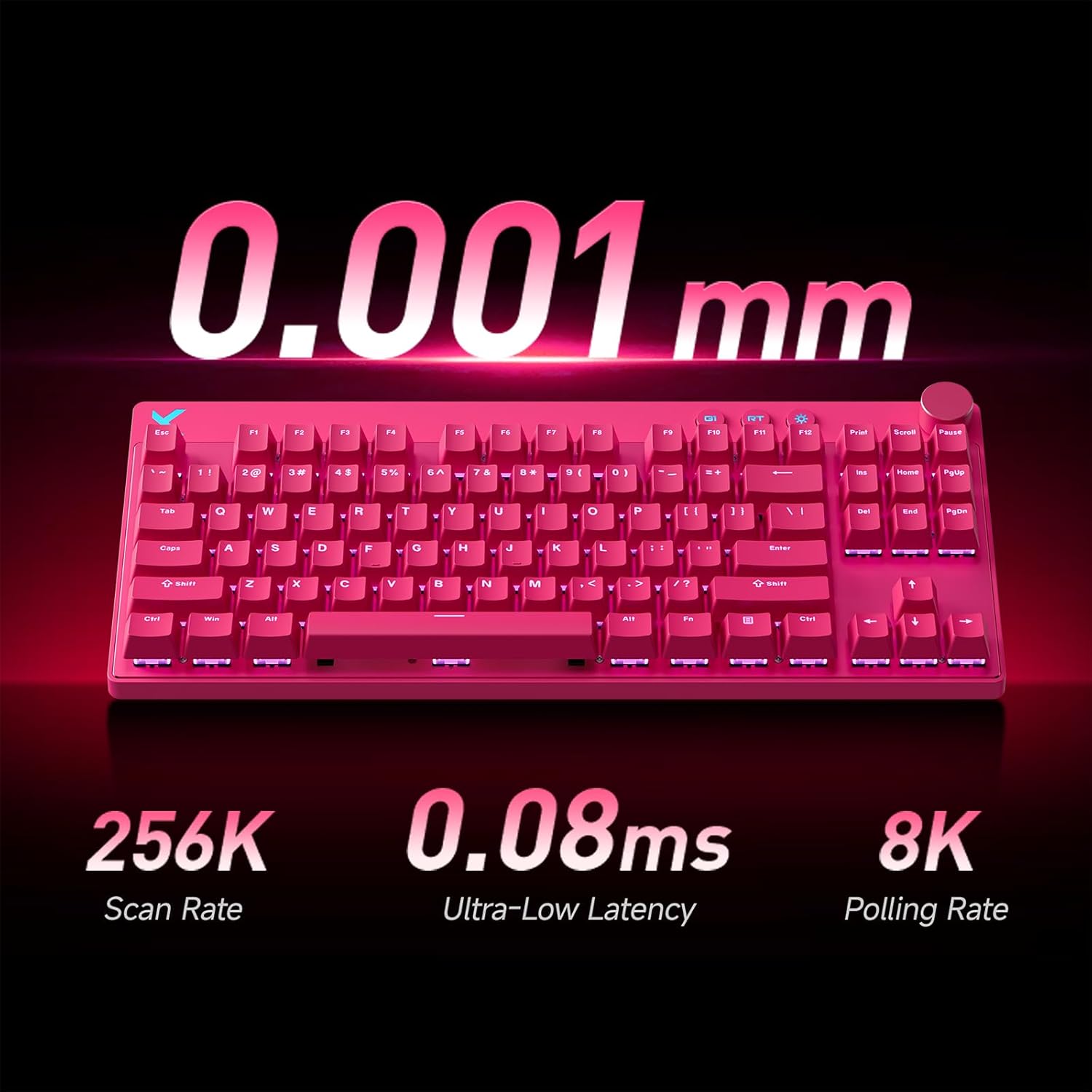
Image: A pink MCHOSE Mix 87 TKL keyboard highlighting key performance metrics: 256K Scan Rate, 0.08ms Ultra-Low Latency, and 8K Polling Rate.
6. Інформація про гарантію
MCHOSE products are covered by a limited warranty against defects in materials and workmanship. The specific duration and terms of the warranty may vary by region and product. Please retain your proof of purchase for warranty claims.
For detailed warranty information, please visit the official MCHOSE webсайту або зв’яжіться зі службою підтримки клієнтів.
7. Підтримка клієнтів
If you encounter any issues or have questions regarding your MCHOSE Mix 87 TKL Wired Gaming Keyboard that are not covered in this manual, please contact MCHOSE customer support:
- Webсайт: www.mchose.com (for FAQs, driver downloads, and support contact information)
- Електронна пошта: Refer to the MCHOSE webсайт для отримання конкретних адрес електронної пошти служби підтримки.
- Інтернет-ресурси: Check the MCHOSE brand store on Amazon for additional product information and support links.


