1. Вступ
Thank you for choosing the LEFANT M2S Robot Vacuum and Mop Cleaner. This advanced cleaning device is designed to provide efficient and thorough cleaning for your home with minimal effort. Featuring dToF laser navigation, powerful 10000Pa suction, and intelligent obstacle avoidance, the M2S ensures a comprehensive cleaning experience. Please read this manual carefully before use to ensure proper operation and maintenance.

Зображення: Оверview of LEFANT M2S features.
2. Вміст упаковки
Ensure all items are present and in good condition upon unpacking. If any items are missing or damaged, please contact customer support.

Image: Contents of the LEFANT M2S package.
- LEFANT M2S Robot Vacuum Cleaner
- Резервуар для води
- Зарядна база
- Адаптер живлення
- Щітка для чищення
- Тримач для швабри
- Бічні щітки (x2)
- Швабра, яку можна мити
- Посібник користувача
- Disposable Mop Pads (x5)
- Фільтр HEPA
3. Налаштування
3.1 Розміщення зарядної бази
Place the charging base against a wall in an open area, ensuring there are no obstacles within 1 meter (3 feet) to the front and 0.5 meters (1.5 feet) to the sides. Connect the power adapter to the charging base and plug it into a wall outlet. Ensure the charging base is always powered on.
3.2 Початкове заряджання
Place the robot on the charging base. The indicator light will show charging status. For first-time use, fully charge the robot for at least 6 hours.
3.3 Підключення програми
To unlock the full potential of your LEFANT M2S, download and connect to the Lefant App.

Image: Steps for connecting the robot to the Lefant App.
- Download the Lefant App from the App Store or Google Play.
- Connect your phone to a 2.4GHz Wi-Fi network (5GHz is not supported).
- Open the Lefant App and tap "Add Device".
- Select the M2S model and enter your home Wi-Fi password. Confirm the password is correct, then tap "Next".
- Press and hold the robot's power button for 3 seconds to turn it on. Then, press and hold the power button for 6 seconds until you hear two beeps, then release.
- Wait for the app to scan for the device. Select the device to connect and wait for the connection to complete.
3.4 Smart Assistant Integration (Alexa/Google Assistant)
Integrate your LEFANT M2S with Amazon Alexa or Google Assistant for voice control.
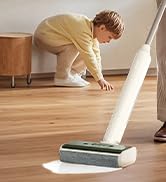
Image: Steps for connecting the robot to Amazon Alexa.
- Ensure your Alexa device is connected to the internet and associated with your Amazon account.
- Open the Lefant App and select "Me".
- Find "Google Assistant/Alexa", choose "Alexa", and tap "One-click Bind".
- Tap "Link to Amazon account".
- Click "Link", then "Back".
- Alexa is now associated. You can open the "Amazon Alexa" app to view connected devices under "Devices".
For Google Assistant, follow similar steps within the Lefant App to link your Google account.
4. Інструкція з експлуатації
4.1 Запуск та зупинка очищення
- Почати очищення: Press the power button on the robot or tap "Start Cleaning" in the Lefant App.
- Пауза/Відновлення: Натисніть кнопку живлення один раз під час прибирання, щоб призупинити. Натисніть ще раз, щоб продовжити.
- Return to Charging Base: Press and hold the power button for 3 seconds, or select "Go back to charge" in the app.
4.2 Режими очищення
The LEFANT M2S offers both vacuuming and mopping functionalities, which can be used separately or combined.

Image: LEFANT M2S 2-in-1 vacuum and mop functionality.
- Режим вакууму: The robot uses its powerful 10000Pa suction to remove dust, pet hair, and debris. It automatically increases suction on carpets for deeper cleaning.
- Режим швабри: Attach the water tank and mop pad. The electronic water control allows for 3 levels of water flow (low, medium, high) to suit different floor types.
- Комбінований режим: The robot vacuums and mops simultaneously. In this mode, it will automatically detect carpets and avoid mopping them to keep them dry.

Image: Automatic carpet detection feature.
4.3 Розумна навігація та картографування
The M2S utilizes dToF laser navigation and 9 PSD sensors for precise mapping and obstacle avoidance.

Image: dToF and PSD obstacle avoidance technology.
- dToF Laser Navigation: Creates high-precision 3D maps of your home for efficient and systematic cleaning paths.
- PSD Obstacle Avoidance: 9 built-in PSD sensors detect obstacles, furniture, and stairs in real-time, preventing collisions and falls.
- FreeMove 3.0 Technology: Ensures the robot navigates smoothly around furniture and avoids getting stuck.
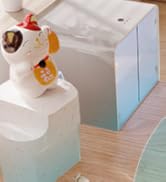
Image: FreeMove 3.0 technology for enhanced navigation.
4.4 Керування та налаштування програм
The Lefant App provides extensive control and customization options for your cleaning experience.
Image: Lefant App control interface.
- Multi-Map Management: Save up to 3 different maps, ideal for multi-story homes.
- Очищення зони: Select specific areas for cleaning or define "No-Go Zones" to restrict access.
- Планування: Program cleaning times and sequences for different rooms.
- Suction and Water Flow Adjustment: Customize suction power and mop water flow levels.
- Ручне управління: Use the app for manual navigation of the robot.
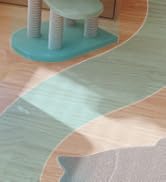
Image: Customizable map and zone settings.
Image: Setting forbidden zones.
4.5 Автоматичне поповнення та відновлення
The robot automatically returns to its charging base when the battery is low or cleaning is complete. If cleaning is not finished, it will resume from where it left off after charging to 80%.
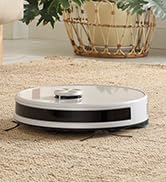
Image: Automatic recharge and cleaning resume.
5. Технічне обслуговування
Regular maintenance ensures optimal performance and extends the lifespan of your LEFANT M2S. Always turn off the robot and disconnect it from the charging base before performing any maintenance.
5.1 Dustbin and Filters
- Очистити сміттєвий бак: After each use, remove the dustbin and empty its contents.
- Чисті фільтри: Tap the HEPA filter to remove dust. Rinse the primary filter and dustbin with water. Allow them to air dry completely before reinstallation. Do not wash the HEPA filter.
5.2 Резервуар для води та швабра
- Порожній резервуар для води: Після кожного сеансу миття підлоги зливайте залишки води з резервуара.
- Чиста швабра: Remove the mop pad and rinse it thoroughly with water. It can be machine washed. Allow it to air dry completely.
5.3 бічні щітки
- Чисті бічні щітки: Regularly check the side brushes for tangled hair or debris. Use the provided cleaning tool to cut and remove any tangles.
- Replace Side Brushes: Replace side brushes every 3-6 months, or when visibly worn, to maintain effective cleaning.
5.4 Датчики та зарядні контакти
- Чисті датчики: Use a clean, dry cloth to gently wipe the dToF laser sensor, PSD obstacle avoidance sensors, and cliff sensors.
- Чисті зарядні контакти: Wipe the charging contacts on both the robot and the charging base with a dry cloth to ensure a good connection.
6. Вирішення проблем
If you encounter issues with your LEFANT M2S, please refer to the following common problems and solutions. If the problem persists, contact customer support.
| проблема | Можлива причина | Рішення |
|---|---|---|
| Робот не вмикається. | Низький заряд батареї; кнопка живлення натиснута неправильно. | Place the robot on the charging base to charge. Press and hold the power button for 3 seconds. |
| Робот не може підключитися до Wi-Fi. | Incorrect Wi-Fi password; 5GHz network used; robot too far from router. | Ensure correct 2.4GHz Wi-Fi password. Move robot closer to router. Restart robot and router. |
| Робот часто застрягає. | Too many obstacles; tangled brushes. | Clear the cleaning area of small objects, cables, and loose rugs. Clean side brushes. |
| Погана ефективність очищення. | Full dustbin; dirty filters; worn brushes. | Empty dustbin. Clean/replace filters. Clean/replace side brushes. |
| Robot does not mop effectively. | Empty water tank; dry mop pad; clogged water nozzle. | Fill water tank. Moisten mop pad. Clean water nozzle. |
7. Технічні характеристики
| Особливість | Деталь |
|---|---|
| Бренд | ЛЕФАНТ |
| Назва моделі | M2S |
| Розміри продукту | 32 х 32 х 9.5 см |
| Вага товару | 4 кг |
| Потужність всмоктування | Up to 10000Pa (4 levels) |
| Ємність акумулятора | 5200 мАг |
| Максимальний час виконання | До 240 хвилин |
| Ємність резервуара для води | 300 мілілітрів |
| Ємність смітника | 150 мілілітрів |
| томtage | 19 вольт |
| матеріал | пластик |
| Рівень шуму | 60 децибели |
| Тип навігації | dToF Laser Navigation |
| Уникнення перешкод | PSD Sensors, FreeMove 3.0 Technology |
| Сумісні пристрої | Smartphone (Lefant App), Amazon Alexa, Google Assistant |
| Особливості | Anti-collision, Zone exclusion, Wet & Dry cleaning, Obstacle climbing, Advanced development technology |
8. Гарантія та підтримка
The LEFANT M2S Robot Vacuum and Mop Cleaner comes with a standard manufacturer's warranty. Please refer to the warranty card included in your package for specific terms and conditions. For technical support, troubleshooting assistance, or warranty claims, please contact LEFANT customer service through the official webсайт або контактну інформацію, надану в документації до вашого продукту.
Ви також можете відвідати LEFANT Store on Amazon для отримання додаткової інформації та ресурсів підтримки.


