1. Вступ і даліview
This manual provides detailed instructions for the operation and maintenance of your Vandlion 64GB Digital Voice Recorder, Model V11B. This device is designed for high-fidelity audio capture in various environments, including lectures, meetings, and interviews. It features advanced AI noise reduction, 1536Kbps crystal audio recording, password protection for your files, and a voice activation function.

Figure 1: Vandlion V11B Digital Voice Recorder
2. Що в коробці
Upon unboxing your Vandlion V11B Digital Voice Recorder, please ensure all the following items are present:
- 1 x Digital Voice Recorder (Model V11B)
- 1 x кабель для передачі даних USB-C
- 1 x навушники
- 1 х посібник користувача

Малюнок 2: Вміст пакета
3. Особливості продукту
- Шумозаглушення зі штучним інтелектом: The advanced AI chip identifies and eliminates over 95% of distracting sounds, focusing purely on human speech for clear audio.
- Big Storage & Ultra-Portable: Stores up to 900 hours of recordings with its 64GB memory. Crafted from lightweight yet durable zinc alloy, it offers portability and a solid feel. A 1.5-hour charge provides up to 20 hours of continuous recording.
- Запис однією кнопкою: Simple slide switch operation to initiate recording (slide to "REC") and save (slide to "SAVE").
- Функція голосової активації: When manually turned on, this feature allows the recorder to intelligently skip silent pauses and focus solely on active dialogues, providing condensed recordings. (Refer to the manual for activation steps).
- Захист паролем: Supports setting a 4-digit password to protect your recording fileвід несанкціонованого доступу.

Figure 3: AI Noise Cancellation Feature

Рисунок 4: Портативний дизайн

Figure 5: One-Button Recording

Рисунок 6: Запис із активацією голосу
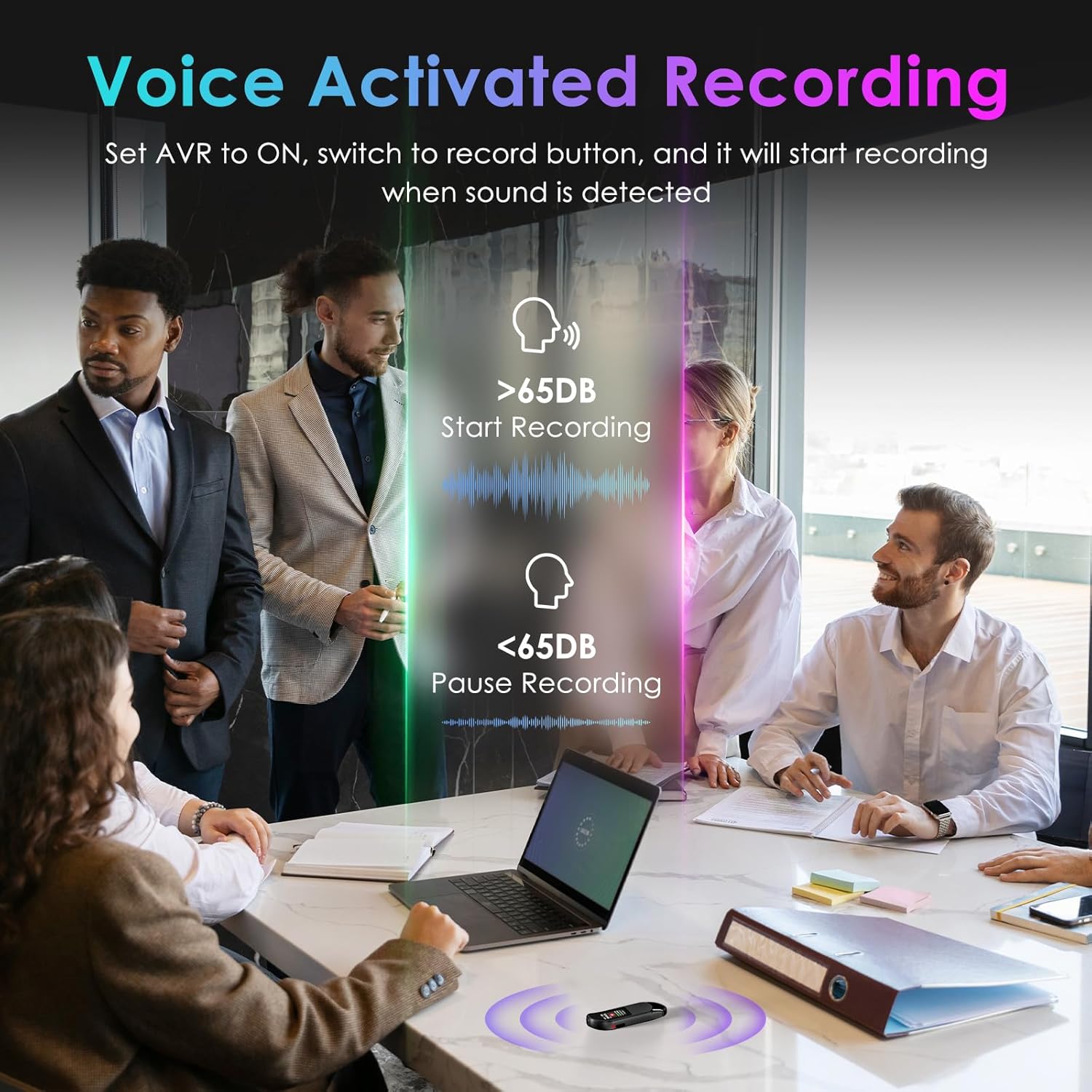
Рисунок 7: Функція захисту паролем
4. Налаштування та основні операції
4.1 Початкове налаштування
Before first use, fully charge the device using the provided USB-C cable. Connect the cable to the recorder and a power source (e.g., computer USB port or USB wall adapter). The device will indicate charging status on its screen.
4.2 One-Button Recording
- To start recording, slide the 'REC' button upwards. The screen will display recording in progress.
- To save the recording, slide the 'SAVE' button downwards. The recording will be saved automatically.
4.3 Відтворення
The Vandlion V11B does not have a built-in speaker. To listen to recordings, you must connect the included headphones or transfer files to a computer or Android phone.
- Connect the remote control to the USB-C port of the recorder.
- Plug the headphones into the remote control.
- Use the buttons on the remote control to navigate through recordings, adjust volume, and play/pause.

Figure 8: Playback Setup
4.4 Запис із голосовою активацією (VOR)
Щоб увімкнути запис із активацією голосу:
- Connect the recorder to the remote control and headphones.
- Access the device menu (long press the 'M' button on the remote).
- Navigate to 'REC Setting' and then 'AVR Setting'.
- Change 'Set: OFF' to 'Set: ON' and adjust the AVR level as needed.
- Once enabled, slide the 'REC' button upwards. The recorder will automatically start recording when sound is detected (above 65dB) and pause during silence (below 65dB).
Video 1: How to Use the Digital Voice Recorder (Vandlion Official)
This video demonstrates the basic functions and settings of the Vandlion Digital Voice Recorder, including recording, playback, and menu navigation.
5. Передача даних
To transfer your recorded files to a computer or Android phone:
- Connect the recorder to your computer or Android phone using the provided USB-C cable.
- For Android phones, ensure the OTG function is enabled in your phone's settings.
- The device will appear as a removable drive. You can then access and transfer your MP3 or WAV recording files.
Note: Do not format the voice recorder on a computer, as this may change the memory format and cause recording failure.

Figure 9: Charging and File Трансфер
6. Захист паролем
To set up password protection for your recordings:
- Connect the recorder to the remote control and headphones.
- Access the device menu (long press the 'M' button on the remote).
- Navigate to 'Password Setting' and follow the on-screen prompts to set a 4-digit password.
- Once set, the password will be required to access your recording files.
7. Технічні характеристики
| Особливість | Деталь |
|---|---|
| Розміри продукту | 0.39 x 0.86 x 2.99 дюймів |
| Вага товару | 1.41 унції (40 грама) |
| Номер моделі товару | V11B |
| Акумулятори | Потрібна 1 батарейка типу АА (у комплекті) |
| Виробник | Вандліон |
| Сумісні пристрої | Персональний комп'ютер, смартфон |
| Апаратний інтерфейс | USB типу C |
| Форм-фактор мікрофона | Вбудований |
| Формат | Аудіо MP3, WAV |
| Гніздо для навушників | 3.5 міліметра |
| Ємність пам'яті | 64 ГБ |
8. Технічне обслуговування
To ensure the longevity and optimal performance of your Vandlion V11B Digital Voice Recorder, please follow these maintenance guidelines:
- Тримайте пристрій сухим та подалі від екстремальних температур.
- Чистіть пристрій м’якою сухою тканиною. Уникайте використання агресивних хімікатів або абразивних матеріалів.
- Зберігайте пристрій у безпечному місці, щоб запобігти фізичним пошкодженням.
- Regularly back up your recordings to prevent data loss.
9. Вирішення проблем
If you encounter any issues with your device, please refer to the following common troubleshooting tips:
- Пристрій не включається: Ensure the device is fully charged. If the issue persists, try performing a reset using the 'RESET' button.
- Неможливо передати files: Verify that the USB-C cable is securely connected to both the recorder and your computer/phone. For Android, ensure OTG is enabled. Try using the original cable provided.
- Погана якість запису: Ensure the microphone is not obstructed. Check the recording settings (e.g., AI noise reduction, bitrate) and adjust as necessary.
- Немає звуку під час відтворення: Confirm that headphones are properly connected to the remote control and the remote control is connected to the recorder. Check the volume level.
Video 2: Presentation about Digital Voice Recorder (Vandlion Official)
Це відео забезпечує завершенняview of the digital voice recorder's features and potential applications, which may help in understanding its functionality.
10. Гарантія та підтримка
Your Vandlion V11B Digital Voice Recorder comes with a manufacturer's warranty. Please refer to the warranty card included in your package for specific terms and conditions. For technical support, product inquiries, or warranty claims, please contact Vandlion customer service through the contact information provided in the warranty documentation or on the official Vandlion webсайт.


