1. Вступ
Thank you for choosing the comiso M11 Wearable Bluetooth Speaker. This manual provides essential information for setting up, operating, and maintaining your speaker. The M11 is designed for portability and convenience, featuring IPX7 waterproofing, Bluetooth 6.0 connectivity, and a built-in microphone for hands-free calls.
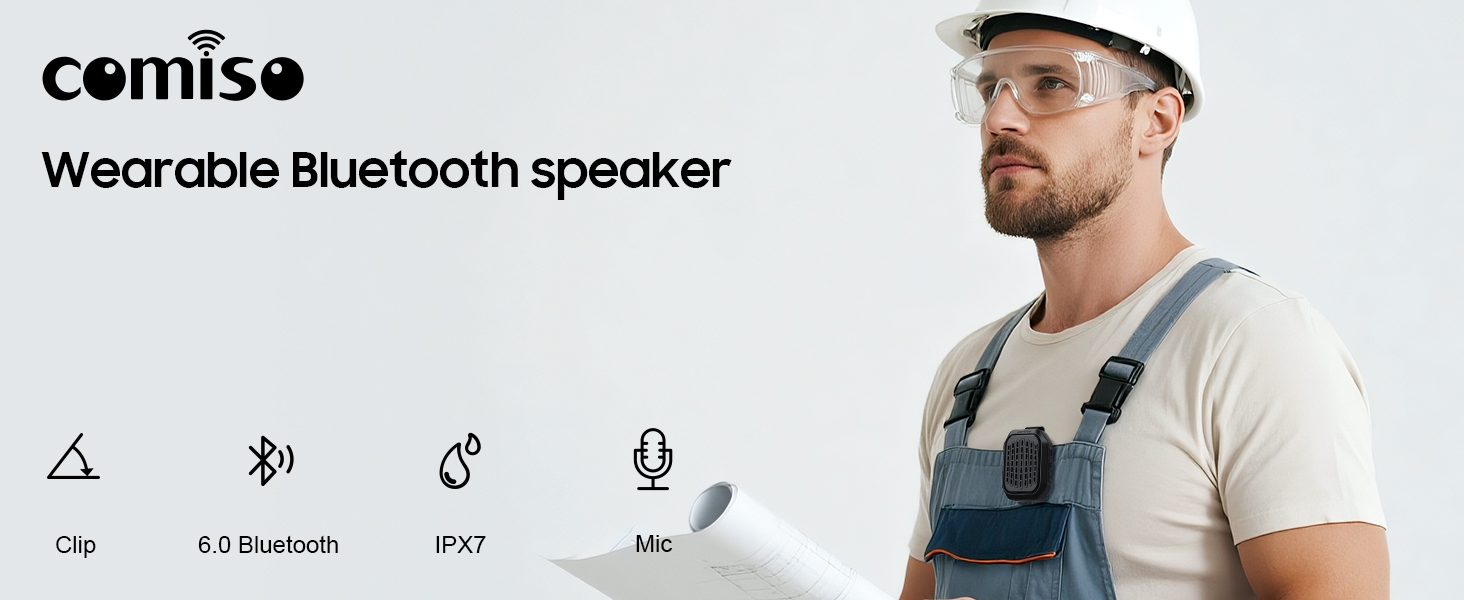
Зображення 1.1: закінченоview of the comiso M11 speaker highlighting its key features: clip-on design, Bluetooth 6.0, IPX7 waterproof rating, and built-in microphone.
2. Вміст упаковки
Будь ласка, перевірте упаковку на наявність наступних предметів:
- 1 x comiso M11 Wearable Bluetooth Speaker
- 1 x USB-C зарядний кабель
- 1 х шнурок
- 1 x Посібник користувача (цей документ)
3. Продукт закінчивсяview
The comiso M11 speaker features a compact design with a durable clip for easy attachment. Familiarize yourself with the speaker's components:
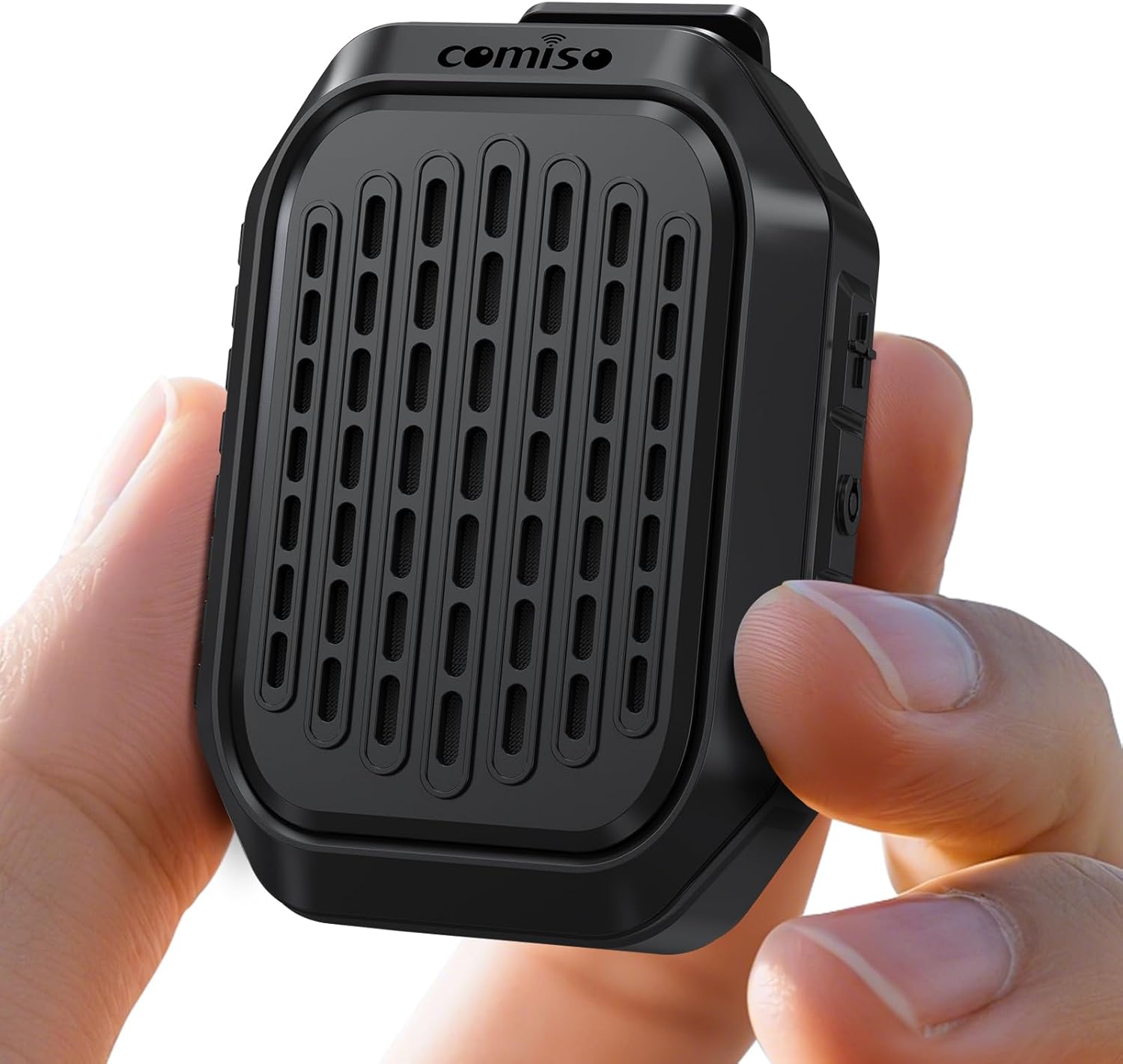
Image 3.1: The comiso M11 speaker, demonstrating its small, portable form factor when held in a hand.
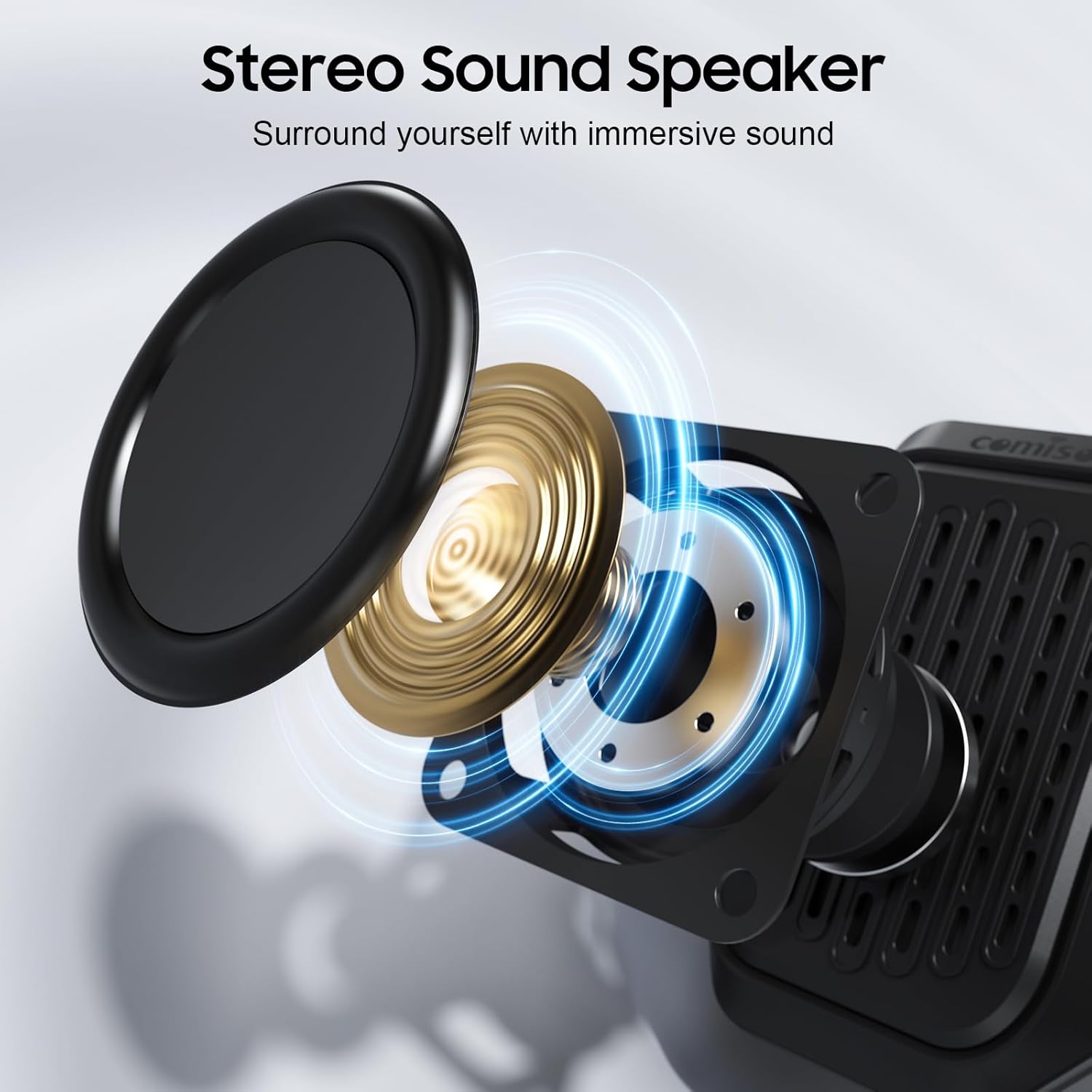
Image 3.2: An exploded diagram illustrating the internal components of the speaker, including the sound driver, designed for stereo sound output.
4. Налаштування
4.1 Заряджання динаміка
Before first use, fully charge your comiso M11 speaker. Use the included USB-C cable to connect the speaker to a compatible USB power source (e.g., wall adapter, computer USB port).
- Індикатор заряджання світитиметься під час заряджання.
- A full charge provides over 10 hours of playtime at 50% volume.
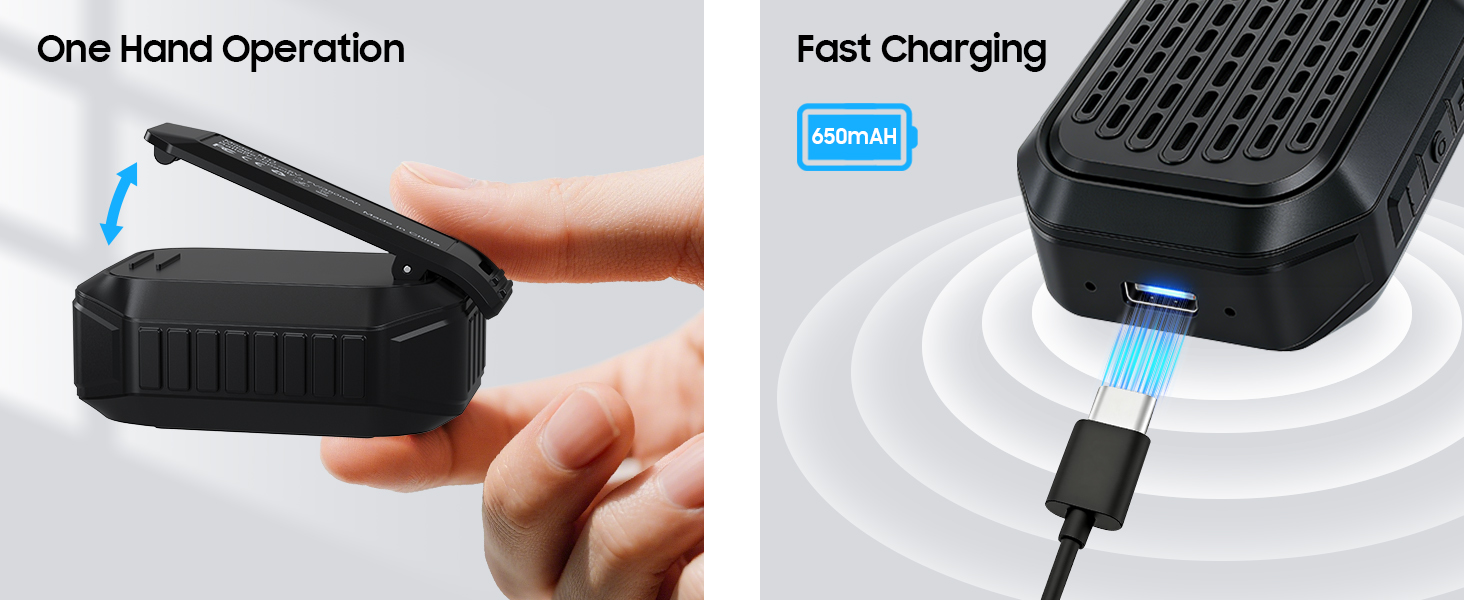
Image 4.1: The speaker's USB-C port connected for fast charging, alongside an illustration of its one-hand operable clip.
4.2 Створення пари Bluetooth
Щоб підключити динамік до пристрою з підтримкою Bluetooth:
- Переконайтеся, що динамік заряджений та увімкнений.
- Активуйте Bluetooth на своєму смартфоні або іншому пристрої.
- шукати доступні пристрої та виберіть зі списку «M11».
- Once connected, the speaker will indicate a successful pairing (e.g., an audible tone or LED indicator change).

Image 4.2: A smartphone screen showing the Bluetooth pairing process, with the M11 speaker visible and ready for connection.
5. Інструкція з експлуатації
5.1 Увімкнення/вимкнення живлення
- Щоб увімкнути: Натисніть і утримуйте кнопку живлення приблизно 2 секунди.
- Щоб вимкнути: Натисніть і утримуйте кнопку живлення приблизно 3 секунди.
5.2 Відтворення музики
Once connected via Bluetooth, you can control music playback from your device or directly on the speaker (if applicable buttons are present).
- Відтворення/пауза: Натисніть кнопку Відтворення/Пауза один раз.
- Збільшення гучності: Натисніть кнопку збільшення гучності.
- Зменшення гучності: Натисніть кнопку зменшення гучності.
- Наступний трек: Натисніть і утримуйте кнопку збільшення гучності.
- Попередній трек: Натисніть і утримуйте кнопку зменшення гучності.
5.3 Дзвінки в режимі «вільні руки»
Вбудований мікрофон забезпечує чітке спілкування в режимі hands-free.
- Відповісти на дзвінок: Натисніть кнопку відтворення/паузи один раз, коли надходить дзвінок.
- Завершити виклик: Натисніть кнопку відтворення/паузи один раз під час дзвінка.
- Відхилити виклик: Натисніть і утримуйте кнопку відтворення/паузи протягом 2 секунд.

Image 5.1: A user demonstrating hands-free calling with the speaker clipped to their clothing, suitable for active environments.
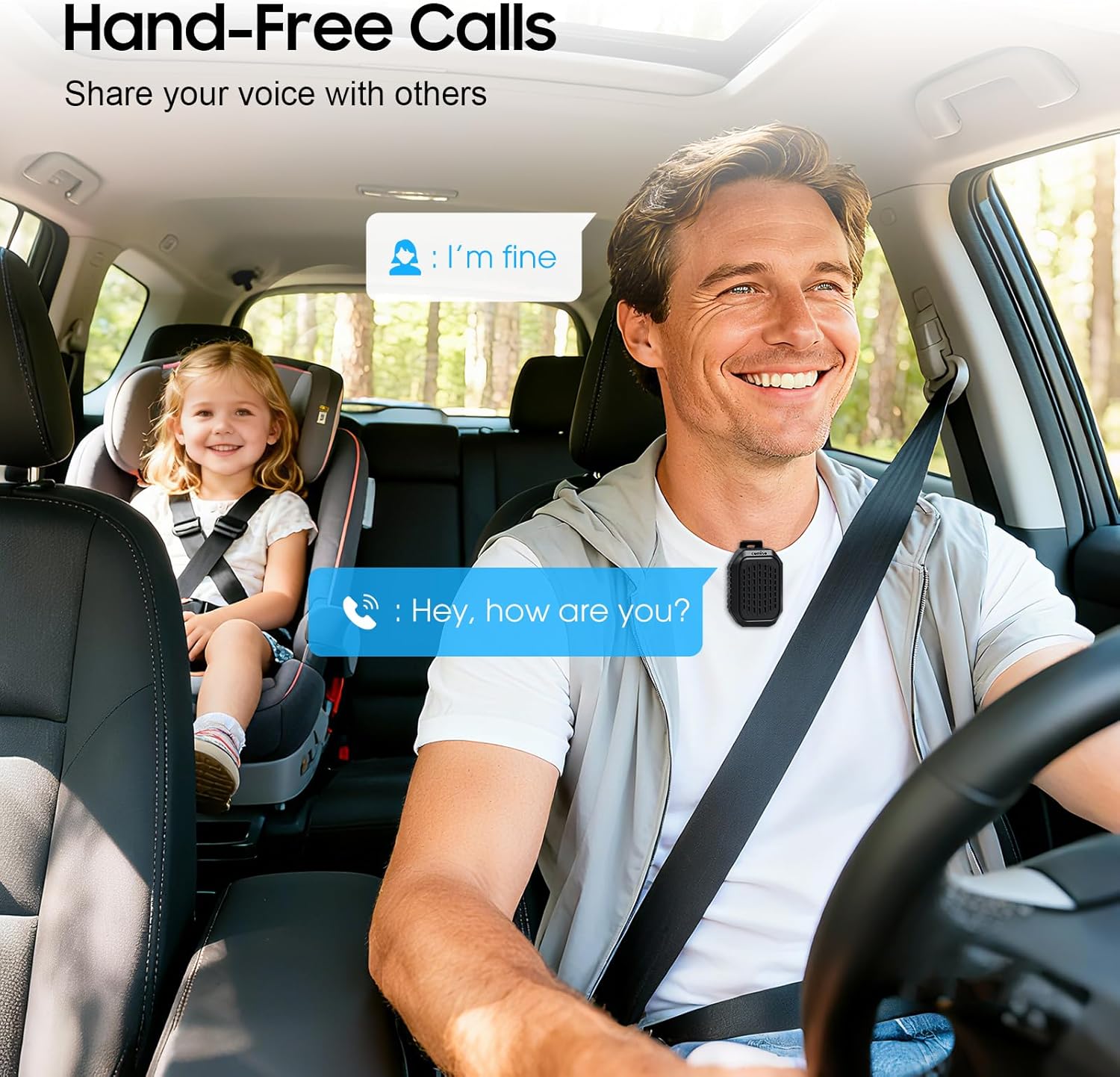
Image 5.2: The speaker facilitating hands-free communication while driving, clipped securely to a seatbelt.
5.4 Сполучення справжнього бездротового стерео (TWS)
For an enhanced audio experience, you can pair two M11 speakers together to create a stereo sound system.
- Ensure both M11 speakers are powered on and not connected to any other Bluetooth device.
- On either speaker, triple-press the Power button to enter TWS pairing mode.
- Колонки автоматично шукатимуть одна одну та підключатимуться одна до одної.
- Once paired, connect your device to one of the speakers via Bluetooth as described in Section 4.2.
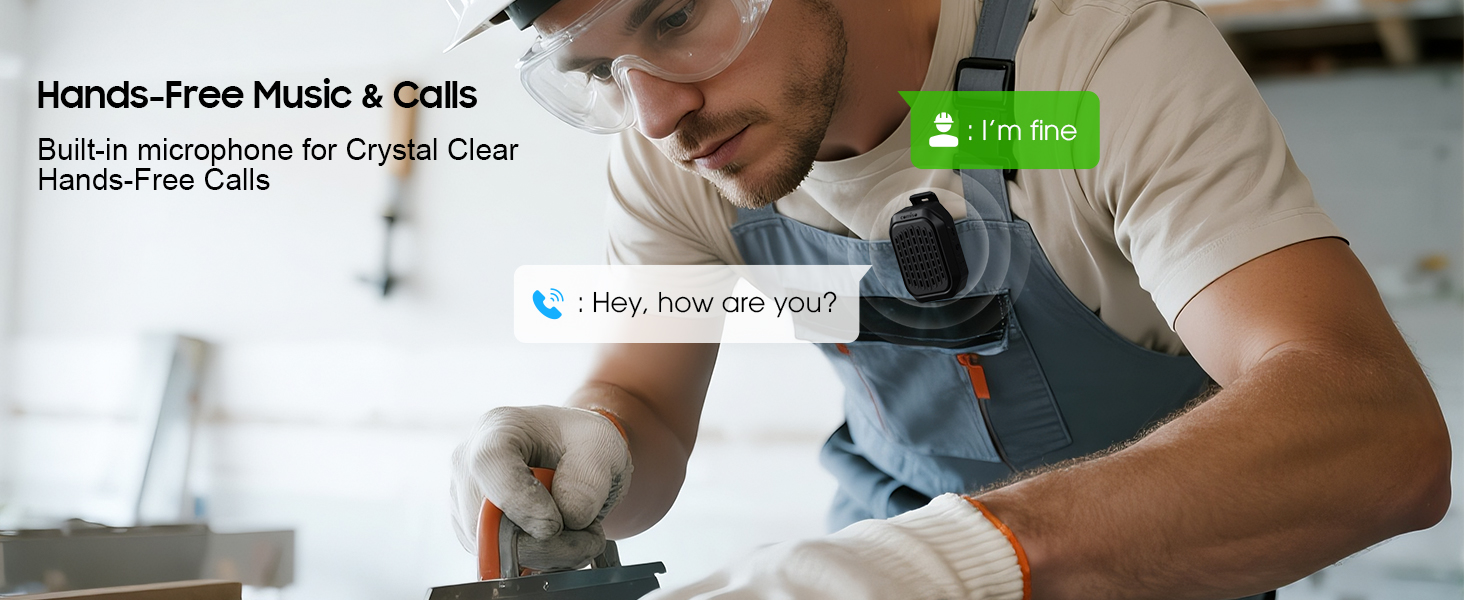
Image 5.3: Two M11 speakers wirelessly connected for a stereo audio experience, enhancing sound immersion.
5.5 Носіння динаміка
The M11 speaker's anti-slip clip and included lanyard offer versatile wearing options.
- Кліп-на: Easily attach the speaker to your shirt, backpack strap, belt, or jacket.
- Шнур: Use the lanyard to hang the speaker on your bag, bike, or car.
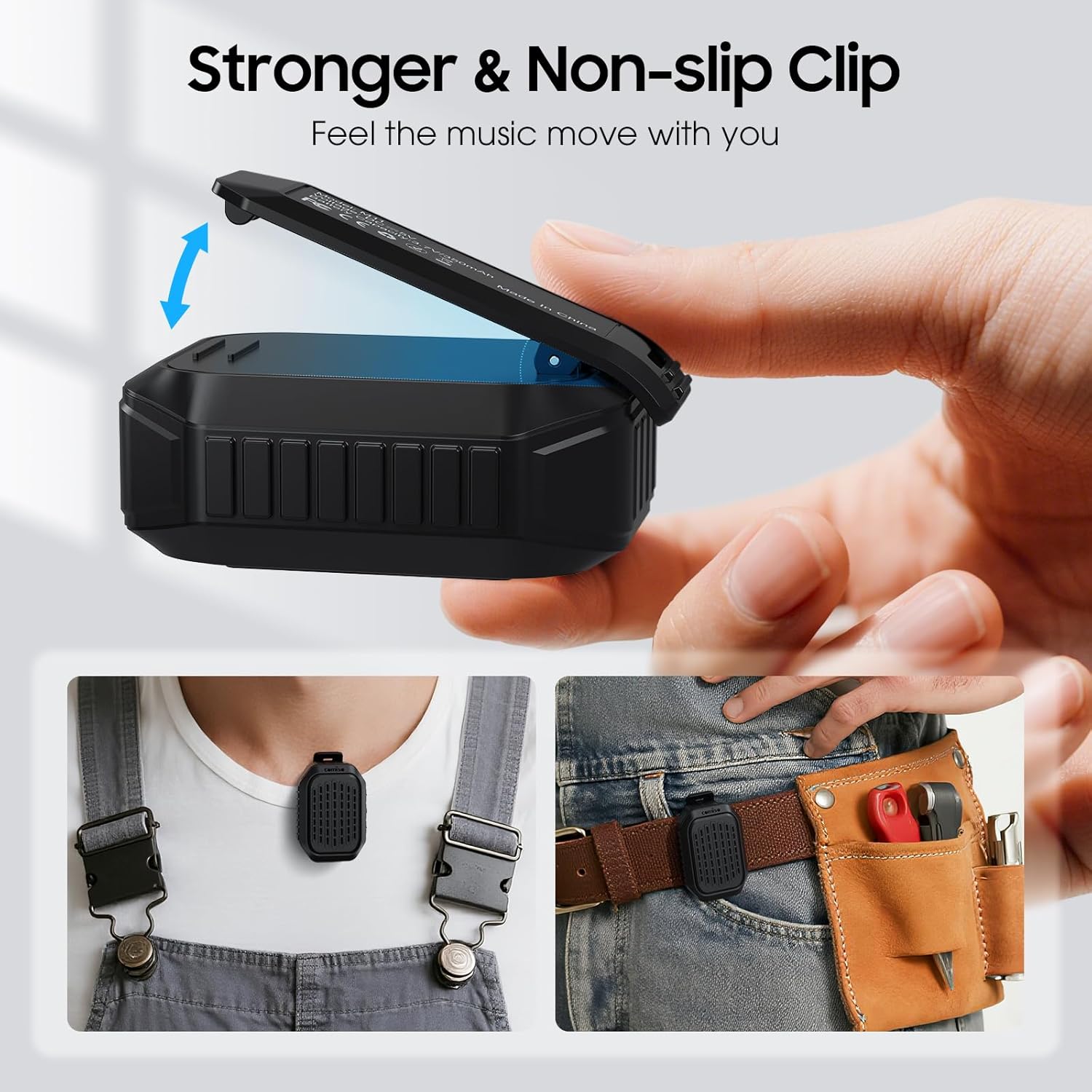
Зображення 5.4: Детальний view of the speaker's strong, non-slip clip, designed for secure attachment to various items.
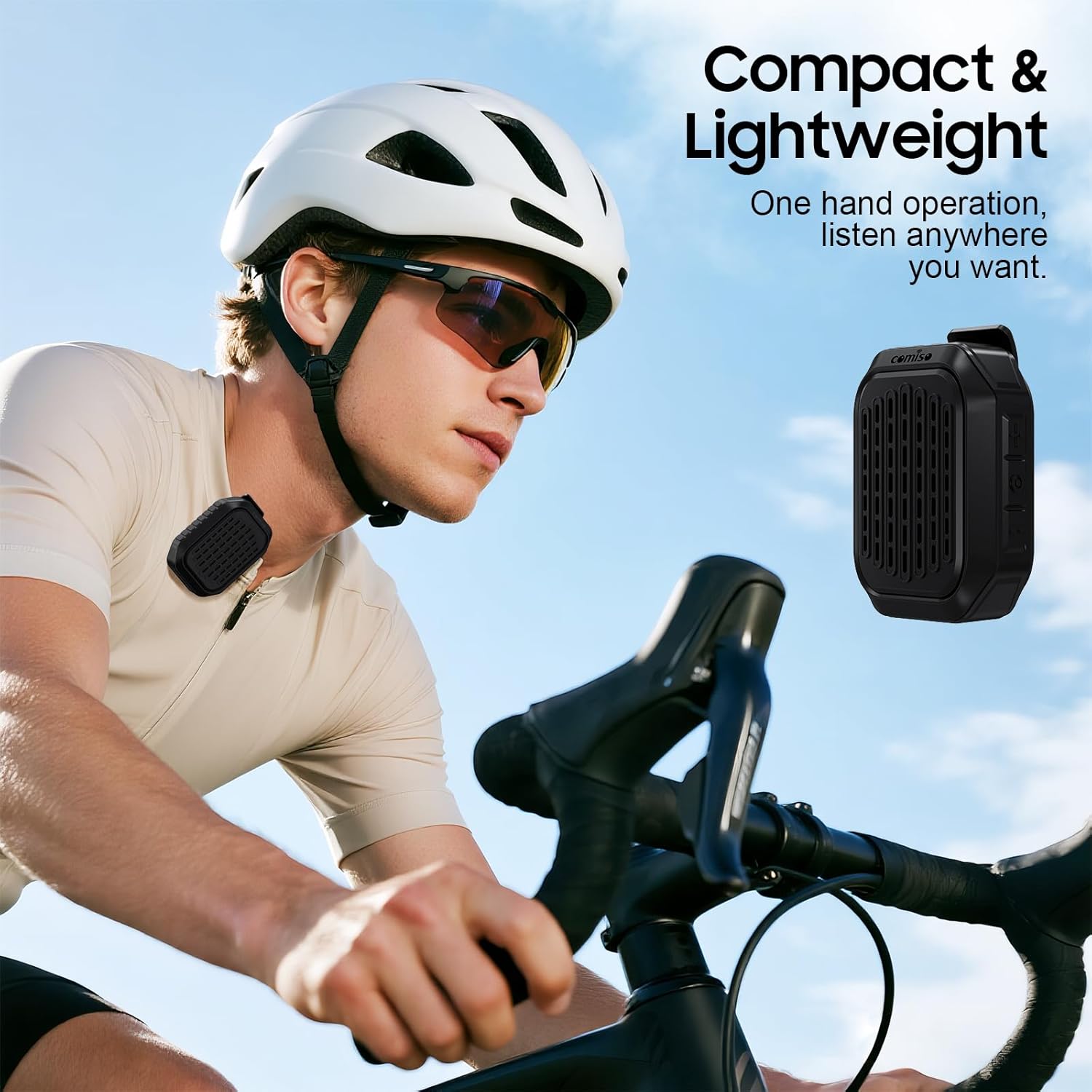
Image 5.5: A cyclist wearing the compact and lightweight speaker, demonstrating its suitability for outdoor activities.
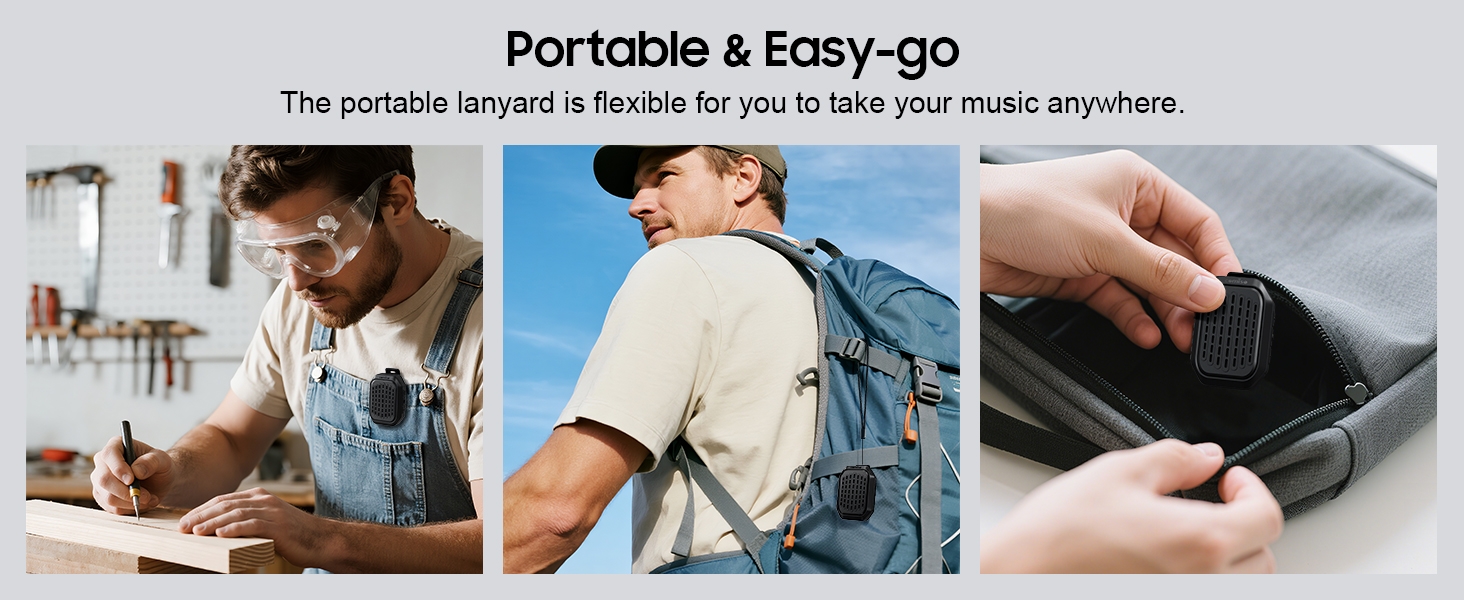
Зображення 5.6: Наприкладamples of the speaker's portability and ease of use, including being clipped to clothing, a backpack, and stored in a pocket.
6. Технічне обслуговування
6.1 Водостійкість (IPX7)
The comiso M11 speaker is IPX7 waterproof, meaning it can be immersed in water up to 1 meter deep for 30 minutes. This makes it suitable for outdoor use and resistant to splashes and rain.
- Перш ніж піддавати динамік впливу води, переконайтеся, що кришка порту заряджання щільно закрита.
- Do not intentionally submerge the speaker for extended periods or beyond specified depths.
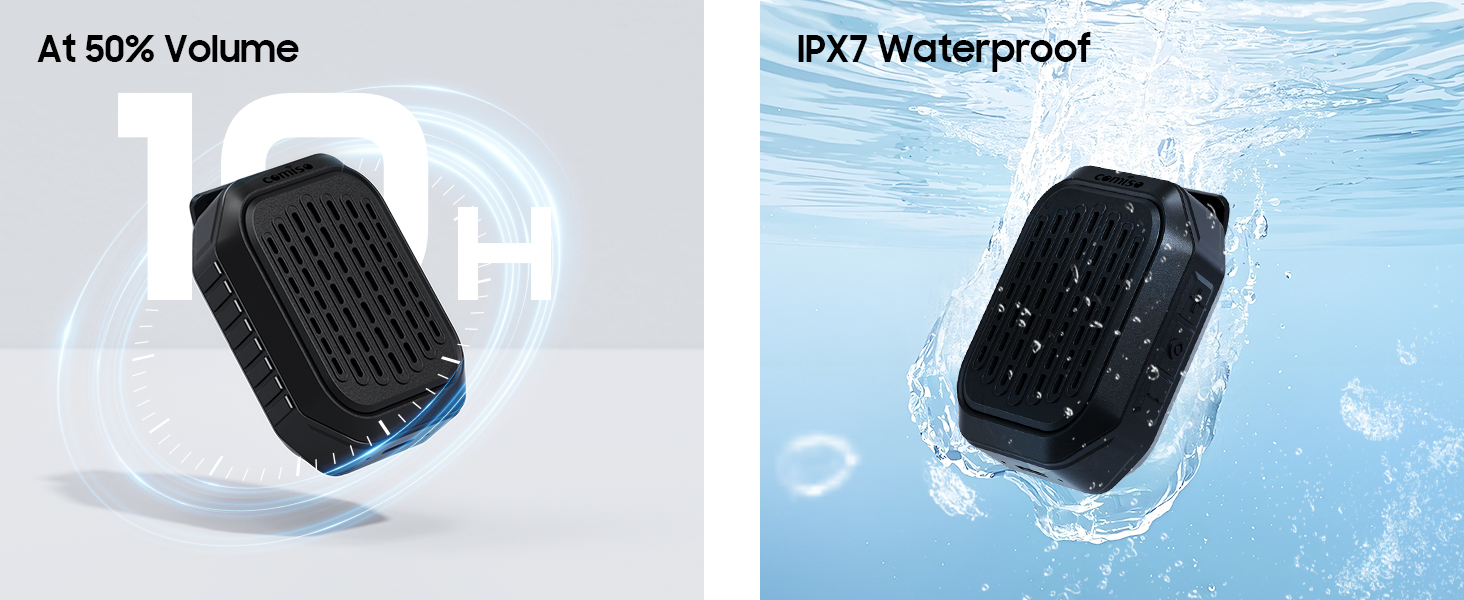
Image 6.1: The speaker submerged in water, illustrating its IPX7 waterproof capability, alongside an indicator of its 10-hour battery life.
6.2 Очищення та зберігання
- Очистіть динамік м’якою, damp тканина. Не використовуйте абразивні засоби чи розчинники.
- Зберігайте динамік у прохолодному, сухому місці, подалі від екстремальних температур та прямих сонячних променів.
- If not used for a long period, charge the speaker at least once every three months to maintain battery health.
7. Вирішення проблем
If you encounter issues with your comiso M11 speaker, please refer to the following common solutions:
- Динамік не вмикається:
Переконайтеся, що динамік повністю заряджений. Підключіть його до джерела живлення за допомогою кабелю USB-C і спробуйте ще раз. - Не вдається з’єднати пристрій із Bluetooth:
Make sure the speaker is in pairing mode (check indicator light). Turn off and on Bluetooth on your device. Ensure the speaker is within the 10-meter range. Clear previous Bluetooth connections on your device and try pairing again. - Немає звуку або гучність низька:
Check the volume levels on both the speaker and your connected device. Ensure the speaker is properly paired. If using TWS, ensure both speakers are connected correctly. - Погана якість зв'язку:
Ensure the speaker is close enough for the microphone to pick up your voice clearly. Check for environmental noise interference. - Speaker not charging:
Verify the USB-C cable is securely connected to both the speaker and the power source. Try a different USB-C cable or power adapter.
8. Технічні характеристики
| Особливість | Деталь |
|---|---|
| Назва моделі | M11 |
| Тип динаміка | Носимий динамік Bluetooth |
| Версія Bluetooth | 6.0 |
| Максимальна вихідна потужність динаміка | 5 Вт |
| Рівень водонепроникності | IPX7 (до 1 метра протягом 30 хвилин) |
| Термін служби батареї | Over 10 hours (at 50% volume) |
| Порт зарядки | USB-C |
| Розміри продукту (Д x Ш x В) | 1.9 см x 2.9 см x 1.3 см |
| Вага товару | 75 грамів (2.65 унції) |
| Максимальний радіус дії Bluetooth | 10 метрів |
| Вбудований мікрофон | так |
| Підключення TWS | так |
9. Інформація про безпеку
Будь ласка, прочитайте та дотримуйтесь цих правил безпеки, щоб забезпечити безпечну експлуатацію та продовжити термін служби вашої колонки:
- Не розбирайте, не ремонтуйте та не модифікуйте динамік. Це може призвести до анулювання гарантії та створення ризиків для безпеки.
- Тримайте динамік подалі від екстремальних температур, прямих сонячних променів та відкритого вогню.
- Уникайте падіння та сильних ударів динаміка.
- Do not use the speaker while charging in wet conditions.
- Зберігати в недоступному для дітей місці.
- Утилізуйте динамік та його батарею відповідально згідно з місцевими правилами.
10. Гарантія та підтримка
For warranty information or technical support, please contact comiso customer service through the retailer where you purchased the product or visit the official comiso website. Please have your model number (M11) and purchase details ready.


