вступ
The COMITOK MOCA Camera Grip is designed to enhance your mobile photography experience by providing a comfortable grip and intuitive controls for your iPhone. This manual will guide you through the setup, operation, maintenance, and troubleshooting of your device, ensuring you can fully utilize its features for capturing photos and videos.

Image: The COMITOK MOCA Camera Grip securely attached to an iPhone, showcasing its ergonomic design and integrated remote.
1. Налаштування
1.1 Розпакування та компоненти
Перед початком роботи переконайтеся, що всі компоненти присутні:
- MOCA Camera Grip (with detachable remote)
- Ремінець на зап'ясті
- Зарядний кабель (USB-C)
- Magnetic Plate (for non-MagSafe compatible phones)
- Lanyard Pad
1.2 Заряджання пульта дистанційного керування
The detachable remote control contains a rechargeable battery. Connect the included USB-C charging cable to the remote's charging port and a power source. The battery indicator on the remote will show charging status.
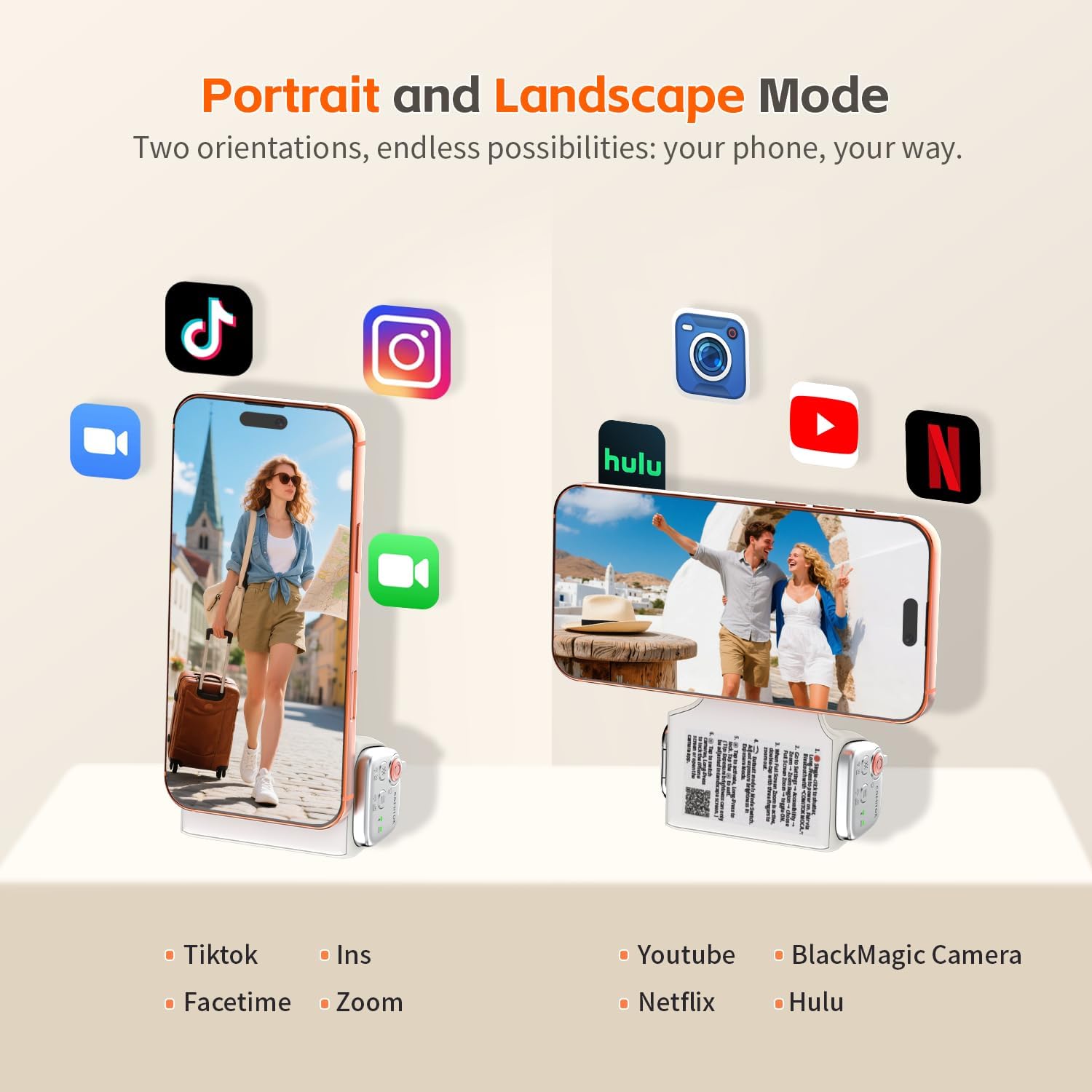
Image: The detachable remote control being charged via its USB-C port, indicating its rechargeable nature.
1.3 Магнітне кріплення
The MOCA Camera Grip attaches magnetically to your iPhone. For iPhone 12 and newer models with MagSafe, simply align the grip with the back of your phone until it snaps into place. For iPhone 11 and earlier models, or phones without MagSafe compatibility, use the included magnetic plate. Adhere the magnetic plate to the center of your phone's back or case to enable magnetic attachment.

Image: The magnetic attachment mechanism of the MOCA Camera Grip, showing how it connects to the back of an iPhone.

Image: Illustration of the included magnetic plate for use with non-MagSafe compatible devices.
1.4 Initial iOS Settings (Accessibility)
To ensure full functionality of the MOCA Camera Grip, particularly for features beyond the basic shutter, you must adjust specific iOS Accessibility settings. Refer to the sticker on the grip handle for a quick guide. The general steps are:
- Go to your iPhone's Налаштування.
- Перейдіть до Камера.
- Увімкнути Tap to Open Camera from Lock Screen (if available and not already enabled).
- Additionally, enable any relevant Збільшити accessibility settings as indicated on the grip's handle sticker. This step is crucial for the remote's advanced functions to operate correctly.
The MOCA Camera Grip is optimized for iOS 26 and compatible with iOS 17 and iOS 18. No additional application is required for its operation.
2. Інструкція з експлуатації
2.1 Увімкнення та сполучення через Bluetooth
The remote control automatically powers on when detached or when a button is pressed. It will attempt to pair via Bluetooth. The Bluetooth indicator light will confirm connection status. Ensure Bluetooth is enabled on your iPhone.

Image: Close-up of the remote control showing the Bluetooth and battery indicator lights.
2.2 Detachable Remote Control Functions
The MOCA Camera Grip features a multi-function detachable remote. Press the release button on the grip to detach the remote. The remote's strong magnets ensure it stays securely in place when attached.

Image: The detachable remote control being released from the main grip unit by pressing the side button.
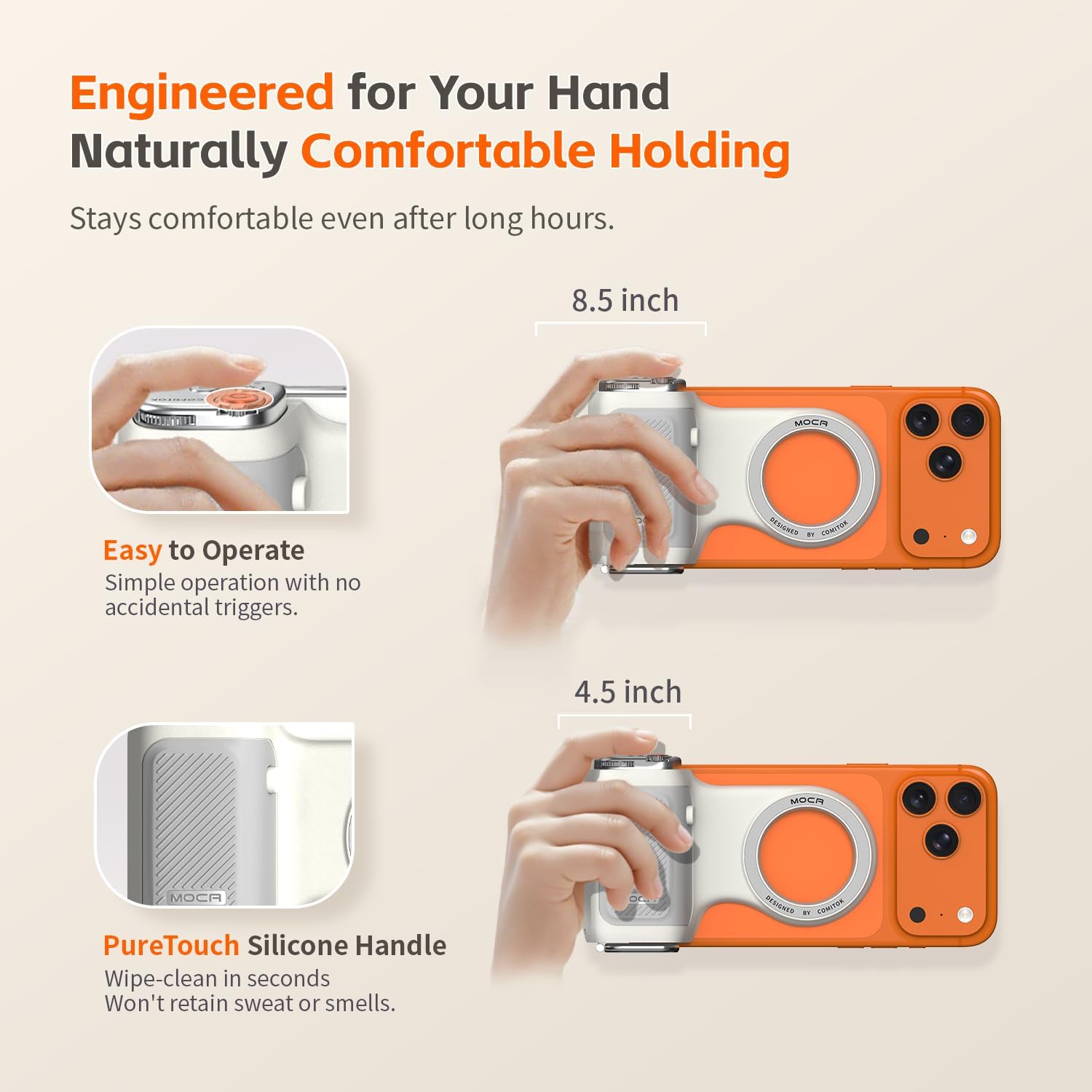
Image: A visual guide to the functions of each button on the MOCA remote control.
Основні функції дистанційного керування включають:
- Кнопка затвора: Здійснює фотографування або починає/зупиняє відеозапис.
- Перемикач режимів: Cycles through camera modes (e.g., Photo, Video, Portrait).
- Camera Flip: Switches between front and rear cameras.
- Регулювання експозиції: Modifies exposure settings.
- Регулювання фокусу: Allows manual focus control.
- Quick Camera Access/Wake Screen: Instantly launches the native camera app or wakes the iPhone screen.

Image: Close-up of the shutter button on the MOCA remote, indicating its primary function.

Image: The mode switch button on the remote, used for changing camera modes.

Image: The exposure adjustment button, allowing control over image brightness.
2.3 Ergonomic Design and Portability
The grip is designed for comfortable, long-duration use without fatigue. Its lightweight construction and silicone handle provide a secure and pleasant hold. The built-in keychain design allows for convenient attachment to bags or belts, enhancing portability.

Image: The MOCA Camera Grip featuring its integrated keychain hook, demonstrating its portability when attached to a bag.
2.4 Universal Mounting Options
The MOCA Camera Grip includes a built-in 1/4" thread, allowing it to be mounted on standard tripods for stable shots. It also functions as a desktop stand, supporting both portrait and landscape orientations for hands-free viewing or content creation.
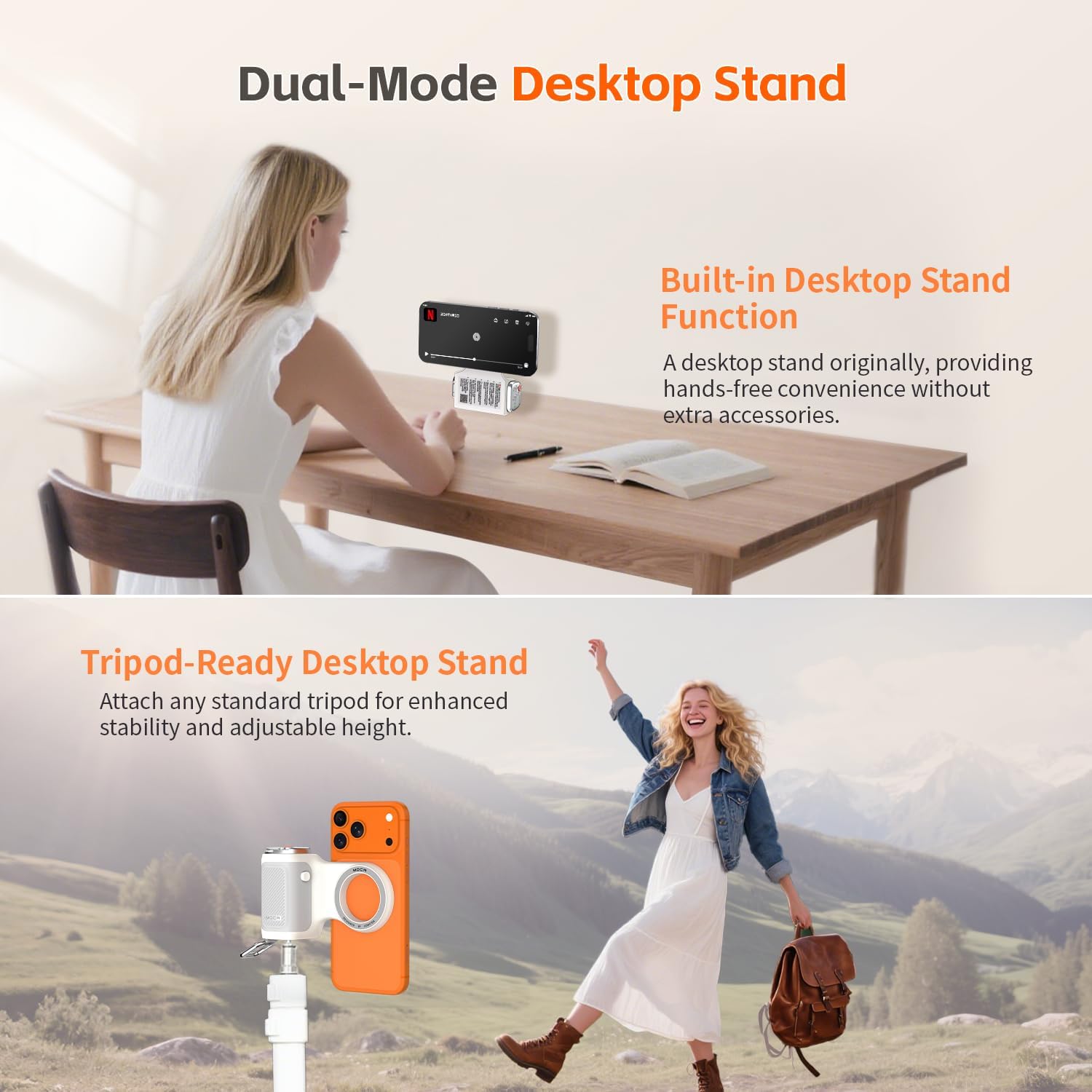
Image: The MOCA Camera Grip demonstrating its versatility as a desktop stand and its compatibility with tripods via the 1/4" thread.
2.5 Portrait and Landscape Orientation
The grip allows for easy switching between portrait and landscape modes, accommodating various shooting and viewвподобань.
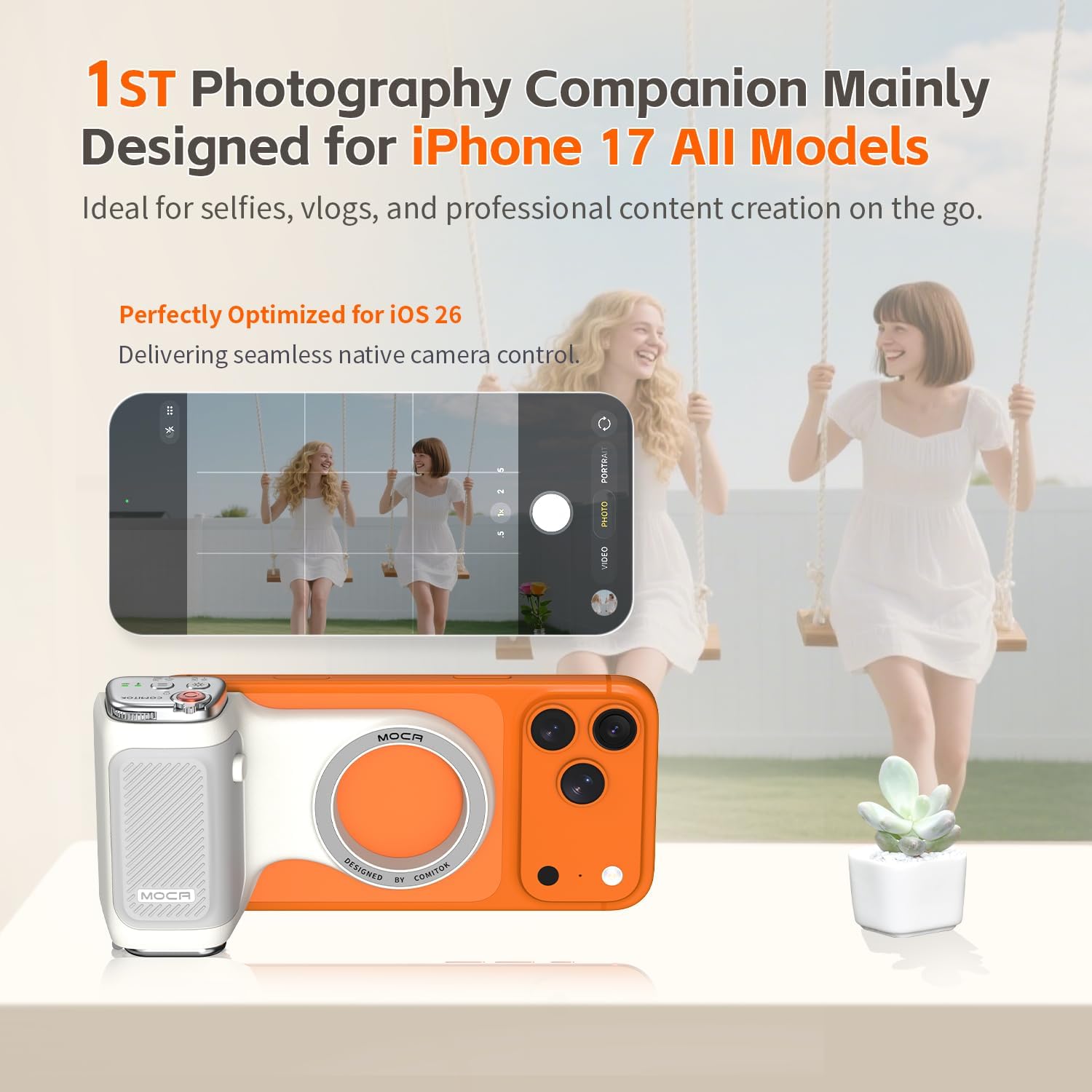
Image: An iPhone attached to the MOCA Camera Grip, shown in both vertical (portrait) and horizontal (landscape) orientations.
3. Технічне обслуговування
3.1 Очищення
The MOCA Camera Grip is made of durable, easy-to-clean silicone that resists odors. To clean, simply wipe the surface with a damp тканина. Уникайте використання агресивних хімікатів або абразивних матеріалів, які можуть пошкодити покриття.
3.2 Догляд за акумулятором
Regularly charge the detachable remote's battery using the provided USB-C cable to ensure optimal performance. Avoid fully depleting the battery frequently to prolong its lifespan. Store the device in a cool, dry place when not in use.
4. Вирішення проблем
4.1 Camera Not Opening or Remote Functions Not Working
If the MOCA Camera Grip cannot open the camera app or if certain remote functions (like zoom, exposure, or focus) are unresponsive, verify the iOS Accessibility settings:
- Перейти до Налаштування > Камера > Enable Tap to Open Camera from Lock Screen.
- Перевірте будь-які конкретні Збільшити or other accessibility settings mentioned on the grip's handle sticker and ensure they are enabled.
- Ensure the remote is sufficiently charged and properly paired via Bluetooth.
4.2 Weak Magnetic Connection
If the phone feels unstable or detaches easily:
- Перевірте вирівнювання: Ensure the grip is perfectly centered on your iPhone's MagSafe ring or the applied magnetic plate. Misalignment can significantly reduce magnetic strength.
- Сумісність корпусу: Thick or non-MagSafe compatible phone cases can interfere with the magnetic connection. Consider using a MagSafe-compatible case or the included magnetic plate.
- Magnetic Plate Use: If using an older iPhone model or a non-MagSafe case, ensure the magnetic plate is securely and correctly adhered to the phone or case.
5. Технічні характеристики
| Особливість | Деталь |
|---|---|
| Бренд | КОМІТОК |
| Номер моделі | MOCA |
| Розміри продукту | 6.97 x 3.94 x 1.61 дюймів |
| Вага товару | 3.77 унції (107 грама) |
| Акумулятори | Потрібен 1 акумулятор (входить в комплект) |
| Особливості | Ergonomic Design, Detachable Remote, Magnetic Attachment, Keychain Hook, Tripod Mount (1/4" thread), Desktop Stand |
| Підключення | Бездротовий (Bluetooth) |
| Колір | Помаранчевий |
| Сумісні пристрої | iPhone 17 All Models, Compatible with iOS 17, iOS 18, iOS 26, and earlier iPhone models with magnetic plate. |
| UPC | 795847169965 |
| Що в коробці | MOCA Camera Grip, Wrist Strip, Charging Cable, Magnetic Plate, Lanyard Pad |
6. Інформація про гарантію
Warranty information for the COMITOK MOCA Camera Grip is not provided within this manual. Please refer to the product packaging or the manufacturer's official webсайт для отримання детальної інформації щодо гарантійного покриття та умов.
7. Підтримка клієнтів
For further assistance or inquiries regarding your COMITOK MOCA Camera Grip, please visit the official COMITOK website or contact their customer service department. Specific contact details are not provided in this manual.


