вступ
Thank you for choosing the Vandlion V11B Digital Voice Recorder. This manual provides detailed instructions on how to set up, operate, and maintain your device. Please read it carefully to ensure optimal performance and longevity of your recorder.

Image: The Vandlion V11B Digital Voice Recorder, a compact device shown held in a hand, highlighting its portable design.
Що в коробці
Перевірте наявність усіх елементів в упаковці:
- 1 x Digital voice recorder
- 1 x кабель для передачі даних USB-C
- 1 x навушники
- 1 x Посібник користувача (цей документ)

Image: A visual representation of the package contents, including the digital voice recorder, USB-C cable, headphones, lanyard, and user manual.
Пристрій закінчивсяview
Familiarize yourself with the physical components of your Vandlion V11B recorder.

Зображення: Детальний view of the Vandlion V11B digital voice recorder, showing its display, control buttons (REC, SAVE, POWER, RESET), and integrated carabiner clip.

Image: The Vandlion V11B digital voice recorder shown attached to a backpack and a belt loop, illustrating its compact size and ease of carrying.
Ключові особливості:
- Екран дисплея: Shows recording status, time, battery level, and file інформації.
- REC/SAVE Switch: Проведіть пальцем вгору, щоб розпочати запис, проведіть пальцем вниз, щоб зберегти.
- Кнопка живлення: Натисніть і утримуйте, щоб увімкнути/вимкнути.
- Кнопка скидання: Small pinhole button for factory reset if needed.
- Порт USB-C: Для зарядки та передачі даних.
- Роз'єм для навушників: 3.5mm port for audio playback.
- Інтегрований затиск: Для легкої транспортування.
Налаштування
1. Зарядка пристрою
Before first use, fully charge the recorder. Connect the supplied USB-C cable to the device's USB-C port and the other end to a computer or a USB power adapter (not included).
- Повна зарядка займає приблизно 1.5 години.
- A fully charged device provides up to 20 години of continuous recording.
- На дисплеї відображатиметься стан заряджання.

Image: The Vandlion V11B digital voice recorder connected to a laptop via its USB-C port for charging and data transfer.
2. Увімкнення/вимкнення живлення
- Щоб увімкнути живлення: натисніть і утримуйте ПОТУЖНІСТЬ кнопку, доки екран не підсвітиться.
- Щоб вимкнути живлення: натисніть і утримуйте ПОТУЖНІСТЬ кнопку, доки екран не вимкнеться.
Інструкція з експлуатації
1. Запис однією кнопкою
The device features a simple slide switch for quick recording.
- To start recording: Slide the REC/SAVE switch upwards to the "REC" position. The device will begin recording immediately.
- To save recording: Slide the REC/SAVE switch downwards to the "SAVE" position. The current recording will be saved, and the device will stop recording.

Image: An illustration demonstrating the one-button recording function, showing a finger sliding the REC/SAVE switch to initiate recording.
2. Зменшення шуму за допомогою штучного інтелекту
The Vandlion V11B incorporates an advanced AI chip to enhance audio clarity by reducing background noise.
- This feature automatically identifies and minimizes distracting sounds, focusing on human speech.
- It is active during recording to provide high-fidelity voice capture.

Image: A graphic illustrating how AI noise reduction works, showing various types of noise (wind, static, hum) being filtered out to produce clear sound.
3. Запис з активацією голосу (VOR)
The Voice Activated Recording function allows the device to record only when sound is detected, conserving memory and battery life.
- To enable VOR: Access the device's menu by long pressing the Відтворити/Пауза/Підтвердити button when not recording, then navigate to the VOR settings. Set VOR to "ON".
- Once enabled, slide the REC/SAVE button to "REC". The recorder will start recording when sound above a set threshold (e.g., >65dB) is detected and pause when sound falls below the threshold (e.g., <65dB).
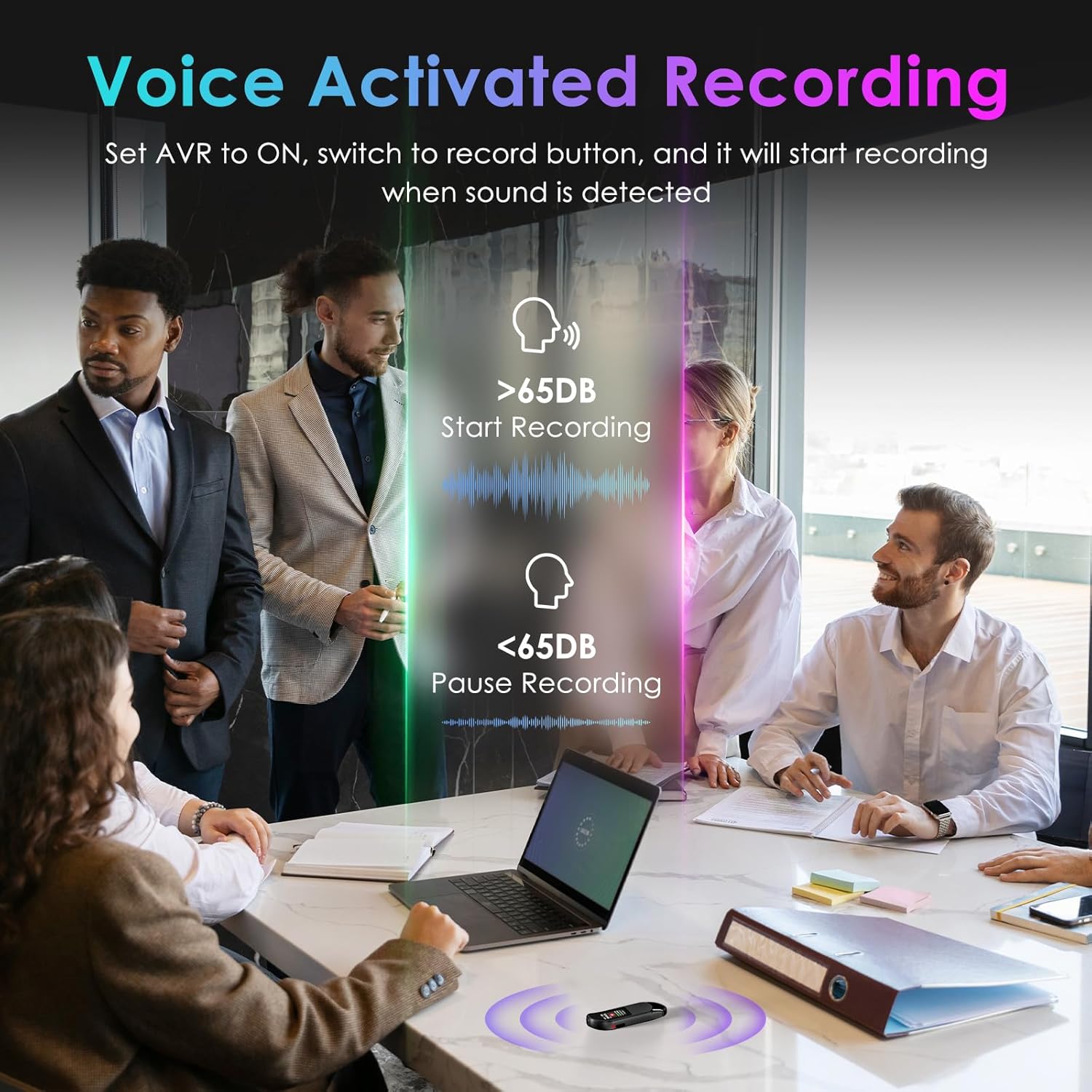
Image: A visual demonstrating voice-activated recording in a meeting, showing the device starting to record when sound is above 65dB and pausing when below.
4. Відтворення
You can listen to your recordings directly from the device using headphones or by transferring files to a computer or Android phone.
- Використання навушників: Connect the included headphones to the 3.5mm jack. Use the control buttons (Vol+, Vol-, Previous, Next, Play/Pause/Confirm) on the headphone cable to navigate and play recordings.
- Connecting to Computer/Phone: Трансфер files as described in the "File Management" section below.

Image: A diagram showing various playback methods: using wired headphones, connecting to a computer, and connecting to an Android phone. The image also illustrates the control buttons on the headphone cable for navigation.
5. Захист паролем
To protect your recordings, you can set a 4-digit password.
- To set a password: Access the device's menu (long press the Відтворити/Пауза/Підтвердити button when not recording) and navigate to the "Password" settings. Follow the on-screen prompts to set your 4-digit code.
- Once enabled, the password will be required to access the device's files.

Image: A visual representation of the password protection feature, showing the device screen prompting for a 4-digit password.
6. File Управління та передача
Recordings are saved with timestamps for easy organization. You can transfer files to a computer (Windows/Mac) or an Android phone.
- Connect the device to your computer or Android phone using the supplied USB-C cable.
- Пристрій відображатиметься як знімний носій.
- You can then drag and drop recording files (MP3 or WAV format) to your desired location.
- Примітка: This device is not compatible with iPhones for direct file передача.

Image: The Vandlion V11B connected to a laptop via USB-C, demonstrating file transfer and showing example fileімена з найкоротшим часомamps.
Технічне обслуговування
- Тримайте пристрій сухим та подалі від екстремальних температур.
- Протирайте пристрій м’якою сухою тканиною. Не використовуйте рідкі засоби для чищення.
- Не кидайте пристрій і не піддавайте його сильним ударам.
- Regularly back up your recordings to prevent data loss.
- If the device becomes unresponsive, use a small pin to press the СКИДАННЯ кнопку.
Усунення несправностей
| проблема | Можлива причина | Рішення |
|---|---|---|
| Пристрій не включається. | Низький заряд батареї. | Заряджайте пристрій щонайменше 1.5 години. |
| Неможливо записати. | Memory full; device frozen. | Трансфер files to a computer to free up space. Press the RESET button. |
| Погана якість звуку. | Microphone obstructed; excessive background noise. | Ensure microphone is clear. Use AI Noise Reduction in appropriate environments. |
| Неможливо передати files to iPhone. | Device is not compatible with iPhone for direct transfer. | Трансфер files to a computer (Windows/Mac) or Android phone instead. |
| забув пароль | Пароль загублено. | Contact customer support for assistance. A factory reset might be required, which will erase all data. |
Технічні характеристики
| Особливість | Деталь |
|---|---|
| Номер моделі | V11B |
| Ємність пам'яті | 64 ГБ (до 900 годин запису) |
| Формат запису | Аудіо MP3, WAV |
| Якість звуку | 1536Kbps Crystal Audio |
| Зменшення шуму | Заглушення ШІ |
| Термін служби батареї (запис) | До 20 годин |
| Час зарядки | прибл. 1.5 години |
| Сумісні пристрої | Personal Computer (Windows/Mac), Smartphone (Android) |
| Апаратний інтерфейс | USB типу C |
| Форм-фактор мікрофона | Вбудований |
| Гніздо для навушників | 3.5 міліметра |
| Розміри продукту | 0.39 дюйма (Г) x 0.86 дюйма (Ш) x 2.99 дюйма (В) (10 мм x 22 мм x 76 мм) |
| Вага товару | 1.41 унцій (40 грам) |
| Видима діагональ екрана | 1 дюймів / 3 см |
Гарантія та підтримка
Vandlion products are built for performance and durability. For warranty information or technical support, please refer to the contact details provided with your purchase or visit the official Vandlion webсайт.
For common issues, please consult the Troubleshooting section of this manual.
Виробник: Вандліон
Важливі зауваження
- Always ensure the device is fully charged before important recording sessions.
- Regularly transfer and back up your recordings to avoid data loss.
- The device does not have a built-in speaker; headphones or external playback devices are required to listen to recordings.


