вступ
Дякуємо за покупкуasing the ROCAM Digital Radio Alarm Clock. This manual provides detailed instructions for setting up, operating, and maintaining your device. Please read this manual thoroughly before use to ensure proper function and longevity of the product.
Інформація про безпеку
- Переконайтеся, що пристрій підключено до джерела живлення з правильною гучністюtage.
- Не піддавайте пристрій впливу води або надмірної вологості.
- Уникайте розміщення пристрою поблизу джерел тепла або під прямими сонячними променями.
- Не намагайтеся розбирати або ремонтувати пристрій самостійно. Зверніться до кваліфікованого сервісного персоналу.
- Зберігати в недоступному для дітей місці.
Продукт закінченийview
The ROCAM Digital Radio Alarm Clock features a clear display, intuitive controls, and multiple functions including FM radio, Bluetooth speaker, night light, and charging ports.

Фронт view of the ROCAM Digital Radio Alarm Clock, showing the large digital display and speaker grille.
Ключові характеристики:
- FM Radio (87.5 MHz - 108.0 MHz) with 20 presets.
- Bluetooth 5.0 speaker with 10m wireless range.
- Adjustable night light.
- USB and Type-C charging ports.
- Large, dimmable LED display (5 brightness levels).
- Dual alarm modes with classic beep or radio sound.
- 12/24 hour format and DST function.
- Battery backup for time and settings during power outagес.
Налаштування
1. Підключення живлення:
Connect the provided power adapter to the DC input port on the back of the alarm clock and plug it into a wall outlet. The clock requires plug power to operate. The internal battery serves as a backup for settings during power interruptions.
2. Початкове увімкнення:
Once connected, the display will light up. You may need to set the time manually if it's the first use or after a prolonged power disconnection without battery backup.
Інструкція з експлуатації
Налаштування часу та дати:
- Натисніть і утримуйте Набір часу button (or similar button, usually indicated by a clock icon). The hour digits will start flashing.
- Обертайте Time/Volume knob щоб налаштувати годину.
- Натисніть Набір часу button again to confirm the hour and move to minutes.
- Обертайте Time/Volume knob для регулювання хвилин.
- Натисніть Набір часу ще раз натисніть кнопку, щоб заощадити час.
- Щоб переключитися між 12-годинним та 24-годинним форматом, натисніть кнопку 12/24 год кнопку.
Налаштування будильників:
Годинник підтримує два незалежних будильника.
- Натисніть і утримуйте Сигналізація 1 or Сигналізація 2 кнопка. Цифри годин будильника блиматимуть.
- Обертайте Time/Volume knob щоб встановити потрібну годину будильника.
- Натисніть відповідний сигналізація button again to confirm the hour and move to minutes.
- Обертайте Time/Volume knob щоб встановити потрібні хвилини будильника.
- Натисніть сигналізація button again to select the alarm sound: classic beep or FM radio.
- Натисніть сигналізація button one last time to save the alarm setting.
- Щоб активувати/деактивувати будильник, коротко натисніть відповідну сигналізація кнопка. На дисплеї з’явиться/зникне значок тривоги.
The alarm clock display showing the time and an active alarm icon, indicating the alarm function is set.
Функція затримки:
Коли лунає будильник, натисніть кнопку Відкладення/світло button to temporarily silence the alarm for a few minutes (default snooze time). The alarm will sound again after the snooze period.
Робота FM-радіо:
- Натисніть Режим кнопку для перемикання в режим FM-радіо.
- To perform an automatic scan for stations, press and hold the Сканувати button. The radio will search for and save up to 20 available stations (87.5 MHz to 108.0 MHz).
- To manually tune, short press the Попередній/Наступний buttons to adjust the frequency.
- Обертайте Time/Volume knob to adjust the radio volume (16 levels).

The alarm clock display showing an FM radio frequency, indicating it is in radio mode.
Парування Bluetooth:
- Натисніть Режим button to switch to Bluetooth mode. The display will show a Bluetooth icon, usually flashing to indicate pairing mode.
- On your mobile device or computer, enable Bluetooth and search for "ROCAM Alarm Clock" (or similar device name).
- Select the device to pair. Once connected, the Bluetooth icon on the clock's display will stop flashing.
- You can now stream audio from your device to the alarm clock.
- Обертайте Time/Volume knob to adjust the playback volume.

Внутрішній view of the ROCAM alarm clock highlighting its Bluetooth 5.0 capabilities and speaker components, demonstrating its audio features.
Функція нічного освітлення:
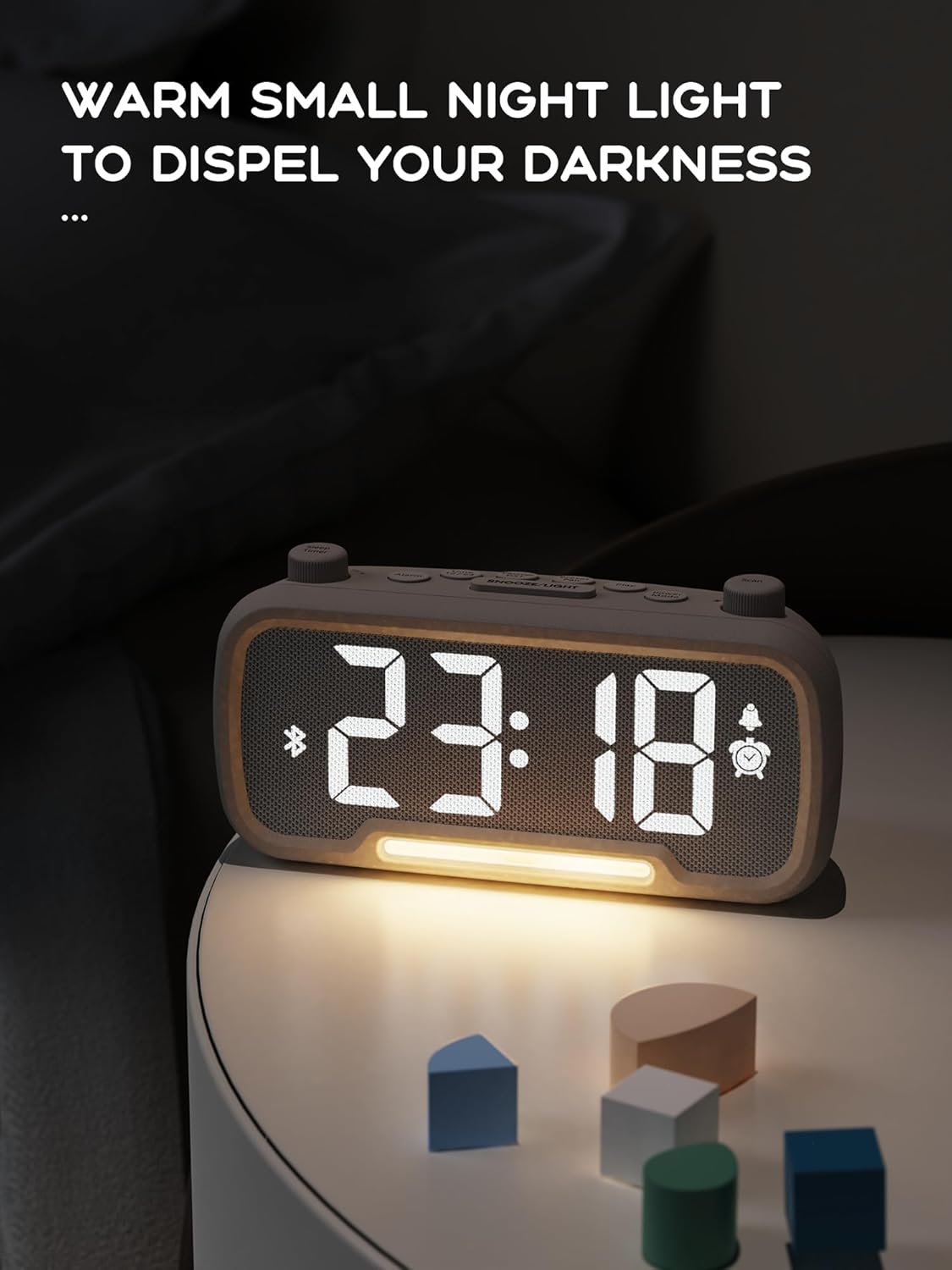
The alarm clock features an integrated night light.
- Коротко натисніть кнопку Відкладення/світло кнопку, щоб увімкнути або вимкнути нічник.
- The night light has adjustable brightness levels. Press and hold the Відкладення/світло button to cycle through the brightness options.

The ROCAM alarm clock on a bedside table, with its warm night light illuminated, providing ambient lighting.
Регулювання яскравості дисплея:
The main display has 5 adjustable brightness levels.
- Натисніть Яскравість button (or similar, often combined with Snooze/Light) to cycle through the display brightness levels.
- Виберіть рівень, який є найкомфортнішим для вашого середовища.
Daylight Saving Time (DST) Function:
Щоб налаштувати перехід на літній час:
- Коротко натисніть кнопку літній час button (or similar, often indicated by a sun icon). The time will automatically adjust forward or backward by one hour.
- Press it again to revert the change.
Порти зарядки USB та Type-C:
The alarm clock includes USB and Type-C ports for charging external devices.
- Connect your device's charging cable to the appropriate USB or Type-C port on the back of the alarm clock.
- Переконайтеся, що будильник увімкнено, щоб порти зарядки працювали.
Технічне обслуговування
- Протирайте пристрій м’якою сухою тканиною. Не використовуйте рідкі засоби для чищення або абразивні матеріали.
- Тримайте пристрій чистим від пилу та сміття, щоб забезпечити належну вентиляцію.
- Якщо пристрій не використовуватиметься протягом тривалого часу, від’єднайте його від розетки.
Усунення несправностей
| проблема | Можлива причина | Рішення |
|---|---|---|
| Відображення годинника вимкнено. | Немає живлення, живлення вимкненоtage, or device is off. | Check power connection. Ensure the power adapter is securely plugged in. If there was a power outage, the battery backup should maintain settings, but the display requires main power. |
| Сигналізація не звучить. | Alarm is not activated, volume is too low, or incorrect time set. | Ensure the alarm icon is visible on the display. Increase alarm volume. Verify alarm time is set correctly. |
| Прийом FM-радіо поганий. | Слабкий сигнал, не висунута антена або є перешкоди. | Adjust the position of the device. Extend the FM antenna fully. Try auto-scanning for stations again. Avoid placing near other electronic devices. |
| Не вдається підключити пристрій Bluetooth. | Clock not in Bluetooth mode, device too far, or already paired with another device. | Ensure the clock is in Bluetooth mode (flashing icon). Move your device closer to the clock. Disconnect from other Bluetooth devices. |
| Зарядка через USB/Type-C не працює. | Clock not powered, cable faulty, or device not compatible. | Ensure the alarm clock is plugged into a wall outlet. Try a different charging cable. Verify your device is compatible with standard USB charging. |
Технічні характеристики
| Особливість | Деталь |
|---|---|
| Бренд | ROCAM |
| Модель | B0FNWB172Z |
| Колір | Сірий |
| Розміри | 16.8 x 3.81 x 8.4 см (6.6 x 1.5 x 3.3 дюйма) |
| вага | 350 г (0.77 фунта) |
| Джерело живлення | Провідний електричний |
| Акумулятор | 1 Lithium-metal battery (included, for backup) |
| Діапазон частот FM | 87.5 МГц - 108.0 МГц |
| Версія Bluetooth | 5.0 |
| Яскравість дисплея | 5 рівнів регулювання |
| Рівні гучності | 16 рівнів регулювання |
Гарантія та підтримка
Щоб отримати інформацію про гарантію або технічну підтримку, зверніться до контактної інформації, наданої під час покупки, або відвідайте офіційний веб-сайт ROCAM. webсайт. Зберігайте чек про покупку для гарантійних претензій.


