вступ
The LDNIO SW03 Smart Watch is designed to provide comprehensive health monitoring, communication features, and fitness tracking. This manual provides instructions for setting up, operating, maintaining, and troubleshooting your device to ensure optimal performance and user experience.
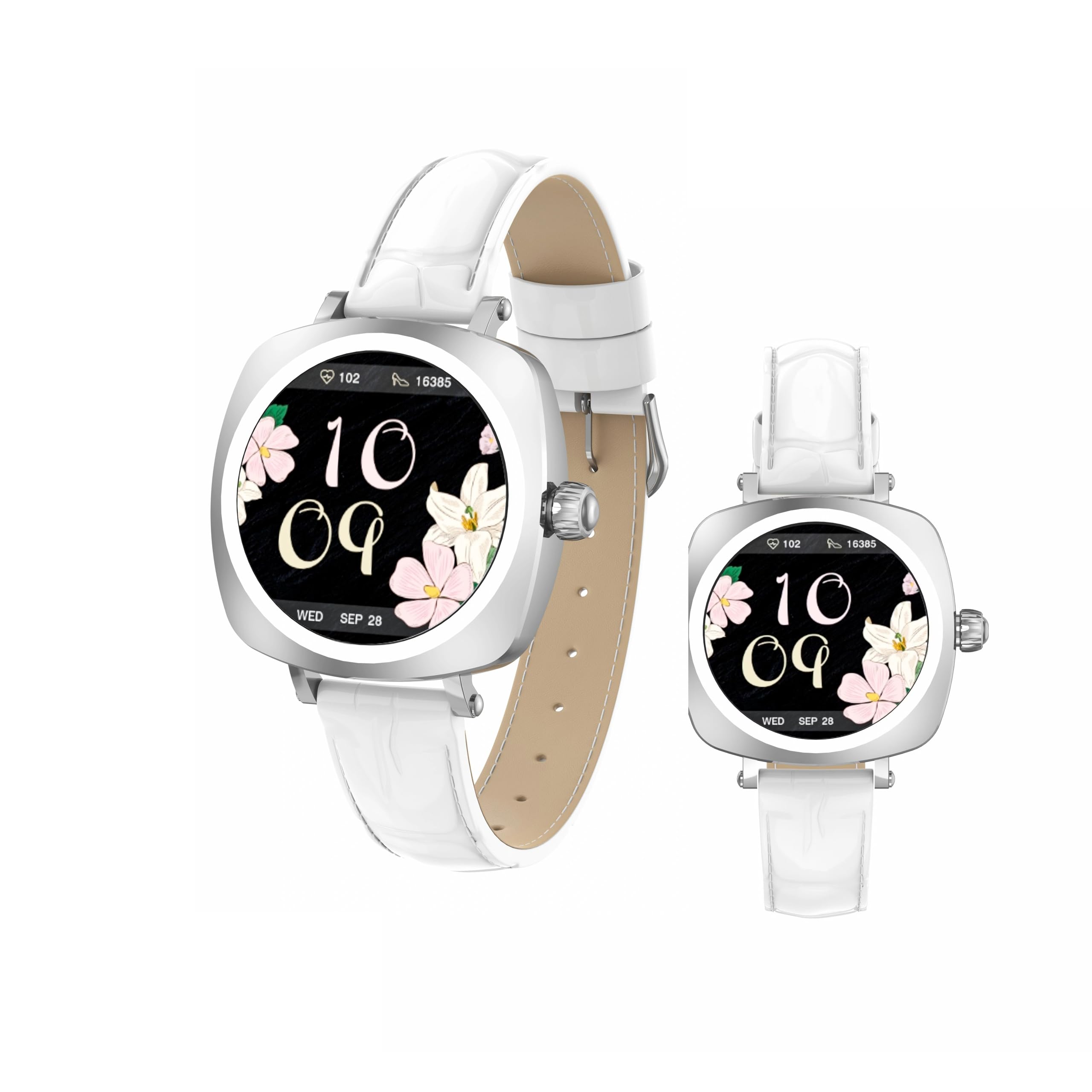
Image: LDNIO SW03 Smart Watch displaying a floral watch face.
Початок роботи
1. Зарядка пристрою
Before initial use, fully charge your LDNIO SW03 Smart Watch. The device uses a magnetic charging method for convenience.
- Connect the magnetic charging cable to a standard USB power adapter (DC5V ≥ 500mA).
- Align the magnetic end of the cable with the charging contacts on the back of your smartwatch. The magnets will secure the connection.
- Дисплей годинника показуватиме стан заряджання. Повне заряджання зазвичай займає 2-3 години.
2. Увімкнення/вимкнення живлення
- Увімкнення: Long press the side button until the screen illuminates.
- Вимкнення живлення: Navigate to the power off option in the watch settings or long press the side button and select 'Power Off' when prompted.
3. Встановлення та сполучення програм
To unlock the full functionality of your smartwatch, install the DaFit app on your smartphone and pair the devices.
- Завантажити DaFit app from your smartphone's app store (compatible with Android 5.0+ and iOS 9.0+).
- Переконайтеся, що Bluetooth увімкнено на вашому смартфоні.
- Open the DaFit app and follow the on-screen instructions to add your device. The app will search for available smartwatches.
- Select 'SW03' from the list of found devices to initiate pairing. Confirm the pairing request on both your watch and smartphone.
Керування смарт-годинником
1. Дисплей та навігація
The LDNIO SW03 features a 1.19-inch AMOLED display with 390x390 resolution for clear visuals. Navigate the watch using touch gestures and the side button.
- Проведіть вліво/вправо: Enter the main menu or return to the previous interface.
- Quickly Press Twice (Side Button): Switch freely between multiple menus or watch faces.
- Long Press (Side Button): Увімкніть/вимкніть пристрій.

Image: Visual guide to the button functions: long press for power, quick double press for menu switching, and swipe for navigation.
2. Комунікаційні особливості
Stay connected by making and receiving calls and texts directly from your wrist via Bluetooth V5.4 connection to your smartphone.
- Здійснення дзвінків: Access the dialer or contact list on your watch to initiate calls.
- Отримання дзвінків: Answer or reject incoming calls directly from the watch display.
- Сповіщення: Receive notifications for messages, social media alerts, and other app updates.
3. Відстеження здоров'я та фізичної форми
The SW03 Smart Watch offers comprehensive monitoring capabilities to support your health and fitness goals.
- Монітор серцевого ритму: Continuously tracks your heart rate with off-hand detection.
- Аналіз сну: Provides 24-hour sleep monitoring, analyzing sleep quality and patterns.
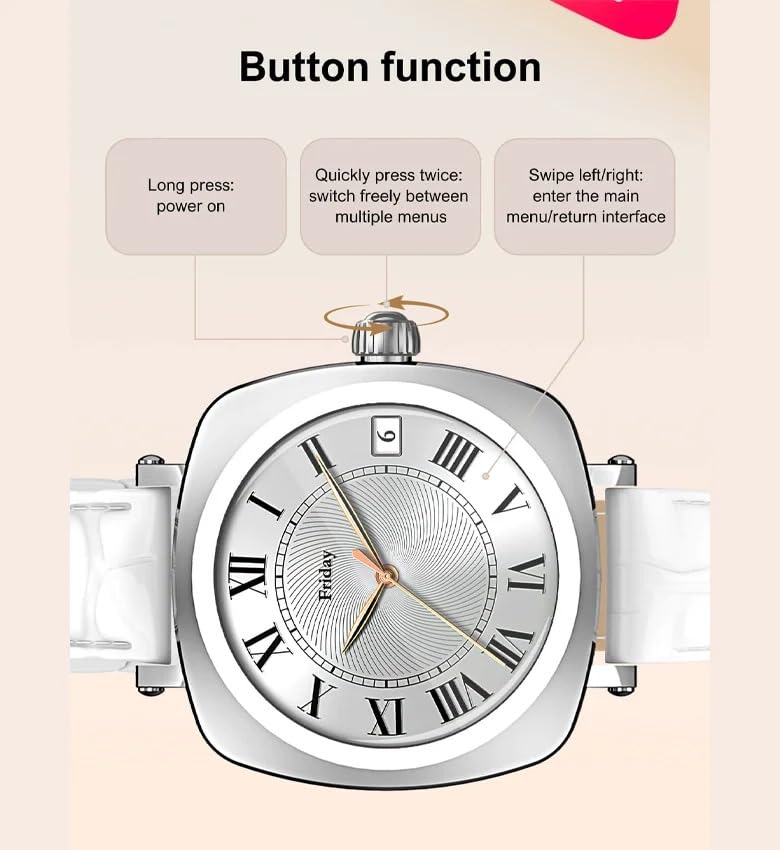
Image: The smartwatch screen showing sleep duration and analysis, worn by a user.
- Відстеження активності: Counts daily steps, calories burned, and distance covered.
- Режими вправ: Supports multiple sports modes including running, cycling, and yoga.
- Управління жіночим здоров'ям: Features for scientifically recording and predicting menstrual periods and supporting pregnancy preparation.
4. Водонепроникність
The LDNIO SW03 Smart Watch has an IP68 waterproof and dustproof rating, making it suitable for daily wear and various activities.
- It can withstand immersion in water up to 1.5 meters for up to 30 minutes.
- Suitable for swimming, showering, and exposure to rain.
- Avoid hot water, steam, or prolonged exposure to high-velocity water.
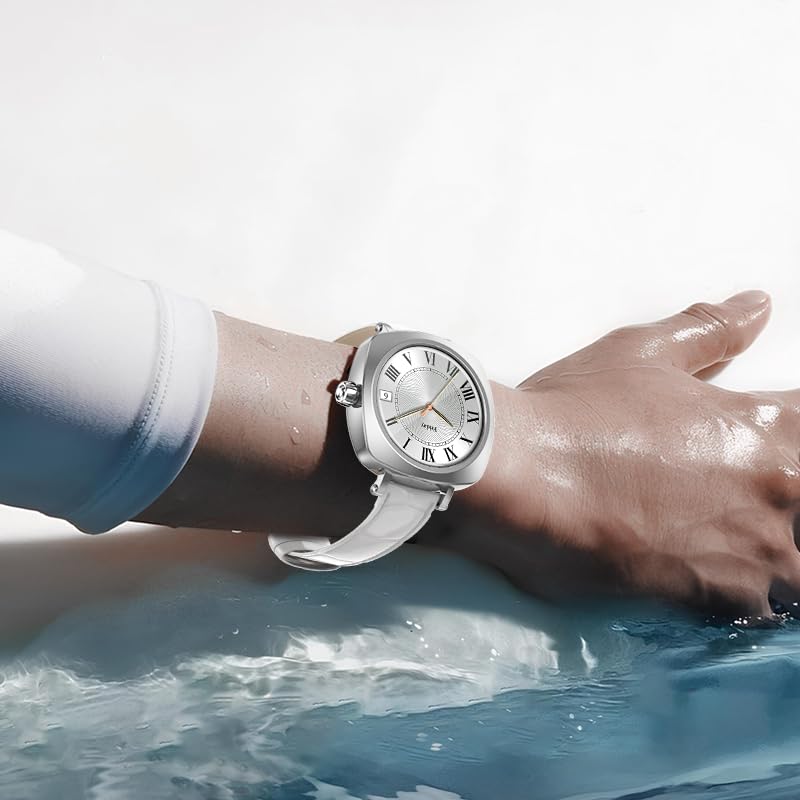
Image: The smartwatch on a user's wrist, partially submerged in water, demonstrating its water resistance.
5. Налаштування
Personalize your smartwatch experience with various watch faces and settings.
- Дивитися обличчя: Choose from a selection of pre-installed watch faces or download more via the DaFit app.
- Налаштування: Adjust brightness, vibration, notification preferences, and other settings through the watch interface or the DaFit app.
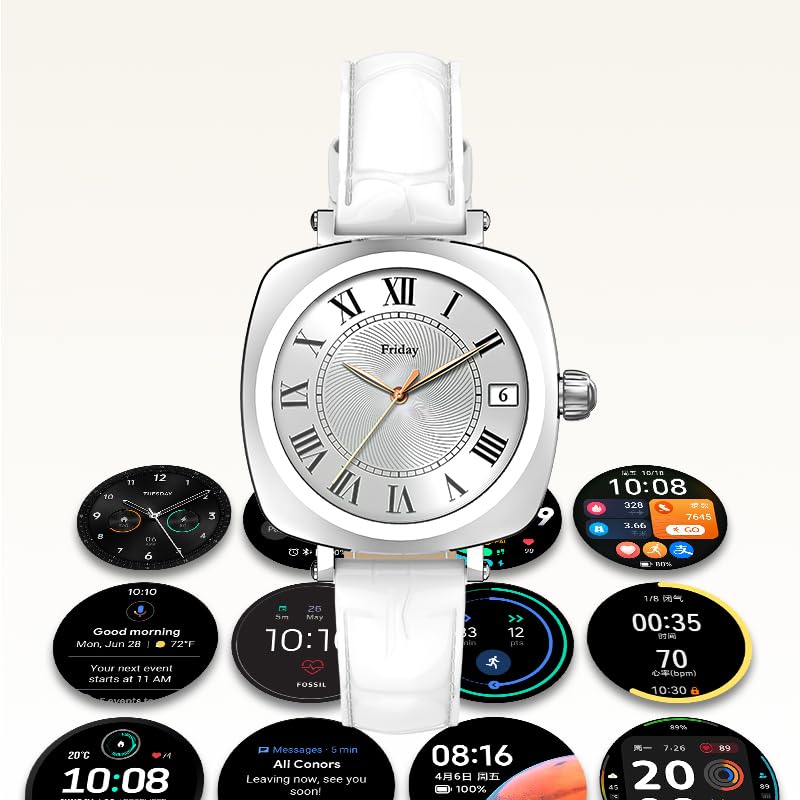
Image: A collection of different watch faces and functional widgets available on the LDNIO SW03 Smart Watch.
Технічне обслуговування
1. прибирання
- Регулярно протирайте екран годинника та ремінець м’якою, сухою тканиною без ворсу.
- Для стійкого бруду злегкаampпромийте тканину водою. Уникайте використання агресивних хімікатів або абразивних матеріалів.
- Перед заряджанням переконайтеся, що зарядні контакти чисті та сухі.
2. Інформація про акумулятор
- The watch is powered by a 180mAh Polymer rechargeable lithium battery.
- Typical usage provides 5 to 10 days of battery life on a single charge, depending on usage patterns and enabled features.
- To prolong battery life, reduce screen brightness, limit notifications, and disable unnecessary features.
Усунення несправностей
- Годинник не вмикається: Переконайтеся, що годинник повністю заряджений. Підключіть його до зарядного пристрою щонайменше на 30 хвилин.
- Не вдається підключитися до смартфона: Make sure Bluetooth is enabled on both devices. Restart both the watch and the smartphone. Ensure the DaFit app is updated to the latest version.
- Неточні дані про стан здоров'я: Переконайтеся, що годинник щільно прилягає до зап'ястя, не надто туго і не надто вільно. Тримайте сенсор чистим.
- Не отримано сповіщень: Check app permissions in your smartphone settings to ensure the DaFit app has access to notifications. Verify notification settings within the DaFit app.
Технічні характеристики
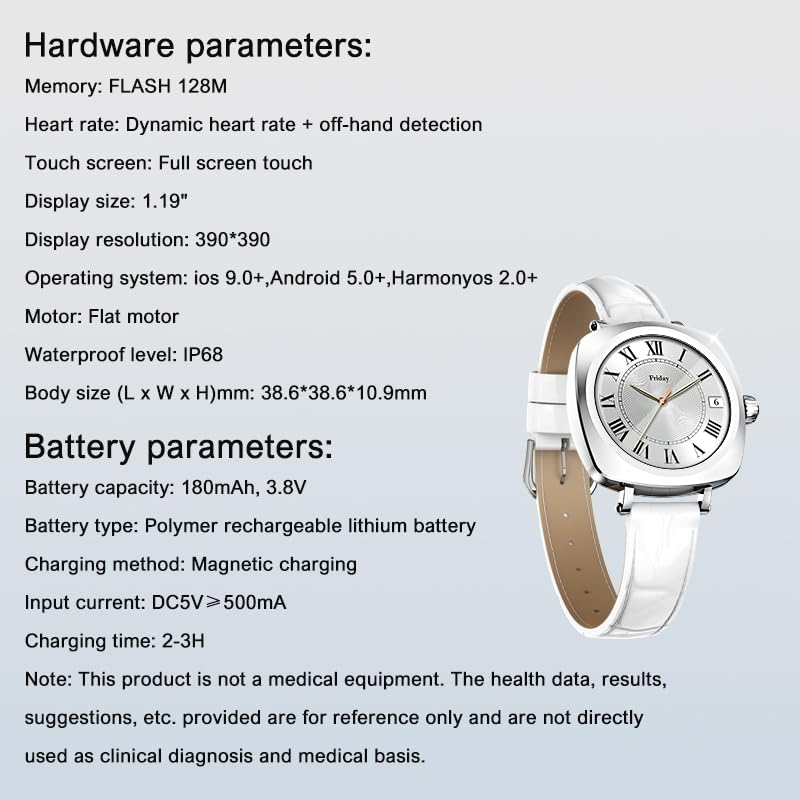
Image: Detailed specifications for the LDNIO SW03 Smart Watch, including hardware and battery parameters.
| Особливість | Деталь |
|---|---|
| Модель | SW03 |
| Дисплей | 1.19-дюймовий AMOLED, роздільна здатність 390×390 |
| Пам'ять (флеш-пам'ять) | 128 Мб |
| Визначення пульсу | Dynamic heart rate + off-hand detection |
| Сенсорний екран | Повноекранний дотик |
| Сумісність операційної системи | iOS 9.0+, Android 5.0+, HarmonyOS 2.0+ |
| Мотор | Плоский двигун |
| Водонепроникний рівень | IP68 |
| Розмір корпусу (Д x Ш x В) | 38.6 x 38.6 x 10.9 мм |
| Ємність акумулятора | 180mAh, 3.8V |
| Тип батареї | Полімерна літієва акумуляторна батарея |
| Спосіб зарядки | Магнітна зарядка |
| Вхідний струм | DC5V ≥ 500mA |
| Час зарядки | 2-3 годин |
| Технологія підключення | Bluetooth V5.4 |
| Особливості | Fitness Monitoring, Call/Text Functionality |
Примітка: This product is not a medical equipment. The health data, results, and suggestions provided are for reference only and are not directly used as clinical diagnosis or medical basis.
Гарантія та підтримка
For warranty information and technical support, please refer to the documentation provided with your purchase or contact LDNIO customer service. Keep your proof of purchase for warranty claims.


