1. Вступ
This manual provides detailed instructions for the setup, operation, and maintenance of your POLONO PM220S Label Maker Machine. Please read this manual thoroughly before using the device to ensure proper function and longevity.
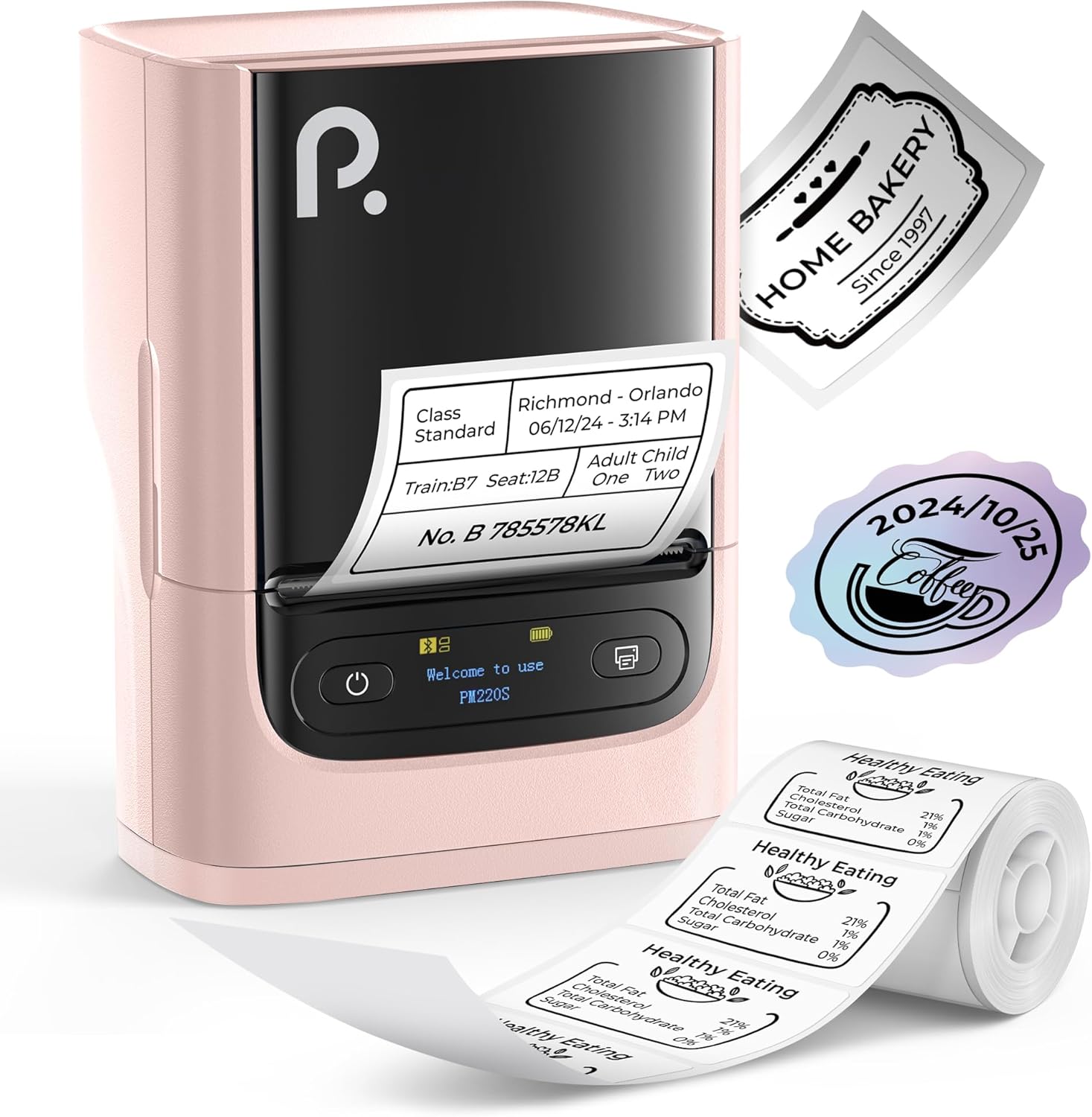
Figure 1: POLONO PM220S Label Maker Machine with sampетикетки.
2. Продукт закінчивсяview
2.1 Включені компоненти
- POLONO PM220S Label Maker Machine
- Label Tape (50x30mm, pre-installed or included)
- USB-кабель для зарядки
- Посібник користувача (цей документ)
2.2 Основні характеристики
- Підключення Bluetooth: Seamless connection with iOS, Android, and PC devices.
- Intuitive LED Screen: Displays battery level, Bluetooth connection status, and alerts for paper shortages or timed shutdowns.
- Feature-Rich "Labelnize" App: Offers label templates, supports QR codes, barcodes, tables, text, icons, 90+ fonts, 14+ languages, and 450+ material presets.
- Premium Thermal Printing: BPA-Free Direct Thermal Technology with 203 DPI for high-definition, inkless printing.
- Широка сумісність етикеток: Supports label widths from 23-54mm (0.91"-2.12").
- Портативний дизайн: Compact and lightweight for easy transport and use in various environments.
3. Інструкції з налаштування
3.1 Зарядка пристрою
Before first use, fully charge the label maker using the provided USB cable. The LED screen will indicate charging status.
3.2 App Installation and Driver Download
For mobile devices (iOS/Android), download the "Labelnize" app from your respective app store. For PC users, visit polono.com to download the necessary driver and application.

Figure 2: Universal compatibility with smartphones and laptops for app and driver installation.
3.3 Підключення через Bluetooth
- Ensure the PM220S is powered on.
- On your mobile device, open the "Labelnize" app.
- Within the app, search for and connect to the PM220S via Bluetooth. Do not connect directly via your device's Bluetooth settings for mobile devices.
- For PC, ensure the driver is installed, then connect through the downloaded application.
3.4 Завантаження етикеткової стрічки
- Відкрийте кришку відсіку для етикеток.
- Вставте рулон етикеток друкованою стороною догори.
- Adjust the paper slot guides to secure the tape according to its width (23-54mm) for precise alignment.
- Закрийте кришку.

Figure 3: Proper loading of label tape into the PM220S.
4. Інструкція з експлуатації
4.1 Using the "Labelnize" App
- Open the "Labelnize" app on your connected device.
- Select from various pre-designed templates or create your own custom labels.
- The app allows you to add text, barcodes, QR codes, tables, icons, and more.
- Customize labels using a selection of over 90 fonts and 14 languages.
- Utilize the 450+ material presets for different label applications.
- Важливо: For optimal results, use specialized POLONO labels. Avoid tearing the green back sticker to prevent printing issues.
4.2 Understanding the LED Screen Display
The integrated LED screen provides real-time feedback on the printer's status:
- Рівень заряду батареї: Indicates the current charge of the device.
- Підключення Bluetooth: Shows if the device is successfully connected via Bluetooth.
- Папір Шорtagелектронне сповіщення: Notifies when the label roll is low or empty.
- Вимкнення за часом: Displays countdown for automatic power-off to conserve battery.

Figure 4: LED screen display functions for real-time status monitoring.
4.3 Друк етикетки
- Design your label within the "Labelnize" app.
- Review етикетка preview щоб забезпечити точність.
- Натисніть кнопку «Друк» у додатку.
- The label maker will print the label using thermal technology.
- Carefully tear off the printed label.
5. Технічне обслуговування
5.1 Загальний догляд
- Зберігайте пристрій у чистоті та без пилу та сміття.
- Уникайте впливу на пристрій екстремальних температур або прямих сонячних променів.
- Зберігайте пристрій у сухому місці, коли він не використовується.
5.2 Очищення друкуючої головки
If print quality degrades, the thermal print head may need cleaning:
- Turn off the label maker and disconnect it from any power source.
- Відкрийте відділення для етикеток.
- Gently wipe the thermal print head with a cotton swab lightly dampзмішаний ізопропіловим спиртом.
- Дайте друкуючій голівці повністю висохнути, перш ніж закривати кришку та продовжувати використання.
6. Вирішення проблем
| проблема | Можлива причина | Рішення |
|---|---|---|
| Пристрій не включається | Низький заряд батареї або проблеми з живленням. | Повністю зарядіть пристрій. Переконайтеся, що кнопка живлення натиснута правильно. |
| Не вдається підключитися через Bluetooth | Incorrect connection method or app issue. | Ensure you are connecting through the "Labelnize" app, not directly via phone settings. Restart both the device and the app. For PC, verify driver installation. |
| Poor print quality / Faint printing | Dirty print head, incorrect label type, or low battery. | Clean the print head (see Section 5.2). Ensure you are using thermal labels. Charge the device. |
| Labels are misaligned or jammed | Improper label loading or paper slot adjustment. | Open the cover, remove any jammed labels, and reload the tape ensuring the paper slot guides are adjusted correctly for the label width. Avoid tearing the green back sticker. |
| "Paper Shortage" alert | Label roll is empty or incorrectly loaded. | Replace the label roll or re-seat it correctly. |
7. Технічні характеристики
| Бренд | POLONO |
| Назва моделі | PM220S |
| Технологія підключення | Bluetooth |
| Технологія друку | Теплові |
| Максимальна роздільна здатність друку | 203 DPI |
| Максимальна швидкість друку (монохромний) | 45.0 мм/с |
| Підтримувані розміри носія | 23-54mm (0.91"-2.12") width, 50x30mm included |
| Розміри продукту | 3.3 дюйма (Г) x 4.4 дюйма (Ш) x 2.5 дюйма (В) (8.4 x 11.2 x 6.4 см) |
| Вага товару | 13.4 унцій (380 г) |
| Особливість | Portable, Inkless Printing, LED Display |
8. Гарантія та підтримка
For warranty information, technical support, or to purchase accessories and replacement labels, please visit the official POLONO webсайт за адресою polono.com or contact POLONO customer service directly.
Зберігайте підтвердження покупки для гарантійних претензій.