1. Вступ
Thank you for choosing the ATTACK SHARK R11 Ultra 8K Carbon Fiber Wireless Gaming Mouse. This manual provides detailed instructions for setting up, operating, maintaining, and troubleshooting your new gaming mouse. Please read this manual thoroughly before use to ensure optimal performance and longevity of your device.
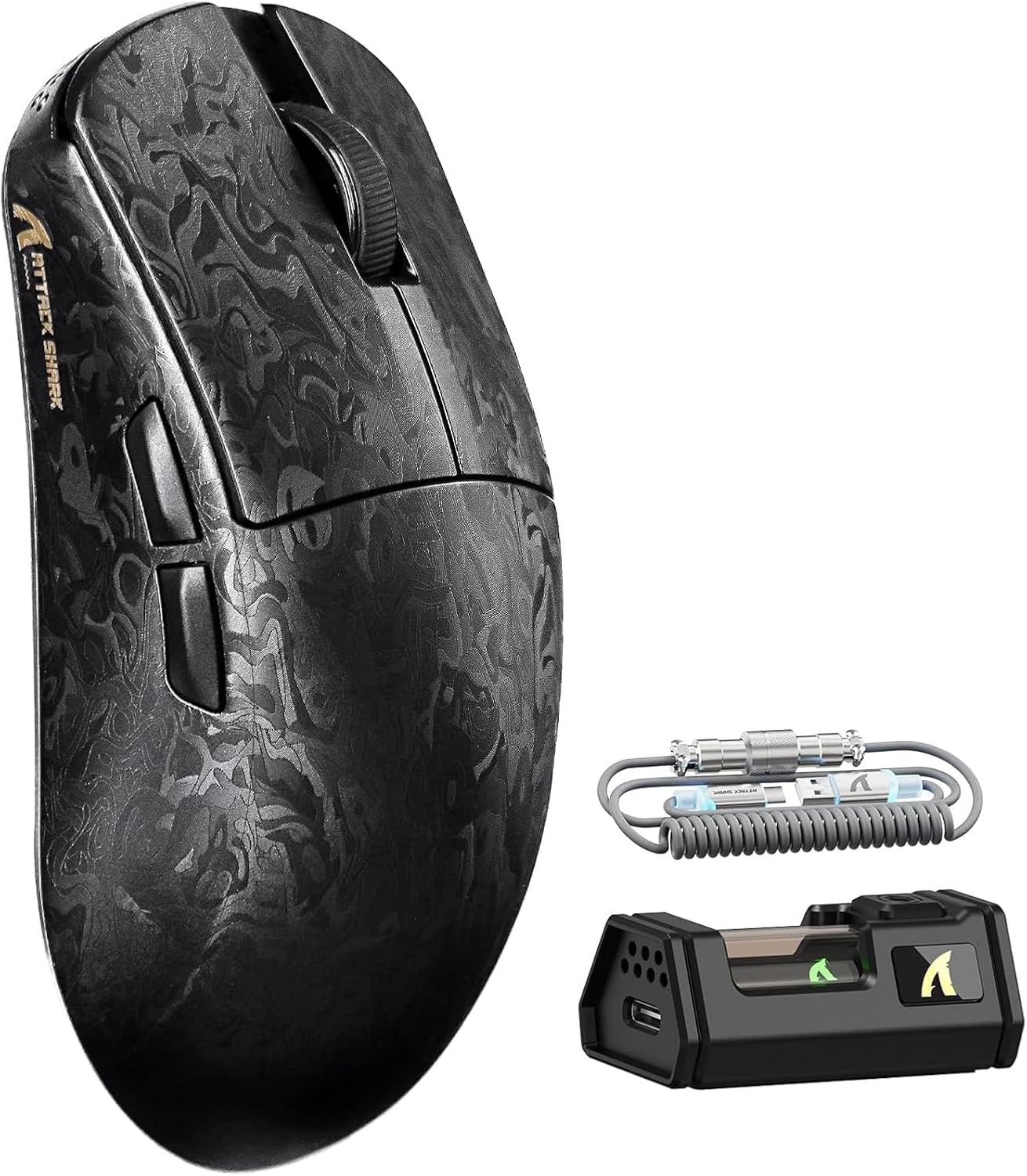
Image 1.1: The ATTACK SHARK R11 Ultra mouse with its 8K receiver and coiled cable.
2. Вміст упаковки
Перевірте наявність усіх предметів у вашій упаковці:
- ATTACK SHARK R11 Ultra Wireless Gaming Mouse
- Бездротовий приймач 8K
- USB-C to USB-A Coiled Cable
- Посібник користувача (цей документ)
- Additional PTFE Mouse Feet (optional)
- Grip Tape (optional)
3. Продукт закінчивсяview
The ATTACK SHARK R11 Ultra is a high-performance gaming mouse designed for precision and speed. It features a lightweight carbon fiber composite shell, a PixArt PAW3950MAX sensor, and a Nordic 52840 MCU for stable, low-latency connectivity across multiple modes.

Image 3.1: Front, top, and side views of the R11 Ultra mouse, highlighting its unique carbon fiber pattern.
Ключові характеристики:
- Ультралегкий дизайн: Weighs approximately 49g ± 3g, constructed from injection-molded carbon fiber composite material.
- Високоточний датчик: Equipped with PixArt PAW3950MAX sensor, offering up to 42,000 DPI, 50G acceleration, and 750 IPS tracking speed.
- Розширене підключення: Triple-mode connectivity (2.4GHz wireless with 8K polling rate, Bluetooth, and wired mode with 1K polling rate).
- Міцні перемикачі: Features premium F-switch encoder for scroll wheel (rated 2 million rotations) and Omron optical microswitches for buttons (rated 70 million clicks).
- Довговічний акумулятор: Integrated 300mAh battery with low power consumption management.
- Налаштування: Supports AI-enhanced cloud driver and downloadable software for DPI, polling rate, button mapping, and macro customization.

Зображення 3.2: Оверview of the R11 Ultra's core technologies and design elements.
4. Інструкції з налаштування
4.1 Заряджання миші
Before first use, it is recommended to fully charge the mouse. Connect the USB-C end of the coiled cable to the mouse and the USB-A end to a powered USB port on your computer or a USB charger. The transparent 8K receiver has an LED indicator that shows the battery status.

Зображення 4.1: Внутрішній view of the R11 Ultra's 300mAh battery, illustrating its power management system.
4.2 Режими підключення
The R11 Ultra supports three connection modes: 2.4GHz Wireless, Bluetooth, and Wired. A switch on the bottom of the mouse allows you to select the desired mode.

Image 4.2: The bottom of the mouse, indicating the mode selection switch and DPI button.
Бездротовий режим 2.4 ГГц:
- Insert the 8K wireless receiver into an available USB-A port on your computer.
- Пересуньте перемикач режимів на нижній частині миші в положення «2.4G».
- The mouse should automatically connect. The receiver's LED will indicate connection status.
Режим Bluetooth:
- Пересуньте перемикач режимів на нижній частині миші в положення «BT».
- На комп’ютері або пристрої перейдіть до налаштувань Bluetooth і знайдіть нові пристрої.
- Select 'ATTACK SHARK R11 Ultra' from the list of available devices to pair.
Провідний режим:
- Connect the USB-C end of the coiled cable to the mouse and the USB-A end to your computer.
- Миша автоматично перейде в дротовий режим і почне заряджатися.
5. Інструкція з експлуатації
5.1 Налаштування DPI
The mouse features a dedicated DPI button on its underside (refer to Image 4.2). Press this button to cycle through preset DPI levels. For fine-tuning and a wider range of DPI settings (up to 42,000 DPI), use the official software.
5.2 Частота опитування
The 2.4GHz wireless mode supports an 8KHz polling rate for ultra-low latency. Wired mode operates at 1KHz. Polling rate can be adjusted via the software.

Image 5.1: Visual representation of the 8000Hz polling rate capability.
5.3 Налаштування кнопок та макроси
The R11 Ultra's buttons are programmable. Utilize the dedicated software to remap buttons, assign macros, and configure other advanced settings to suit your preferences.
6. Програмне забезпечення та драйвери
The ATTACK SHARK R11 Ultra mouse utilizes an AI-enhanced cloud driver or downloadable software for comprehensive customization. This intuitive interface allows you to:
- Adjust DPI settings in increments of 50.
- Modify polling rates.
- Налаштуйте призначення кнопок.
- Створення та керування макросами.
- Configure other sensor and performance settings.
The software automatically detects your device and provides access to these settings. Refer to the official ATTACK SHARK website for the latest software downloads and cloud driver access.
Video 6.1: An official product video demonstrating the features and performance of the ATTACK SHARK R11 Ultra 8K Wireless Gaming Mouse, including its high DPI capabilities and responsiveness.
7. Технічне обслуговування
7.1 Очищення
To maintain the performance and appearance of your mouse:
- Використовуйте м’яку, суху тканину для протирання поверхні миші.
- Для стійкого бруду злегкаampПротріть тканину водою або м’яким миючим розчином. Уникайте агресивних хімікатів.
- Регулярно очищуйте оптичний датчик ватним тампоном, щоб забезпечити точність відстеження.
7.2 Зберігання
When not in use, store the mouse in a cool, dry place away from direct sunlight and extreme temperatures. Avoid placing heavy objects on the mouse.
8. Вирішення проблем
If you encounter issues with your ATTACK SHARK R11 Ultra mouse, refer to the following common problems and solutions:
| проблема | Можлива причина | Рішення |
|---|---|---|
| Миша не відповідає | Низький заряд батареї, неправильний режим, проблеми з підключенням | Charge the mouse. Ensure the mode switch is set correctly (2.4G, BT, or Wired). Re-pair Bluetooth or re-insert 8K receiver. |
| Lag or stuttering | Перешкоди, низький заряд батареї, застаріла прошивка | Ensure receiver is close to mouse. Charge mouse. Update mouse firmware via software. Avoid other 2.4GHz devices nearby. |
| DPI не змінюється | DPI button malfunction, software conflict | Try adjusting DPI via software. Reinstall software if necessary. |
| Кнопки не працюють | Software configuration, physical damage | Check button assignments in software. If issue persists, contact customer support. |
If the problem persists after attempting these solutions, please contact ATTACK SHARK customer support for further assistance.
9. Технічні характеристики
| Особливість | Специфікація |
|---|---|
| Модель | R11 Ultra |
| датчик | PixArt PAW3950MAX Optical Sensor |
| Діапазон DPI | До 16 000 DPI (з кроком 50 DPI) |
| Швидкість опитування | 8000Hz (2.4GHz Wireless), 1000Hz (Wired) |
| Прискорення | 50G |
| Швидкість відстеження | IPS 750 |
| Частота кадрів | 20,000 FPS |
| Підключення | Wired (USB-C), 2.4GHz Wireless, Bluetooth |
| MCU | Nordic 52840 Chipset |
| Перемикачі | Omron Optical Microswitches (70 million clicks) |
| Кодувальник | F-switch encoder (2 million rotations) |
| Ємність акумулятора | 300 мАг |
| вага | Приблизно 49 г ± 3 г |
| Розміри | 6.81 x 4.17 x 2.91 дюймів (розміри упаковки) |
| Покриття | Nano-metallic ice-cool coating |
10. Гарантія та підтримка
ATTACK SHARK products are designed for quality and performance. For warranty information, technical support, or service inquiries, please refer to the warranty card included with your product or visit the official ATTACK SHARK webсайт. Зберігайте чек про покупку для гарантійних претензій.
Відео 10.1: Офіційна відеопрезентація продуктуasing the ATTACK SHARK R11 Ultra 8K Carbon Fiber Wireless Gaming Mouse in action, highlighting its design and responsiveness.


