YCCTEAM Switch 2 JoyCon Charger Instruction Manual
Model: 4-in-1 Joycon 2 Controller Charging Docking Station
1. Вступ
Дякуємо за покупкуasing the YCCTEAM Switch 2 JoyCon Charger. This 4-in-1 charging docking station is specifically designed for Nintendo Switch 2 Joy-Con controllers, providing a convenient and efficient way to charge up to four controllers simultaneously. Its magnetic alignment feature ensures secure placement and protects your controllers from wear. This manual will guide you through the setup, operation, and maintenance of your new charging dock.
2. Інформація про безпеку
- Тримайте пристрій подалі від води, вологи та високих температур.
- Не намагайтеся розібрати або модифікувати зарядний пристрій.
- Використовуйте лише кабель USB-C, що постачається з комплекту, або його сертифікований еквівалент.
- Ensure proper ventilation around the charging dock during use.
- This product is designed for Nintendo Switch 2 Joy-Con controllers only. Do not attempt to charge other devices.
3. Вміст упаковки
Будь ласка, перевірте упаковку, щоб переконатися в наявності всіх елементів:
- 1 × YCCTEAM Switch 2 JoyCon Charging Dock
- 1 × кабель для зарядки USB-C
- 1 × Quick Start Guide (This Manual)

Image: Package contents including the charging dock, USB-C cable, and user manual.
4. Продукт закінчивсяview
The YCCTEAM Switch 2 JoyCon Charger features a compact design with four charging slots, each equipped with magnetic alignment for easy and secure controller placement. LED indicators provide clear charging status at a glance.
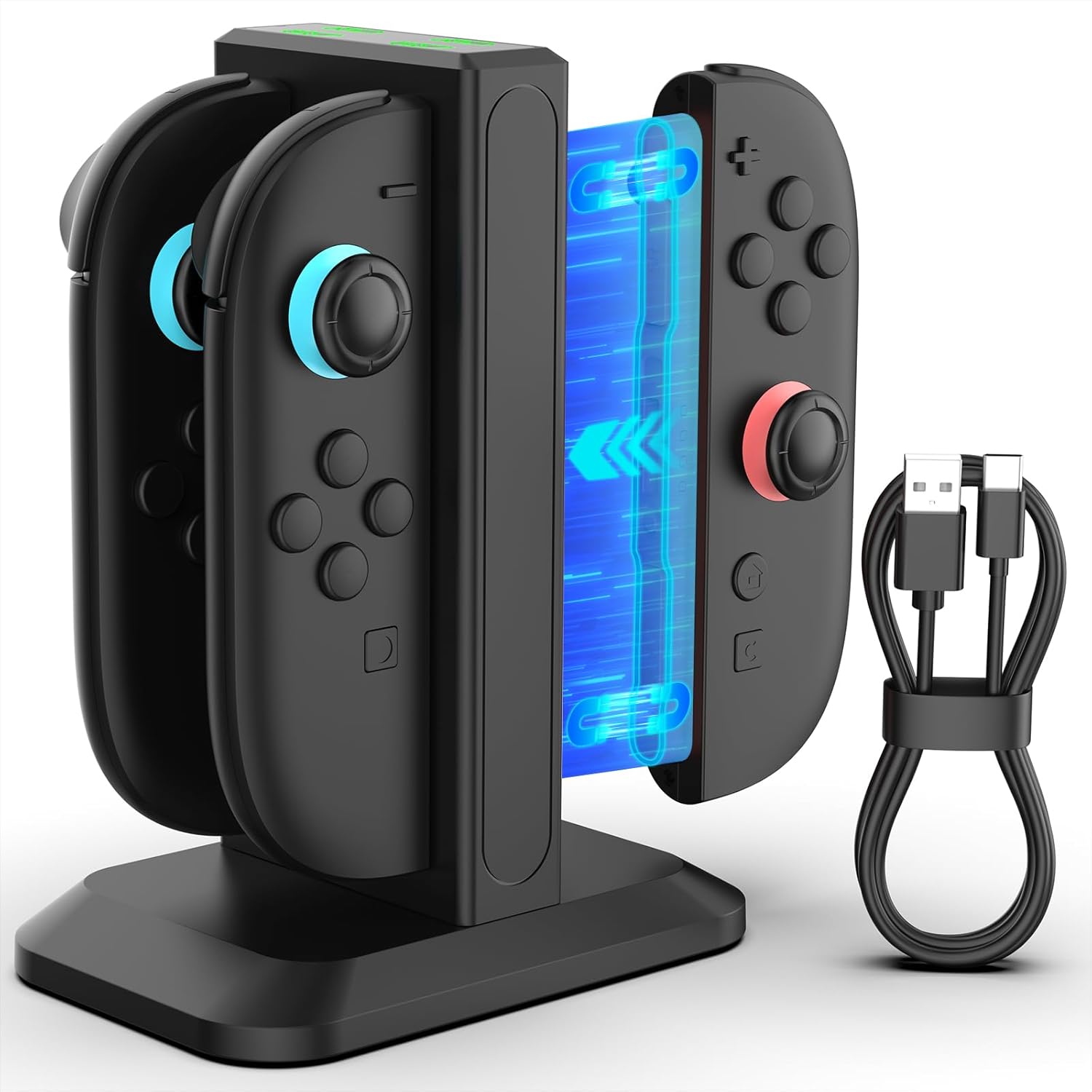
Image: The YCCTEAM Switch 2 JoyCon Charger with two Joy-Cons inserted, showcasing its design and the included USB-C cable.
4.1 Магнітне заряджання
The charging dock utilizes smart magnetic alignment, which guides the Joy-Cons into the correct charging position effortlessly. This design reduces wear and tear on the charging ports and ensures a stable connection.

Зображення: Крупний план view illustrating the magnetic charging mechanism, showing a Joy-Con being guided into place by magnetic force.
4.2 світлодіодні індикатори
Each charging slot is equipped with an LED indicator to show the charging status of the connected Joy-Con controller:
- Червоне світло: Indicates that the Joy-Con controller is currently charging.
- Зелене світло: Indicates that the Joy-Con controller is fully charged or the slot is in standby mode.

Image: The charging dock displaying its LED indicators, with examples of red (charging) and green (fully charged/standby) lights.
5. Налаштування
- Place the YCCTEAM Switch 2 JoyCon Charger on a stable, flat surface.
- Connect the provided USB-C charging cable to the USB-C port on the back of the charging dock.
- Connect the other end of the USB-C cable to a compatible power source. This can be a USB hub, a wall outlet (with an AC adapter, not included), a computer USB port, or even your Nintendo Switch 2 TV dock.
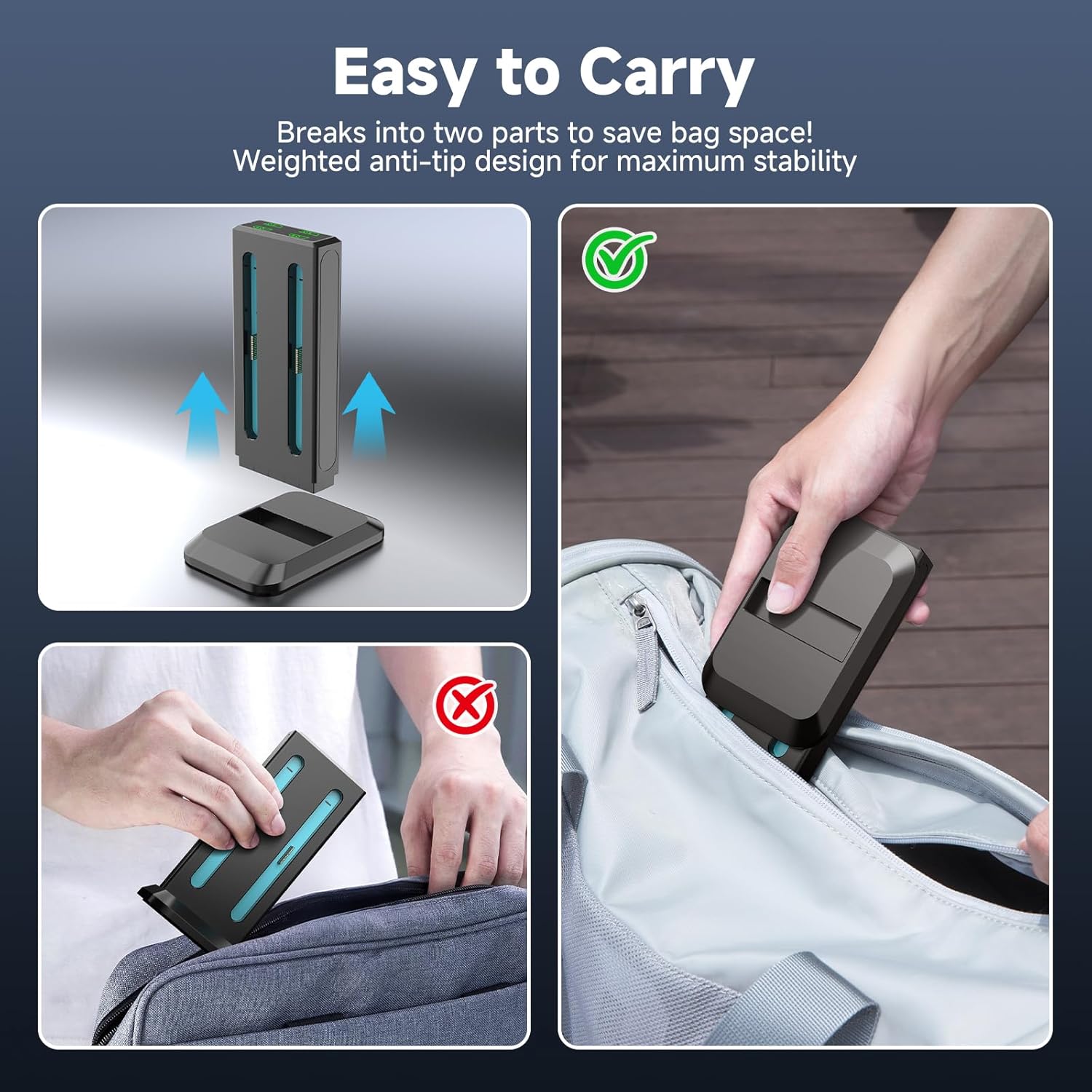
Image: Illustrations of different power sources that can be used to power the charging dock, such as a USB hub, Switch 2 dock, AC adapter, and computer.
6. Інструкція з експлуатації
6.1 Charging Joy-Cons
- Ensure the charging dock is connected to a power source. The LED indicators will be green if no controllers are inserted.
- Align a Nintendo Switch 2 Joy-Con controller with an empty charging slot. The magnetic design will help guide it into place.
- Gently insert the Joy-Con into the slot until it clicks securely. The corresponding LED indicator will turn red, signifying that charging has begun.
- When the Joy-Con is fully charged, the LED indicator will turn green.
- You can charge up to four Joy-Cons simultaneously. A full charge typically takes approximately 2.5 hours.
6.2 Сумісність
This charging dock is exclusively designed for Nintendo Switch 2 Joy-Con controllers (2025 model). It is не сумісний with original Nintendo Switch (2017 model), Switch Lite, or Switch OLED Joy-Con controllers.
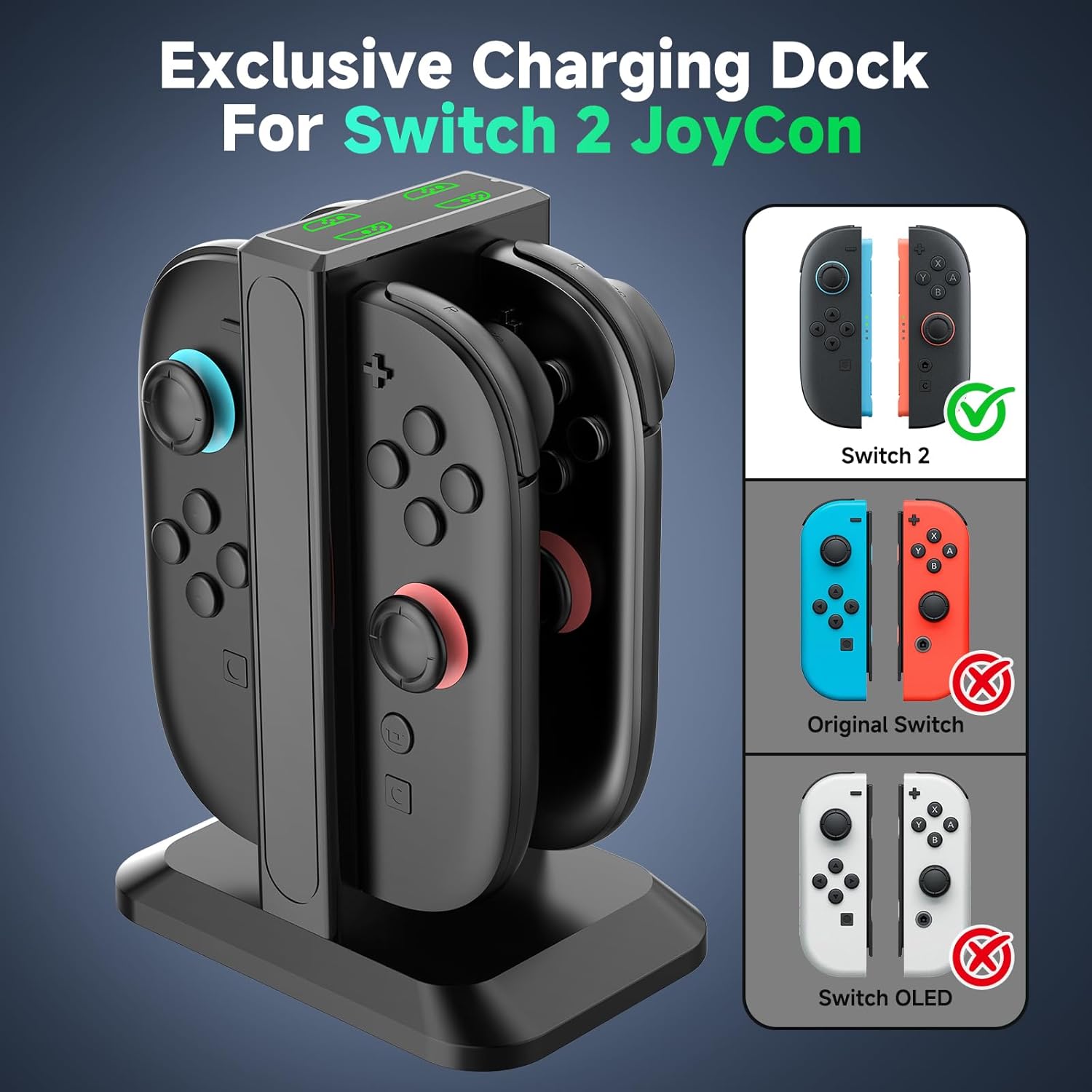
Image: A visual guide demonstrating that the charger is compatible only with Switch 2 Joy-Cons, explicitly showing incompatibility with older Switch models.
6.3 Portability and Organization
The charging dock features a detachable design, allowing it to break into two parts for easier portability and storage. Its weighted base ensures stability on any surface, helping to keep your gaming area tidy and organized.

Image: A visual representation of the charging dock separating into two pieces, making it convenient for travel and storage.

Image: A comparison showing a cluttered desk with loose controllers (before) and an organized desk with controllers neatly stored in the charging dock (after).
7. Технічне обслуговування
- Прибирання: Disconnect the charger from the power source before cleaning. Use a soft, dry cloth to wipe the surface of the charging dock. Do not use liquid cleaners or abrasive materials.
- Зберігання: Якщо зарядний пристрій не використовується протягом тривалого часу, зберігайте його в прохолодному, сухому місці, захищеному від прямих сонячних променів.
8. Вирішення проблем
| проблема | Можлива причина | Рішення |
|---|---|---|
| Joy-Con not charging (LED is green) | Joy-Con not properly seated; Not a Switch 2 Joy-Con; Power source issue. | Re-insert the Joy-Con, ensuring magnetic alignment. Verify it is a Nintendo Switch 2 Joy-Con. Check power cable connection and try a different USB port or power adapter. |
| Зарядний пристрій не вмикається | No power supply; Faulty cable or port. | Ensure the USB-C cable is securely connected to both the charger and the power source. Try a different USB-C cable or a different power source. |
| Повільна зарядка | Insufficient power output from source. | Use a power source with adequate output (e.g., a wall adapter with 5V/1A or higher output). |
9. Технічні характеристики
| Особливість | Деталь |
|---|---|
| Бренд | YCCTEAM |
| Модель | 4-in-1 Joycon 2 Controller Charging Docking Station |
| Сумісність | Nintendo Switch 2 Joy-Con controllers (2025 model) |
| Зарядна ємність | 4 Joy-Con controllers simultaneously |
| Час повної зарядки | Приблизно 2.5 годин |
| Вхідний об'ємtage | 5 вольт (перемінний струм) |
| Вихідний струм | 0.2 Amps |
| Вихідний випtage | 5 вольт |
| Технологія підключення | USB |
| Тип роз'єму | USB типу C |
| Вага товару | 7.4 унції |
| Розміри упаковки | 5.43 x 3.37 x 1.65 дюймів |
10. Гарантія та підтримка
YCCTEAM products are designed for reliability and performance. For any questions, technical support, or warranty inquiries, please refer to the contact information provided with your purchase or visit the official YCCTEAM website. Our customer service team is ready to assist you.


