1. Важлива інформація з безпеки
Please read all safety instructions carefully before using your television. Keep this manual for future reference. Failure to follow these instructions may result in electric shock, fire, or damage to the product.
- Не піддавайте телевізор дії дощу або вологи.
- Не перекривайте вентиляційні отвори.
- Переконайтеся, що телевізор розміщено на стійкій поверхні.
- Use only the power cord provided by the manufacturer.
- Від’єднуйте телевізор від мережі під час грози або якщо він не використовується протягом тривалого часу.
- Звертайтеся до кваліфікованого сервісного персоналу.
2. Що в коробці
Перевірте наявність усіх компонентів в упаковці:
- 50-дюймовий смарт-телевізор Haier QLED 4K UHD H50Q80FUX
- Розумний пульт дистанційного керування
- Кабель живлення
- Посібник користувача (цей документ)
- Компоненти підставки для телевізора (якщо є)
3. Налаштування
3.1 Розпакування
Обережно вийміть телевізор з упаковки. Рекомендується зберегти оригінальну упаковку для можливого транспортування або обслуговування в майбутньому.
3.2 Прикріплення підставки
If you are not wall-mounting the TV, attach the included stand according to the diagrams provided in the quick start guide. Ensure all screws are securely fastened.
3.3 Настінне кріплення
This TV is compatible with VESA 300 x 300 mm wall mounts. Use appropriate screws and consult a professional for installation if unsure. Ensure adequate ventilation around the TV.
3.4 Підключення периферійних пристроїв
Connect your external devices (e.g., game consoles, Blu-ray players, soundbars) to the TV's ports.
- HDMI 2.1: Use one of the four HDMI 2.1 ports for high-quality video and audio connections, especially for gaming consoles.
- USB: Підключіть USB-накопичувачі для відтворення медіафайлів.
- Ethernet: Для стабільного дротового інтернет-з’єднання.
- Bluetooth 5.1: Pair wireless headphones or other Bluetooth devices.
Image: TV Dimensions

This image illustrates the physical dimensions of the television, both with and without its included stand, to assist with placement and mounting decisions.
3.5 Початкове ввімкнення
After connecting the power cable, press the power button on the remote control or the TV. Follow the on-screen instructions to complete the initial setup, including network connection (Wi-Fi or Ethernet) and Google TV account setup.
4. Інструкція з експлуатації
4.1 Розумний пульт дистанційного керування
The included smart remote control provides easy navigation and voice control. It features a solar panel for charging and can also be charged via USB-C.
4.2 Інтерфейс Google TV
Your Haier Smart TV runs on Google TV, providing access to a wide range of streaming apps, movies, and shows. Navigate using the remote control's directional pad and select content from the personalized home screen.
Image: Google TV Interface

This image displays the user-friendly Google TV home screen, where applications and content are organized for easy access.
4.3 Налаштування зображення
Оптимізуйте свій viewдосвід роботи з передовими технологіями зображення телевізора:
- QLED 4K UHD: Delivers ultra-defined images and intense colors.
- Dolby Vision IQ & HDR 10+: Provides dynamic picture enhancement, adjusting brightness, contrast, and color scene-by-scene for optimal viewing, even adapting to ambient light.
Image: QLED 4K Quantum Dot Technology

This image visually explains the QLED 4K Quantum Dot technology, highlighting its capability to produce a wide spectrum of vibrant colors.
Image: Dolby Atmos and Dolby Vision

This image depicts the combined effect of Dolby Atmos for immersive sound and Dolby Vision for superior picture quality, enhancing the overall cinematic experience.
4.4 Параметри звуку
Experience immersive sound with:
- Dolby Atmos: Delivers three-dimensional, moving audio that flows around you.
- DBX TV: Optimizes integrated TV speakers for clearer vocals, deeper bass, and enveloping sound effects.
4.5 Ігрові функції
The TV is designed for a fluid and responsive gaming experience:
- 120Hz DLG Accelerator: Enhances motion clarity and response in 2K resolution for competitive gaming.
- HDMI 2.1: Provides high bandwidth for smooth, uninterrupted transmission, supporting features like VRR (Variable Refresh Rate) and ALLM (Auto Low Latency Mode).
- Технологія MEMC: Motion Estimation, Motion Compensation improves image quality in fast-moving scenes, reducing blur and maintaining sharpness.
Image: Gaming 120Hz DLG Accelerator

This image illustrates the difference in motion clarity between a standard 60Hz refresh rate and the enhanced 120Hz DLG Accelerator, showcasing smoother visuals for gaming.
Image: HDMI 2.1 Connectivity

This image highlights the HDMI 2.1 port, emphasizing its role in providing a smooth and fluid experience for gaming and high-resolution content.
Image: MEMC Technology
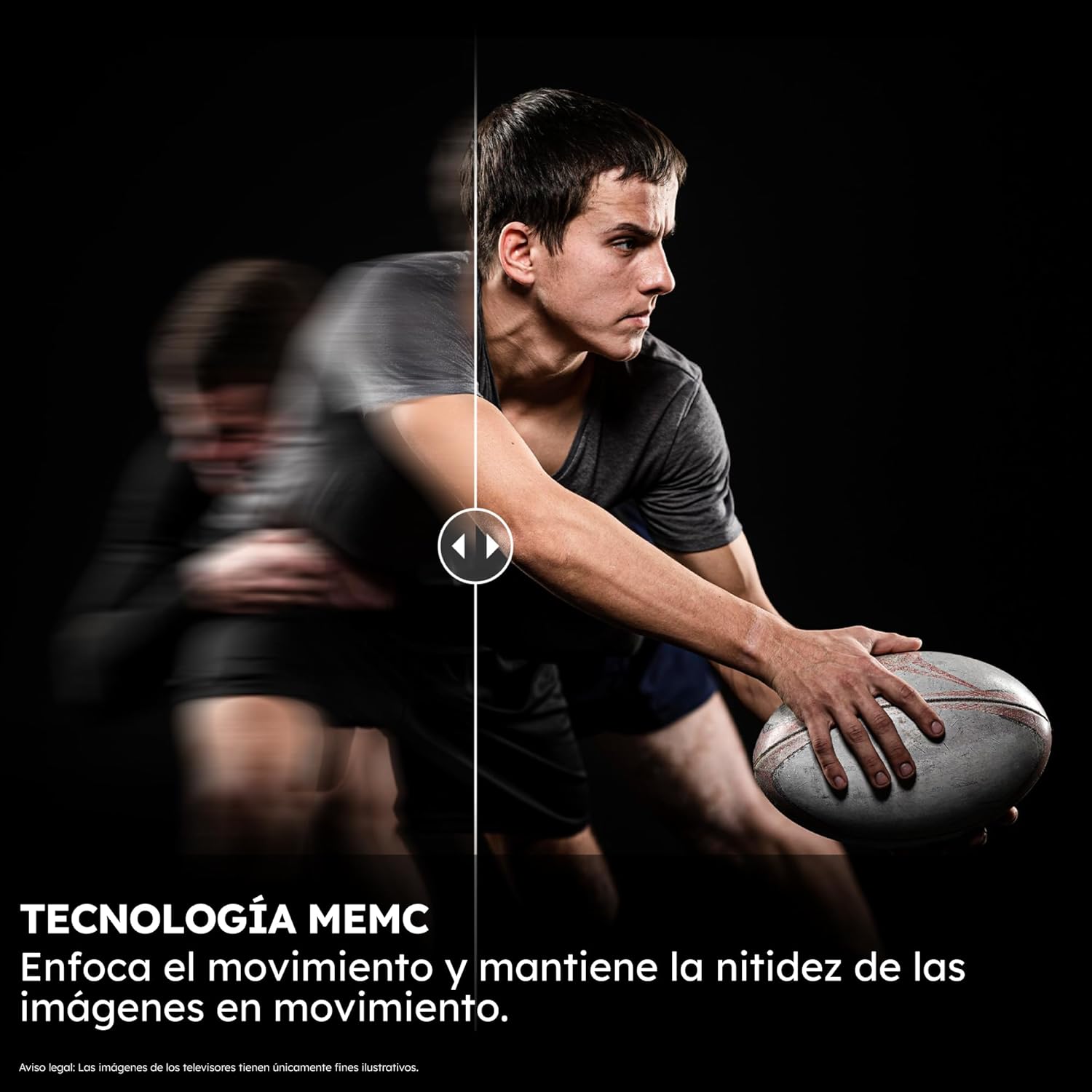
This image illustrates the effectiveness of MEMC (Motion Estimation, Motion Compensation) technology in maintaining image sharpness during fast-moving scenes.
4.6 Помічник Google
Use the integrated Google Assistant for voice control. Simply press the Google Assistant button on your remote and speak commands to search for content, control smart home devices, or get information.
Image: Google Assistant

This image shows the Google Assistant in action, demonstrating how users can interact with the TV using voice commands for integrated control.
5. Технічне обслуговування
5.1 Очищення телевізора
Щоб очистити екран, обережно протріть його м’якою, сухою тканиною без ворсу. Для стійких плям злегка протрітьampen the cloth with water or a screen-cleaning solution. Do not use harsh chemicals or abrasive materials. Clean the TV body with a soft, dry cloth.
5.2 Оновлення програмного забезпечення
Your TV may receive automatic software updates via the internet. Ensure your TV is connected to the internet to receive the latest features and performance improvements. You can also manually check for updates in the TV's settings menu.
6. Вирішення проблем
Якщо у вас виникли проблеми з телевізором, зверніться до наступних поширених кроків усунення несправностей:
| проблема | Можливе рішення |
|---|---|
| Немає живлення | Перевірте, чи кабель живлення надійно підключено до телевізора та розетки. Спробуйте іншу розетку. |
| Немає зображення, але звук є | Ensure the correct input source is selected. Check HDMI cable connections. |
| Немає звуку, але зображення є | Check volume levels and mute settings. Ensure external audio devices are correctly connected and selected. |
| Пульт дистанційного керування не працює | Ensure the remote is charged (via solar or USB-C). Check for obstructions between the remote and TV. Re-pair the remote if necessary. |
| Проблеми з підключенням до мережі | Restart your router. Check Wi-Fi password. Try a wired Ethernet connection. |
| Image Blur/Lag during Gaming | Ensure your game console is connected to an HDMI 2.1 port. Verify game settings and TV's gaming mode are enabled. |
For more detailed troubleshooting, please consult the full electronic user manual available through the TV's Google TV interface or the Haier support webсайт.
7. Технічні характеристики
Основні технічні характеристики телевізора Haier QLED 4K UHD H50Q80FUX з діагоналлю 50 дюймів:
- Номер моделі: H50Q80FUX
- Розмір екрана: 50 дюймів
- Технологія дисплея: QLED 4K UHD
- роздільна здатність: 3840 x 2160 пікселів (4K)
- Частота оновлення: 60 Hz (Gaming 120Hz DLG ACCELERATOR for 2K)
- Аудіотехнології: Dolby Atmos, DBX TV
- Платформа Smart TV: Google TV with Google Assistant and Chromecast built-in
- Підключення: 4 x HDMI 2.1, Bluetooth 5.1, Wi-Fi, Ethernet, USB
- Розміри (без підставки): 111.1 см (Ш) x 65.2 см (В) x 8.8 см (Г)
- Розміри (з підставкою): 111.1 см (Ш) x 71.0 см (В) x 27.7 см (Г)
- вага: 10 кг
- Сумісність з кріпленням VESA: 300 х 300 мм
- Внутрішня пам'ять: 2GB RAM + 32GB ROM
- Клас енергоефективності (SDR): F
- Клас енергоефективності (HDR): G
Зображення: Енергетична етикетка
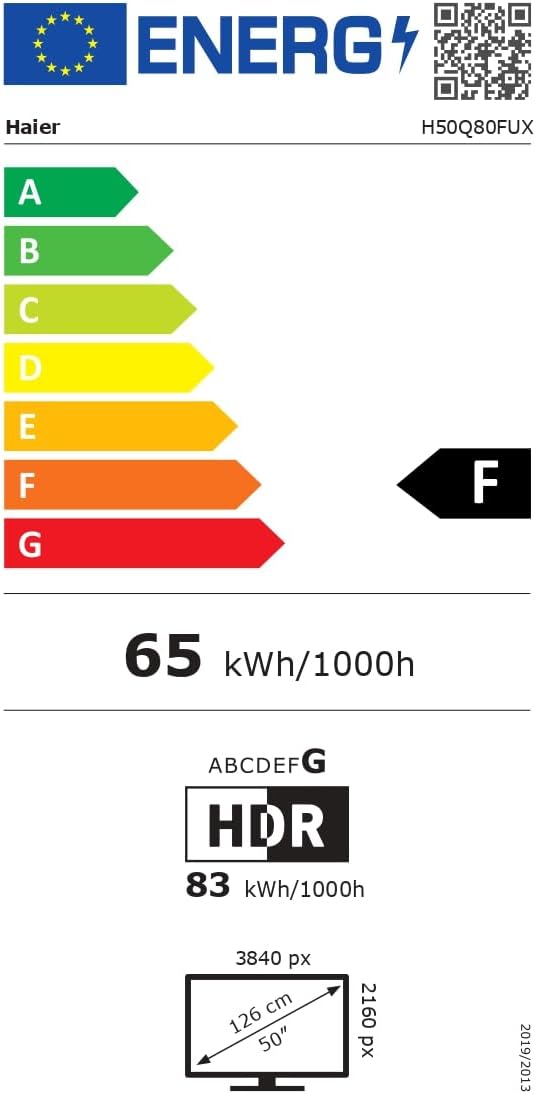
This image displays the official EU energy label, providing information on the TV's energy efficiency ratings and power consumption.
For detailed product information and the official product information sheet, please visit the EPREL database: https://eprel.ec.europa.eu/qr/2290964
8. Гарантія та підтримка
8.1 Інформація про гарантію
Your Haier QLED 4K UHD H50Q80FUX Smart TV comes with a standard manufacturer's warranty. Please refer to the warranty card included in your product packaging or visit the official Haier webсайт для отримання інформації про конкретні умови, що застосовуються до вашого регіону.
8.2 Підтримка клієнтів
For technical assistance, troubleshooting, or service requests, please contact Haier Customer Support. You can find contact details and frequently asked questions on the official Haier webсайт: https://www.haier-europe.com/


