1. Вступ
Thank you for choosing the Tacens AEROSLIM500 MicroATX PC Case. This slim mini-tower is designed for efficient and compact PC builds, supporting MicroATX and Mini-ITX motherboards. It features optimized airflow, an integrated 500W TFX power supply, and modern connectivity. This manual provides essential information for safe installation, operation, and maintenance of your new PC case.
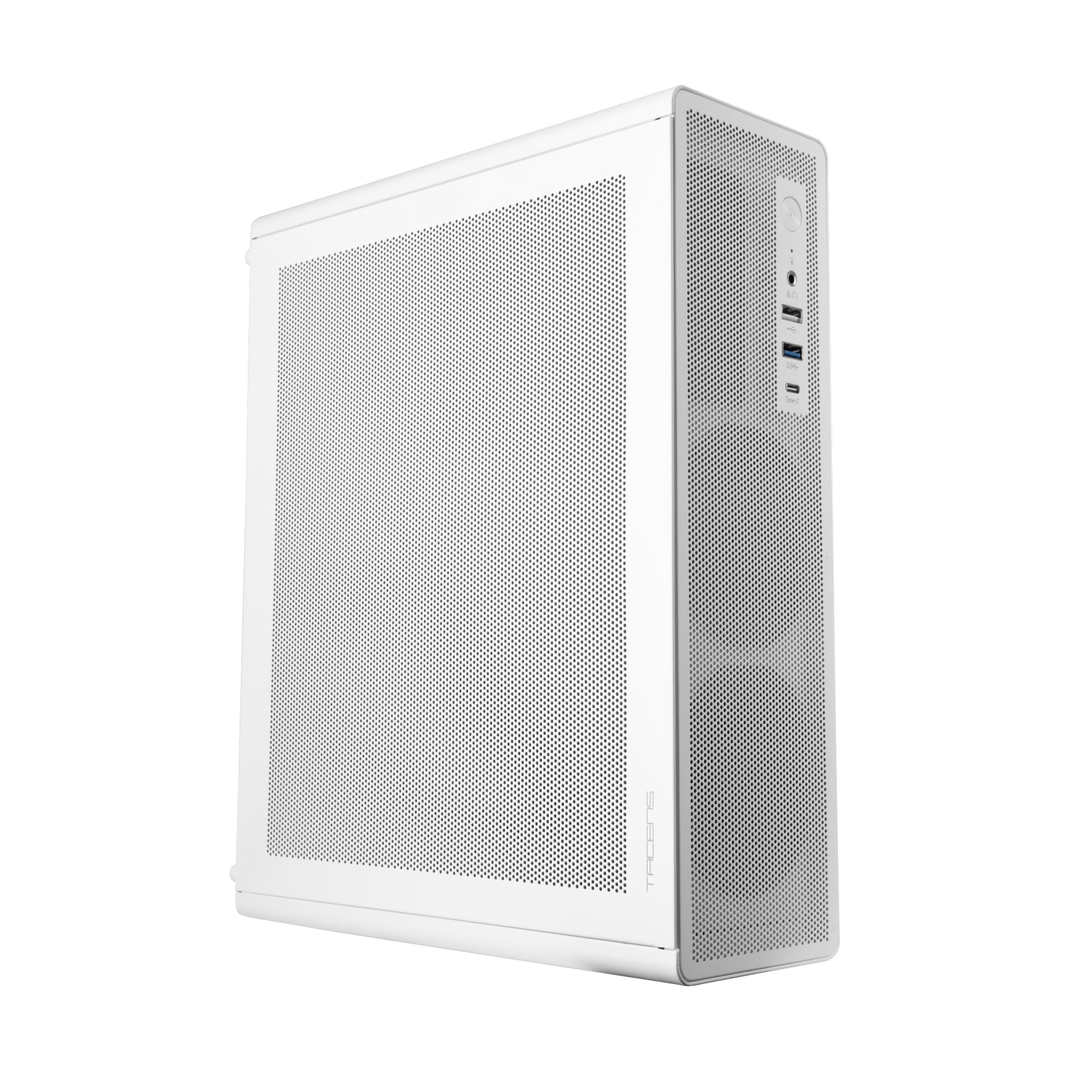
Figure 1: Tacens AEROSLIM500 MicroATX PC Case (Overall View)
2. Інформація про безпеку
Please read and follow these safety guidelines to prevent damage to the product or injury to yourself.
- Відключення живлення: Always disconnect the power cable from the wall outlet before opening the case or performing any installation/maintenance.
- Статична електрика: Discharge static electricity from your body before handling internal components. Use an anti-static wrist strap if available.
- Гострі краї: Під час встановлення будьте обережні з гострими краями всередині корпусу.
- Вентиляція: Ensure proper ventilation around the case. Do not block air vents.
- Рідина та вологість: Keep the case away from liquids and excessive moisture.
- Професійна установка: Якщо ви не впевнені щодо будь-яких кроків встановлення, зверніться за допомогою до кваліфікованого техніка.
3. Вміст упаковки
Перевірте наявність усіх предметів у вашій упаковці. Якщо якісь предмети відсутні або пошкоджені, зверніться до продавця.
- Tacens AEROSLIM500 MicroATX PC Case with integrated 500W TFX Power Supply
- Pre-installed 90mm FDB Front Fan
- Комплект аксесуарів (гвинти, стійки, кабельні стяжки)
- Посібник користувача (цей документ)
4. Особливості продукту
The Tacens AEROSLIM500 PC case offers a range of features for a compact and efficient build:
- Integrated TFX 500W Power Supply: Ensures stable and efficient power delivery for your components.
- Покращене охолодження: Front and side ultra-fine mesh panels provide constant airflow and act as a dust barrier.
- Pre-installed Front Fan: Includes a 90mm FDB (Fluid Dynamic Bearing) fan for optimal cooling. Supports up to two 90mm front fans.
- Optimized Internal Space: Compatible with MicroATX (up to 210mm wide) and Mini-ITX motherboards.
- Підтримка GPU: Accommodates low-profile GPUs up to 220mm long and 63mm wide.
- Варіанти зберігання: Features 5 x 2.5" SSD drive bays.
- Слоти розширення: Provides 3 expansion slots for MicroATX or 1-2 for Mini-ITX configurations.
- Повне підключення: Front panel includes USB-C, USB 3.0, USB 2.0 ports, and HD audio/microphone jacks.
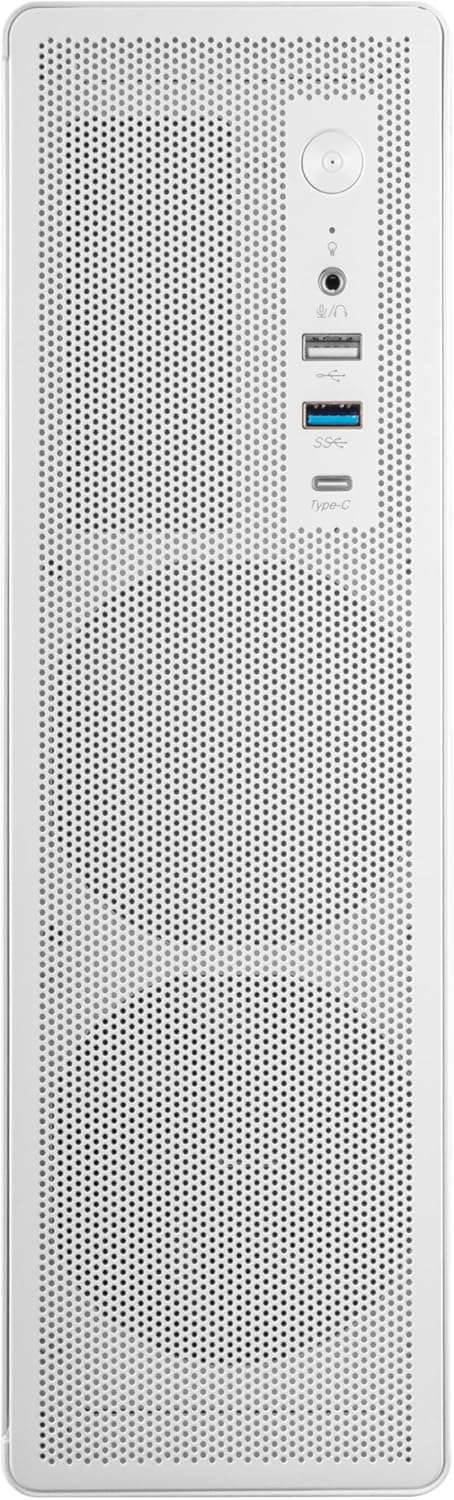
Figure 2: Front Panel Connectivity

Малюнок 3: Детально View of Front I/O Ports
5. Налаштування та встановлення
Follow these steps to install your components into the Tacens AEROSLIM500 PC case. Ensure the system is powered off and unplugged before beginning.
5.1. Відкриття справи
- Поставте корпус на рівну, стійку поверхню.
- Locate the thumbscrews or standard screws on the rear panel securing the side panel(s).
- Remove the screws and carefully slide the side panel(s) backward, then lift them off.

Figure 4: Case Interior View with Pre-installed Fan
5.2. Встановлення материнської плати
- Install the CPU, CPU cooler (ensure it fits within the 73mm height limit), and RAM onto your MicroATX or Mini-ITX motherboard before placing it in the case.
- Align the motherboard with the pre-installed standoffs inside the case.
- Закріпіть материнську плату за допомогою відповідних гвинтів з комплекту аксесуарів.

Figure 5: Motherboard Mounting Area
5.3. Storage Device Installation (2.5" SSD/HDD)
- Locate the 2.5" drive bays/mounting points. The case supports up to 5 x 2.5" drives.
- Secure your 2.5" SSDs or HDDs using the provided screws.
- Connect SATA data and power cables to the drives.

Figure 6: Power Supply and Drive Bay Area
5.4. Встановлення плати розширення (графічного процесора)
- Зніміть необхідні кришки слотів розширення із задньої частини корпусу.
- Carefully insert your low-profile GPU (max 220mm length, 63mm width) into the PCIe slot on the motherboard.
- Secure the expansion card with a screw.
5.5. Підключення кабелів передньої панелі
Connect the front panel cables (USB-C, USB 3.0, USB 2.0, HD Audio, Power Switch, Reset Switch, Power LED, HDD LED) to their corresponding headers on your motherboard. Refer to your motherboard manual for exact header locations.
5.6. Кабельний менеджмент
Route cables neatly to improve airflow and aesthetics. Use the provided cable ties to secure bundles of cables.
5.7. Закриття справи
- Once all components are installed and cables are managed, reattach the side panel(s).
- Secure the side panel(s) with the thumbscrews or standard screws.
6. Інструкція з експлуатації
After successful assembly, connect your peripherals (monitor, keyboard, mouse) and the power cable to the integrated TFX 500W power supply.
- Увімкнення: Натисніть кнопку живлення, розташовану на передній панелі, щоб увімкнути комп’ютер.
- Порти USB: Use the front USB-C, USB 3.0, and USB 2.0 ports for connecting external devices.
- Аудіороз'єми: Connect headphones or a microphone to the front audio jacks.
- Вимкнення живлення: Shut down your computer through the operating system. For a hard shutdown, press and hold the power button for several seconds.
7. Технічне обслуговування
Регулярне технічне обслуговування допомагає забезпечити оптимальну продуктивність та довговічність компонентів вашого ПК.
- Очищення від пилу: The mesh panels act as dust filters. Periodically clean the front and side mesh panels using compressed air or a soft brush to remove accumulated dust.
- Внутрішнє очищення: Every 6-12 months, open the case (after disconnecting power) and use compressed air to clean dust from internal components, especially CPU coolers and GPU fans.
- Перевірка організації кабелів: Переконайтеся, що кабелі акуратно прокладені та не перешкоджають потоку повітря.
8. Вирішення проблем
Якщо у вас виникли проблеми, зверніться до наступних поширених кроків з усунення несправностей.
- Немає живлення:
- Ensure the power cable is securely connected to both the wall outlet and the PC's power supply.
- Verify that the power supply switch (if present) is in the 'ON' position.
- Check all internal power connections (24-pin ATX, 8-pin CPU, GPU power) to the motherboard and components.
- Переконайтеся, що кабель кнопки живлення на передній панелі правильно підключений до роз'єму материнської плати.
- Немає дисплея:
- Confirm your monitor is powered on and connected to the correct video output on your GPU or motherboard.
- Reseat your GPU and RAM modules.
- Надмірний шум:
- Check if any cables are obstructing fan blades.
- Clean dust from fans (CPU, GPU, case fans, PSU fan).
- Ensure all screws are tightened to prevent vibrations.
- Порти передньої панелі не працюють:
- Verify that the USB and audio cables from the front panel are correctly connected to the motherboard headers.
9. Технічні характеристики
| Бренд | Tacens |
| Назва моделі | АЕРОСЛІМ500 |
| Сумісність материнської плати | Micro ATX, Mini ITX |
| Тип корпусу | Compact Desktop / Mini-Tower |
| Колір | Білий |
| матеріал | метал |
| Джерело живлення | Integrated TFX 500W |
| Спосіб охолодження | Air (Pre-installed 90mm FDB front fan) |
| Обмеження висоти кулера ЦП | До 73 мм |
| Обмеження довжини GPU | Up to 220mm (low-profile тільки) |
| GPU Width Limit | До 63 мм |
| Привідні відсіки | 5 x 2.5" SSD/HDD |
| Слоти розширення | 3 (MicroATX), 1-2 (Mini-ITX) |
| Передні порти вводу-виводу | 1x USB-C, 1x USB 3.0, 2x USB 2.0, HD Audio (Headphone/Microphone) |
| Вага товару | 2.25 кілограма |
10. Гарантія та підтримка
Tacens products are manufactured to the highest quality standards. For information regarding warranty coverage, terms, and conditions, please refer to the warranty card included with your product or visit the official Tacens webсайт.
For technical support, troubleshooting assistance beyond this manual, or to inquire about replacement parts, please contact Tacens customer service through their official webсайт або контактну інформацію, надану в документації до вашого продукту.
Official Tacens Webсайт: www.tacens.com (Примітка: Це тимчасовий фрагмент URL. Please refer to your product packaging for the correct official webсайт.)


