1. Вступ
The Ulefone Armor 34 is a robust 5G rugged smartphone designed for demanding environments. It features a large battery, advanced camera system, powerful processor, and a durable construction to withstand harsh conditions. This manual provides essential information to help you get the most out of your device.
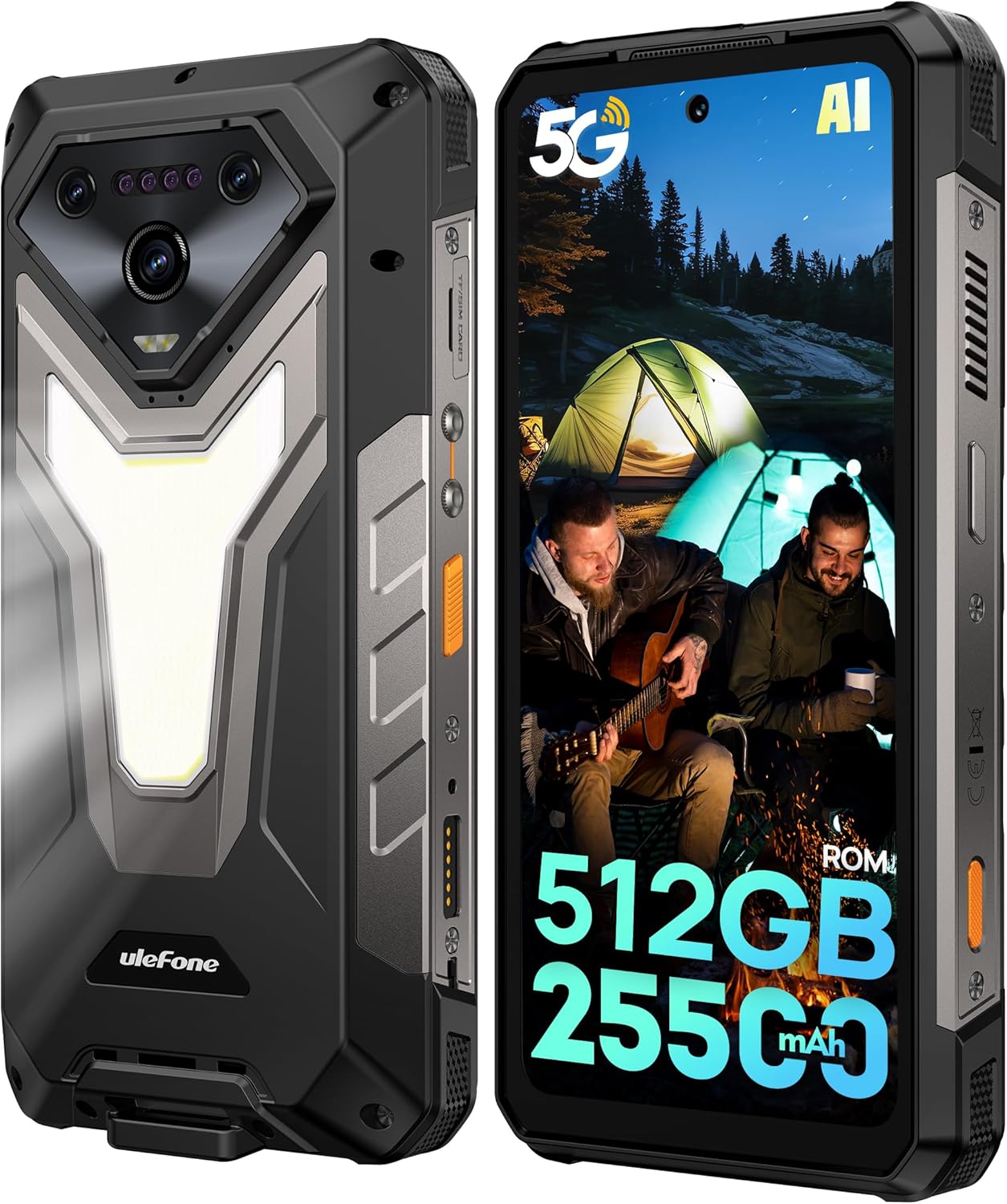
Зображення: Лицьова та зворотна сторони view of the Ulefone Armor 34 5G Rugged Phone, highlighting its robust design and rear LED light panel.
2. Що в коробці
Upon unboxing your Ulefone Armor 34, please verify that all the following items are included:
- Ulefone Armor 34 5G Rugged Phone
- 66W Power Charger
- Кабель даних USB-C
- Багатомовний посібник користувача
- Charging Instruction Card
- Safety Prompt Card
- Гарантійний талон
- Захист екрану із загартованого скла
- Шнурок
- SIM Needle
Video: Ulefone Armor 34 Pro Unboxing. This video demonstrates the contents of the retail package and the initial unboxing experience.
3. Налаштування
3.1 Встановлення SIM-/SD-картки
- Знайдіть лоток для SIM-картки на бічній панелі телефону.
- Вставте голку для SIM-картки, що надається, у маленький отвір поруч із лотком, щоб витягнути її.
- Вставте картку(и) Nano-SIM та/або картку microSD у лоток згідно зі схемою.
- Обережно вставте лоток назад у телефон, переконавшись, що він знаходиться врівень з корпусом пристрою.
3.2 Увімкнення/вимкнення
- To power on: Press and hold the Power button until the Ulefone logo appears.
- Щоб вимкнути живлення: натисніть і утримуйте кнопку живлення, потім виберіть «Вимкнути живлення» зі списку опцій.
3.3 Початкове налаштування
Дотримуйтесь підказок на екрані, щоб завершити початкове налаштування, включаючи вибір мови, підключення Wi-Fi, вхід до облікового запису Google та налаштування безпеки.
4. Інструкція з експлуатації
4.1 Дисплей
The Armor 34 features a 6.95-inch FHD+ display with a 120Hz refresh rate, protected by Corning Gorilla Glass 5. Adjust brightness and display settings via the Settings menu.

Image: The Ulefone Armor 34 displaying vibrant content on its 6.95-inch FHD+ 120Hz screen.
Система камери 4.2
Телефон оснащений універсальною камерою:
- Задні камери: 50MP Primary Sensor, 50MP Ultra-wide Sensor (117.3° FOV), 64MP Night Vision Camera with 4 IR LEDs.
- Фронтальна камера: 32 МП для селфі та відеодзвінків.
Access various camera modes like Night Vision, Photo, Video, and more through the camera application.

Зображення: Детальне view of the Ulefone Armor 34's triple rear camera module, including the 64MP Night Vision camera with IR LEDs, and examples of photos taken with the device.
4.3 Акумулятор та зарядка
The Armor 34 features a massive 25500mAh battery, supporting up to 10 days of standby time. It supports 66W fast charging for quick power-ups and 10W reverse charging, allowing the phone to act as a power bank for other devices.

Image: Visual representation of the Ulefone Armor 34's 25500mAh battery capacity, 66W fast charging, and 10W reverse charging capabilities, showing it charging a drone.
4.4 Особливості міцності
The Armor 34 is built to endure. It is certified with IP68/IP69K ratings for water and dust resistance, and MIL-STD-810H for drop resistance, ensuring durability in challenging environments.
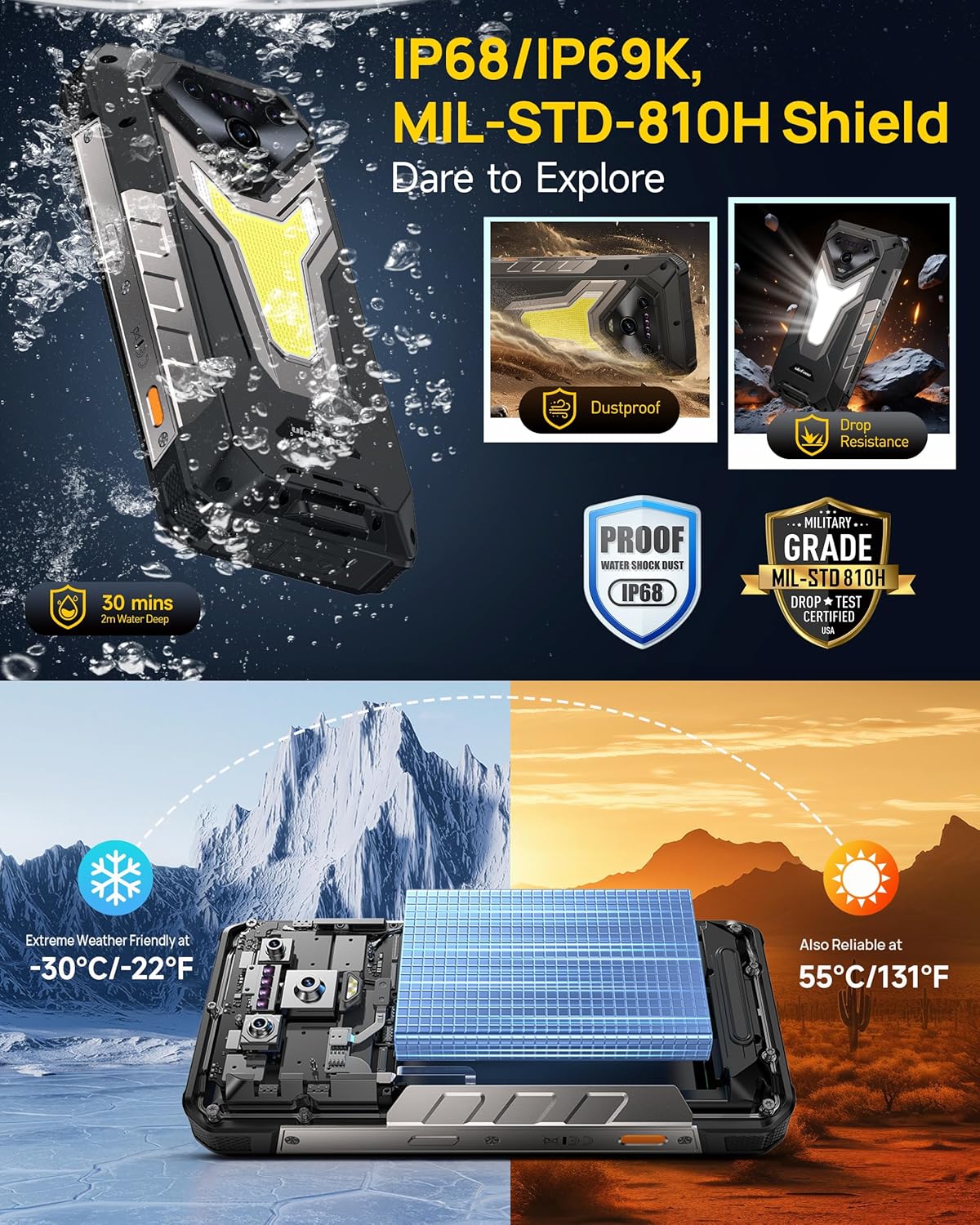
Image: The Ulefone Armor 34 submerged in water and being dropped, illustrating its IP68/IP69K and MIL-STD-810H certifications for water, dust, and drop resistance.
4.5 Versatile LED and Warning Lights
The device includes an 1100 Lumens camping light for illumination and red and blue warning lights for emergencies. These can be activated and controlled via the phone's interface.
Video: Ulefone Armor 34 Pro Versatile LED Light & Warning Light. This video demonstrates the functionality of the phone's integrated camping light and emergency warning lights.
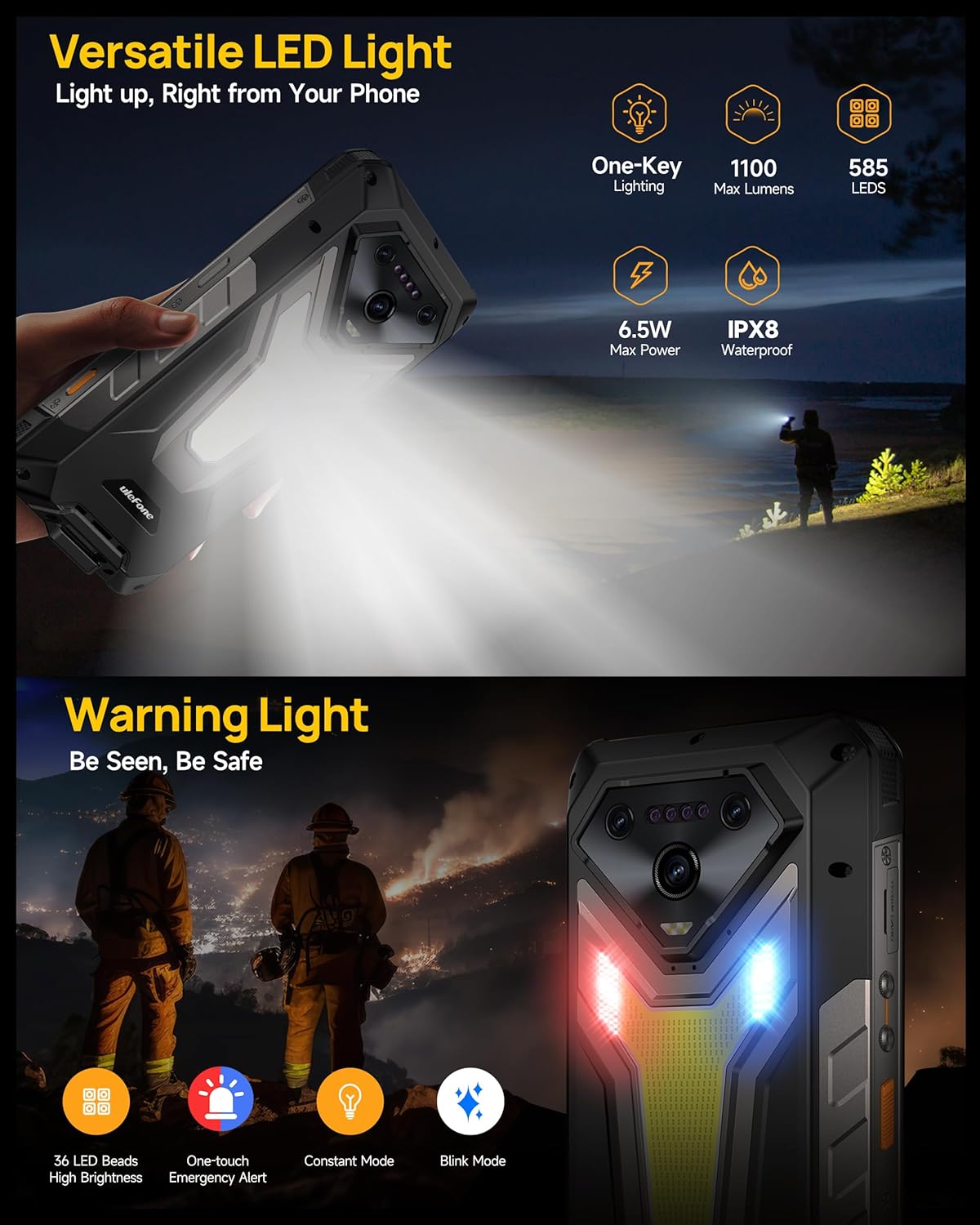
Image: The Ulefone Armor 34 showcasing its powerful 1100 Lumens camping light and the red and blue warning lights in action.
Роз'єм розширення 4.6 uSmart
The uSmart Expansion Connector allows for integration with various external accessories, such as endoscopes and microscopes, enhancing the phone's utility for specialized tasks. These accessories are sold separately.
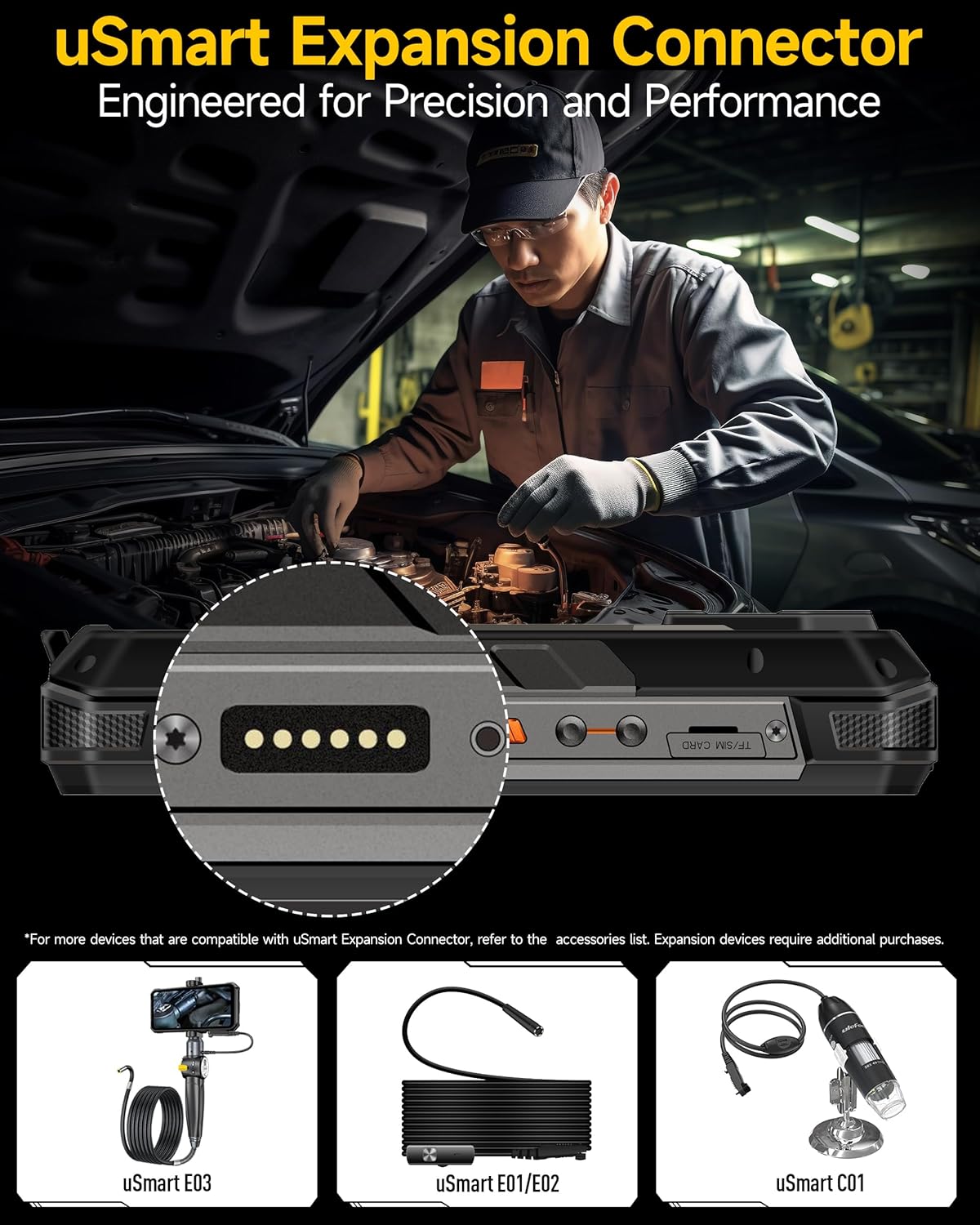
Image: A close-up of the Ulefone Armor 34's uSmart Expansion Connector, demonstrating its use with an external endoscope accessory.
Video: Ulefone Armor 34 Pro Accessory Ecosystem Showcase. This video highlights various accessories compatible with the uSmart Expansion Connector, such as the Molle Holster, Endoscope, and Microscope.
4.7 Функції штучного інтелекту
Powered by the MediaTek Dimensity 7300 and MediaTek NPU 655, the Armor 34 offers enhanced AI performance, including AI Chat with Google Gemini and an AI Pet feature for interactive experiences.
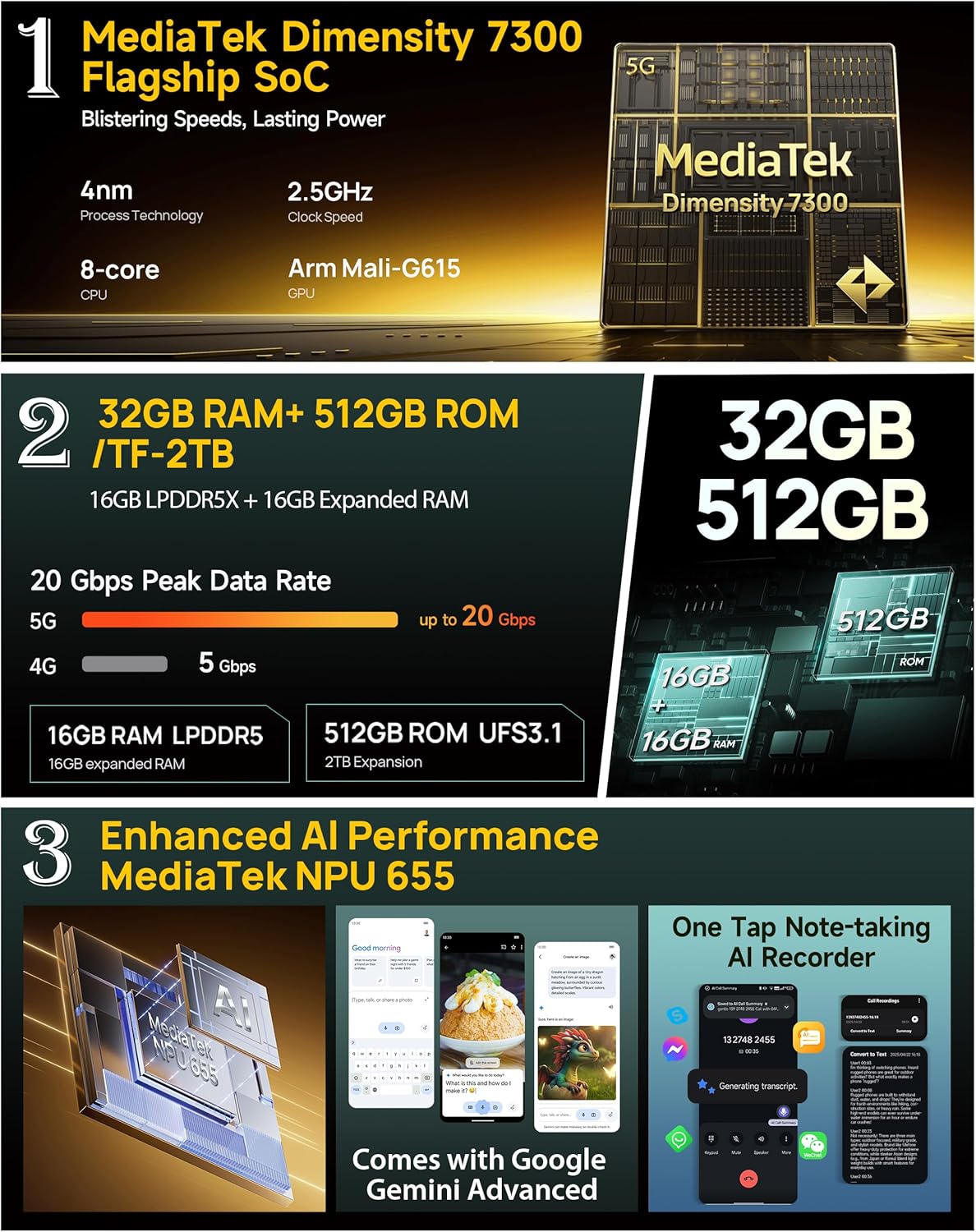
Image: Infographic detailing the MediaTek Dimensity 7300 processor, 32GB RAM, 512GB ROM, and enhanced AI performance with MediaTek NPU 655, including Google Gemini Advanced integration.
5. Технічні характеристики
| Особливість | Специфікація |
|---|---|
| Бренд | Улефон |
| Назва моделі | Броня 34 |
| Операційна система | Android 15 |
| Розмір встановленої оперативної пам'яті | 32 ГБ (16 ГБ + 16 ГБ налаштовується) |
| Ємність пам'яті | 512 ГБ (з можливістю розширення до 2 ТБ) |
| Швидкість ЦП | 2.5 ГГц (MediaTek Dimensity 7300) |
| Розмір екрана | 6.95 дюймів |
| роздільна здатність | 4K |
| Частота оновлення | 120 Гц |
| Бездротовий оператор | Розблоковано |
| Ємність акумулятора | 25500 мАг |
| Зарядка | Швидка зарядка 66 Вт, зворотна зарядка 10 Вт |
| Задня камера | 64MP Night Vision + 50MP Primary + 50MP Ultra-wide |
| Фронтальна камера | 32 МП |
| Міцність | Сертифіковано IP68/IP69K, MIL-STD-810H |
| Підключення | Global 5G Network, Dual SIM Dual Standby, Wi-Fi 6E |
| Інші функції | 1100LM LED & Warning Light, uSmart Expansion Connector, Widevine L1, IR Blaster, Fingerprint Unlock, NFC, Headset-Free FM Radio, Custom Key, Outdoor Toolbox, 3-Card Slot, GPS + GLONASS + Beidou + Galileo, Gloves Mode |
6. Технічне обслуговування
- Прибирання: Використовуйте м'який, damp тканину для очищення телефону. Уникайте використання агресивних хімікатів або абразивних матеріалів.
- Водонепроникність: Ensure all port covers are securely closed before exposing the phone to water. After exposure to water, dry the phone thoroughly before charging or opening any ports.
- температура: Уникайте тривалого перебування телефону під екстремальними температурами (дуже високими або дуже низькими).
- Оновлення програмного забезпечення: Регулярно перевіряйте наявність оновлень програмного забезпечення та встановлюйте їх, щоб забезпечити оптимальну продуктивність і безпеку.
7. Вирішення проблем
7.1 Телефон не вмикається
- Переконайтеся, що акумулятор заряджений. Підключіть телефон до зарядного пристрою щонайменше на 10 хвилин.
- Натисніть і утримуйте кнопку живлення протягом 10-15 секунд, щоб примусово перезавантажити пристрій.
7.2 Poor Network Signal
- Перевірте, чи правильно вставлено вашу SIM-картку.
- Переконайтеся, що ви перебуваєте в зоні покриття мережі.
- Перезавантажте телефон.
7.3 Apps Crashing/Freezing
- Clear the cache and data of the problematic app in Settings > Apps.
- Видаліть і перевстановіть додаток.
- Переконайтеся, що програмне забезпечення вашого телефону оновлене.
7.4 Water Damage (Despite Ratings)
While the phone is highly water-resistant, extreme conditions or improper sealing can lead to issues. If water enters the device, power it off immediately, dry it thoroughly, and seek professional assistance.
8. Гарантія та підтримка
The Ulefone Armor 34 comes with a 12-month manufacturer warranty service in the US. For any product-related inquiries, technical support, or warranty claims, please contact Ulefone customer service through their official webсайт або магазин, де ви придбали пристрій.
Будь ласка, зверніться до доданого гарантійного талону для отримання детальних умов.


