вступ
This manual provides detailed instructions for the installation, operation, and maintenance of your PGST Wireless WiFi 4G Tuya Smart Living Alarm System. This system is designed to enhance your home security through wireless connectivity, real-time alerts, and smart home integration. Please read this manual thoroughly before using the product to ensure proper functionality and safety.
Інформація про безпеку
- Ensure the main alarm panel is installed in a secure, central location, away from direct sunlight, moisture, and extreme temperatures.
- Не намагайтеся ремонтувати або модифікувати пристрій самостійно. Звертайтеся до кваліфікованого персоналу для проведення всіх робіт з обслуговування.
- Keep all components out of reach of children and pets.
- Використовуйте лише адаптер живлення, що постачається з системою.
- Regularly test the system to ensure all sensors and alarms are functioning correctly.
Вміст упаковки
Перевірте наявність усіх предметів у вашій упаковці:
- 1x PGST Alarm Host (Main Panel)
- 5 контактних датчиків для дверей/вікон
- 3x Motion Sensors
- 2x Remote Control Fobs
- 1x Dedicated SOS Button
- 1x Siren Unit
- 1x адаптер живлення
- Mounting Accessories (e.g., double-sided tape, screws)
- Посібник користувача (цей документ)
Налаштування
1. Main Alarm Host Installation
- Увімкнення: Connect the power adapter to the alarm host and plug it into a wall outlet. The host will power on automatically.
- Підключення до мережі: The system supports both WiFi and 4G connectivity.
- For WiFi: Ensure your router is within range. The host will guide you through the WiFi setup process via the Tuya Smart Living App.
- For 4G: Insert a compatible 4G SIM card (not included) into the designated slot on the alarm host. Ensure the SIM card has an active data plan.
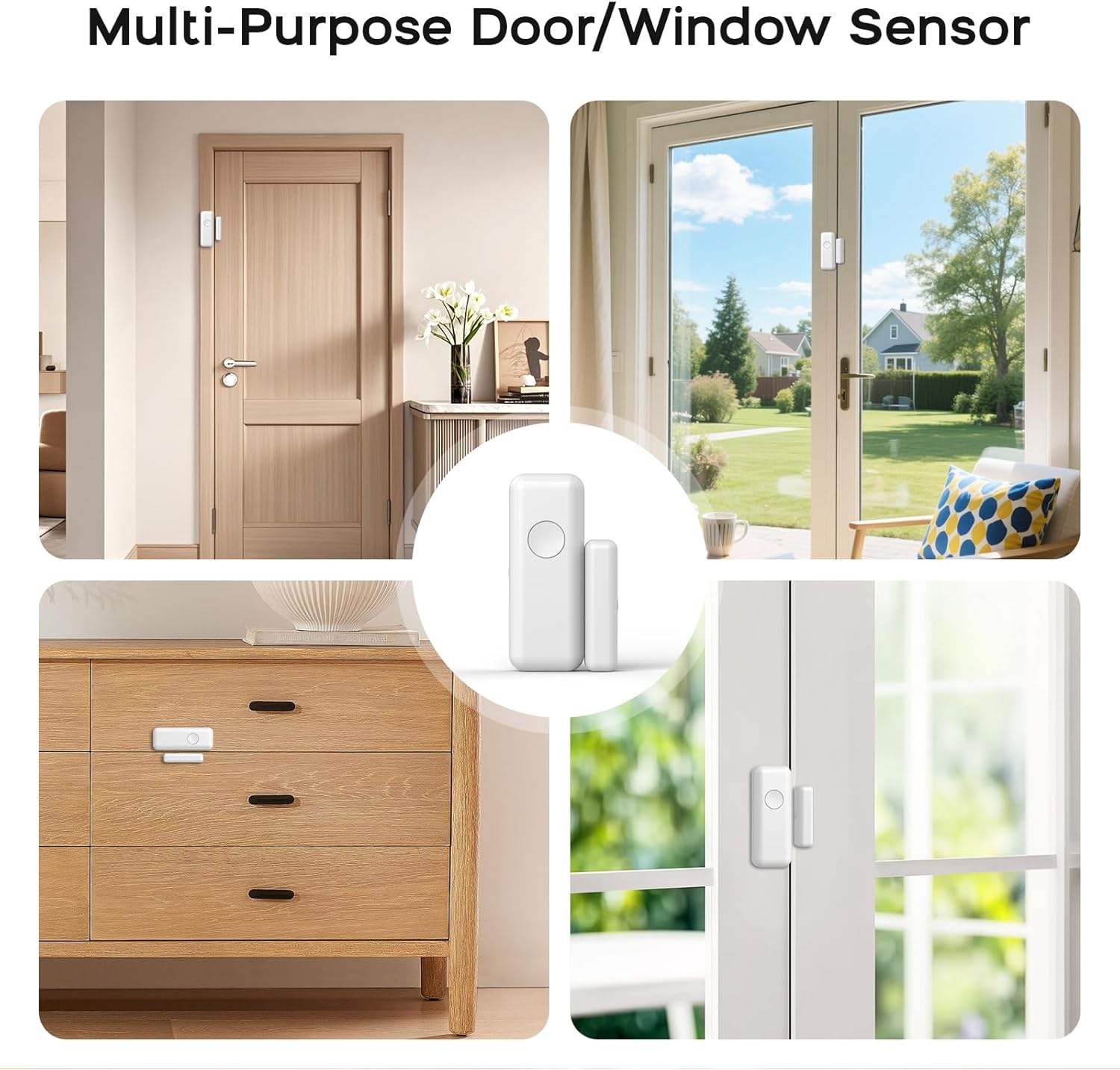
Figure 1: PGST Siren Unit. This image shows the compact siren unit, highlighting its wireless capabilities and key features like backup battery and app control.
2. Tuya Smart Living App Setup
- Завантажити додаток: шукати "Tuya Smart Living" in your smartphone's app store (iOS or Android) and download it.
- Реєстрація/Вхід: Відкрийте програму та створіть новий обліковий запис або увійдіть, якщо він у вас уже є.
- Додати пристрій: Follow the in-app instructions to add your PGST Alarm Host. This typically involves selecting "Security & Video Surveillance" then "Alarm (Wi-Fi+4G)" or similar, and following the pairing prompts.

Figure 2: Tuya Smart Living App Interface. This image illustrates the app's dashboard for managing the security system and its connected sensors.
3. Sensor and Accessory Installation
All sensors and accessories are designed for easy installation, often using double-sided adhesive tape (included).
- Контактні датчики дверей/вікон: Install the two parts of the sensor on the door/window frame and the moving part (door/window) itself. Ensure they are aligned and within 1 cm of each other when closed.
- Датчики руху: Mount motion sensors in corners or areas with clear lines of sight to detect movement. Avoid placing them near heat sources or in direct sunlight.
- Remote Control Fobs & SOS Button: These are pre-paired. Keep remote fobs accessible and the SOS button in a convenient location for emergencies.
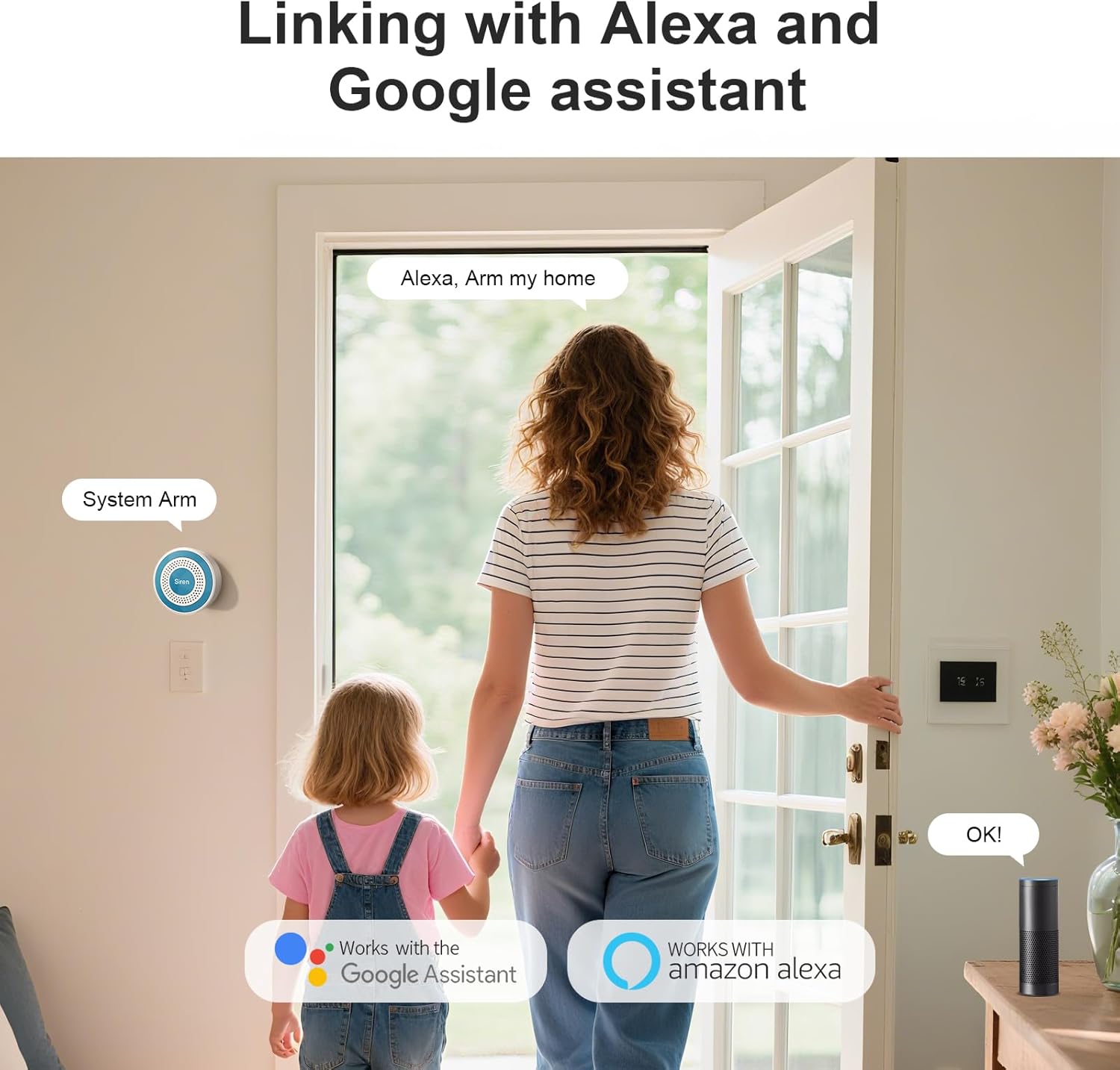
Figure 3: Multi-Purpose Door/Window Sensor. This collage demonstrates the flexible placement options for the contact sensors on different types of doors and windows.

Figure 4: Real-time Door/Window Sensor Alarm. This image shows a door/window sensor in action, triggering an immediate notification on a smartphone.
Інструкція з експлуатації
1. Вмикання та зняття системи з охорони
- Via Tuya Smart Living App: Open the app and select the desired arming mode (e.g., "Away," "Home," "Disarm").
- Via Remote Control Fob:
- Натисніть Замок button to arm the system (Away mode).
- Натисніть Розблокувати button to disarm the system.
- Натисніть додому button to arm the system in Home mode (typically bypasses motion sensors).
2. Функція екстреного виклику SOS
In case of an emergency, you can activate the SOS function:
- Remote Fob: Натисніть SOS button on your remote control fob.
- Dedicated SOS Button: Press the standalone SOS button.
Activating SOS will trigger the alarm siren and send immediate notifications to pre-configured emergency contacts via the app.
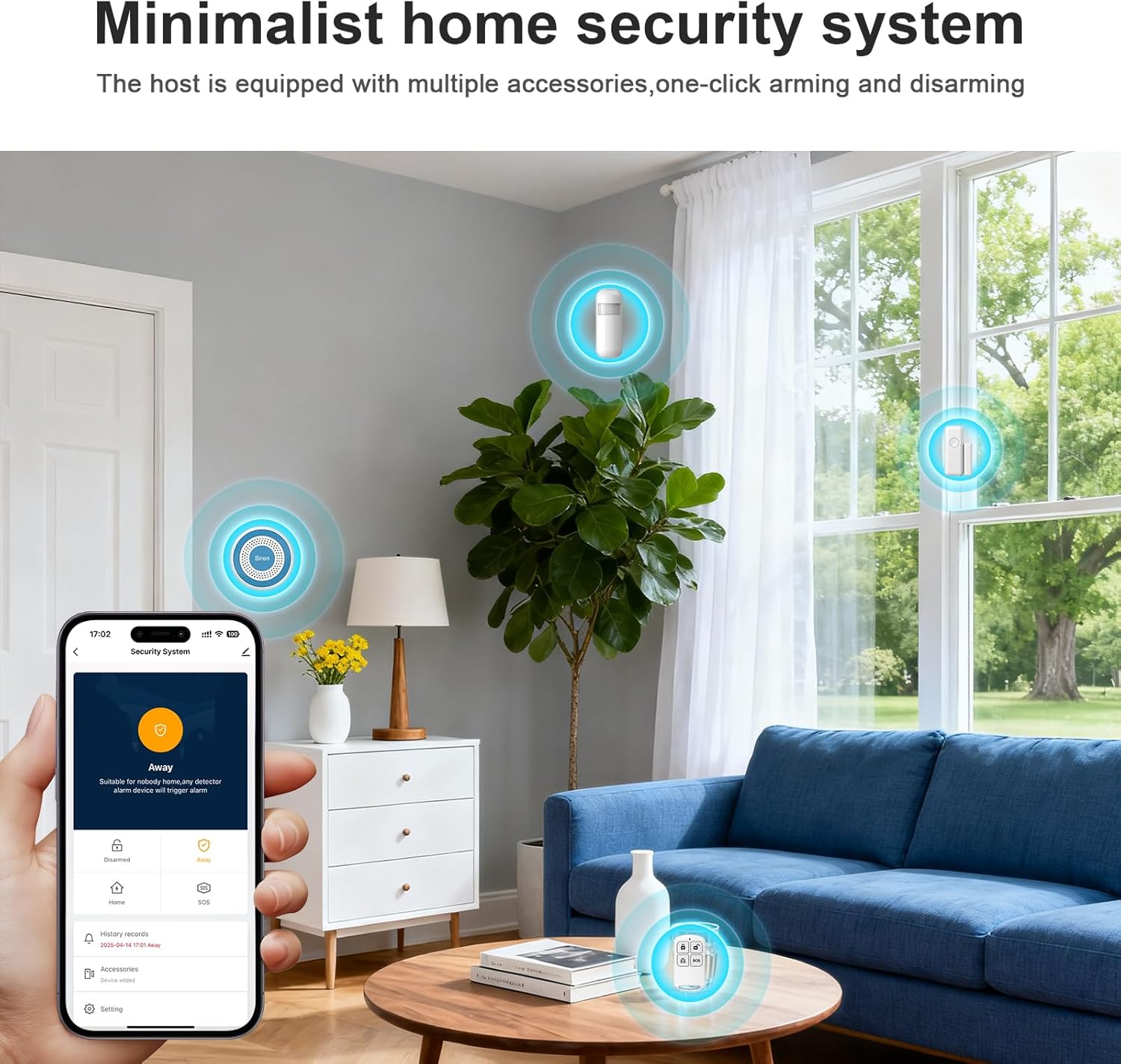
Figure 5: One-Button Emergency SOS. This image demonstrates the ease of activating the SOS function using the remote fob.
3. Сповіщення в режимі реального часу
The Tuya Smart Living App provides real-time push notifications for all system events, including:
- Alarm triggers (door/window open, motion detected)
- System arm/disarm status changes
- Low battery warnings for sensors
- Network connectivity issues (WiFi/4G)
4. Інтеграція «Розумний дім».
Your PGST alarm system can be integrated with popular smart home platforms:
- Amazon Alexa: Enable the "Tuya Smart" skill in the Alexa app and link your account. You can then use voice commands to arm/disarm the system (e.g., "Alexa, arm my home").
- Google Assistant: Link your "Tuya Smart" account in the Google Home app. Use voice commands for system control (e.g., "Hey Google, arm the alarm").
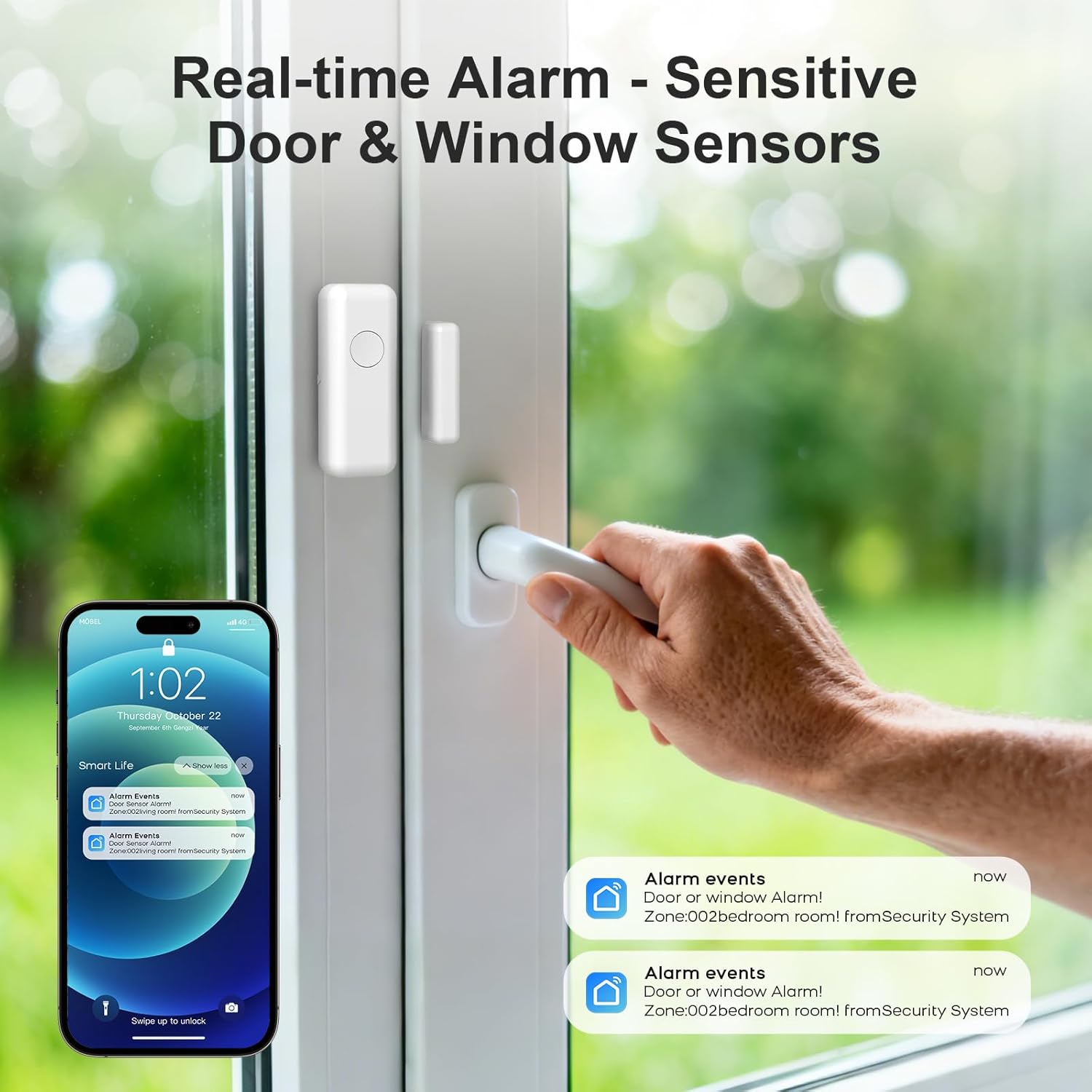
Figure 6: Smart Home Integration. This image illustrates how the alarm system can be controlled using voice commands via Amazon Alexa or Google Assistant.
Технічне обслуговування
- Заміна батареї: Sensors and remote fobs are powered by replaceable batteries. The app will notify you when batteries are low. Refer to the specific sensor's compartment for battery type and replacement instructions. The main alarm host has a built-in Lithium-ion backup battery.
- Прибирання: Use a soft, dry cloth to clean the surfaces of the alarm host and sensors. Do not use liquid cleaners or abrasive materials.
- Тестування системи: It is recommended to test your alarm system monthly. Arm the system and trigger each sensor to ensure the alarm sounds and notifications are received.
Усунення несправностей
| проблема | Можлива причина | Рішення |
|---|---|---|
| Хост сигналізації не підключається до Wi-Fi. | Incorrect WiFi password, weak signal, router issues. | Verify WiFi password. Move host closer to router. Restart router. Ensure 2.4GHz network is used. |
| Датчики не спрацьовують на тривогу. | Low battery, improper installation, sensor not paired. | Check sensor battery. Re-align door/window sensors. Re-pair sensor via app. Test sensor functionality. |
| No push notifications received. | App notification settings disabled, phone network issues, app not running in background. | Check app notification permissions on your phone. Ensure phone has internet access. Keep app running in background. |
| Сирена недостатньо гучна. | Placement issue, environmental factors. | Ensure siren is not obstructed. Consider adding additional sirens for larger areas. |
For further assistance, refer to the "Help" section within the Tuya Smart Living App or contact customer support.
Технічні характеристики
- Номер моделі: PGST-519W-UK-D
- Виробник: PGST
- Розміри (Д x Ш x В): 15 х 9.8 х 18 см
- вага: 640 грами
- Підключення: WiFi (2.4GHz), 4G
- Sound Level (Siren): 100 децибели
- Акумулятор основного блоку: 1 Lithium-ion (included, for backup)
- Включені компоненти: Wireless alarm system host, door/window sensors, motion sensors, remote fobs, SOS button, siren.
Гарантія та підтримка
For warranty information, please refer to the documentation provided at the time of purchase or contact your retailer. For technical support, please utilize the support features within the Tuya Smart Living App or visit the official PGST webна сайті для отримання контактної інформації.


