вступ
This manual provides comprehensive instructions for the ORICO X50 Thunderbolt 5 M.2 NVMe SSD Enclosure. This device is engineered for high-speed external data storage, offering compatibility with the latest Thunderbolt 5 standard, as well as backward compatibility with Thunderbolt 4/3 and USB4 ports. It supports 2280 M.2 NVMe SSDs up to 8TB, making it suitable for demanding tasks such as 4K/8K video editing and 3D rendering.
Що в коробці
The package for your ORICO X50 enclosure includes the following components:
- 1 x 80Gbps M.2 Enclosure
- 1 x USB Cable (Thunderbolt 5 compatible)
- 1 х посібник користувача
- 1 x термопрокладка
- 1 х викрутка

Технічні характеристики
| Особливість | Деталь |
|---|---|
| Модель | X50 |
| Технологія підключення | Thunderbolt 5, Thunderbolt 4/3, USB4 |
| Transmission Rate (Theoretical) | Read: 6000MB/s, Write: 5800MB/s (80Gbps bandwidth) |
| Сумісність з SSD | M-Key/(M&B) Key NVMe 2280 SSD (PCIe 4.0 x4 recommended). Not compatible with M.2 SATA SSDs or PCIe 5.0 SSDs. |
| Max Digital Storage Capacity | До 8 ТБ |
| матеріал | Алюмінієвий сплав |
| Система охолодження | Fanless (Finned aluminum chassis, thermal grease, hydrogel coating) |
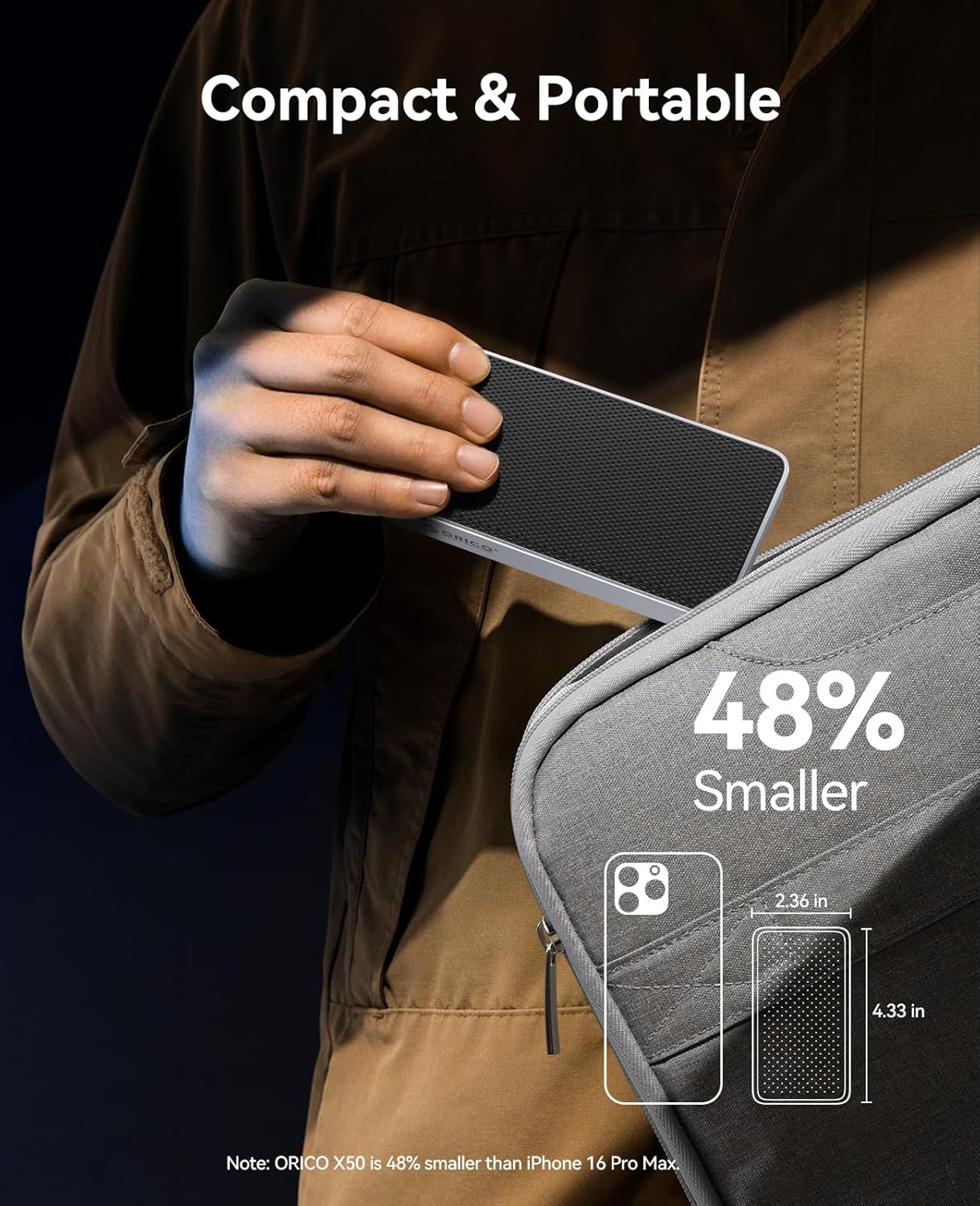
| Розміри | 6.1 x 3.82 x 1.77 дюйми (приблизно) |
| Вага товару | 10.2 унції |
| Підтримувані операційні системи | Windows, macOS, Linux |
Налаштування: Посібник зі встановлення SSD
Виконайте такі кроки, щоб встановити ваш M.2 NVMe SSD у корпус ORICO X50:
- Зніміть задню кришку: Use the provided screwdriver to loosen the screw on the back of the enclosure. Carefully slide off the back cover.

Figure 2: Use the screwdriver to remove the back cover. - Вставте SSD: Gently insert your M.2 NVMe SSD into the internal slot at a 30-degree angle. Push down to align it with the mounting hole and secure it with the small screw provided.

Рисунок 3: Внутрішній view of the enclosure showing the M.2 SSD slot and mounting screw. Note: Ensure your SSD is a 2280 M-Key or M&B-Key NVMe/PCIe type. M.2 SATA SSDs and PCIe 5.0 SSDs are not supported.
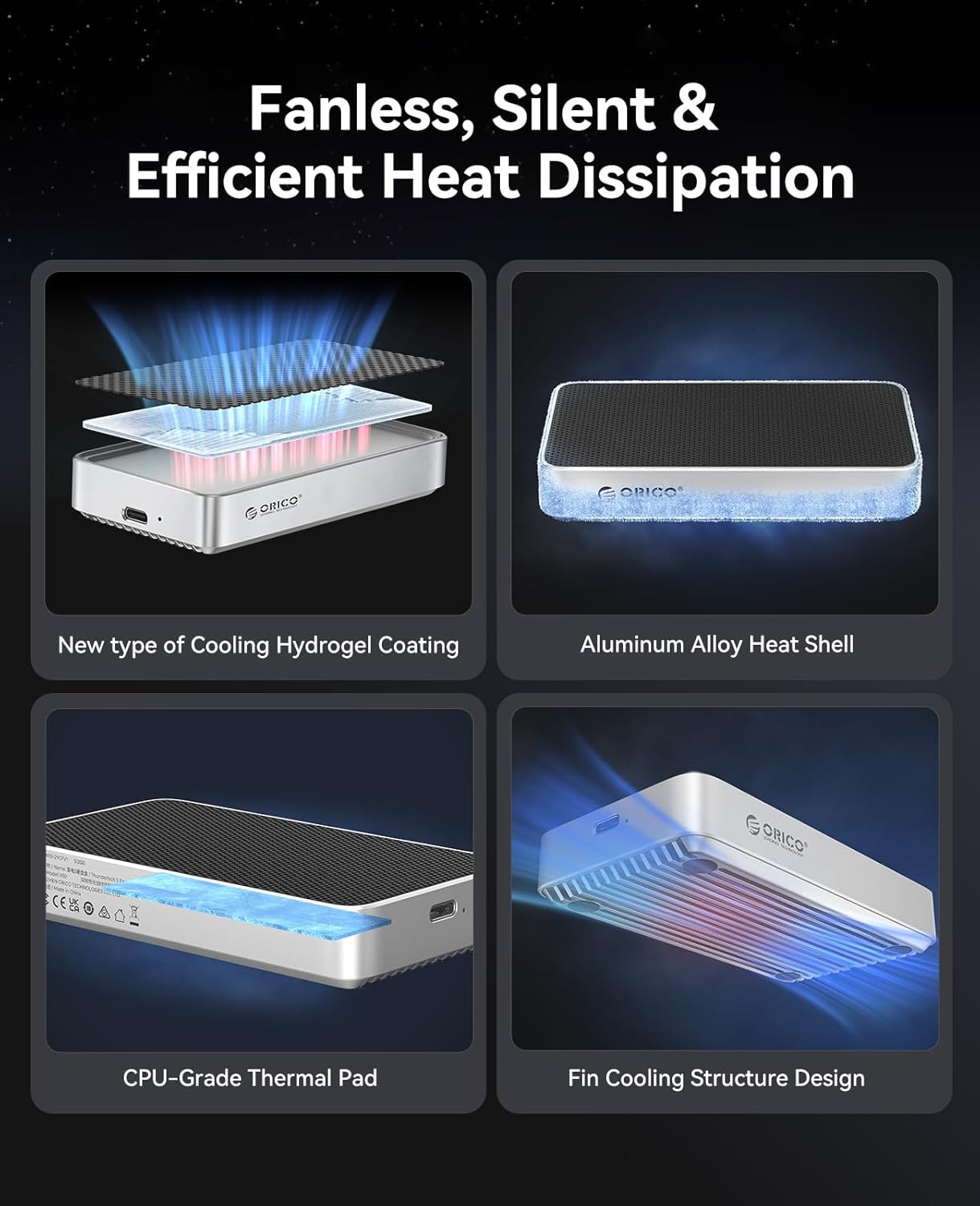
Figure 4: Diagram illustrating compatible M.2 NVMe SSD types (M-Key and M&B-Key 2280). - Нанесення термопрокладки: Peel off the protective films from both sides of the thermal pad. Carefully place the thermal pad onto the installed SSD, ensuring it covers the main chips for efficient heat transfer to the enclosure's aluminum body.

Figure 5: The thermal pad helps dissipate heat from the SSD to the enclosure. - Reinstall the Cover: Slide the back cover back into place, ensuring it aligns correctly. Tighten the screw to secure the cover.

Figure 6: The ORICO X50 enclosure ready for connection after SSD installation.
Інструкція з експлуатації
Підключення до комп'ютера
Connect the ORICO X50 enclosure to your computer using the provided Thunderbolt 5 compatible USB-C cable. The enclosure is designed to work seamlessly with Thunderbolt 5, Thunderbolt 4/3, and USB4 ports.
Initial Setup and Formatting
Upon first connection, the newly installed SSD may need to be initialized and formatted by your operating system before use.
- Для macOS:
- ВІДЧИНЕНО Дискова утиліта (Програми > Утиліти > Дискова утиліта).
- In the Disk Utility sidebar, click the "View" button and select "Show All Devices".
- Select the external ORICO X50 drive (usually listed under "External").
- Click the "Erase" button in the toolbar.
- Provide a name for the drive. For "Format", choose НПФ for Mac-only use or ExFAT for compatibility with both macOS and Windows. For "Scheme", select Карта розділів GUID.
- Click "Erase" to format the drive.
- Для Windows:
- Right-click the Start button and select Керування дисками.
- Locate the unallocated space corresponding to your ORICO X50 SSD.
- Right-click the unallocated space and select "New Simple Volume". Follow the wizard to assign a drive letter and format the drive. Choose NTFS for Windows-only use or ExFAT for compatibility with both Windows and macOS.
- Для Linux:
- Use a disk utility tool like GParted or the command line (e.g.,
fdisk,mkfs) to partition and format the drive. Common formats include Ext4 for Linux-only or ExFAT for cross-platform compatibility.
- Use a disk utility tool like GParted or the command line (e.g.,

Передача даних
Once formatted, the SSD will appear as a mounted external drive on your system. You can now drag and drop files, copy, paste, or use it as a target for backups and other storage needs.
Продуктивність
The ORICO X50 enclosure is designed to deliver exceptional performance, especially with Thunderbolt 5 compatible systems.
- Next-Gen 80Gbps Speed: Experience theoretical speeds up to 6000MB/s read and 5800MB/s write. This allows for rapid transfer of large files, such as 6GB in seconds.
- Величезна місткість: Supports M.2 NVMe SSDs up to 8TB, providing ample space for all your projects and data.


Ідеальні випадки використання
The high performance of the ORICO X50 makes it suitable for:
- 4K/8K Video Editing: Seamlessly edit high-resolution video files directly from the external SSD.
- 3D Modeling and Rendering: Accelerate workflows for complex 3D projects.
- VR/AR Content Development: Handle large assets and rapid iterations with ease.
- High-Speed Data Backup: Perform quick and efficient backups of critical data.
Технічне обслуговування
Fanless Cooling System
The ORICO X50 features an advanced fanless cooling design to maintain optimal operating temperatures without noise. This system includes:
- A finned aluminum chassis for increased heat dissipation surface area.
- Integrated thermal grease and a hydrogel coating to efficiently transfer heat from the SSD.
This design ensures reliability and sustained performance during long, intensive workloads by preventing thermal throttling.

Загальний догляд
- Тримайте корпус чистим і без пилу. Використовуйте м’яку суху тканину для очищення.
- Уникайте впливу на пристрій екстремальних температур, прямих сонячних променів або високої вологості.
- Always safely eject the drive from your operating system before disconnecting the cable to prevent data corruption or loss.
Усунення несправностей
Поширені проблеми та рішення
- Диск не розпізнано:
- Переконайтеся, що SSD правильно встановлено та закріплено в корпусі.
- Check that the Thunderbolt 5 cable is securely connected to both the enclosure and your computer.
- Try connecting to a different USB-C/Thunderbolt port on your computer.
- Test the enclosure with another computer to rule out system-specific issues.
- If it's a new SSD, ensure it has been initialized and formatted (refer to "Initial Setup and Formatting" section).
- Повільні швидкості:
- Verify that your computer's port and the cable you are using support Thunderbolt 5 (80Gbps) or USB4 speeds.
- Ensure you are using a high-performance PCIe 4.0 x4 NVMe SSD. Older or slower SSDs will not achieve maximum speeds.
- For Thunderbolt 3 users: Some systems may default to USB speeds (~10Gbps). For full Thunderbolt 3 performance, a dedicated Thunderbolt 3/4 enclosure might be recommended, or ensure your system's Thunderbolt settings are optimized.
- Close any background applications that might be consuming significant system resources or disk I/O.
- Connection Drops (Mac users):
- Ensure your macOS is updated to the latest version.
- Try using a different Thunderbolt 5 cable.
- Connect the enclosure to a different Thunderbolt port on your Mac.
- Перегрів:
- While the enclosure is designed for efficient fanless cooling, prolonged heavy use (e.g., continuous large file transfers, 4K/8K video editing) may cause the aluminum body to become warm. This is normal and indicates effective heat dissipation.
- Ensure the enclosure is placed on a flat surface with adequate airflow around it. Avoid covering it.
Гарантія та підтримка
The ORICO X50 Thunderbolt 5 M.2 NVMe SSD Enclosure is backed by a 3 рік обмеженої гарантії з дати покупки. Ця гарантія покриває виробничі дефекти та забезпечує надійну роботу за нормальних умов використання.
For technical support, product registration, or to initiate a warranty claim, please utilize the following contact information:
- Офіційний Webсайт: www.orico.com.cn
- Гаряча лінія обслуговування клієнтів: 400-6696298
- Підтримка електронною поштою: support@orico.com.cn
Будь ласка, збережіть чек про покупку для підтвердження гарантії.