Продукт закінченийview
The Saneen 8K Digital Camera (Model WD300) is designed for capturing high-resolution photos and videos. It features an 88MP photo sensor, 8K video recording capabilities, an 18X digital zoom, and a 3-inch 180° rotatable flip screen. Integrated Wi-Fi allows for easy file передача і webcam functionality. This camera is suitable for various photography and videography needs, including vlogging and live streaming.
Вміст упаковки
Після розпакування перевірте наявність усіх перелічених нижче елементів:
- Digital Camera Body & Lens
- USB-кабель (для заряджання та передачі даних)
- 2 батарей ємністю 1500 мАг
- Посібник користувача
- Кришка об'єктива
- Карта Micro SD на 32 ГБ
- Подвійний зарядний пристрій
- Ремінець на зап'ясті
- Футляр для камери
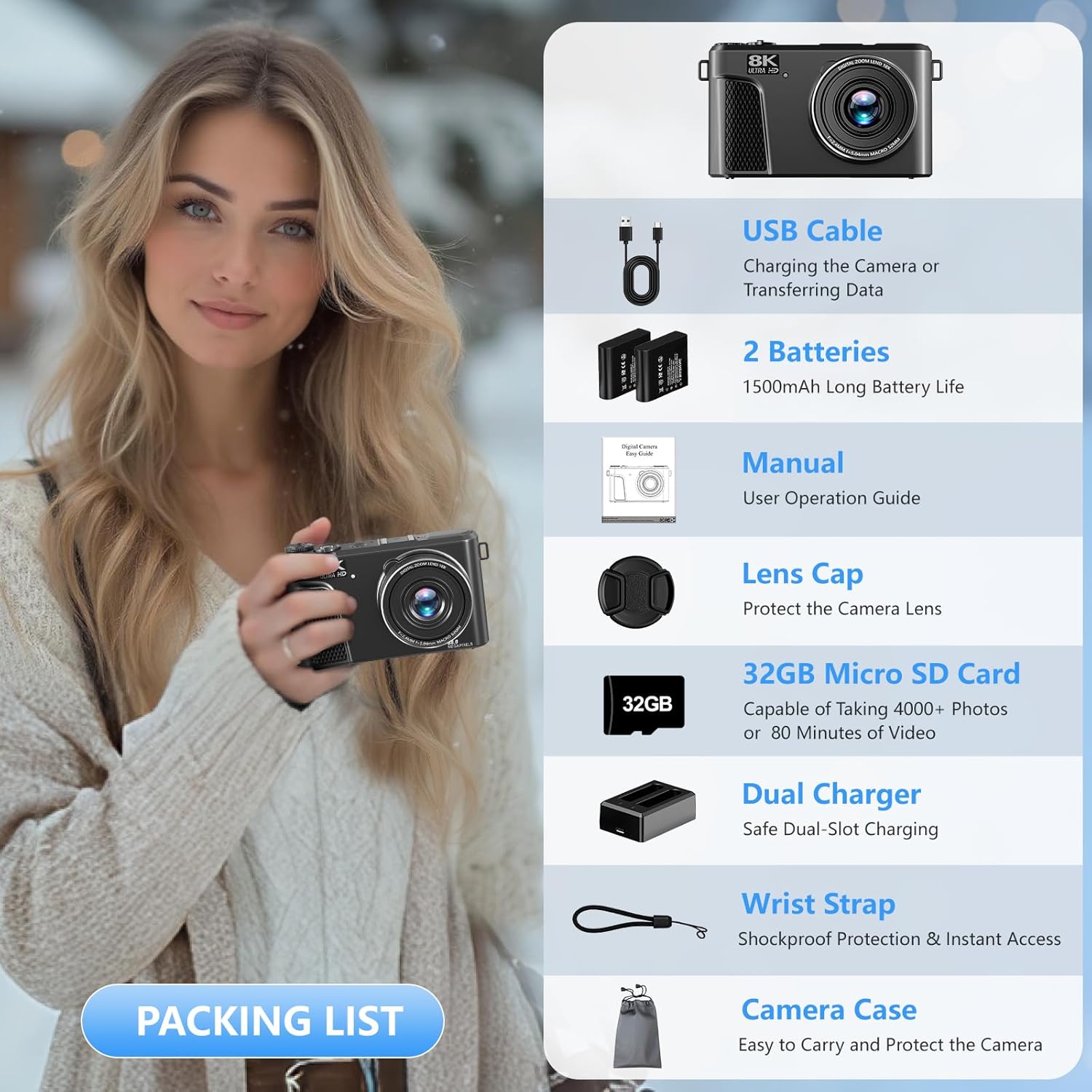
Image: The Saneen 8K Digital Camera and its complete set of accessories, including two batteries, a charger, USB cable, wrist strap, lens cap, 32GB SD card, and camera case.
Частини та елементи керування камерою
Familiarize yourself with the camera's physical components and controls:

Image: Detailed diagram illustrating the various buttons, ports, and features of the Saneen 8K Digital Camera, including the 180° flip screen, hot shoe interface, power button, record button, mode dial, USB port, HD port, and control buttons.
- Поворотний екран на 180°: Rotatable display for flexible viewкути.
- Hot Shoe Interface: Для кріплення зовнішніх аксесуарів, таких як мікрофони або додаткові ліхтарі.
- Кнопка зйомки: Робить фотографії.
- Кнопка живлення: Вмикає/вимикає камеру.
- Кнопка запису: Початок і зупинка запису відео.
- Диск режимів: Selects different shooting modes (Photo, Video, Slow Motion, Time-lapse, etc.).
- Індикатор заряджання: Показує стан заряджання акумулятора.
- Світловий індикатор роботи: Shows camera operation status.
- Кнопка відтворення: Accesses playback mode for reviewфотографування та відео.
- Кнопки вліво/вправо: Navigate menus, adjust settings, or switch filter modes.
- Up Button/Fill Light Shortcut: Activates the built-in fill light.
- Кнопка Wi-Fi: Вмикає/вмикає підключення до Wi-Fi.
- Кнопка ОК: Підтверджує вибір у меню.
- Кнопка DISP: Short press twice to lock the screen.
- Down Button/Delete Button: Navigates menus or deletes selected files.
- Кнопка меню: Accesses the camera's main menu.
- USB-порт типу C: Для зарядки та передачі даних.
- Порт мікрофона: Для підключення зовнішнього мікрофона.
- Порт HD: Для підключення до зовнішнього дисплея.
Налаштування
- Зарядні батареї: Insert the provided 1500mAh batteries into the dual battery charger. Connect the charger to a power source using the USB cable. The charging indicator will show progress.
- Вставте батарею: Open the battery compartment on the camera and insert a charged battery, ensuring correct orientation.
- Вставте SD-карту: Locate the SD card slot, typically near the battery compartment. Insert the 32GB Micro SD card until it clicks into place.
- Прикріпіть ремінець на зап'ястя: Secure the wrist strap to the designated attachment point on the camera to prevent accidental drops.
- Увімкнення: Натисніть і утримуйте кнопку живлення, щоб увімкнути камеру.
- Початкові налаштування: Дотримуйтесь підказок на екрані, щоб встановити дату, час і мову.

Image: A hand inserting a battery into the dual charger, demonstrating the charging process for the Saneen 8K Digital Camera.
Інструкція з експлуатації
Основна операція
- Увімкнення/вимкнення живлення: Натисніть кнопку живлення, розташовану у верхній частині камери.
- Захоплення фотографій: In photo mode, press the shutter button halfway to focus, then fully press to capture.
- Запис відео: In video mode, press the record button to start/stop recording.
- Масштаб: Use the zoom lever around the shutter button to adjust the 18X digital zoom.
Вибір режиму
The camera features a mode dial for quick selection of various shooting modes:
- Режим фото: Стандартна зйомка нерухомих зображень.
- Automatic Photo: Camera automatically adjusts settings for optimal photos.
- Фото з часовим обмеженням: Set a timer before capturing a photo.
- Безперервна зйомка: Capture a series of photos rapidly.
- Режим відео: Стандартний відеозапис.
- Відео повільного руху: Record videos in slow motion.
- Уповільнена зйомка відео: Capture a sequence of images over time and combine them into a video.
- Циклічний запис: Continuously record video, overwriting older footage, коли сховище заповнено.
- Відео + фото: Capture both video and still images simultaneously.

Image: A close-up of the camera's mode dial, illustrating the nine available photography and video modes for diverse shooting scenarios.
3-Inch 180° Flip Screen
The 3-inch LCD screen can rotate 180 degrees, allowing for easy self-portraits, vlogging, and group shots from various angles. Simply flip the screen to your desired position.
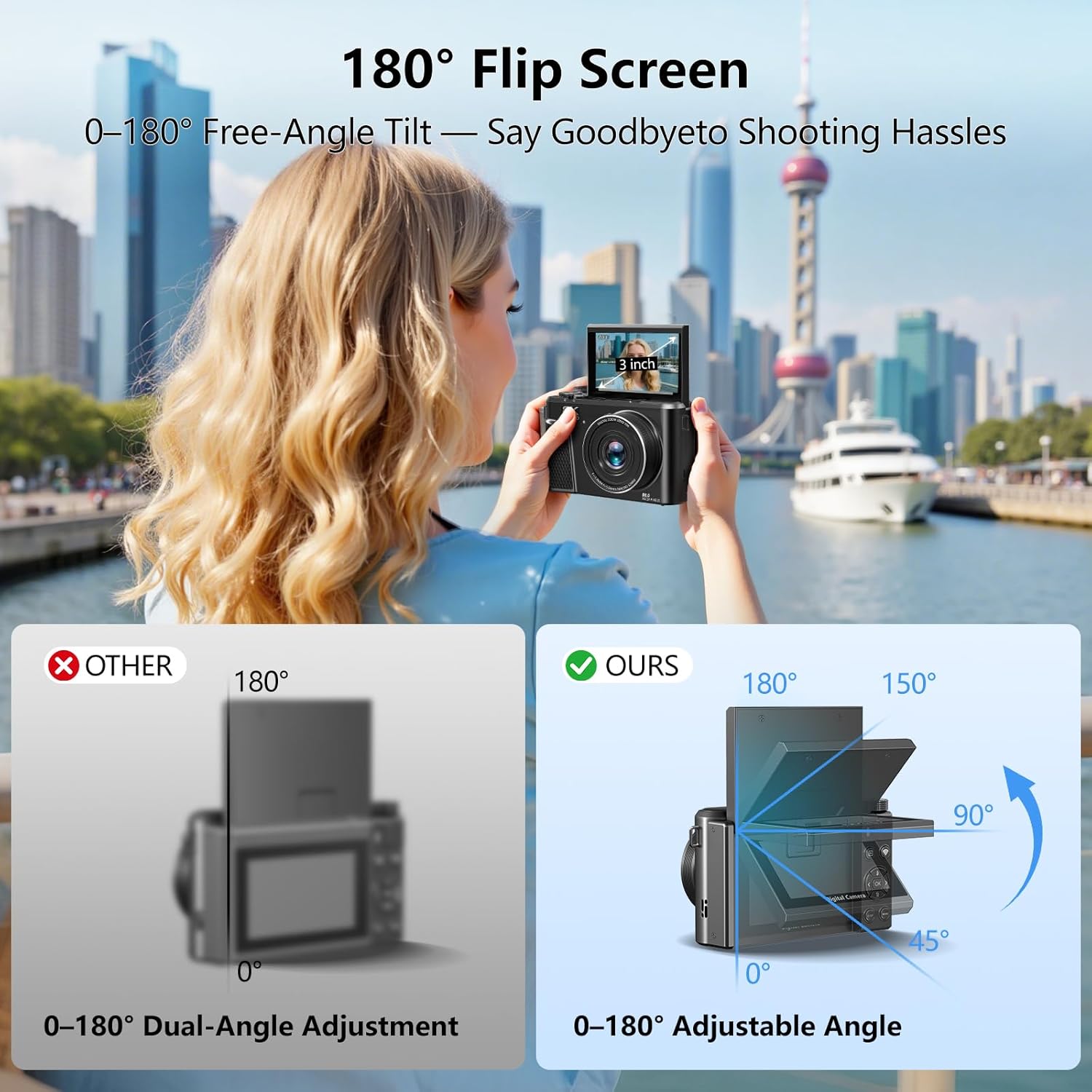
Image: A user demonstrating the 180° flip screen feature of the Saneen 8K Digital Camera, ideal for vlogging and self-portraits.
Wi-Fi Connectivity & Webфункція кулачка
The camera's built-in Wi-Fi enables direct transfer of photos and videos to your smartphone or tablet. Download the "HDV CAM" app (available on App Store and Google Play) to control the camera remotely, view content, and share directly to social media platforms. The camera can also function as an HD webcam when connected to a computer via USB, suitable for live streaming and video calls.

Image: The camera screen showing a QR code for the HDV CAM app, with a smartphone displaying the app and various social media icons, highlighting Wi-Fi transfer capabilities.

Image: The Saneen 8K Digital Camera set up as a webcam, connected to a laptop, demonstrating its use for video calls or live streaming.
Video: A demonstration of the Saneen 8K Digital Camera's features, including its flip screen and various shooting modes.
Beauty Mode & Fill Light
Activate the built-in Beauty Mode to enhance skin tones and features in photos and videos. The integrated fill light provides additional illumination for clear, well-lit content, especially in low-light environments or during nighttime recordings.
Image: The camera's fill light in use, brightening a scene with a couple outdoors at night, demonstrating its effectiveness in low-light conditions.
Відео: Короткий кліп-шоуasing the 8K Flip Screen Digital Camera, highlighting its compact design and ease of use.
Технічне обслуговування
- Догляд за лінзами: Keep the lens clean using the provided lens cap and a soft, lint-free cloth. Avoid touching the lens surface directly.
- Зберігання акумулятора: When not in use for extended periods, remove batteries from the camera and store them in a cool, dry place.
- Прибирання: Use a soft, dry cloth to clean the camera body. Do not use liquid cleaners or solvents.
- Зберігання: Store the camera in its case to protect it from dust and physical damage.
- Водонепроникність: Ця камера є ні водостійкий. Уникайте впливу води або високої вологості.
Усунення несправностей
| проблема | Можлива причина | Рішення |
|---|---|---|
| Камера не вмикається. | Батарейка розряджена або неправильно вставлена. | Переконайтеся, що акумулятор повністю заряджений та вставлений з дотриманням правильної полярності. |
| Не вдається зробити фото/відео. | SD-карта заповнена, заблокована або не вставлена. | Check SD card status. Ensure it's unlocked, has sufficient space, and is properly inserted. Format if necessary (this will erase all data). |
| Погана якість зображення/відео. | Об'єктив брудний, недостатнє освітлення або неправильні налаштування. | Clean the lens. Use the fill light in low-light conditions. Adjust exposure and white balance settings. |
| Проблеми з підключенням до Wi-Fi. | Неправильні налаштування Wi-Fi або проблеми з програмою. | Ensure Wi-Fi is enabled on both camera and device. Reconnect through the HDV CAM app. Restart both devices. |
Технічні характеристики
| Особливість | Деталь |
|---|---|
| Назва моделі | WD300 |
| Ефективне вирішення проблеми | 88 Мп |
| Формат захоплення відео | MP4 (8K) |
| Цифровий зум | 18x |
| Розмір екрана | 3 Inches (180° Flip LCD) |
| Технологія фотосенсора | CMOS |
| Стабілізація зображення | цифровий |
| Технологія автофокусування | Face Detection, Phase Detection Autofocus |
| Технологія підключення | USB, Wi-Fi |
| Тип флеш-пам'яті | Micro SD (карта на 32 ГБ у комплекті) |
| Тип батареї | Lithium Ion (2 x 1500mAh included) |
| Середній термін служби батареї | 50 minutes (recording) |
| Розміри (прибл.) | 4.7" (L) × 2.1" (W) × 2.8" (H) |
| Вага (прибл.) | 0.72 фунтів |
| Рівень водонепроникності | Не водостійкий |
Гарантія та підтримка
Saneen is committed to providing customer satisfaction. Digital cameras are sophisticated electronic products. Should you encounter any issues or require assistance, please contact our customer service team. We offer around-the-clock support and aim to resolve any issues within 24 hours.
For further support, please refer to the contact information provided in your product packaging or visit the official Saneen webсайт.


