1. Продукт закінчивсяview
The ATTACK SHARK X8SE is a high-performance wireless gaming mouse designed for precision and versatility. It features tri-mode connectivity, an advanced optical sensor, and a lightweight ergonomic design for extended use.
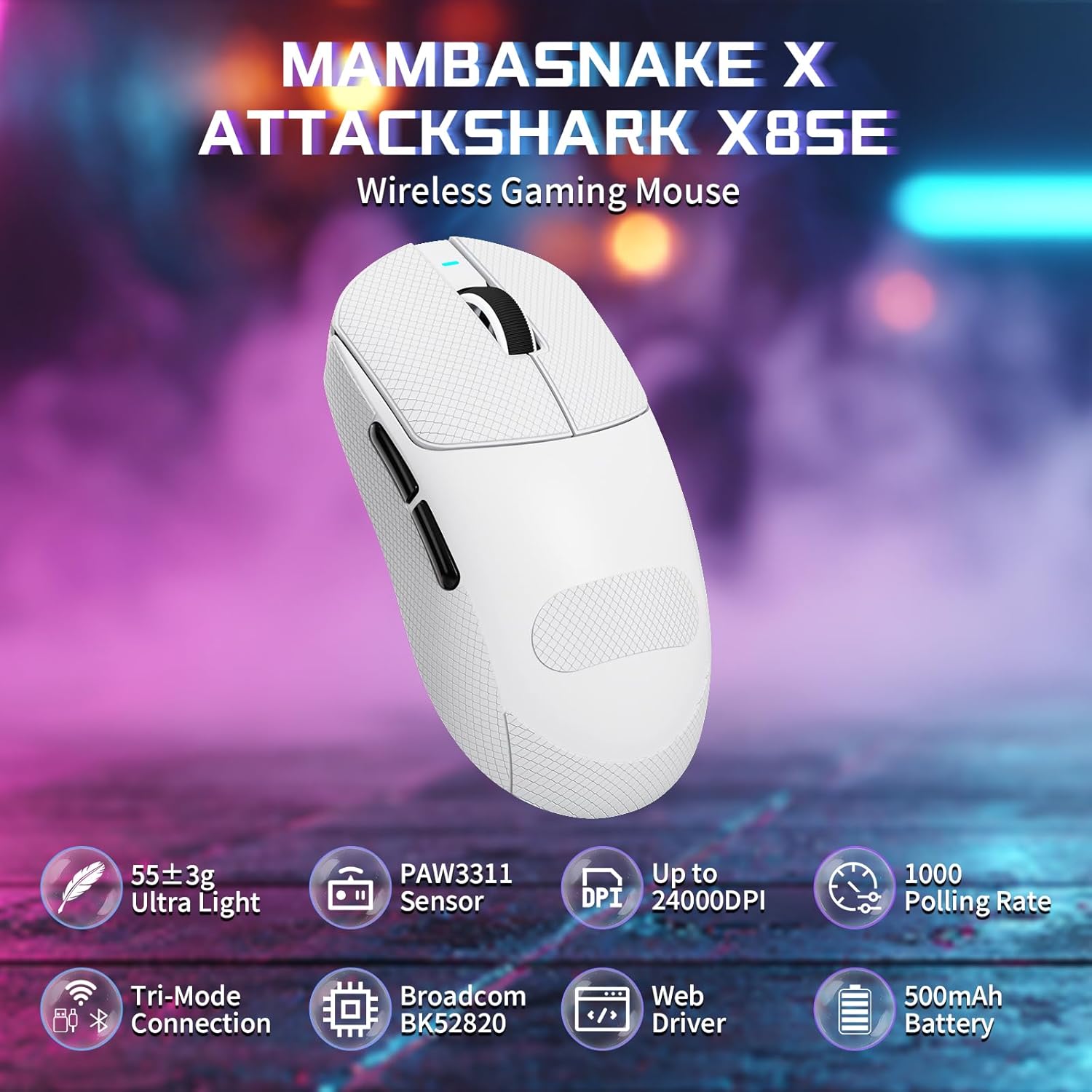
Figure 1: ATTACK SHARK X8SE Wireless Gaming Mouse highlighting ultra-light design, PAW3311 sensor, adjustable DPI, 1000Hz polling rate, tri-mode connection, Broadcom BK52820 chip, web driver, and 500mAh battery.
2. Вміст упаковки
- ATTACK SHARK X8SE Wireless Gaming Mouse
- Кабель для заряджання/передавання даних USB-C
- USB-приймач 2.4G
- Griptape (pre-applied or included separately)
- Інструкція з експлуатації
3. Налаштування
3.1 Початкове заряджання
Before first use, connect the mouse to a USB-A port on your computer using the provided USB-C cable to ensure it is fully charged. The mouse can be used in wired mode while charging.
3.2 Режими підключення
The X8SE mouse supports three connection modes: 2.4GHz Wireless, Bluetooth, and USB-C Wired. A switch on the bottom of the mouse allows you to select the desired mode.
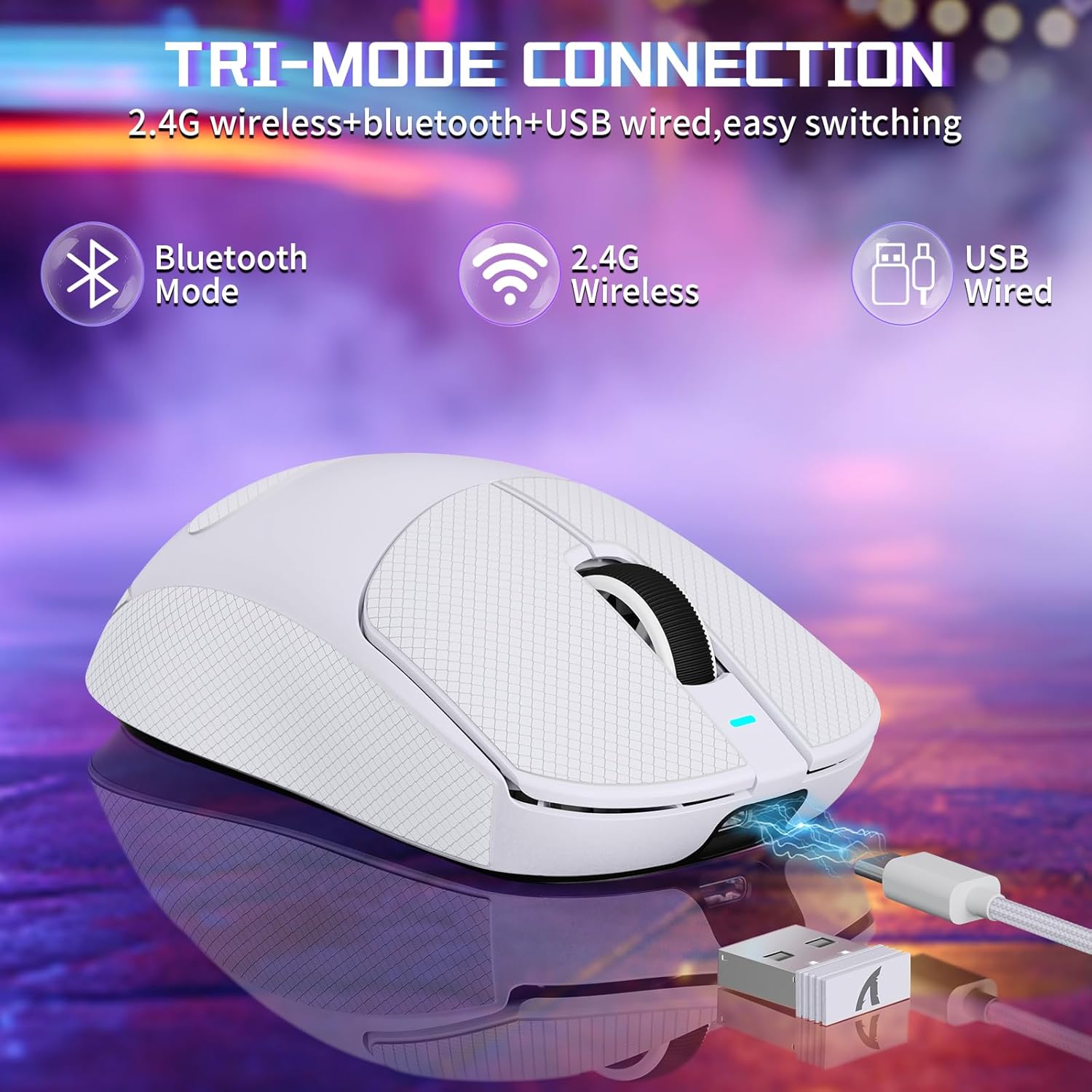
Figure 2: Tri-mode connection options including Bluetooth, 2.4G Wireless, and USB Wired.
3.2.1 Бездротовий режим 2.4 ГГц
- Знайдіть USB-приймач 2.4G, що зберігається у відсіку на нижній частині миші.
- Підключіть USB-приймач до вільного порту USB-A на вашому комп’ютері.
- Switch the mode selector on the bottom of the mouse to the '2.4G' position.
- Миша повинна автоматично підключитися до комп'ютера.
3.2.2 Режим Bluetooth
- Switch the mode selector on the bottom of the mouse to the 'BT' position.
- На комп’ютері або пристрої перейдіть до налаштувань Bluetooth і ввімкніть Bluetooth.
- шукати new devices and select 'ATTACK SHARK X8SE' to pair.
3.2.3 Дротовий режим USB-C
- Connect one end of the provided USB-C cable to the mouse and the other end to a USB-A port on your computer.
- Миша автоматично перейде в дротовий режим і почне заряджатися.
3.3 Встановлення драйвера
The ATTACK SHARK X8SE utilizes an intelligent cloud-based driver for customization. This driver typically auto-detects your system. For advanced settings and customization, visit the official ATTACK SHARK website to download the latest software if not automatically prompted.
4. Інструкція з експлуатації
4.1 Функції кнопок
The X8SE mouse features 5 programmable buttons and a DPI switch.
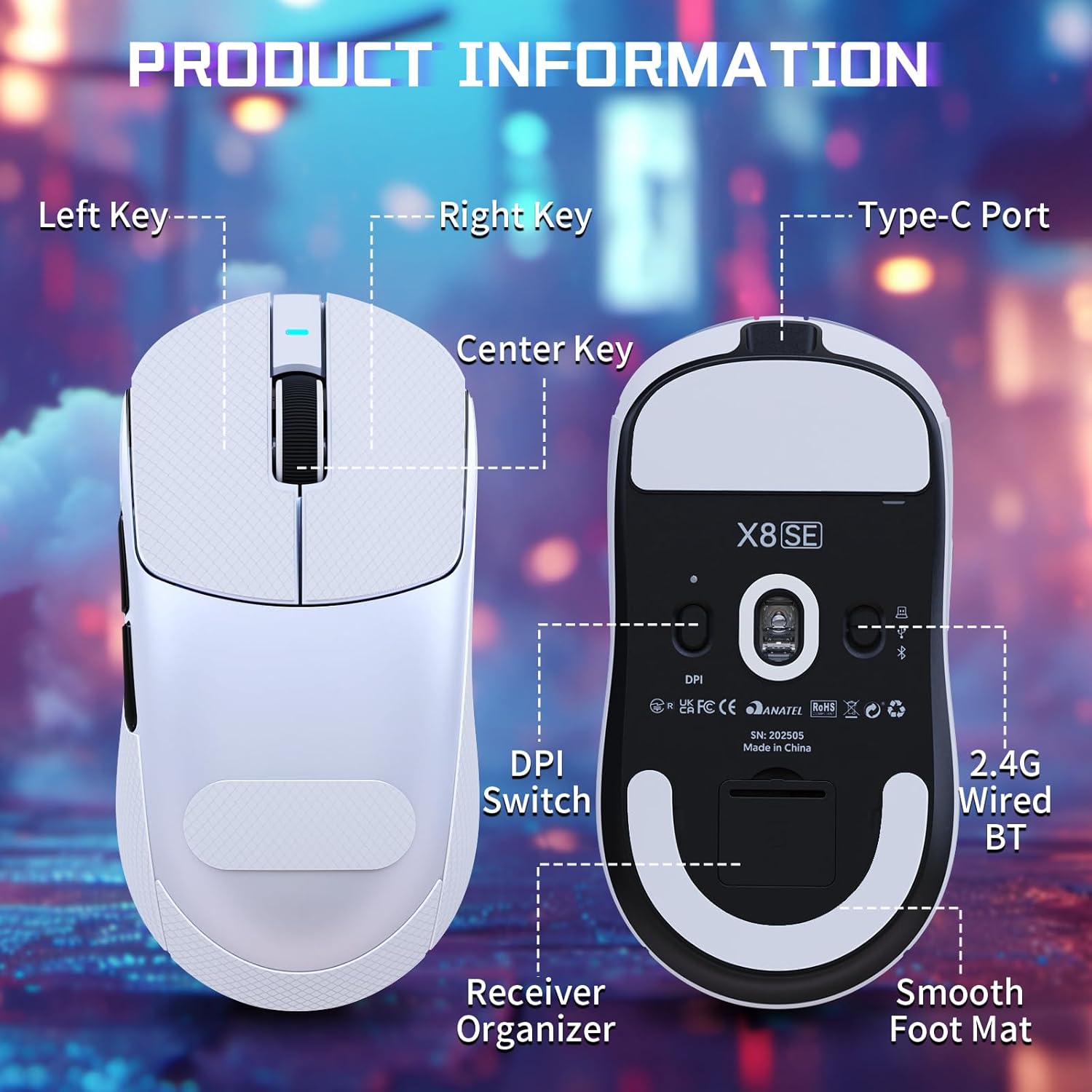
Figure 3: Product information diagram showing Left Key, Right Key, Center Key (scroll wheel), Type-C Port, Front Side Key, Back Side Key, DPI Switch, Receiver Organizer, and Smooth Foot Mat.
- Ліва клавіша: Основна функція клацання.
- Права клавіша: Функція вторинного клацання.
- Center Key (Scroll Wheel): Прокручування вгору/вниз, клацання середньою кнопкою миші.
- Ключ передньої сторони: Default function (programmable).
- Back Side Key: Default function (programmable).
- DPI Switch (bottom): Перемикає налаштування DPI.
4.2 Налаштування DPI
The mouse is equipped with a PixArt PAW3311 optical sensor, offering up to 25,000 DPI. You can adjust the DPI sensitivity using the dedicated DPI switch on the bottom of the mouse. There are 6 adjustable DPI levels:
- 800 DPI
- 1600 DPI
- 2400 DPI
- 3200 DPI
- 8000 DPI
- 25000 DPI

Figure 4: Visual representation of adjustable DPI levels (800-25000) and polling rates (125Hz-1000Hz) with corresponding indicator lights.
4.3 Налаштування частоти опитування
The 2.4G wireless mode supports a 1000Hz polling rate for esports-level responsiveness. Polling rates can be adjusted via the cloud driver software to 125Hz, 250Hz, 500Hz, or 1000Hz.
НІКОЛИ не налаштовуючи
Utilize the intelligent cloud driver software to fully customize your mouse settings. This includes:
- Remapping button functions.
- Adjusting DPI levels and sensitivity.
- Setting polling rates.
- Recording and assigning macros.

Figure 5: The cloud driver interface for customizing mouse settings, including button assignments, DPI, and polling rate.
4.5 Термін служби батареї
The built-in 500mAh battery provides up to 65 hours of continuous use. Battery status can typically be monitored via the driver software or system indicators.

Figure 6: The 500mAh large capacity battery ensures extended usage.
4.6 Ергономічний дизайн
Weighing approximately 55g, the X8SE features an optimized symmetrical shape suitable for medium to large hands, promoting comfort and control during long sessions.

Figure 7: Dimensions of the X8SE mouse (125mm length, 63mm width, 39.7mm height) and its ergonomic design for larger hands and symmetrical waist-tapered shape.
5. Технічне обслуговування
5.1 Очищення
Для очищення миші використовуйте м’яку суху тканину. Для стійкого бруду використовуйте злегкаamp Можна використовувати тканину, змочену м’яким милом, слідкуючи за тим, щоб рідина не потрапила всередину миші. Уникайте використання агресивних хімікатів або абразивних матеріалів.
5.2 Догляд за акумулятором
Щоб продовжити термін служби батареї, уникайте частого повного розряджання миші. Заряджайте мишу, коли індикатор заряду батареї низький. Зберігайте мишу в прохолодному, сухому місці, коли вона не використовується протягом тривалого часу.
5.3 Griptape Application
If your mouse came with separate griptape, ensure the mouse surface is clean and dry before applying. Carefully peel the backing from the griptape and align it with the designated areas on the mouse for improved grip. Press firmly to secure.
6. Вирішення проблем
6.1 Миша не реагує
- Перевірте підключення: Ensure the mouse is in the correct mode (2.4G, BT, or Wired) and properly connected. For 2.4G, ensure the receiver is securely plugged in. For Bluetooth, verify pairing in your device's settings.
- Рівень заряду батареї: Заряджайте мишу за допомогою кабелю USB-C.
- Перезапуск: Turn the mouse off and then on again using the switch on the bottom.
- Програмне забезпечення драйвера: If using the cloud driver, ensure it is running correctly. Sometimes restarting the driver software or running it as an administrator can resolve issues.
- Порт USB: Спробуйте інший порт USB на комп’ютері.
6.2 DPI or Polling Rate Not Changing
- Перемикач DPI: Ensure you are pressing the DPI switch on the bottom of the mouse firmly to cycle through settings.
- Налаштування програмного забезпечення: Verify DPI and polling rate settings within the cloud driver software. Apply any changes made in the software.
6.3 Проблеми зі сполученням Bluetooth
- Режим миші: Confirm the mouse is set to 'BT' mode.
- Bluetooth пристрою: Ensure Bluetooth is enabled and discoverable on your computer or device.
- Забути пристрій: If previously paired, try 'forgetting' the mouse in your device's Bluetooth settings and re-pairing.
7. Технічні характеристики
| Особливість | Специфікація |
|---|---|
| Модель | X8SE |
| Підключення | 2.4GHz Wireless, Bluetooth, USB-C Wired |
| датчик | PixArt PAW3311 Optical |
| DPI | Регулюється до 25,000 DPI |
| IPS | IPS 400 |
| Прискорення | 40G |
| Швидкість опитування | 125 Гц, 250 Гц, 500 Гц, 1000 Гц |
| Перемикачі | Huano Micro Switches (80 Million Clicks) |
| Кодувальник | Енкодер TTC |
| Акумулятор | 500 мАг (до 65 годин роботи) |
| вага | Approx. 55g (±3g) |
| Розміри | 125 мм x 63 мм x 39.7 мм (приблизно) |
| Особливості | Ergonomic Design, Lightweight, Programmable Buttons, Rechargeable |
8. Відео про продукт
Відео: Офіційна відеопрезентація продуктуasing the ATTACK SHARK X8 SE 55g Superlight Wireless Gaming Mouse, demonstrating its design and features.
9. Гарантія та підтримка
For warranty information and technical support, please refer to the documentation included with your product or visit the official ATTACK SHARK webсайт. Зберігайте чек про покупку для гарантійних претензій.


