1. Вступ
This manual provides essential information for the proper setup, operation, and maintenance of your KOORUI G2721X 27-inch 1440p QHD Gaming Monitor. Please read this manual thoroughly before using the product to ensure optimal performance and safety. Keep this manual for future reference.

Малюнок 1.1: Спереду view of the KOORUI G2721X monitor, showcasinйого тонкі рамки та підставка.
2. Вміст упаковки
Verify that all items are present in the package. If any items are missing or damaged, please contact your retailer or KOORUI customer support.
- KOORUI G2721X Monitor (x1)
- Monitor Base (x1)
- Інструкція з експлуатації (x1)
- Кабель DisplayPort (DP) (x1)
- Адаптер живлення (x1)
3. Продукт закінчивсяview
3.1 Основні характеристики
- Дисплей: 27-inch QHD (2560x1440) resolution for crisp visuals.
- Частота оновлення: Up to 260Hz (supports 240Hz) for smooth gameplay.
- Час відгуку: 1ms (GTG) for minimal motion blur.
- Тип панелі: Fast IPS for vibrant colors and wide viewкути.
- Підтримка HDR: HDR400 for enhanced contrast and brightness.
- Адаптивна синхронізація: Eliminates screen tearing and stuttering.
- Колірна гамма: 99% sRGB and 90% DCI-P3 for accurate color reproduction.
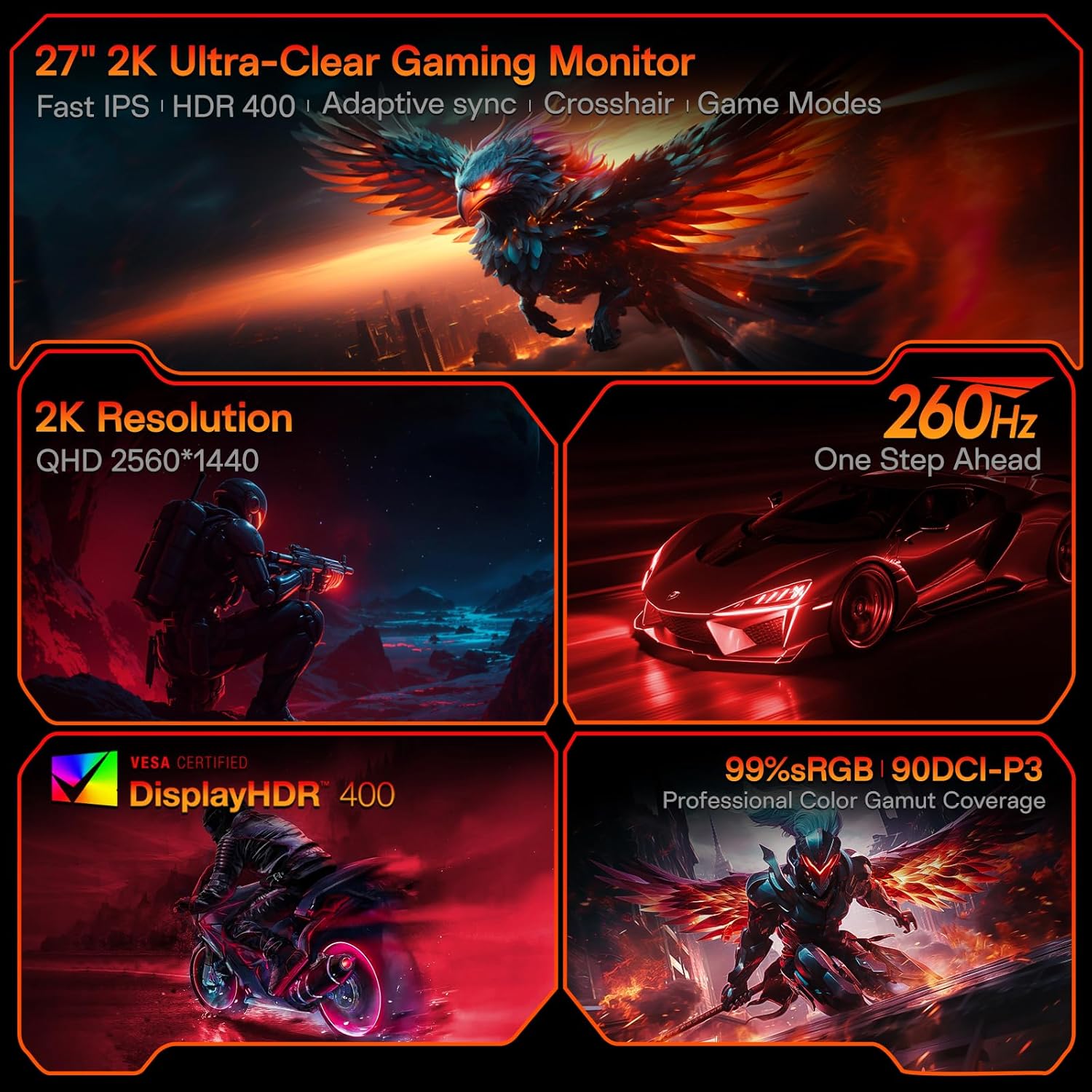
Figure 3.1: Visual representation of the monitor's core features.
3.2 Порти та елементи керування
The monitor features a variety of input and output ports for versatile connectivity, along with an intuitive control system.
- Відеовходи: Two HDMI 2.0 ports, one DisplayPort 1.4 port.
- Аудіовихід: One 3.5mm audio jack.
- Споживана потужність: One DC power port.
- КОНТРОЛЬ: A 5-way joystick located on the rear for On-Screen Display (OSD) navigation.
- Дизайн: Hawk-wing backplate with integrated cooling stripes for efficient heat dissipation.

Малюнок 3.2: Задня частина view of the monitor detailing port locations and physical adjustments.
4. Налаштування
4.1 Встановлення підставки
- Обережно вийміть монітор та основу з упаковки.
- Вирівняйте підставку монітора з отвором на задній панелі монітора.
- Gently push the stand into the slot until it clicks into place, indicating a secure connection.
- Помістіть зібраний монітор на стійку, рівну поверхню.
4.2 Кабельні з'єднання
- Connect the provided DisplayPort (DP) cable from your computer's graphics card to the DP 1.4 port on the monitor. Alternatively, use an HDMI cable to connect to one of the HDMI 2.0 ports.
- Connect the power adapter to the DC power port on the monitor, then plug the other end into a power outlet.
- If using external speakers or headphones, connect them to the 3.5mm Audio Out port.
4.3 Відеопосібник: встановлення та функції
Watch this video for a visual guide on installing the monitor stand and an overview його особливостей.
Video 4.1: A detailed demonstration of the KOORUI G2721X monitor's assembly and key functionalities. This video covers the physical setup, port connections, and highlights features such as the 260Hz refresh rate, QHD resolution, and Adaptive Sync technology.
5. Інструкція з експлуатації
5.1 Навігація по екранному меню (OSD)
The monitor's settings can be adjusted using the 5-way joystick located on the back of the display. Press the joystick to open the OSD menu, then move it up/down/left/right to navigate and select options.
5.2 Motion Performance
The G2721X offers an ultra-smooth 260Hz refresh rate, crucial for competitive gaming. It also features 3-level Overdrive settings to optimize response time:
- Нормальний: 5ms response time.
- швидко: 3ms response time.
- Екстремальний: 1ms response time.
Adjust these settings via the OSD menu to find the optimal balance for your gaming experience.

Figure 5.1: Illustrates the visual difference in motion clarity between 260Hz and 120Hz refresh rates.
5.3 Color Performance
The monitor covers 99% sRGB and 90% DCI-P3 color gamuts, displaying 16.7 million colors (8-bit). This wide color range enhances in-game visuals and provides accurate color reproduction for various applications.

Figure 5.2: Demonstrates the monitor's extensive color capabilities.
5.4 Адаптивна синхронізація
Adaptive Sync technology synchronizes the monitor's refresh rate with your graphics card's frame rate, effectively eliminating screen tearing and stuttering during fast-paced action. Ensure Adaptive Sync is enabled in both the monitor's OSD and your graphics card's control panel for optimal performance.
5.5 Підтримка HDR400
With HDR400 support, the monitor delivers brighter colors, deeper blacks, and enhanced contrast, providing a more immersive visual experience in compatible content.
5.6 режимів гри
The G2721X includes dedicated game display modes to enhance your gaming experience:
- Перехрестя: Забезпечує перехрестя прицілу на екрані для покращення точності прицілювання.
- Таймер: Displays an on-screen timer for managing game events.
- FPS: Optimized settings for First-Person Shooter games.
- RCG: Optimized settings for Racing games.
- RPG: Optimized settings for Role-Playing Games.

Малюнок 5.3: Впрamples of the monitor's dedicated game modes.
6. Технічні характеристики
| Особливість | Специфікація |
|---|---|
| Номер моделі | G2721X |
| Розмір екрана | 27 дюймів |
| Тип панелі | Майже IPS |
| роздільна здатність | 2560 x 1440 (QHD) |
| Частота оновлення | 260 Гц (підтримує 240 Гц) |
| Час відгуку | 1 мс (GTG) |
| Яскравість | 350 кд/м² (ніт) |
| Підтримка HDR | HDR400 |
| Колірна гамма | 99% sRGB, 90% DCI-P3 |
| Глибина кольору | 16.7 мільйонів кольорів (8 біт) |
| Щільність пікселів | 109 PPI |
| Співвідношення сторін | 16:9 |
| Підключення | 2x HDMI 2.0, 1x DisplayPort 1.4, 1x Audio Out, 1x DC Power |
| Сумісність VESA | 75х75 мм |
| Регулювання нахилу | від -5° до 20° |
| Розміри виробу (Ш x Г x В) | 24 x 8.46 x 18.59 дюймів |
| Вага товару | 10.83 фунта |
7. Технічне обслуговування
Правильне обслуговування забезпечує довговічність та оптимальну роботу вашого монітора.
- Очищення екрану: Злегка протріть м’якою тканиною без ворсу dampводою або спеціалізованим засобом для чищення екранів. Не використовуйте засоби для чищення на спиртовій основі або абразивні матеріали.
- Очищення Casing: Протріть монітор casinм’якою сухою тканиною. Уникайте використання сильних мийних засобів або розчинників.
- Вентиляція: Ensure the monitor's ventilation slots are clear and not obstructed to prevent overheating.
- Вимкнення живлення: Завжди вимикайте монітор та від’єднуйте його від розетки перед чищенням або якщо він не використовуватиметься протягом тривалого часу.
8. Вирішення проблем
Якщо у вас виникли проблеми з монітором, зверніться до наступних поширених кроків усунення несправностей:
- Немає живлення:
- Переконайтеся, що кабель живлення надійно підключено як до монітора, так і до розетки.
- Перевірте, чи розетка працює належним чином, підключивши інший пристрій.
- Немає сигналу:
- Check that the video cable (DP or HDMI) is securely connected to both the monitor and your computer's graphics card.
- Переконайтеся, що на моніторі вибрано правильне джерело вхідного сигналу через екранне меню.
- Перевірте з іншим відеокабелем або портом, якщо він є.
- Мерехтіння екрана:
- Перевірте відеокабель на наявність пошкоджень або нещільних з'єднань.
- Налаштуйте частоту оновлення в налаштуваннях дисплея вашого комп'ютера.
- Тимчасово вимкніть адаптивну синхронізацію, щоб перевірити, чи проблема не зникає.
- Image Quality Issues (Blurry, Distorted Colors):
- Ensure the monitor's resolution is set to its native 2560x1440 in your computer's display settings.
- Reset the monitor to factory settings via the OSD menu.
- Adjust color settings (brightness, contrast, color temperature) in the OSD.
9. Гарантія та підтримка
Your KOORUI G2721X monitor is backed by a 1-year panel warranty і 3-year accessory coverage. Please note that terms and conditions apply to the warranty. For detailed warranty information or technical assistance, please refer to the official KOORUI webсайт або зверніться безпосередньо до служби підтримки клієнтів.
If you have any questions or require further assistance, please do not hesitate to reach out to KOORUI customer support.


