1. Вступ
This manual provides comprehensive instructions for setting up, operating, and maintaining your GameSir G7 Pro Wired Controller. Please read this manual thoroughly before use to ensure optimal performance and longevity of your device.

Зображення: спереду view of the GameSir G7 Pro Wired Controller.
2. Вміст упаковки
Перевірте, чи всі перелічені нижче предмети входять до вашої упаковки:
- GameSir G7 Pro Wired Controller
- 3-meter USB-C to USB-A Cable
- Бездротовий адаптер 2.4G
- Smart Auto Start-Stop Charging Station
- Swappable D-Pads (2 types)
- Посібник користувача та документація

Image: All components included in the GameSir G7 Pro package.
3. Налаштування та підключення
The GameSir G7 Pro offers tri-mode connectivity for various platforms.
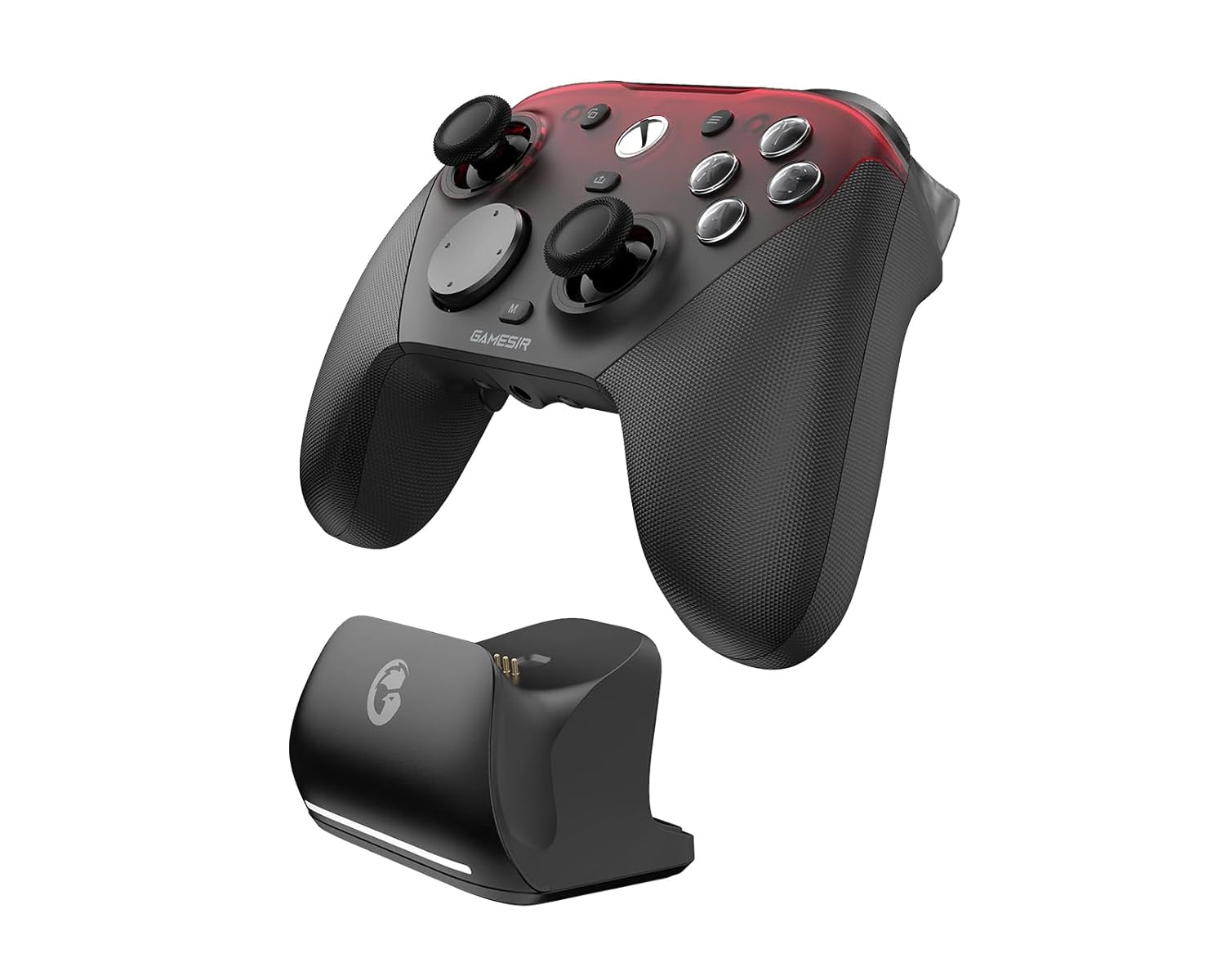
Image: Tri-mode connectivity options for the GameSir G7 Pro.
3.1. Xbox (Wired Connection)
- Підключіть кінець USB-C наданого кабелю до контролера.
- Connect the USB-A end of the cable to an available USB port on your Xbox Series X|S or Xbox One console.
- The controller will automatically power on and connect to your console.
3.2. PC (2.4G Wireless & Wired Connection)
Бездротове підключення 2.4G:
- Insert the 2.4G wireless dongle into an available USB-A port on your PC.
- Ensure the mode switch on the back of the controller is set to the 2.4G wireless icon.
- Press the Xbox button on the controller to power it on. The controller will automatically pair with the dongle.
- Experience ultra-responsive gaming with a 1000Hz polling rate.
Дротове підключення:
- Підключіть кінець USB-C наданого кабелю до контролера.
- Підключіть кінець кабелю USB-A до вільного USB-порту на вашому ПК.
- The controller will automatically power on and connect.
Відео: Офіційне завершенняview of the GameSir G7 Pro Wired Controller for Xbox and PC.
3.3. Android (Bluetooth Connection)
- Ensure the mode switch on the back of the controller is set to the Bluetooth icon.
- On your Android device, enable Bluetooth and search for new devices.
- Select "GameSir G7 Pro" from the list of available devices to pair.
4. Key Features & Controls
4.1. TMR Sticks
The GameSir G7 Pro features Mag-Res TMR sticks, combining the durability of Hall Effect technology with the precision of traditional potentiometer sticks. This design ensures stable polling rates and drift-free performance.

Image: Detail of the TMR Sticks technology.
4.2. Hall Effect Analog Triggers
Precision-tuned Hall Effect analog triggers provide smooth and linear input for accurate control. The triggers also feature clicky Micro Switch trigger stops, allowing users to switch between full range and short-travel modes based on preference.

Image: Hall Effect Analog Triggers with Micro Switch trigger stops.
4.3. Настроювані кнопки
The controller includes four extra customizable buttons: two mini bumpers (L5/R5) and two lockable back buttons. These can be mapped for macros or quick actions, enhancing gameplay control.
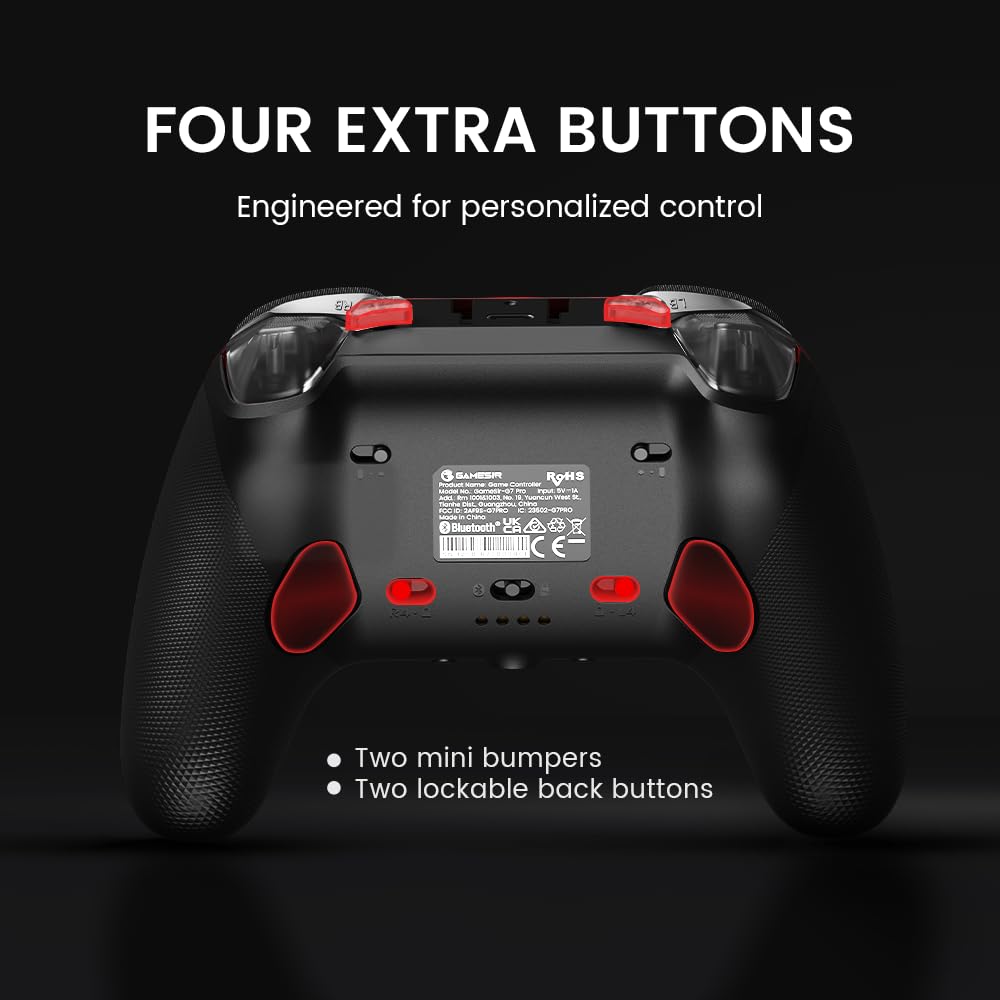
Image: Location of the four extra customizable buttons.
4.4. GameSir Nexus App
Utilize the upgraded GameSir Nexus app for advanced customization. This app allows for gyro settings, stick curve adjustments, and button-to-mouse mapping, providing deeper control over your gaming experience.
4.5. PC Gyro Aiming
For PC users, the built-in gyroscope can be mapped to sticks, buttons, or mouse for precise and intuitive aiming.

Image: PC Gyro Aiming in action.
5. Зарядка
The GameSir G7 Pro includes a Smart Auto Start-Stop Charging Station and a built-in 1200mAh battery. Simply place the controller on the station to initiate charging. Remove it to resume gameplay.

Image: GameSir G7 Pro on its charging station.
6. Налаштування
The controller features a magnetic faceplate that is detachable in three parts, allowing for easy customization. The D-Pad is also swappable, with two different shapes included to suit user preference.

Image: Detachable faceplate and swappable D-Pad for customization.
7. Технічні характеристики
| Особливість | Деталь |
|---|---|
| Номер моделі | GameSir-G7 Pro |
| Підключення | Wired (Xbox), 2.4G Wireless & Wired (PC), Bluetooth (Android) |
| палички | Стики GameSir Mag-Res TMR |
| Тригери | Hall Effect Analog Triggers with Micro Switch Trigger Stops |
| Polling Rate (PC) | 1000 Гц |
| Додаткові кнопки | 4 (L5/R5 bumpers + 2 lockable back buttons) |
| гіроскоп | Built-in (PC-only) |
| Акумулятор | 1200 мАг (в комплекті) |
| вага | 1.72 фунта |
| Розміри упаковки | 7.13 x 7.09 x 3.78 дюймів |
| Виробник | GameSir |
| Дата випуску | 12 жовтня 2025 р |
8. Вирішення проблем
- Контролер не підключається: Ensure the correct mode (Wired, 2.4G, Bluetooth) is selected on the controller. For 2.4G wireless, ensure the dongle is properly inserted. For Bluetooth, ensure your device's Bluetooth is enabled and the controller is in pairing mode.
- Затримка введення: For PC, ensure you are using the 2.4G wireless dongle or a wired connection for optimal 1000Hz polling rate. Reduce distance between controller and dongle for wireless.
- Дрейф палиці: The TMR sticks are designed to be drift-free. If you experience issues, ensure the controller firmware is up to date via the GameSir Nexus App.
- Проблеми із зарядкою: Ensure the controller is correctly seated on the charging station and the station is powered. Check the charging indicator lights.
9. Гарантія та підтримка
For warranty information, technical support, or further assistance, please refer to the official GameSir website or contact GameSir customer service. Keep your proof of purchase for warranty claims.
Офіційний Webсайт: www.gamesir.hk