1. Вступ
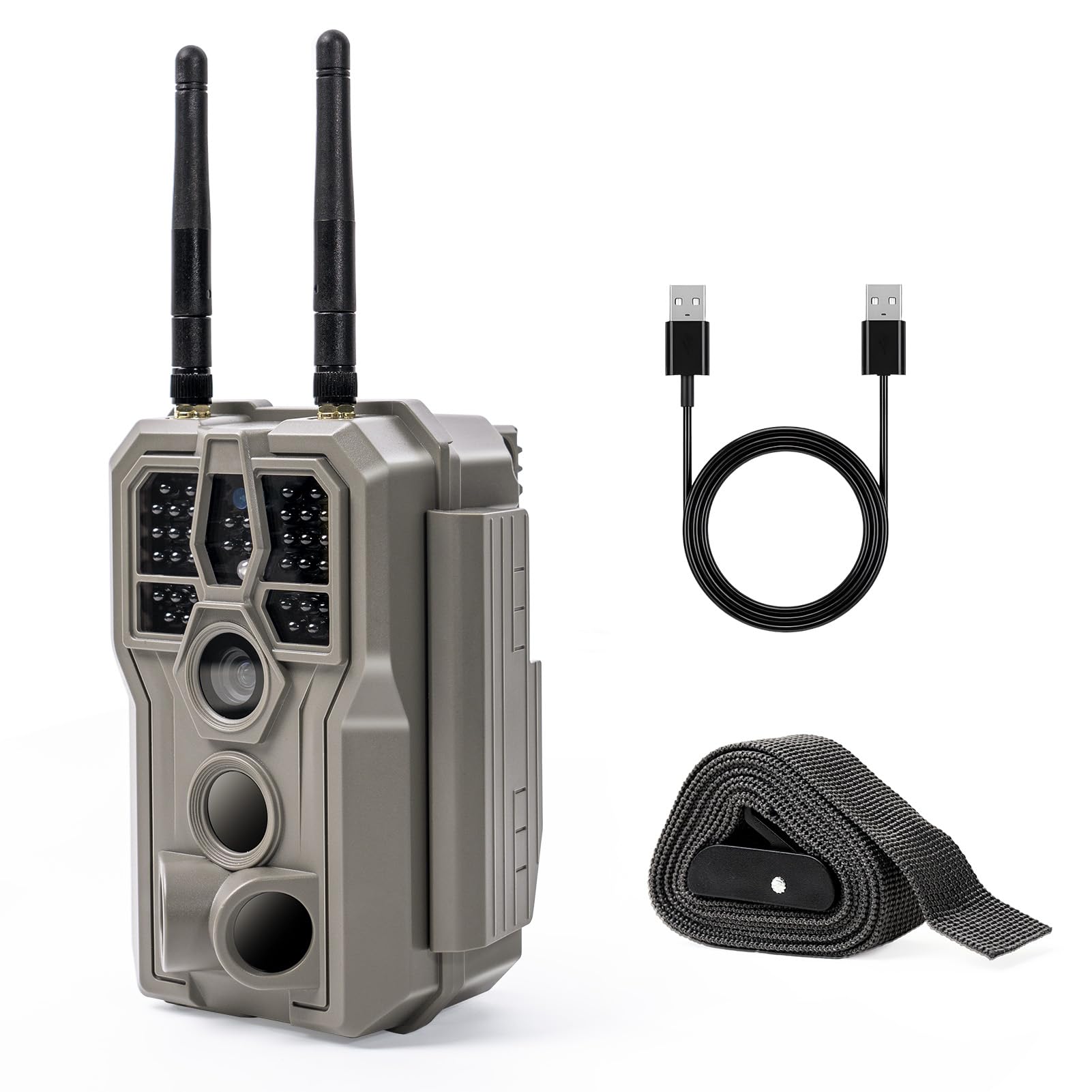
The GardePro E8 2.0 WiFi Trail Camera is designed for capturing high-quality images and videos of wildlife or for property surveillance. It features 4K Ultra HD video recording, 64MP photo resolution, and no-glow infrared night vision. The camera incorporates innovative low-power WiFi and Bluetooth connectivity, allowing for convenient control and media access via the GardePro Mobile App on your smartphone. Its dual-antenna design enhances WiFi stability and range, making it suitable for various outdoor environments.
Відео 1.1: GardePro E8 2.0 Series Product Introduction. This video provides a general overview of the camera's features and design.
2. Вміст упаковки
Перевірте наявність усіх предметів у вашій упаковці:
- 1 x GardePro E8 2.0 Trail Camera
- 2 х антени
- 1 х Інструкція з експлуатації
- 1 x монтажний ремінь
Примітка: 8 AA batteries and an SDHC/SDXC memory card (up to 512GB) are required for operation and are not included. The GardePro SP350 solar panel is sold separately.
3. Камера закінченаview
Familiarize yourself with the main components of your GardePro E8 2.0 camera.

Зображення 3.1: Фронт view of the GardePro E8 2.0 camera, highlighting the main lens, motion sensors, and dual antennas for enhanced connectivity.

Зображення 3.2: внутрішній view of the camera, displaying the LCD screen, navigation buttons (MENU, OK, directional arrows), and the ON/OFF/START switch. The SD card slot and USB port are also visible.
4. Налаштування
4.1 Увімкнення живлення камери
The GardePro E8 2.0 can be powered by 8 AA batteries (not included) or an optional GardePro SP350 solar panel (sold separately). The E8 2.0 Pro variant includes a built-in 7800mAh rechargeable battery.
- Батарейки АА: Insert 8 new AA batteries into the battery compartment, ensuring correct polarity.
- Rechargeable Battery (E8 2.0 Pro only): The built-in battery can be charged via a USB-C cable.
- Сонячна панель (необов'язково): Connect the GardePro SP350 solar panel to the camera's external power port for continuous charging and extended outdoor use.

Зображення 4.1: Illustration of battery installation and optional solar panel connection for continuous power.
4.2 Встановлення SD-карти
A full-size SDHC/SDXC memory card (up to 512GB) is required to store photos and videos. Insert the SD card into the designated slot with the metal contacts facing the correct direction, as indicated on the camera.
4.3 Встановлення камери
Use the included mounting strap to secure the camera to a tree or post. The camera also features dual copper mounting posts for tripod or wall compatibility, offering flexible installation options. Ensure the camera is positioned to capture the desired area, avoiding obstructions.

Зображення 4.2: The GardePro E8 2.0 camera securely mounted to a tree using the provided strap, ready for outdoor use.
5. Робота з камерою
5.1 Увімкнення/вимкнення живлення та вибір режиму
Locate the ON/OFF/START switch inside the camera. Switch it to 'ON' to activate the camera. The camera will enter setup mode, allowing you to adjust settings. To begin recording, switch to 'START'.
5.2 App Connection and Control
The GardePro E8 2.0 connects directly to your smartphone via Bluetooth for initial pairing, then uses the camera's built-in WiFi for data transfer and live view. Download the free GardePro Mobile App from your device's app store.
- Сполучення: Enable Bluetooth on your smartphone and open the GardePro Mobile App. Follow the in-app instructions to connect to your camera.
- Діапазон Wi-Fi: The dual antennas provide a connection range of up to 165 ft (50 m) in open conditions. Physical obstructions may reduce this range.
- Функціональність: Додаток дозволяє вам view and download original photos and videos, adjust camera settings, and use the Live View функція.
Важлива примітка: The E8 2.0 does not connect to home WiFi routers or cellular networks. It supports direct connection to a smartphone only. PCs, laptops, and web browsers are not supported for WiFi connection.

Зображення 5.1: The GardePro Mobile App interface, showing options for live view, status, and gallery access, enabling remote control and media management.
5.3 Живий View for Real-Time Observation
Utilize the Live View function in the GardePro Mobile App to see what the camera is capturing in real-time. This is useful for precise camera aiming during installation and for observing wildlife without disturbance from a distance of up to 165 ft in open areas.

Зображення 5.2: A user monitoring the camera's live feed on a smartphone, demonstrating the long-range WiFi connectivity for remote observation.
5.4 Режими запису
The camera supports multiple recording modes:
- Режим руху: Captures photos or videos when motion is detected by the PIR sensors.
- Режим сповільненої зйомки: Takes photos at set intervals, regardless of motion.
- Гібридний режим: Combines motion-triggered events with time-lapse photography.
5.5 Image and Video Quality
The E8 2.0 captures 4K Ultra HD videos and 64MP still images, providing clear and detailed footage. The 0.1s fast trigger speed and 120° wide PIR detection angle ensure that fast-moving subjects are captured effectively.

Зображення 5.3: Example of 4K Ultra HD video quality, showcasing a fox in clear detail during daytime.
5.6 No-Glow IR Night Vision
Equipped with invisible 940nm no-glow infrared LEDs, the camera delivers clear night images and videos without emitting visible light, preventing animals from being startled and ensuring discreet surveillance.

Зображення 5.4: Night vision footage of a raccoon, demonstrating the effectiveness of the 940nm no-glow infrared technology for clear, discreet nighttime recording.
6. Технічне обслуговування
6.1 Керування батареєю
Regularly check battery levels, especially if not using a solar panel. Replace AA batteries when low. For the E8 2.0 Pro, ensure the rechargeable battery is fully charged before deployment for optimal performance.
6.2 Захист від погодних умов
The GardePro E8 2.0 camera is IP66 rated, providing protection against dust and strong jets of water. This ensures reliable operation in various weather conditions, including rain and snow. However, avoid submerging the camera in water.
Зображення 6.1: The camera operating in rainy conditions, illustrating its robust IP66 waterproof design for outdoor durability.
7. Вирішення проблем
- Камера не вмикається: Check if batteries are inserted correctly and fully charged. For E8 2.0 Pro, ensure the internal battery is charged.
- Проблеми з підключенням до Wi-Fi: Ensure your smartphone is within 165 ft (50 m) of the camera in open conditions. Avoid physical obstructions like thick walls or dense foliage. Remember, it connects directly to your smartphone, not home WiFi.
- Погана якість зображення/відео: Check the lens for dirt or condensation. Ensure the camera is stable and not subject to excessive movement. Verify settings in the app for desired resolution.
- Камера не записує: Ensure an SD card is inserted and has sufficient free space. Check if the camera is in 'START' mode and not in standby after app use. Format the SD card if issues persist.
- Короткий час автономної роботи: Use high-quality AA batteries. Consider using the GardePro SP350 solar panel for extended operation. Reduce video length or frequency of captures if possible.
8. Технічні характеристики
| Особливість | Специфікація |
|---|---|
| Назва моделі | E8 2.0 |
| Ефективне вирішення проблеми | 64 Мп |
| Роздільна здатність захоплення відео | 4K |
| Технологія підключення | Бездротовий зв'язок (Bluetooth, Wi-Fi) |
| Протокол підключення | Bluetooth, WiFi |
| Джерело живлення | Battery Powered (8xAA, or 7800mAh rechargeable for Pro model) |
| Максимальний підтримуваний розмір флеш-пам'яті | 512 GB (SDHC/SDXC) |
| Діапазон нічного бачення | 100 футів |
| Viewкут нахилу | 70 градусів |
| Швидкість спрацьовування | 0.1с |
| Кут виявлення PIR | 120° |
| Міжнародний захист рейтингу | IP66 |
| Розміри продукту (Д x Ш x В) | 4.2 x 2.9 x 5.6 дюймів |
| Вага товару | 1.3 фунта |
9. Гарантія та підтримка
For warranty information, technical support, or any inquiries regarding your GardePro E8 2.0 WiFi Trail Camera, please refer to the official GardePro webсайт або зверніться безпосередньо до служби підтримки клієнтів. Зберігайте чек про покупку для гарантійних претензій.


