1. Вступ і даліview
This manual provides essential information for setting up, operating, maintaining, and troubleshooting your HP OmniDesk Desktop PC. Designed for efficiency and performance, this system is equipped with advanced components to meet your computing needs.
Ключові характеристики:
- AMD Ryzen 7 8700G Processor: Optimized for high-speed performance, gaming, and responsiveness, ensuring cool and quiet operation.
- AMD Radeon 780M Graphics: Integrated graphics deliver impressive visual fidelity and high-definition gaming capabilities.
- 32GB DDR5 5200MHz RAM: High-bandwidth memory for smooth multitasking, graphics-intensive applications, and seamless browsing.
- 1TB PCIe 4.0 SSD Storage: Provides fast data transfer speeds and efficient storage for quick boot-ups and application loading.
- Windows 11 Pro with Microsoft Copilot: Enhanced operating system with intelligent AI assistance for improved productivity and creativity.

Figure 1: HP OmniDesk Desktop PC with included keyboard and mouse.
2. Налаштування
Follow these steps to set up your HP OmniDesk Desktop PC:
- Розпакуйте компоненти: Carefully remove the desktop tower, keyboard, mouse, power cable, and any other accessories from their packaging.
- Підключення монітора: Connect your monitor to the desktop PC using either the DisplayPort 1.4 or HDMI port on the rear of the tower. Ensure the monitor's power cable is also connected.
- Підключення клавіатури та миші: Plug the USB cables from the keyboard and mouse into any available USB-A ports on the desktop PC.
- Підключіть живлення: Connect the power cable to the power input on the rear of the desktop PC, then plug the other end into a wall outlet or surge protector.
- Увімкнення: Press the power button on the front of the desktop PC to turn it on. Follow the on-screen instructions for initial Windows 11 Pro setup.

Figure 2: Rear ports of the HP OmniDesk Desktop PC, including DisplayPort, HDMI, USB-A, and Ethernet.

Figure 3: Front ports of the HP OmniDesk Desktop PC, including headphone/microphone combo, USB-A, and USB-C ports.
3. Інструкція з експлуатації
Your HP OmniDesk Desktop PC comes pre-installed with Windows 11 Pro, offering a user-friendly interface and powerful features.
Основна операція:
- Увімкнення/вимкнення живлення: Press the power button on the front of the tower to turn the PC on. To shut down, click the Start button, then Power, and select "Shut down."
- Підключення: Utilize the multiple USB ports (USB-A 3.0, USB-A 3.1, USB-C 3.0, USB-C 3.1, USB-A 2.0) for connecting peripherals. Wi-Fi 6 and Bluetooth connectivity are built-in for wireless networking and device pairing.
- Microsoft Copilot: Access the AI-powered intelligent assistant by pressing the dedicated Copilot key on your keyboard or through the Windows Start menu for quick answers and task assistance.
- Аудіо: Connect headphones or speakers to the front headphone/microphone combo jack or use the rear audio ports for surround sound configurations.
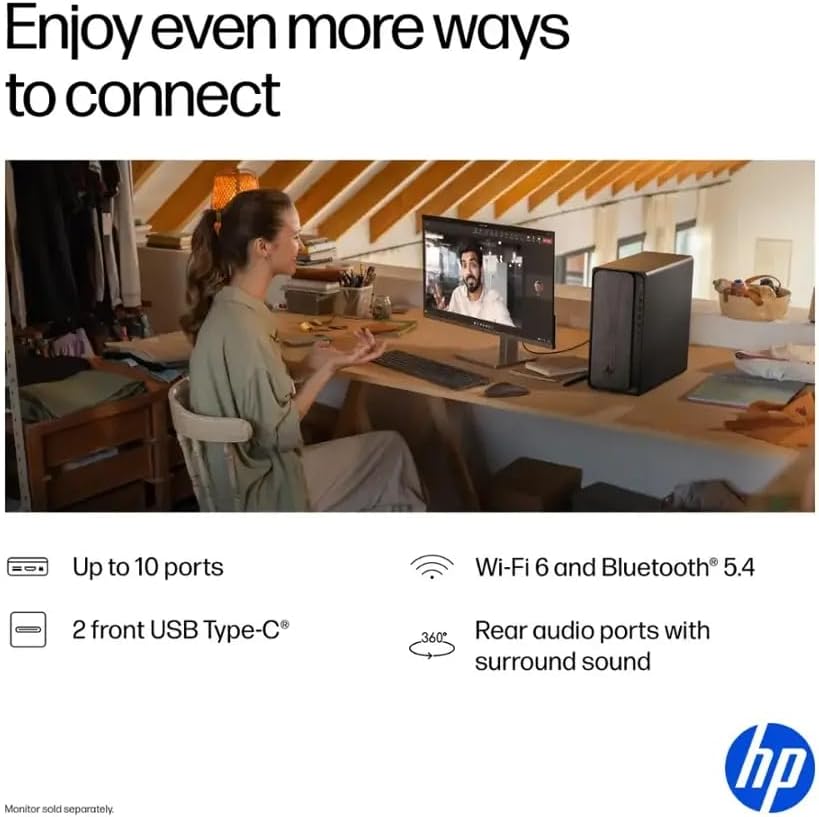
Figure 4: User interacting with the HP OmniDesk Desktop PC, highlighting its productivity features.
4. Технічне обслуговування
Regular maintenance ensures optimal performance and longevity of your HP OmniDesk Desktop PC.
- Зберігайте чистоту: Regularly clean the exterior of the PC with a soft, dry cloth. Use compressed air to clear dust from vents and ports to prevent overheating.
- Оновлення програмного забезпечення: Ensure your Windows 11 Pro operating system and drivers are up-to-date. This can be done through Windows Update settings.
- Антивірусний захист: Встановлюйте та регулярно оновлюйте антивірусне програмне забезпечення для захисту від шкідливих програм та вірусів.
- Резервні дані: Periodically back up important fileна зовнішній диск або хмарне сховище, щоб запобігти втраті даних.
- System Restore Points: Create system restore points before installing new software or making significant system changes.
5. Вирішення проблем
Ось рішення поширених проблем, з якими ви можете зіткнутися:
- ПК не вмикається:
- Check if the power cable is securely connected to both the PC and the power outlet.
- Ensure the power outlet is functional by plugging in another device.
- Немає відображення на моніторі:
- Verify that the monitor is powered on and the video cable (HDMI/DisplayPort) is securely connected to both the PC and the monitor.
- Try a different video port or cable if available.
- Повільна продуктивність:
- Закрийте непотрібні програми, що працюють у фоновому режимі.
- Перевірте наявність та встановіть будь-які оновлення Windows, що очікують на оновлення.
- Виконайте очищення та дефрагментацію диска (для жорстких дисків, не обов'язково для SSD).
- Перевірте наявність шкідливих програм або вірусів.
- Периферійний пристрій не виявлено:
- Ensure the peripheral is properly connected to a functional USB port.
- Спробуйте підключити периферійний пристрій до іншого USB-порту.
- Update or reinstall the peripheral's drivers.
6. Технічні характеристики
| компонент | Деталь |
|---|---|
| Процесор | AMD Ryzen 7 8700G (Up to 5.1 GHz, 8-core) |
| Блок нейронної обробки (NPU) | Yes (Max 16 TOPS) |
| Пам'ять (RAM) | 32 ГБ DDR5 5200 МГц |
| Зберігання | 1TB SSD PCIe 4.0 |
| Графіка | AMD Radeon 780M (інтегрована) |
| Операційна система | Windows 11 Pro |
| Бездротове підключення | Wi-Fi 6, Bluetooth |
| USB порти | 2x USB-A 3.0, 2x USB-A 3.1, 1x USB-C 3.0, 1x USB-C 3.1, 4x USB-A 2.0 |
| Відеопорти | 1x DisplayPort 1.4, 1x HDMI |
| Порти Ethernet | 1 |
| Аудіо порти | Microphone Input, Rear Audio Ports with Surround Sound |
| CPU Cooling System | повітря |
| Розміри (ДxШxВ) | 13.27 x 6.1 x 12.4 дюймів |
| вага | 12.72 фунта |
| Включені периферійні пристрої | Клавіатура, миша |

Figure 5: Dimensions of the HP OmniDesk Desktop PC.
7. Гарантія та підтримка
Your HP OmniDesk Desktop PC is covered by HP's standard warranty. For detailed information regarding your product's warranty period and terms, please refer to the documentation included with your purchase or visit the official HP support webсайт.
For technical assistance, troubleshooting, or service requests, please contact HP Customer Support. You can find contact information on the HP webсайті або в гарантійній документації вашого продукту.
Additional protection plans may be available for purchase to extend coverage beyond the standard warranty period.
8. Відео про продукти
Watch this video for additional information and visual guides:
Stratos Gallery Video
Це відео надає візуальне уявлення проview of the Stratos PC, showcasing its design and features. Note: This video is for a related product (Stratos PC) by Empowered PC, a seller, and is included for general reference on PC features.