1. Вступ
This user manual provides comprehensive instructions for the NEC VersaPro VH-1 laptop. It covers setup, operation, maintenance, and troubleshooting to ensure optimal performance and user experience. Please read this manual thoroughly before using your device.
The NEC VersaPro VH-1 is a lightweight and high-performance 12.5-inch Full HD laptop, featuring a 7th Generation Intel Core i5-7Y54 processor. It is designed for efficient web browsing, business applications, and remote work. With pre-installed Windows 11 Pro and MS Office 2019, it is ready for immediate use upon arrival.
2. Продукт закінчивсяview
2.1 Основні характеристики
- Легкий та тонкий дизайн: Weighing approximately 921g, this 12.5-inch FHD laptop is highly portable, fitting easily into a backpack for commuting, business trips, or mobile work.
- 7th Gen Intel Core i5-7Y54 Processor: Equipped with an efficient and power-saving Intel Core i5-7Y54 (up to 3.2GHz) processor, offering sufficient performance for browsing, online meetings, and Office applications. It also features quiet operation and low heat generation.
- High-Speed SSD Storage: Features an SSD for fast boot-up and smooth operation, handling large files and multiple applications without lag.
- Rich Connectivity & Type-C Expansion: Включає a Web camera, Wi-Fi, Bluetooth, HDMI, and a Type-C port for versatile connections to peripherals and external monitors. The Type-C port supports future expansion.
- Pre-installed Software: Comes with Windows 11 Pro and MS Office 2019 pre-installed, allowing immediate document creation, report preparation, and web конференція.
2.2 Ідентифікація компонентів
Familiarize yourself with the various parts of your NEC VersaPro VH-1 laptop.

Зображення: Різні views of the NEC VersaPro VH-1 laptop, showing the front, back, top, and keyboard layout.

Зображення: Збоку view of the laptop highlighting available ports including USB 3.0, LAN, Headphone Jack, HDMI, SD Card Slot, and Power Connector.
3. Налаштування
3.1 Початкове ввімкнення
- Підключіть живлення: Підключіть адаптер змінного струму до порту живлення ноутбука, а потім до розетки.
- Увімкнення: Open the laptop lid and press the power button. The laptop will begin the initial boot process.
- Налаштування Windows: Дотримуйтесь інструкцій на екрані, щоб завершити налаштування Windows 11 Pro, включаючи мову, регіон, мережеве підключення та створення облікового запису користувача.
3.2 Software Activation
Your laptop comes with MS Office 2019 pre-installed. Follow the prompts to activate your Office suite using your Microsoft account or product key.

Image: The laptop displaying the Windows 11 interface, with logos indicating Windows 11 Pro and MS Office 2019 are installed and ready for use.
4. Інструкція з експлуатації
4.1 Основне використання
- Клавіатура: The laptop features a Japanese layout keyboard designed for comfortable and accurate typing.
- Сенсорна панель: Використовуйте вбудовану сенсорну панель для навігації та жестів.
- Web Камера: Вбудований web camera and dual microphones are ideal for remote work, online meetings, and video calls.

Image: A user engaged in a video conference call on the NEC VersaPro VH-1 laptop, demonstrating its web camera and dual microphone capabilities for remote work and online learning.
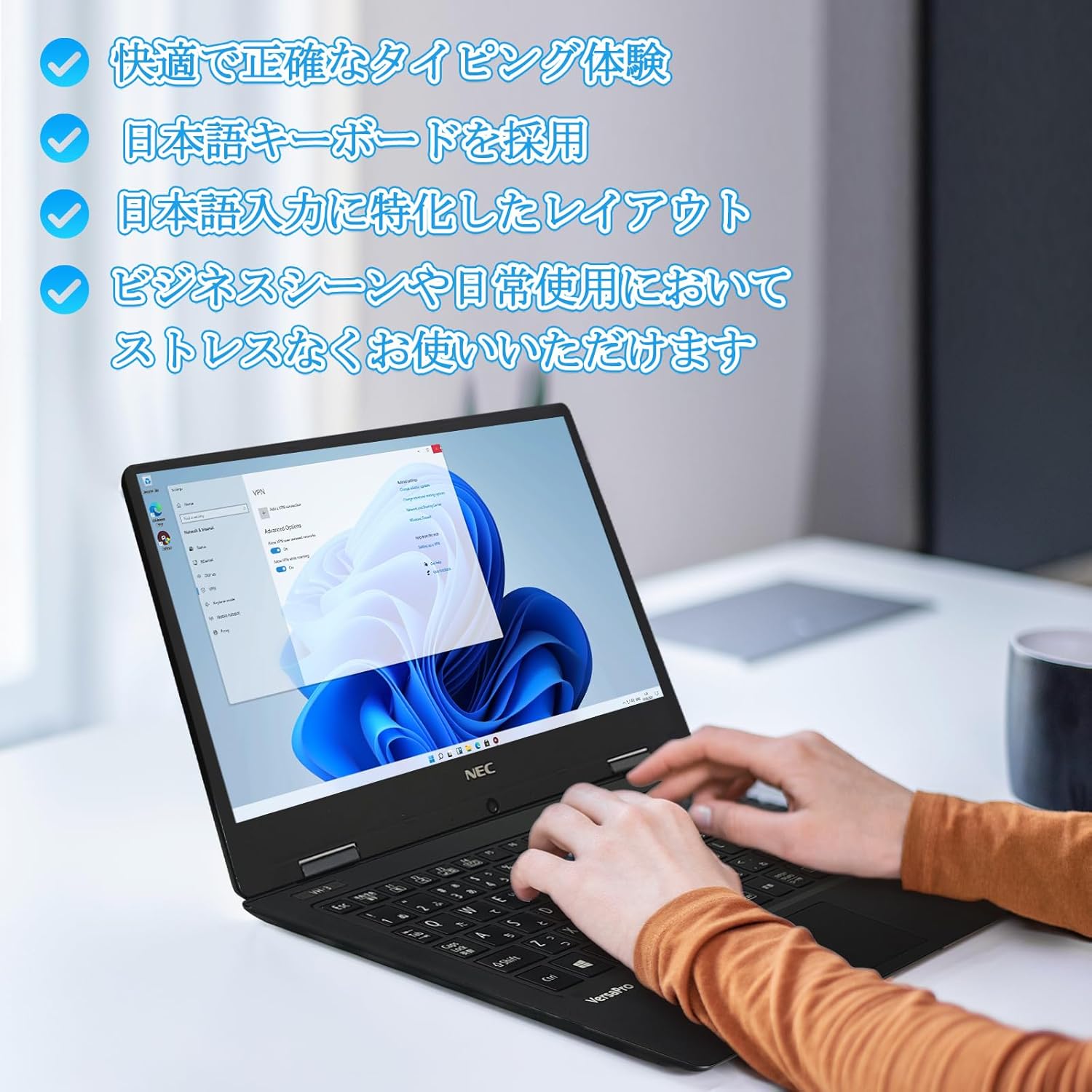
Image: Close-up of hands typing on the laptop's keyboard, illustrating the comfortable and precise typing experience provided by the Japanese layout keyboard.
4.2 Підключення
- Wi-Fi: Підключіться до бездротових мереж для доступу до Інтернету.
- Bluetooth: Pair with Bluetooth-enabled devices such as headphones or mice.
- HDMI: Підключення до зовнішніх дисплеїв або проекторів.
- Тип C: Use the Type-C port for data transfer, charging compatible devices, or connecting to a USB-C hub for additional ports.
5. Технічне обслуговування
5.1 Очищення
- екран: Злегка протріть м’якою тканиною без ворсу dampводою або засобом для чищення екранів. Не розпилюйте рідину безпосередньо на екран.
- Клавіатура та корпус: Використовуйте м’яку тканину для протирання поверхонь. Для стійкого бруду злегкаamp можна використовувати тканину. Уникайте агресивних хімікатів.
5.2 Догляд за акумулятором
- Щоб продовжити термін служби батареї, уникайте екстремальних температур.
- Якщо ви зберігаєте ноутбук протягом тривалого часу, переконайтеся, що акумулятор заряджений приблизно на 50-70%.
6. Вирішення проблем
6.1 Поширені проблеми та рішення
| Випуск | Можливе рішення |
|---|---|
| Ноутбук не вмикається. | Ensure the AC adapter is securely connected to both the laptop and a working power outlet. Check if the power button is functioning correctly. |
| Проблеми з підключенням до Wi-Fi. | Перевірте, чи ввімкнено Wi-Fi у налаштуваннях Windows. Перезавантажте маршрутизатор і ноутбук. Перевірте наявність оновлених мережевих драйверів. |
| Зовнішній дисплей не виявлено. | Ensure the HDMI cable is securely connected. Press Windows key + P to cycle through display modes. Check external display input settings. |
| Повільна продуктивність. | Закрийте непотрібні програми. Перевірте наявність фонових процесів, що споживають ресурси. Переконайтеся, що на SSD-накопичувачі достатньо вільного місця. Запустіть перевірку системи на наявність шкідливих програм. |
If you encounter issues not listed here or require further assistance, please refer to the support section.
7. Технічні характеристики
| Особливість | Деталь |
|---|---|
| Бренд | NEC |
| Назва моделі | VasaPro VH-1 |
| Номер моделі товару | ВКТ12 |
| Розмір екрана | 12.5 дюймів |
| роздільна здатність | 1920x1080 пікселів (FHD) |
| Марка процесора | Intel |
| Тип ЦП | Core i5 7Y54 |
| Швидкість ЦП | 1.2 GHz (Max 3.2 GHz) |
| Кількість процесорів | 2 |
| Розмір оперативної пам'яті | 4 ГБ |
| Максимальна підтримувана пам'ять | 8 ГБ |
| Тип пам'яті | DDR3 SDRAM |
| Розмір жорсткого диска | 1 ТБ |
| Тип жорсткого диска | SSD |
| Графічний співпроцесор | Intel HD Graphics 615 |
| Опис графічної карти | Інтегрований |
| Операційна система | Windows 11 Pro |
| Бездротовий тип | Bluetooth, Wi-Fi (802.11n) |
| Порти USB 3.0 | 2 |
| Порти HDMI | 1 |
| Тип оптичного приводу | Жодного |
| Вага товару | 1.5 Kilograms (Shipping Weight) |
| Акумулятор | 1 12V battery (included), 24 Watt-hours, 4 Lithium Ion cells |
8. Гарантія та підтримка
For warranty information and technical support, please refer to the documentation provided with your purchase or contact the retailer. Specific warranty terms may vary.


