1. Продукт закінчивсяview
The MECHEER Digital Timer Switch (Model JK-TM02-BL) is a programmable timer socket designed to automate the control of electrical devices. It allows you to set specific ON/OFF times for appliances, helping to save energy and enhance home security. This timer features a clear LCD display with backlight, up to 16 programmable settings, and a random mode for holiday security.
Ключові характеристики:
- Up to 16 programmable ON/OFF settings for daily or weekly schedules.
- 24-hour and weekly scheduling options (weekdays, weekends, specific days).
- Large, high-contrast LCD display with soft white backlight for easy readability.
- Random mode to simulate occupancy for enhanced home security during absences.
- Built-in battery to retain programmed settings during power outagес.
- Constructed from durable, heat-resistant PC material.
- Manual override function for immediate control.
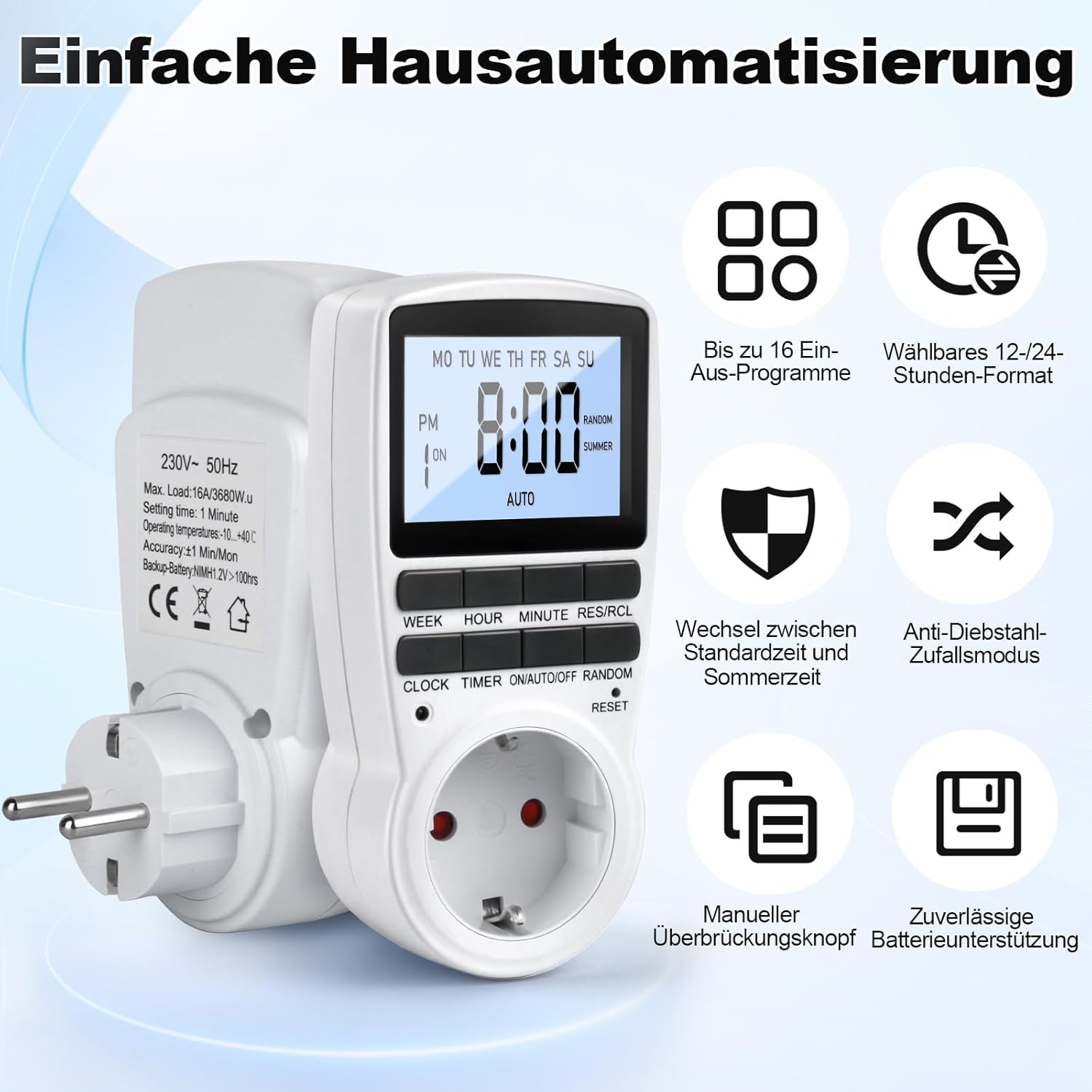
Figure 1: MECHEER Digital Timer Switch showing its display and control buttons, with icons illustrating key features like 16 programs and 12/24-hour format.
2. Техніка безпеки
- Не занурюйте таймер у воду чи іншу рідину.
- Do not connect any appliance that exceeds the maximum load rating of 16A/3680W.
- Переконайтеся, що таймер надійно підключений до заземленої розетки.
- Do not disassemble or attempt to repair the timer yourself. Contact qualified personnel for service.
- Зберігати в недоступному для дітей місці.
- Use indoors only. This timer is not suitable for outdoor use.
- Перед чищенням від’єднайте таймер від розетки.
3. Вміст упаковки
- 1 x MECHEER Digital Timer Switch (Model JK-TM02-BL)
- 1 х посібник користувача
4. Компоненти продукту
Familiarize yourself with the buttons and display of your digital timer switch.
- РК-дисплей: Shows current time, day, ON/OFF status, program number, and mode.
- Кнопка ТИЖДЕНЬ: Встановлює день тижня.
- Кнопка HOUR: Встановлює годину.
- Кнопка ХВИЛИНА: Встановлює хвилину.
- RES/RCL Button: Скидання або відкликання налаштувань програми.
- Кнопка ГОДИННИК: Exits programming mode and returns to clock display.
- Кнопка ТАЙМЕР: Enters or exits program setting mode.
- Кнопка УВІМК./АВТО/ВИМК.: Selects operating mode (ON, AUTO, OFF).
- RANDOM Button: Activates or deactivates random mode.
- RESET Pinhole: Скидає пристрій до заводських налаштувань.
Малюнок 2: Детально view of the timer's LCD display and control buttons.
5. Налаштування
5.1 Початкове налаштування та заряджання
- Plug the timer into a standard wall outlet for at least 5-10 minutes to charge the internal backup battery. This battery retains your settings during power outagес.
- After charging, use a pointed object (like a pen tip) to press the СКИДАННЯ pinhole button located above the socket. This clears all current settings and ensures proper operation.

Figure 3: Pressing the RESET button to restore factory settings.
5.2 Встановлення поточного часу
- Натисніть і утримуйте ГОДИННИК кнопку.
- Поки тримає ГОДИННИК, натисніть ТИЖДЕНЬ button repeatedly to set the current day of the week.
- Поки тримає ГОДИННИК, натисніть ГОДИНА button repeatedly to set the current hour (12-hour or 24-hour format).
- Поки тримає ГОДИННИК, натисніть ХВИЛИНА кілька разів натисніть кнопку , щоб встановити поточну хвилину.
- Відпустіть ГОДИННИК кнопка. Поточний час і день тепер встановлено.
- Щоб переключитися між 12-годинним та 24-годинним форматом, натисніть кнопку ГОДИННИК і ТАЙМЕР кнопки одночасно.
6. Інструкція з експлуатації
6.1 Програмування часу ввімкнення/вимкнення
Таймер дозволяє налаштувати до 16 програм увімкнення/вимкнення. Кожна програма складається з часу увімкнення та часу вимкнення.
- Натисніть ТАЙМЕР Натисніть кнопку один раз, щоб увійти в режим налаштування програми. На дисплеї з'явиться "1 ON".
- Натисніть ТИЖДЕНЬ button to select the desired day(s) for this program. Options include: every day, specific weekdays, weekends, or custom combinations.
- Натисніть ГОДИНА кнопку, щоб встановити потрібну годину увімкнення.
- Натисніть ХВИЛИНА кнопку, щоб встановити потрібну хвилину ввімкнення.
- Натисніть ТАЙМЕР натисніть кнопку ще раз. На дисплеї з’явиться «1 ВИМК.».
- Повторіть кроки 2-4, щоб встановити потрібний(і) день(и), годину та хвилину вимкнення для першої програми.
- Натисніть ТАЙМЕР button to advance to the next program ("2 ON", "2 OFF", etc.) and repeat the process for up to 16 programs.
- Після налаштування всіх потрібних програм натисніть кнопку ГОДИННИК кнопку, щоб вийти з режиму програмування та повернутися до відображення поточного часу.

Малюнок 4: Впрample of 16 ON/OFF programs in action, automating devices like an aquarium light and a toaster.
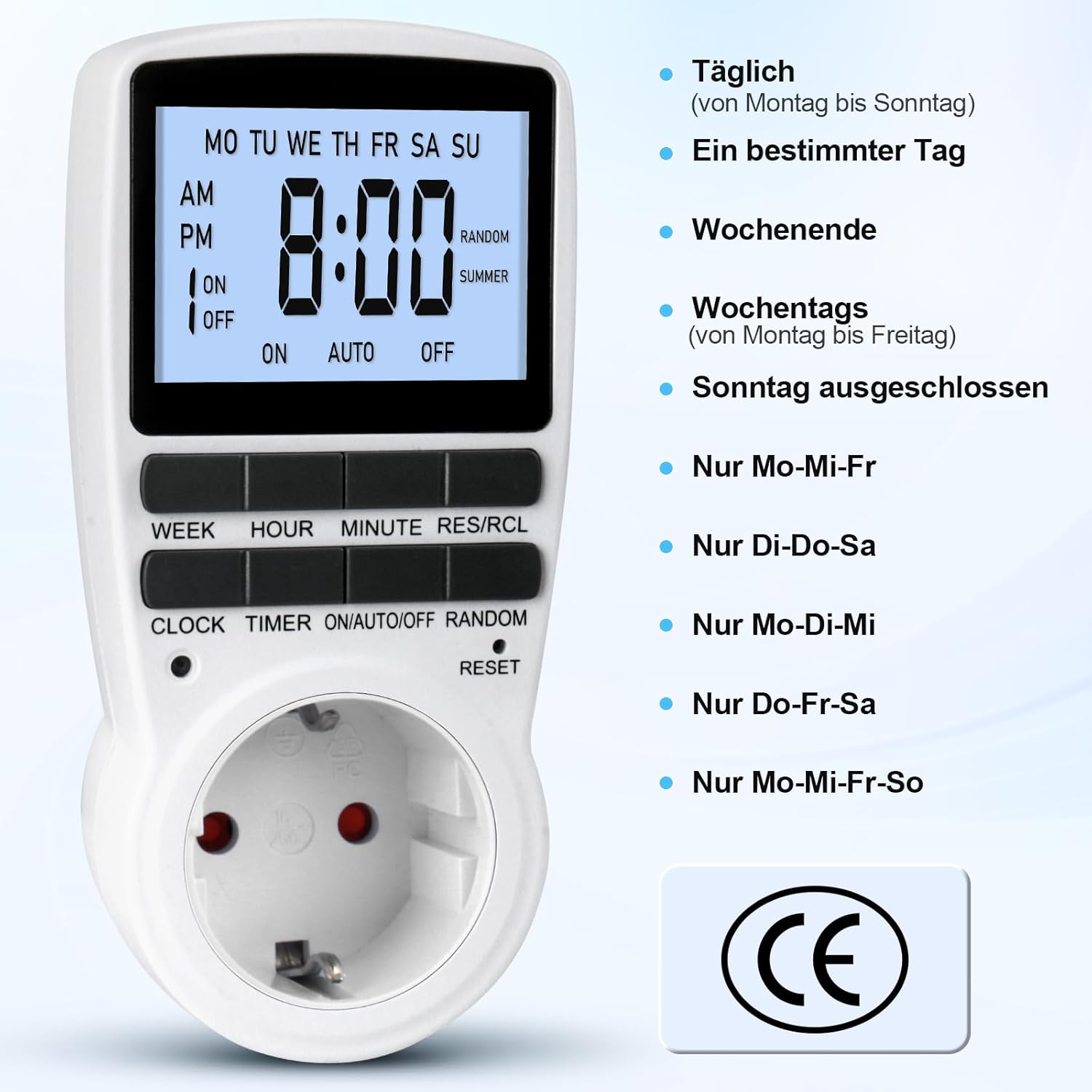
Figure 5: Different weekly programming options available, such as daily, specific days, weekends, or weekdays.
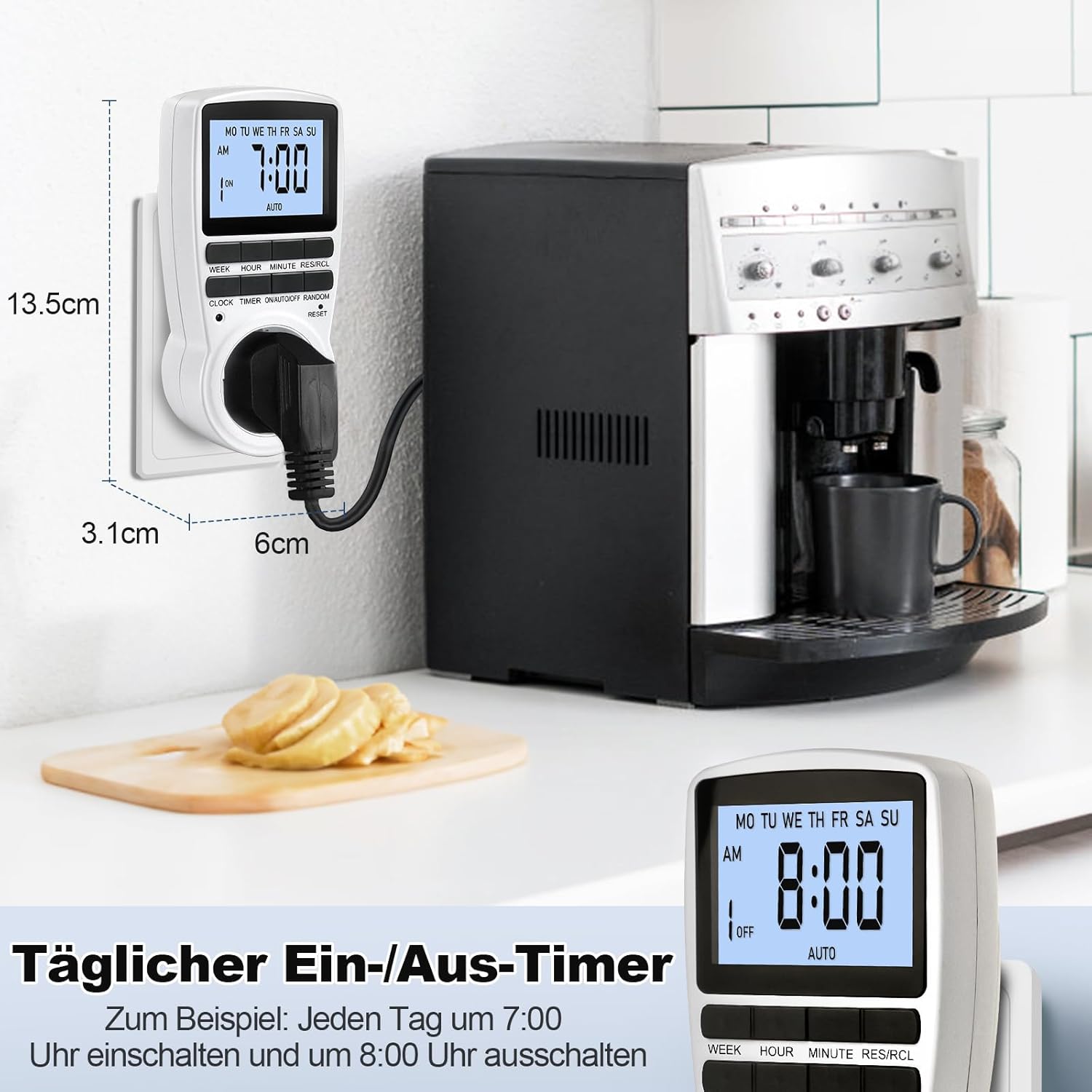
Figure 6: The timer in use, demonstrating a daily ON/OFF schedule and illustrating its compact dimensions.
6.2 Manual Override (ON/AUTO/OFF)
Натисніть УВІМК./АВТО/ВИМК button repeatedly to cycle through the operating modes:
- ON: The connected appliance will remain ON, ignoring all programmed settings.
- АВТО: The connected appliance will operate according to the programmed ON/OFF times.
- ВИМКНЕНО: The connected appliance will remain OFF, ignoring all programmed settings.
For automatic operation, ensure the timer is set to АВТО режим.
6.3 Random Mode (Holiday Security)
The random mode is designed to deter potential intruders by making your home appear occupied when you are away. When activated, the timer will randomly turn ON and OFF connected lights or appliances within a set period.
- To activate Random Mode, press the ВИПАДКОВО button. The "RANDOM" indicator will appear on the LCD.
- To deactivate Random Mode, press the ВИПАДКОВО button again. The "RANDOM" indicator will disappear.

Figure 7: The timer in holiday mode, randomly switching lights to enhance home security.
6.4 Функція підсвічування
The LCD display features a soft white backlight for improved visibility in low-light conditions.
- The backlight activates automatically when any button is pressed.
- It will turn off automatically after approximately 30 seconds of inactivity to conserve energy.
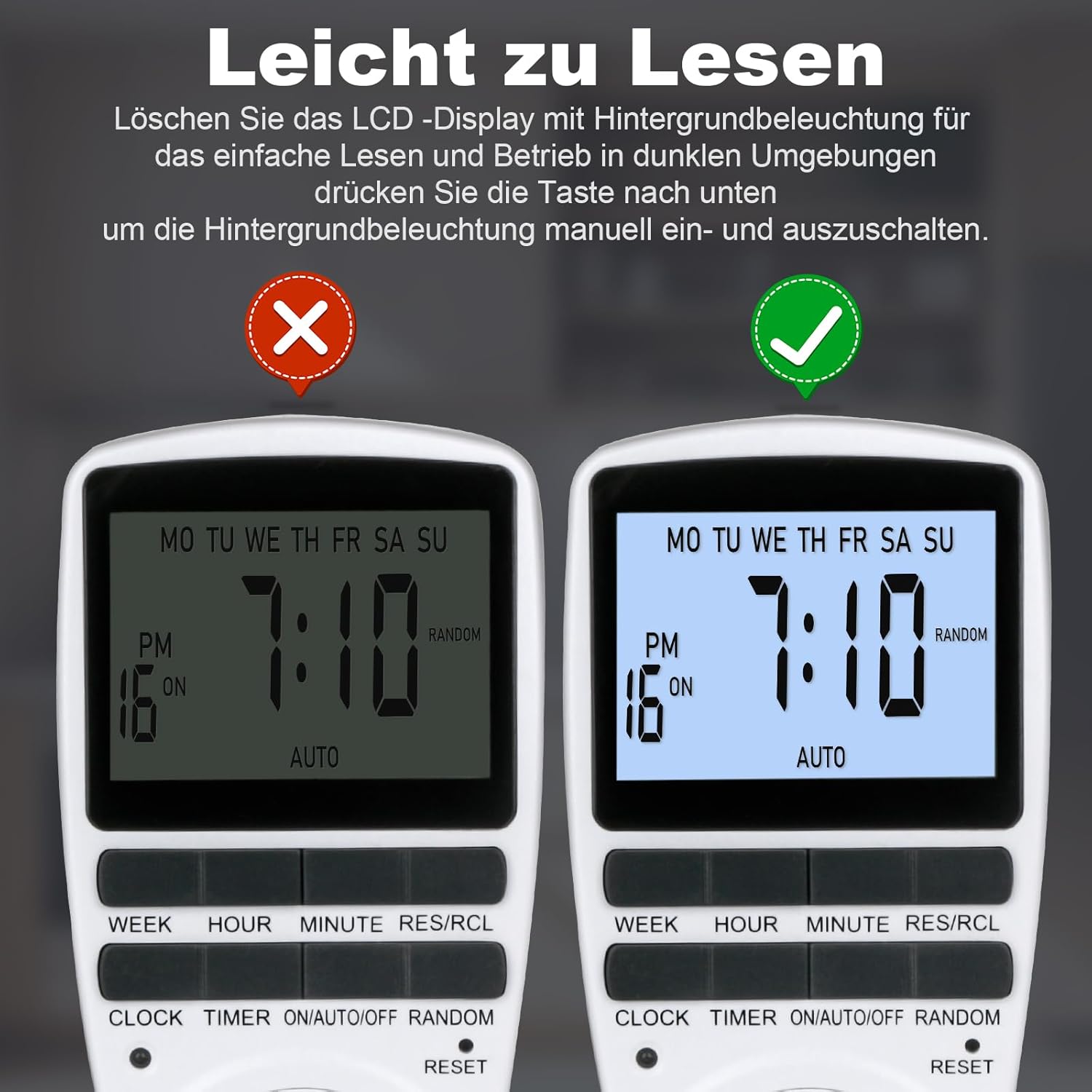
Figure 8: The timer's display with and without the backlight for clear readability.
6.5 Multi-functional Applications
The MECHEER Digital Timer Switch can be used to automate a wide range of household appliances and devices, helping to save energy and simplify your daily routine.

Малюнок 9: Впрamples of how the timer switch can be used with various devices such as lamps, ovens, aquariums, air purifiers, and routers.
7. Технічне обслуговування
- Прибирання: Перед чищенням від’єднайте таймер від розетки. Протріть зовнішню частину м’якою сухою тканиною. Не використовуйте рідкі засоби для чищення або абразивні матеріали.
- Батарея: The timer has a built-in rechargeable battery that maintains settings during power outages. This battery is not user-replaceable. Ensure the timer is regularly plugged in to keep the battery charged.
- Зберігання: If storing the timer for an extended period, ensure it is fully charged and stored in a cool, dry place.
8. Вирішення проблем
| проблема | Можлива причина | Рішення |
|---|---|---|
| Дисплей порожній або тьмяний. | Внутрішня батарея низький або розряджена. | Підключіть таймер до розетки на 5-10 хвилин, щоб зарядити акумулятор. |
| Timer programs are not activating. | Timer is not in AUTO mode. Incorrect program settings. | Переконайтеся, що таймер встановлено на АВТО mode. Review and correct your program settings. |
| Appliance remains ON/OFF constantly. | Timer is in ON or OFF mode, not AUTO. | Натисніть УВІМК./АВТО/ВИМК кнопку, доки не з’явиться напис «AUTO» (АВТО). |
| Timer is behaving erratically. | System glitch or interference. | Perform a full reset by pressing the СКИДАННЯ pinhole button. You will need to reprogram the time and settings. |
9. Технічні характеристики
| Особливість | Деталь |
|---|---|
| Номер моделі | JK-TM02-BL |
| Бренд | МЕЧЕЕР |
| Розміри продукту | 1.57 дюйма (Г) x 1.97 дюйма (Ш) x 3.94 дюйма (В) (4 x 5 x 10 см) |
| Вага товару | 6.7 унцій (190 грам) |
| Максимальне навантаження | 16А / 3680Вт |
| Час встановлення | 1 хвилина |
| Робоча температура | від -10 до +40°C |
| Точність | ±1 Min/Mon |
| Резервна батарея | NiMH 1.2V >100hrs |
| Колір | Білий |
10. Гарантія та підтримка
MECHEER products are designed for reliability and performance. For warranty information, technical support, or any questions regarding your Digital Timer Switch, please contact MECHEER customer service through the retailer where you purchased the product or visit the official MECHEER website. Please have your model number (JK-TM02-BL) and purchase details ready when contacting support.


