1. Вступ
This manual provides comprehensive instructions for the Inateck Nomad N0158 Foldable Keyboard and Mouse Set. It covers product features, setup procedures, operational guidelines, maintenance tips, and troubleshooting information to ensure optimal performance and user experience. This set is designed for multi-device connectivity, supporting up to three devices simultaneously across various operating systems including Windows, macOS, Android, and iOS.
2. Вміст упаковки
Перевірте, чи всі перелічені нижче предмети входять до вашої упаковки:
- Inateck Nomad N0158 Foldable Keyboard
- Бездротова миша
- Accessory Bag (600D two-tone splash-proof RPET recycled material)
- Folding Stand (suitable for 4-13 inch iPads, smartphones, and tablets)
- Зарядний кабель USB-C
- Посібник користувача
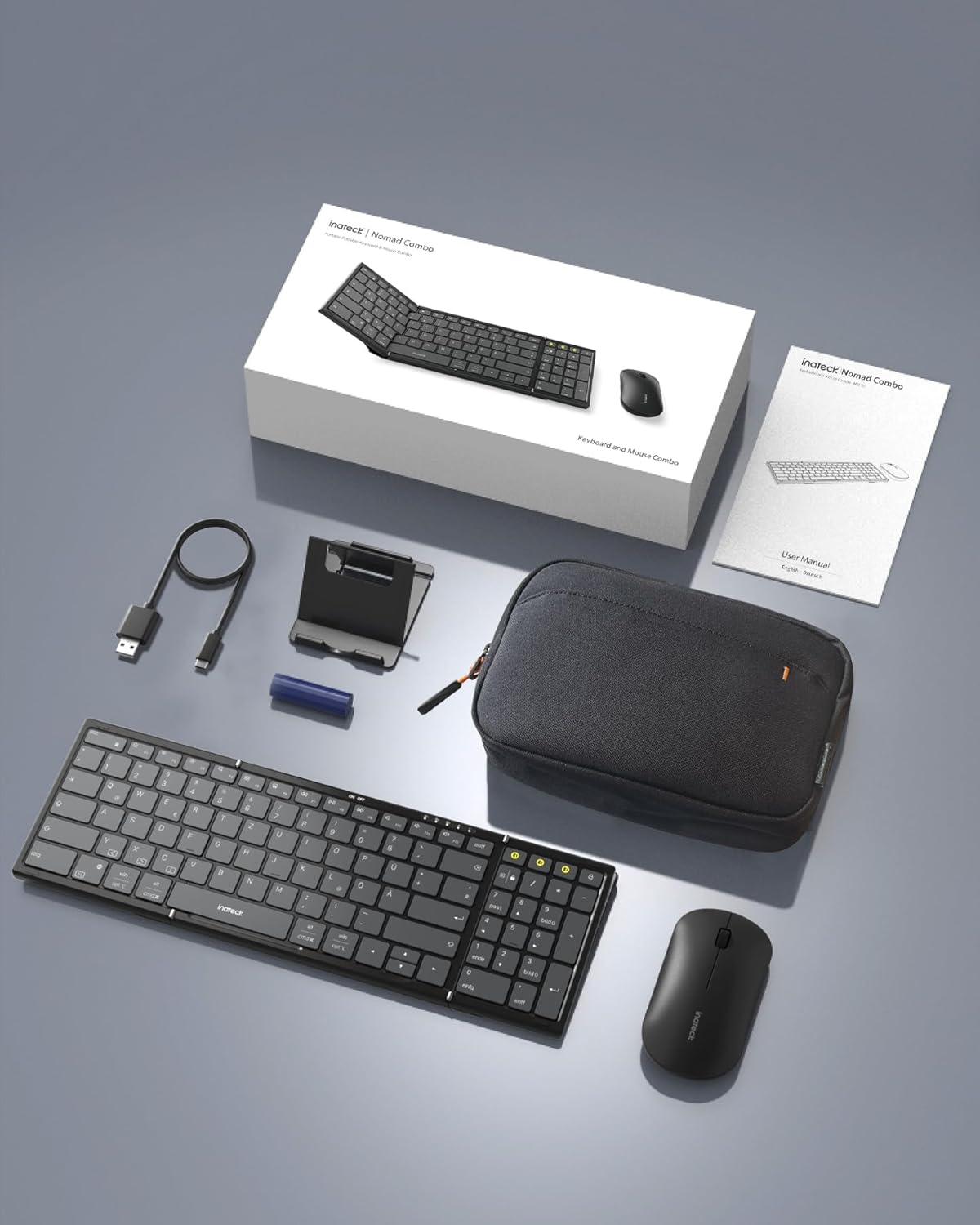
Image: All components included in the Inateck Nomad N0158 package: the foldable keyboard, wireless mouse, accessory bag, folding stand, and USB-C charging cable.
3. Продукт закінчивсяview
3.1 Функції клавіатури
- Складний дизайн: Compact for portability.
- Full-size Layout: 99 keys with a separate numeric keypad for efficient data entry and document editing.
- Підключення кількох пристроїв: Connects to up to 3 devices via 2.4G, Bluetooth 1 (BT1), and Bluetooth 2 (BT2).
- Тривалий термін служби батареї: Over 90 hours of continuous use, up to 180 days standby. Rechargeable via Type-C port.
- Stable Hinge: Features a seamless metal hinge with magnetic locking for stability when unfolded.

Image: The Inateck Nomad N0158 keyboard unfolded, showcasing its full-size layout with six rows of main keys and a dedicated numeric keypad.

Зображення: Детальний view of the keyboard's seamless metal hinge and magnetic locking system, designed for stability when the keyboard is open.
3.2 Функції миші
- Бездротове підключення: Connects via 2.4G USB dongle and two Bluetooth channels (BT1, BT2).
- Тривалий термін служби батареї: Over 50 hours of continuous operation, with extended standby time.
4. Посібник із налаштування
4.1 Заряджання клавіатури
- Знайдіть порт зарядки USB-C на клавіатурі.
- Connect the provided USB-C cable to the keyboard and a power source (e.g., computer USB port, USB wall adapter).
- Індикатор заряджання засвітиться. Після повного заряджання світло зміниться або згасне.
The mouse typically uses a replaceable battery (often pre-installed with a pull tab) or may be rechargeable. Refer to the mouse's specific instructions for charging or battery installation.
4.2 Pairing the Keyboard and Mouse
The keyboard and mouse support multiple connection methods: 2.4G wireless (for mouse only, via USB dongle) and Bluetooth (BT1, BT2 for both keyboard and mouse).
4.2.1 2.4G Wireless Connection (Mouse Only)
- Locate the 2.4G USB dongle, usually stored within the mouse or accessory bag.
- Вставте USB-адаптер у вільний USB-порт на вашому комп’ютері.
- Turn on the mouse. It should automatically connect to the dongle.
4.2.2 Bluetooth Connection (Keyboard and Mouse)
The keyboard and mouse each have two Bluetooth channels (BT1 and BT2) for connecting to different devices.
- Увімкніть пристрій: Переконайтеся, що клавіатура та миша увімкнені.
- Виберіть канал Bluetooth:
- For the keyboard, press the dedicated BT1 or BT2 button.
- For the mouse, switch to the desired Bluetooth mode (BT1 or BT2) using its mode switch.
- Активувати режим спарювання:
- For the keyboard, довге натискання the selected BT1 or BT2 button until the indicator light flashes, indicating pairing mode.
- For the mouse, long press its Bluetooth pairing button (refer to mouse-specific instructions if not obvious) until its indicator light flashes.
- Увімкніть Bluetooth на своєму пристрої: On your computer, tablet, or smartphone, go to Bluetooth settings.
- шукати пристрої: Ваш пристрій скануватиме доступні пристрої Bluetooth.
- Виберіть та підключіть: Choose "Inateck Keyboard" and/or "Inateck Mouse" from the list of found devices. Follow any on-screen prompts to complete the pairing.

Image: Illustration of the keyboard and mouse connected to multiple devices (laptop, tablet, smartphone) via 2.4G, BT1, and BT2 channels. Short press to switch channels, long press to activate pairing mode.
5. Інструкція з експлуатації
5.1 Перемикання між підключеними пристроями
Once paired with multiple devices, you can easily switch between them:
- Клавіатура: Short press the BT1 or BT2 button to switch to the corresponding paired device.
- миша: Use the mode switch on the mouse to select between 2.4G, BT1, or BT2.
5.2 Використання складної підставки
The included folding stand is designed to hold 4-13 inch iPads, smartphones, and tablets, providing an ergonomic viewing angle while using the keyboard. Ensure the stand is placed on a stable, flat surface.
5.3 Keyboard Usage Notes
- Стабільна поверхня: Always place the keyboard on a flat, stable surface. The folding hinge is not designed to lock, and typing on uneven surfaces may cause instability.
- Розкладка клавіатури: The keyboard features a QWERTZ layout. Ensure your device's operating system is configured to match this layout for correct character input.
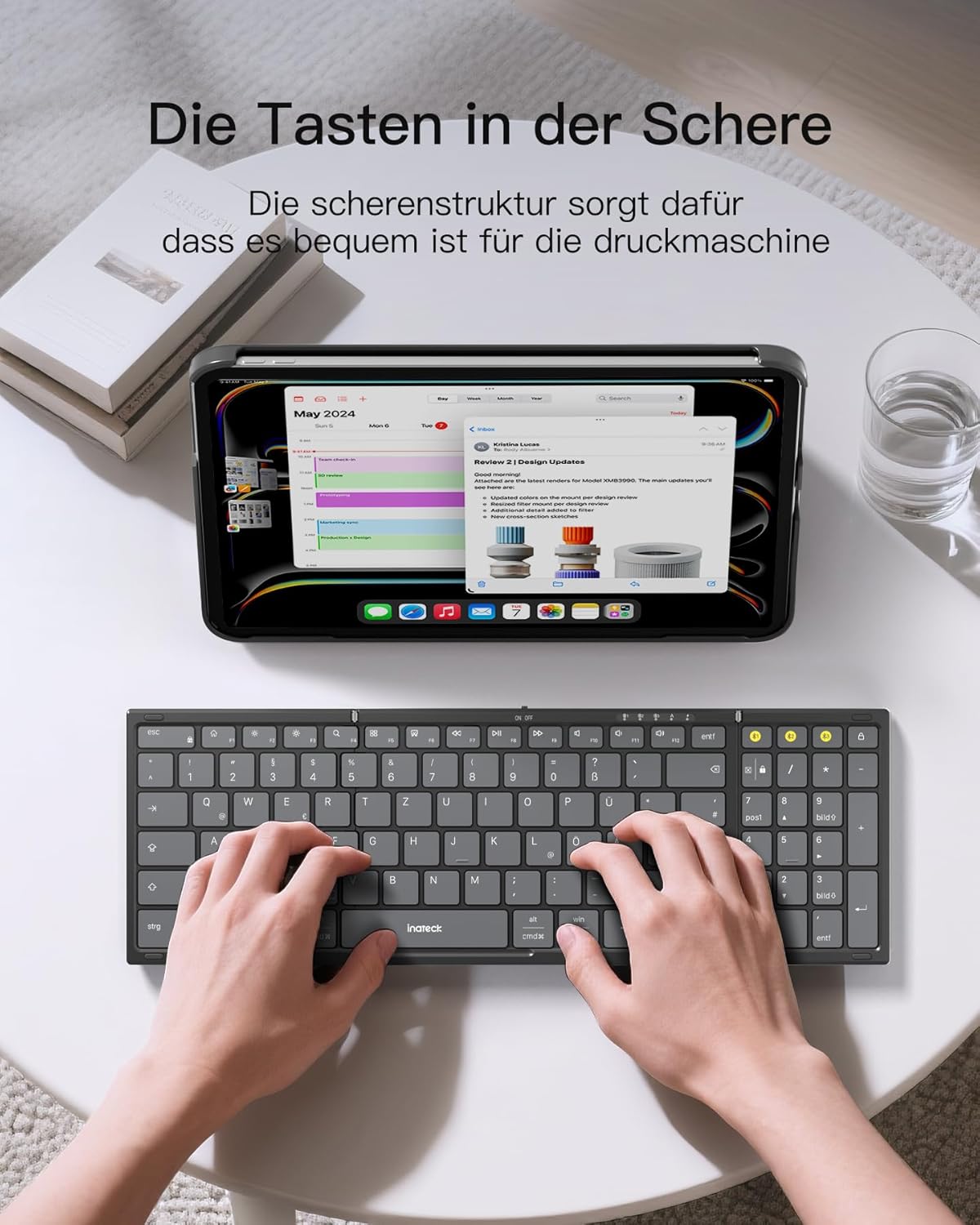
Image: A user demonstrating typing on the Inateck Nomad N0158 foldable keyboard, with a tablet positioned on the included stand for an optimal workspace setup.
6. Технічне обслуговування
6.1 Очищення
- Use a soft, dry, lint-free cloth to clean the keyboard and mouse surfaces.
- Для стійкого бруду злегкаampПротріть тканину водою або м’яким неабразивним засобом для чищення. Уникайте надмірного зволоження.
- Do not use harsh chemicals, solvents, or abrasive materials, as these can damage the product finish.
6.2 Зберігання
- When not in use, fold the keyboard and store it along with the mouse and stand in the provided accessory bag.
- Зберігайте продукт у прохолодному, сухому місці, подалі від прямих сонячних променів і екстремальних температур.
- The accessory bag is made from splash-proof material, offering protection during travel.
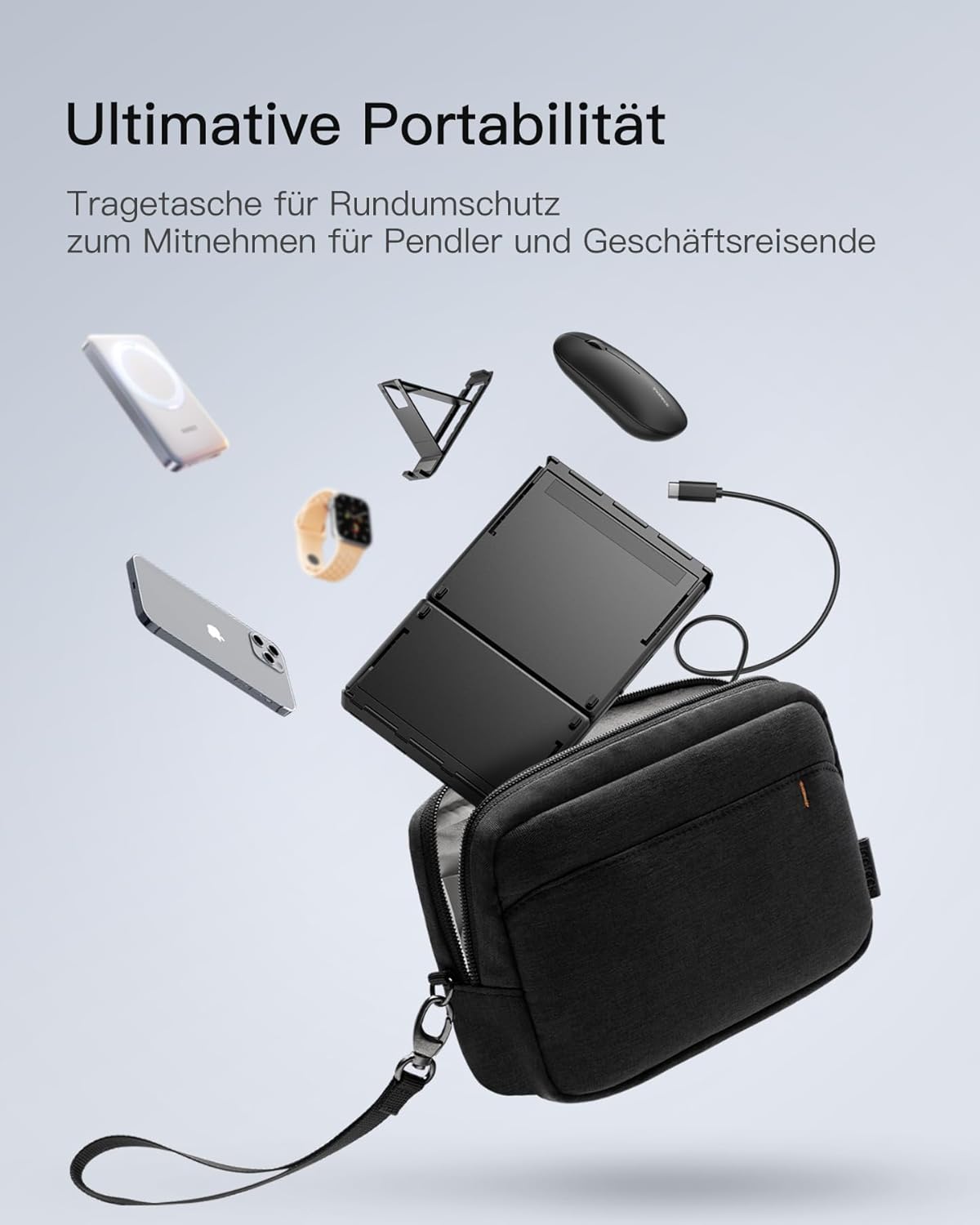
Image: The Inateck Nomad N0158 accessory bag, designed for ultimate portability and protection of the keyboard, mouse, and folding stand during transport.
6.3 Догляд за акумулятором
- Recharge the keyboard regularly to maintain battery health, even if not used frequently.
- Уникайте повного розряджання акумулятора протягом тривалого часу.
- If the mouse uses replaceable batteries, ensure they are inserted correctly and replace them when power is low.
7. Вирішення проблем
7.1 Проблеми з підключенням
- Пристрій не підключається:
- Переконайтеся, що клавіатура/миша заряджена та увімкнена.
- Verify that the correct Bluetooth channel (BT1/BT2) is selected and in pairing mode (flashing indicator).
- On your device, turn Bluetooth off and then on again.
- Remove any previous pairings for the keyboard/mouse from your device's Bluetooth settings and attempt to pair again.
- For 2.4G mouse connection, ensure the USB dongle is securely inserted and the mouse is in 2.4G mode.
- Переривчасте підключення:
- Ensure there are no obstructions between the keyboard/mouse and your device.
- Підійдіть ближче до свого пристрою, щоб уникнути проблем із дальністю.
- Перевірте наявність перешкод від інших бездротових пристроїв.
7.2 Incorrect Keyboard Output (e.g., 'Y' appears instead of 'Z')
This issue typically occurs when the device's operating system keyboard layout does not match the physical QWERTZ layout of the Inateck keyboard. To resolve this, adjust your device's keyboard language settings:
For Windows/Android/macOS/iOS:
- Перейдіть до свого пристрою Налаштування.
- Перейдіть до Мова та введення or similar (e.g., "Other settings > Language and input methods" on Android).
- знайти Фізична клавіатура or Апаратна клавіатура налаштування.
- Select the "Nomad" or "Inateck Keyboard" entry.
- Set the keyboard layout to Німецька (QWERTZ).
7.3 Keyboard Instability
The keyboard's folding hinge does not lock. For stable typing, always ensure the keyboard is placed on a completely flat and firm surface. Avoid using it on uneven surfaces like a lap, bed, or soft cushions, as this can cause the keyboard to fold unexpectedly.
8. Технічні характеристики
| Бренд | Inateck |
| Модель | N0158 |
| Технологія підключення | Bluetooth, 2.4G Wireless (Mouse) |
| Особливості | 3 Bluetooth Channels, Ergonomic (design) |
| Сумісні пристрої | Laptop, Personal Computer, Smartphone (iPad, iPhone, Mac, Android, Windows) |
| Опис клавіатури | Foldable keyboard mouse set wireless |
| Рекомендоване використання продукту | Офіс, подорожі |
| Розкладка клавіатури | КВЕРЦ |
| Джерело живлення | Battery Powered (Rechargeable via USB-C for keyboard) |
| Термін служби батареї клавіатури | 90+ hours continuous use, 180 days standby |
| Термін служби батареї миші | 50+ hours continuous use, extended standby |
| Розміри продукту (у розгорнутому вигляді) | 40.54 х 11.49 х 3 см |
| Вага продукту | 756 г |

Image: Visual representation of the Inateck Nomad N0158 keyboard's dimensions when folded (18.4 cm) and unfolded (34.2 cm x 11.5 cm), alongside a tablet (27.9 cm) and smartphone (14.6 cm) for scale.
9. Гарантія та підтримка
Inateck products are designed for reliability and performance. For warranty information, technical support, or customer service inquiries, please refer to the official Inateck webсайт або зверніться безпосередньо до служби підтримки клієнтів. Зберігайте чек про покупку для гарантійних претензій.
Офіційний Webсайт: www.inateck.com


