вступ
This manual provides detailed instructions for the ATTACK SHARK G3 Tri-Mode Wireless Gaming Mouse. Please read this manual thoroughly before use to ensure proper operation and to maximize your experience with the product.
The ATTACK SHARK G3 is a high-performance gaming mouse designed for versatility and precision. It offers three connectivity modes: 2.4GHz wireless, Bluetooth 5.2, and wired USB-C, allowing seamless switching between various devices and setups. Featuring a lightweight design, a high-precision PAW3311 sensor, and programmable buttons, the G3 is engineered for both gaming and productivity.
Вміст упаковки
- ATTACK SHARK G3 Wireless Gaming Mouse
- Кабель для заряджання/передавання даних USB-C
- 2.4-ГГц USB-приймач
- Посібник користувача
Продукт закінченийview
Familiarize yourself with the components of your ATTACK SHARK G3 mouse.

Зображення: Зверху вниз view of the ATTACK SHARK G3 Wireless Gaming Mouse in Berry Red, showing the left and right click buttons, scroll wheel, and two side buttons on the left.
- Ліва кнопка миші: Стандартна основна функція миші.
- Клацніть правою кнопкою миші: Стандартна функція додаткової миші.
- Колесо прокрутки: Для прокручування та функції клацання середньою кнопкою миші.
- Side Buttons (x2): Default to Forward/Backward, programmable via software.
- DPI Button (underside): Перемикає попередньо встановлені рівні DPI.
- Mode Switch (underside): Toggles between 2.4GHz, Bluetooth, and Wired modes.
- Порт USB-C: Для дротового підключення та заряджання.
- 2.4GHz USB Receiver Storage: Розташований на нижній стороні миші.

Зображення: Виставка колажівasing key features of the G3 mouse, including its 59g ultra-light design, 500mAh battery, PixArt PAW3311 sensor, 25000 DPI capability, Huano Blue Shell Pink Dot Switches, and Tri-mode connectivity.
Налаштування
1. Дротове підключення
- Підключіть кінець USB-C наданого кабелю до миші.
- Підключіть кінець кабелю USB-A до вільного порту USB на вашому комп’ютері.
- Ensure the mode switch on the underside of the mouse is set to the "Wired" position.
- The mouse will be recognized by your computer and is ready for use.
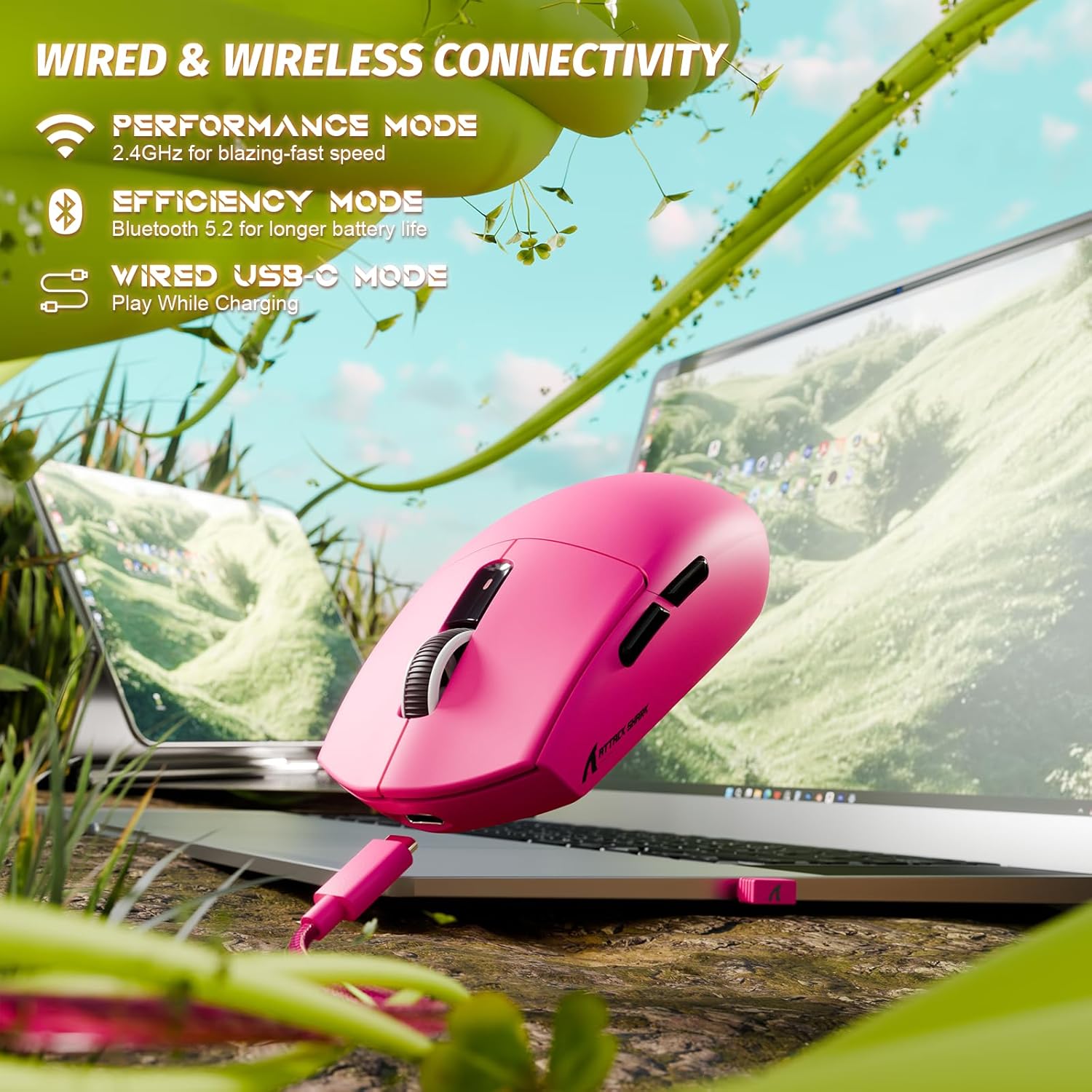
Image: The ATTACK SHARK G3 mouse connected to a laptop via its USB-C cable, illustrating the wired connectivity option.
2. 2.4GHz Wireless Mode Connection
- Locate the 2.4GHz USB receiver stored on the underside of the mouse.
- Підключіть USB-приймач у вільний USB-порт на комп’ютері.
- Set the mode switch on the underside of the mouse to the "2.4G" position.
- The mouse should automatically connect to the receiver. If not, press and hold the DPI button and a side button simultaneously for 3 seconds to initiate pairing.
3. Bluetooth 5.2 Mode Connection
- Set the mode switch on the underside of the mouse to the "BT" (Bluetooth) position.
- The mouse will enter pairing mode, indicated by a blinking LED light.
- На комп’ютері або пристрої перейдіть до налаштувань Bluetooth.
- шукати new devices and select "ATTACK SHARK G3" from the list.
- Дотримуйтеся будь-яких підказок на екрані, щоб завершити процес створення пари.
Інструкція з експлуатації
Налаштування DPI
The ATTACK SHARK G3 features a PAW3311 sensor with adjustable DPI settings. You can cycle through preset DPI levels by pressing the DPI button located on the underside of the mouse. For fine adjustments and custom DPI profiles, use the dedicated driver software.

Зображення: Крупний план view of the PixArt PAW3311 sensor inside the mouse, highlighting its capabilities such as 1000Hz polling rate, 25000 DPI max, and 40G acceleration.
Програмовані кнопки та програмне забезпечення
The G3 mouse includes 5 programmable buttons. To customize button functions, create macros, and adjust settings like polling rate and Lift-Off Distance (LOD), download and install the official ATTACK SHARK driver software from the manufacturer's website. The software allows for personalized configurations to suit your specific needs.

Image: A screenshot of the ATTACK SHARK G3 customization software interface, showing options for mouse settings, DPI settings, parameter settings, macro editing, and personal center.
Зарядка миші
The mouse is equipped with a built-in 500mAh rechargeable lithium-ion battery. When the battery is low, the LED indicator will signal. Connect the mouse to your computer using the provided USB-C cable to charge. The mouse can be used normally while charging in wired mode.

Image: The ATTACK SHARK G3 mouse in a natural setting, emphasizing its 500mAh battery capacity for extended use.
Технічне обслуговування
- Прибирання: Використовуйте м’яку суху тканину для очищення поверхні миші. Для стійкого бруду злегкаamp можна використовувати тканину, щоб уникнути потрапляння вологи до внутрішніх компонентів.
- Догляд за датчиком: Тримайте оптичний датчик на нижній стороні миші чистим та без пилу чи сміття, щоб забезпечити точне відстеження.
- Термін служби батареї: Щоб продовжити термін служби батареї, уникайте частого повного розрядження миші. Заряджайте її, коли з’являється індикатор низького заряду батареї.
- Зберігання: Якщо миша не використовується протягом тривалого часу, зберігайте її в прохолодному сухому місці.

Image: An inverted view of the ATTACK SHARK G3 mouse, showcasing its double-layer mouse feet for smooth gliding and stability.
Усунення несправностей
- Миша не реагує:
- Переконайтеся, що миша заряджена.
- Check the mode switch (2.4G, BT, Wired) is set correctly.
- Для частоти 2.4 ГГц переконайтеся, що USB-приймач надійно підключено. Спробуйте інший USB-порт.
- For Bluetooth, ensure Bluetooth is enabled on your device and the mouse is paired.
- Try connecting in wired mode to confirm functionality.
- Неточне відстеження:
- Очистіть оптичний датчик на нижній стороні миші.
- Переконайтеся, що ви використовуєте мишу на відповідній поверхні (наприклад, килимку для миші).
- Adjust DPI settings via the DPI button or software.
- Проблеми з підключенням:
- Перемістіть мишу ближче до приймача/пристрою, щоб зменшити перешкоди.
- Avoid using the 2.4GHz receiver near other wireless devices that may cause interference.
- Re-pair the mouse in 2.4GHz or Bluetooth mode if connection is lost.
- Програмне забезпечення не розпізнає мишу:
- Ensure the mouse is connected in wired or 2.4GHz mode (Bluetooth may not be supported by all software).
- Перезавантажте програмне забезпечення та/або комп’ютер.
- Reinstall the driver software.
Технічні характеристики
| Особливість | Деталь |
|---|---|
| Модель | G3 |
| Підключення | Бездротовий зв'язок 2.4 ГГц, Bluetooth 5.2, дротовий USB-C |
| датчик | Оптичний датчик PixArt PAW3311 |
| Діапазон DPI | 800 - 25,000 DPI (регульована) |
| Швидкість відстеження | IPS 400 |
| Прискорення | 40G |
| Швидкість опитування | 1000 Гц (дротовий/2.4 ГГц) |
| кнопки | 5 Програмовані кнопки |
| Перемикачі | Huano Blue Shell Pink Dot Switches (80 million clicks) |
| Акумулятор | Літій-іонний акумулятор 500 мАг |
| Вага миші | Приблизно 59 г (2.08 унції) |
| Сумісність | PC, Mac (Windows/macOS) |
Гарантія та підтримка
ATTACK SHARK products are designed and manufactured to the highest quality standards. For warranty information and technical support, please refer to the official ATTACK SHARK webсайт або зверніться безпосередньо до служби підтримки клієнтів. Зберігайте чек про покупку для гарантійних випадків.
For further assistance, visit the official ATTACK SHARK store: ATTACK SHARK Store


