1. Вступ
This manual provides essential information for the proper setup, operation, and maintenance of your MUNBYN IRT12 Rugged Windows Tablet. Please read this manual thoroughly before using the device to ensure optimal performance and longevity.
1.1 продукт закінченоview
The MUNBYN IRT12 is a rugged 10.1-inch Windows tablet designed for demanding environments. It features a sunlight-readable display, Wi-Fi 6 connectivity, and a robust design to withstand challenging conditions.

Figure 1.1: The MUNBYN IRT12 Rugged Windows Tablet, shown with an included stylus and an attached hand strap.
2. Що в коробці
Перевірте наявність усіх елементів в упаковці:
- MUNBYN IRT12 Rugged Windows Tablet
- Ремінець на руку
- Адаптер змінного струму
- Кабель змінного струму
- Tablet Stylus
- TYPE-C OTG Cable
- Ручка для перенесення

Figure 2.1: All components included with the MUNBYN IRT12 Rugged Windows Tablet.
3. Device Layout and Features
Familiarize yourself with the physical layout and key features of your IRT12 tablet.

Рисунок 3.1: Передня, задня та бічна частини views of the IRT12 tablet with labels for all external components.
3.1 Основні характеристики
- 1000-nit Sunlight Readable Display: The 10.1-inch display offers high brightness for clear visibility in direct sunlight.
- Підключення Wi-Fi 6: Supports faster and more stable wireless network connections with data transfer rates up to 1800Mbps.
- Windows 11 Професійна: Equipped with the latest Windows operating system for professional needs.
- Intel Alder Lake N100 Processor: Provides enhanced computing power and efficient multitasking.
- 8 ГБ оперативної пам'яті + 128 ГБ ПЗП: Sufficient memory and storage for multiple applications and data.
- IP65 Rating & MIL-STD-810H Certified: Designed for durability, offering dust-tight and water-resistant protection, and tested against military standards for extreme conditions.
- 5000mAh Removable Battery: Provides up to 6.5 hours of battery life, with a removable design for easy replacement.
- Інтегрований GPS: For navigation and location-based services.
4. Налаштування та перше використання
4.1 Attaching the Hand-Strap
The included hand-strap can be attached to the back of the tablet for secure handling, especially during mobile use.
Video 4.1: Demonstration of attaching the hand-strap to the MUNBYN IRT12 tablet for improved grip and security.
4.2 Встановлення батареї
The IRT12 tablet features a removable 5000mAh battery. To install or replace the battery:
- Locate the battery cover on the back of the tablet.
- Unlock the battery cover using the designated latch or screws (if applicable).
- Insert the battery into the compartment, ensuring proper alignment of the contacts.
- Закріпіть кришку акумулятора.
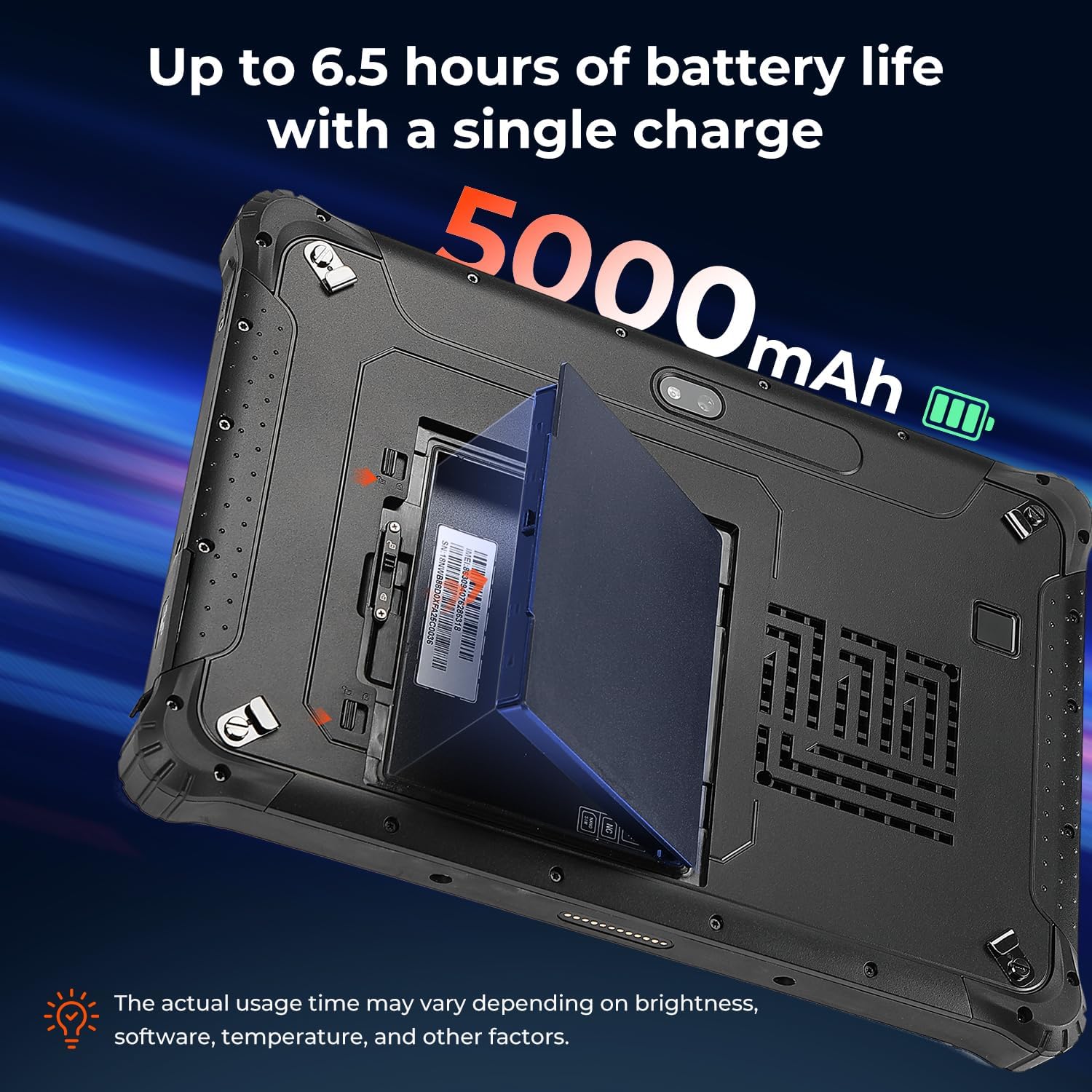
Figure 4.2: The removable 5000mAh battery being installed into the tablet.
4.3 Встановлення SIM -карти
If you intend to use cellular data, install a Nano SIM card:
- Locate the SIM card slot, typically under the battery cover or a protective flap.
- Insert the Nano SIM card into the slot labeled "NANO SIM." Do not use the slot marked "NC."
- Переконайтеся, що SIM-картка повністю вставлена.
4.4 Увімкнення/вимкнення
To power on the tablet, press and hold the power button until the MUNBYN logo appears. To power off, press and hold the power button, then select 'Shut down' from the on-screen options.
5. Керування планшетом
5.1 Дисплей та яскравість
The 10.1-inch display is designed for readability in various lighting conditions, including direct sunlight, with a brightness of over 1000 nits.

Figure 5.1: The tablet's screen remains clear and readable even in bright outdoor conditions.
5.2 Розблокування за допомогою відбитка пальця
For enhanced security and quick access, the tablet supports fingerprint unlocking.

Figure 5.2: Using the fingerprint reader for secure tablet access.
5.3 Wireless Connectivity (Wi-Fi 6 & Bluetooth 5.2)
The IRT12 supports Wi-Fi 6 for high-speed internet access and Bluetooth 5.2 for connecting wireless peripherals.

Figure 5.3: The tablet's advanced wireless capabilities.
5.4 Функціональність GPS
The integrated GPS allows for accurate location tracking and navigation, useful for field operations.

Figure 5.4: The tablet being used for GPS navigation in a vehicle.
6. Довговічність та захист
The MUNBYN IRT12 is built to withstand harsh conditions, featuring an IP65 rating and MIL-STD-810H military standard certification.
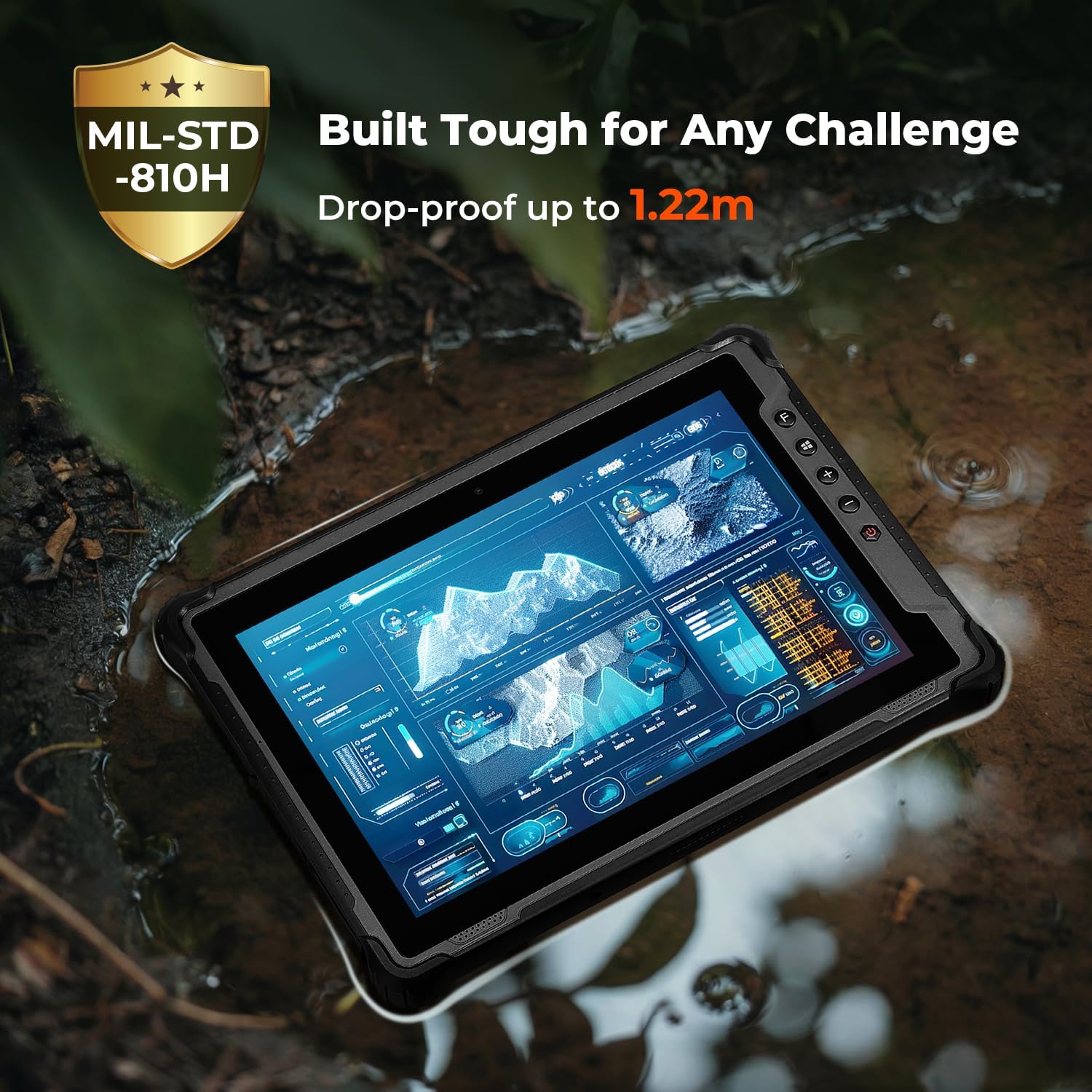
Figure 6.1: The tablet's robust construction allows it to operate in challenging environments.
7. Технічне обслуговування
To ensure the longevity and optimal performance of your MUNBYN IRT12 tablet, follow these maintenance guidelines:
- Прибирання: Використовуйте м'який, damp cloth to clean the screen and exterior. Avoid harsh chemicals or abrasive materials.
- Захист портів: Ensure all port covers are securely closed when not in use to maintain the IP65 rating against dust and water ingress.
- Догляд за акумулятором: Avoid extreme temperatures when charging or storing the battery. If the tablet will not be used for an extended period, store it with a partial charge (around 50%).
- Оновлення програмного забезпечення: Регулярно перевіряйте наявність оновлень Windows та встановлюйте їх, щоб забезпечити стабільність і безпеку системи.
8. Вирішення проблем
If you encounter issues with your tablet, refer to the following common troubleshooting steps:
- Планшет не вмикається: Ensure the battery is properly installed and charged. Connect the tablet to the AC adapter and try again.
- Екран не реагує: Perform a soft reset by holding the power button for 10-15 seconds. If the issue persists, ensure the screen is clean and dry.
- Проблеми з підключенням до Wi-Fi: Check if Wi-Fi is enabled in Windows settings. Restart the tablet and your Wi-Fi router. Ensure you are within range of a Wi-Fi signal.
- Повільна продуктивність: Close unnecessary applications. Check for available storage space and free up space if needed. Ensure Windows is up to date.
- SIM-картку не виявлено: Verify the SIM card is correctly inserted into the "NANO SIM" slot. Restart the tablet.
For further assistance, please contact MUNBYN customer support.
9. Технічні характеристики
| Особливість | Специфікація |
|---|---|
| Бренд | МАНБІН |
| Номер моделі | IRT12 |
| Операційна система | Windows 11 Professional |
| Процесор | Intel Alder Lake N100 |
| ОЗУ | 8 ГБ |
| Зберігання | 128 ГБ |
| Розмір екрана | 10.1 дюймів |
| Роздільна здатність екрана | 1920 x 1200 pixels (Max 1200*1920 Pixels) |
| Яскравість екрана | 1000 nits (Sunlight Readable) |
| Бездротове підключення | Wi-Fi 6, Bluetooth 5.2 |
| Ємність акумулятора | 5000 мАг (знімний) |
| Середній термін служби батареї | 6.5 Hours (up to) |
| Рейтинг довговічності | IP65, MIL-STD-810H Certified |
| Вага товару | 4.47 фунта |
| Розміри продукту | 10.83 x 0.87 x 7.43 дюймів |
10. Гарантія та підтримка
The MUNBYN IRT12 Rugged Windows Tablet comes with a 2-year protection plan, ensuring support for your device.

Figure 10.1: MUNBYN offers a 2-year protection plan and continuous online support.
10.1 Обслуговування клієнтів
MUNBYN provides 24/7 customer service to assist with any inquiries or technical issues. Support options include remote setup assistance, how-to videos, and local tech support.

Figure 10.2: Available customer support services.


