1. Продукт закінчивсяview
The GKU 4K Dash Cam D200 is designed to provide high-resolution video recording for your vehicle. It features Ultra HD 2160P resolution, a 170° wide-angle lens, and advanced night vision capabilities with WDR technology. Integrated Wi-Fi allows for easy smartphone connectivity and app control. Key safety features include a 24-hour parking monitor, G-Sensor for impact detection, and seamless loop recording. The compact design ensures it does not obstruct your view під час водіння.
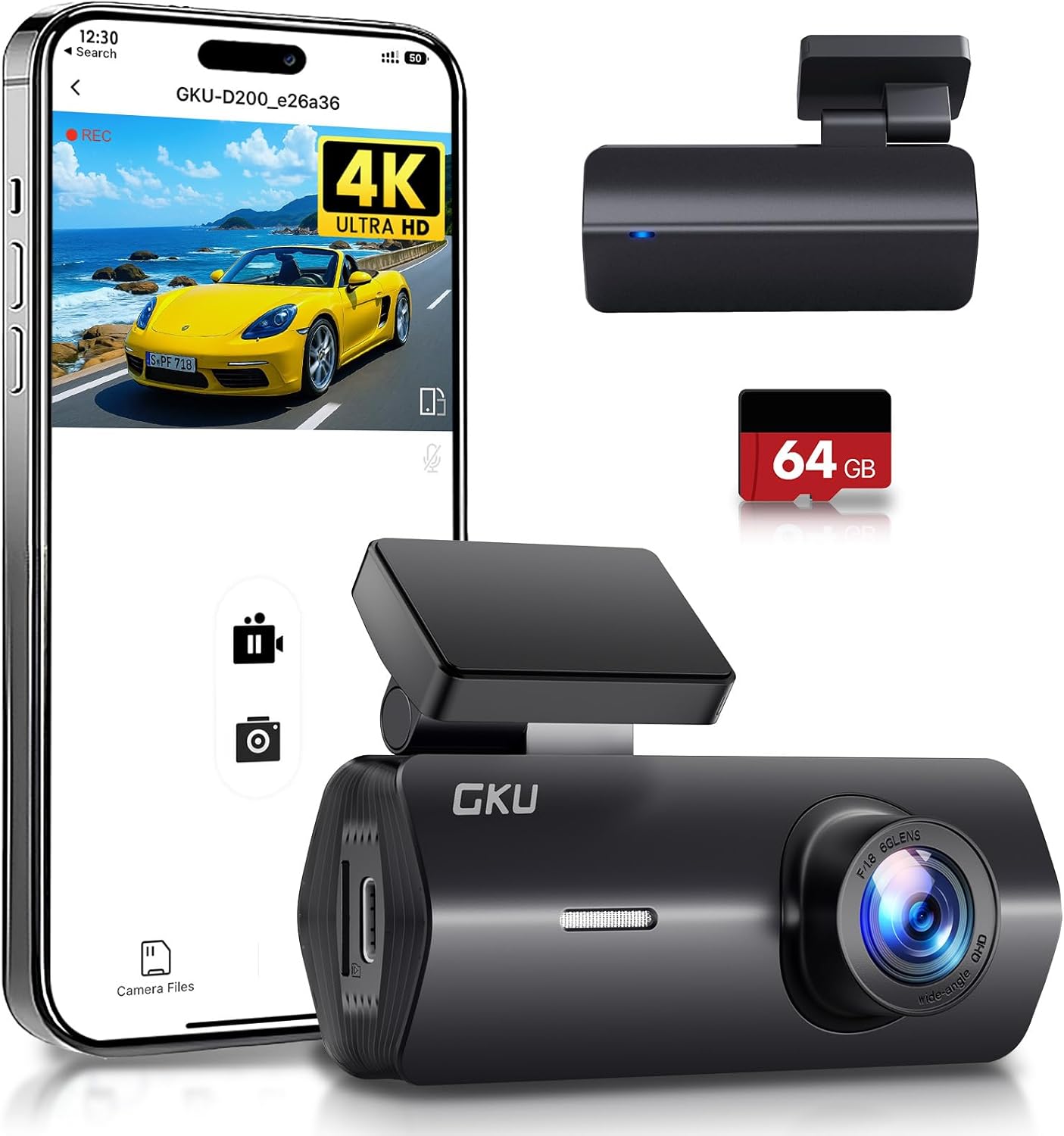
Figure 1: GKU 4K Dash Cam D200 with smartphone app interface and included 64GB SD card.
2. Що в коробці
Будь ласка, перевірте вміст вашої упаковки, щоб переконатися, що всі предмети присутні:
- 1 x GKU 4K D200 Front Camera
- 1 x 64 ГБ SD-карта
- 1 x Car Charger (9.84ft)
- 2 x 3M Adhesive Mounts
- 2 х електростатичні плівки
- 1 х лом
- 1 х посібник користувача

Figure 2: Contents of the GKU 4K Dash Cam D200 package.
3. Налаштування та встановлення
3.1 Встановлення SD-карти
- Locate the SD card slot on the side of the dash cam.
- Insert the provided 64GB SD card into the slot until it clicks into place. Ensure the card is inserted correctly with the contacts facing the camera lens.
- It is recommended to format the SD card within the dash cam settings before first use.

Figure 3: The included 64GB SD card.
3.2 Монтаж відеореєстратора
- Очистіть ділянку на лобовому склі, де ви плануєте встановити відеореєстратор.
- Apply one of the electrostatic films to the cleaned area. This helps protect your windshield and makes removal easier.
- Attach a 3M adhesive mount to the dash cam's bracket.
- Press the dash cam firmly onto the electrostatic film on your windshield, ideally behind the rearview дзеркало, щоб не загороджувати собі view.
- Adjust the camera angle using the 140° adjustable bracket to ensure optimal road coverage.

Figure 4: Dash cam mounted on the windshield.
3.3 Підключення живлення
Connect the dash cam to your vehicle's power source using the provided car charger. Route the cable neatly along the windshield and dashboard to avoid interference with driving. For 24-hour parking monitoring, a hardwire kit (not included) is required to connect directly to your car's battery.
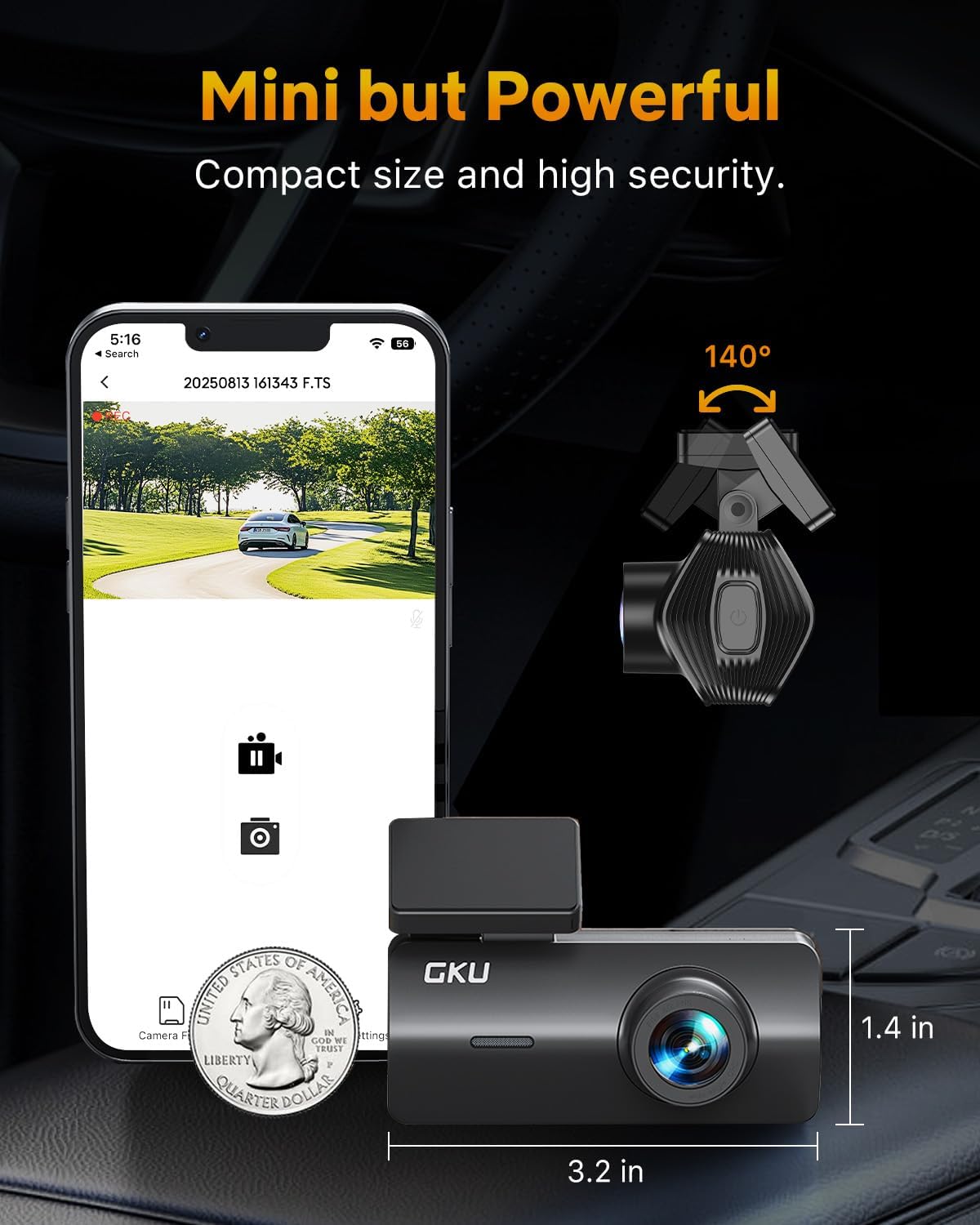
Figure 5: Car charger connection.
4. Інструкція з експлуатації
4.1 Базовий запис
Once powered on, the dash cam will automatically begin recording. It utilizes loop recording, which continuously records video in segments (e.g., 1, 3, or 5 minutes). When the SD card is full, the oldest unlocked files перезаписуються новими записами.
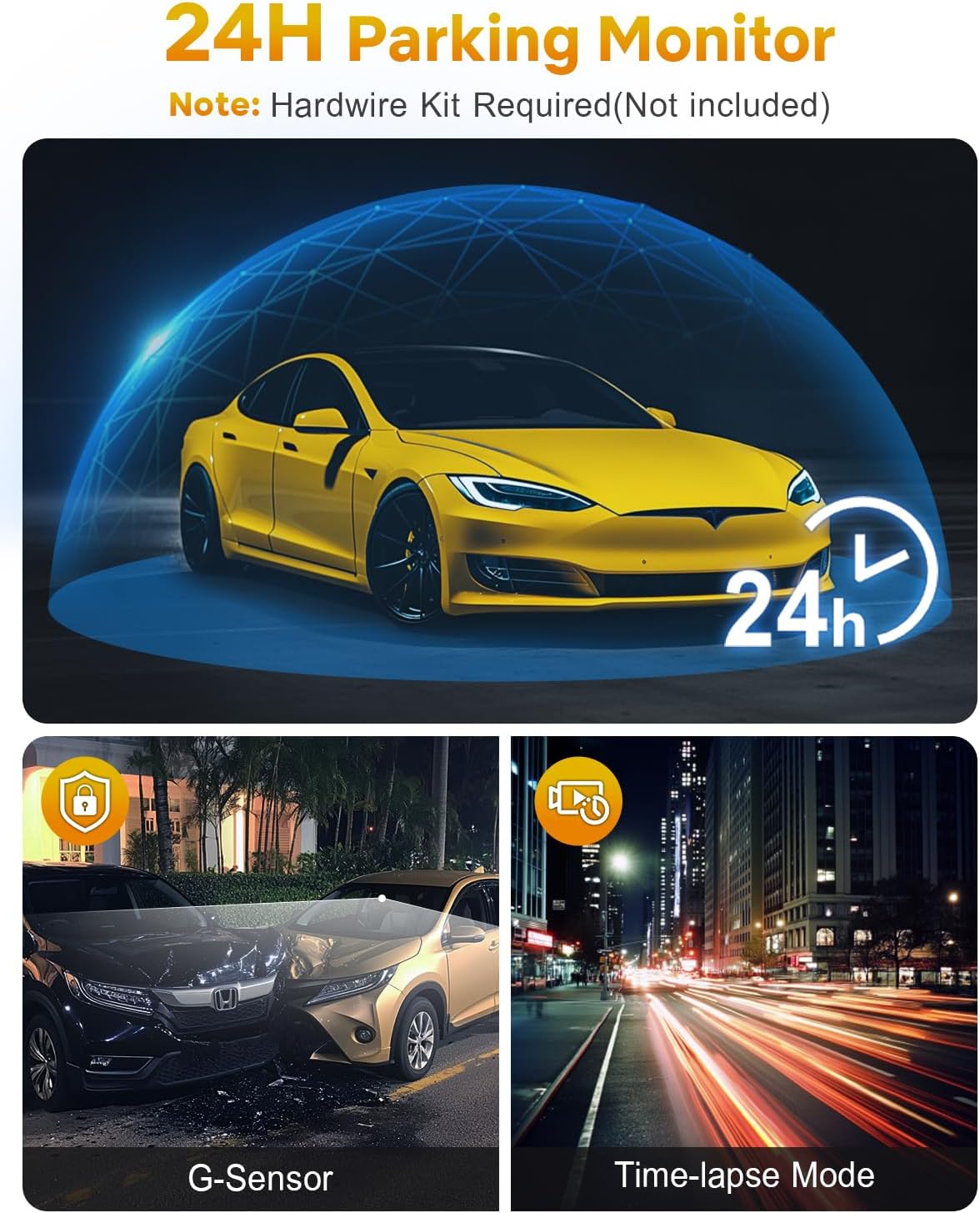
Figure 6: Loop Recording in action.
4.2 Wi-Fi & App Control
The GKU D200 features built-in Wi-Fi for seamless connection to your smartphone via a dedicated app. This allows you to:
- View жити footage від відеореєстратора.
- Відтворення записаних відео.
- Завантажуйте відео безпосередньо на свій телефон.
- Налаштуйте параметри відеореєстратора.
Download the official GKU app from your smartphone's app store and follow the in-app instructions to connect to your dash cam's Wi-Fi network.
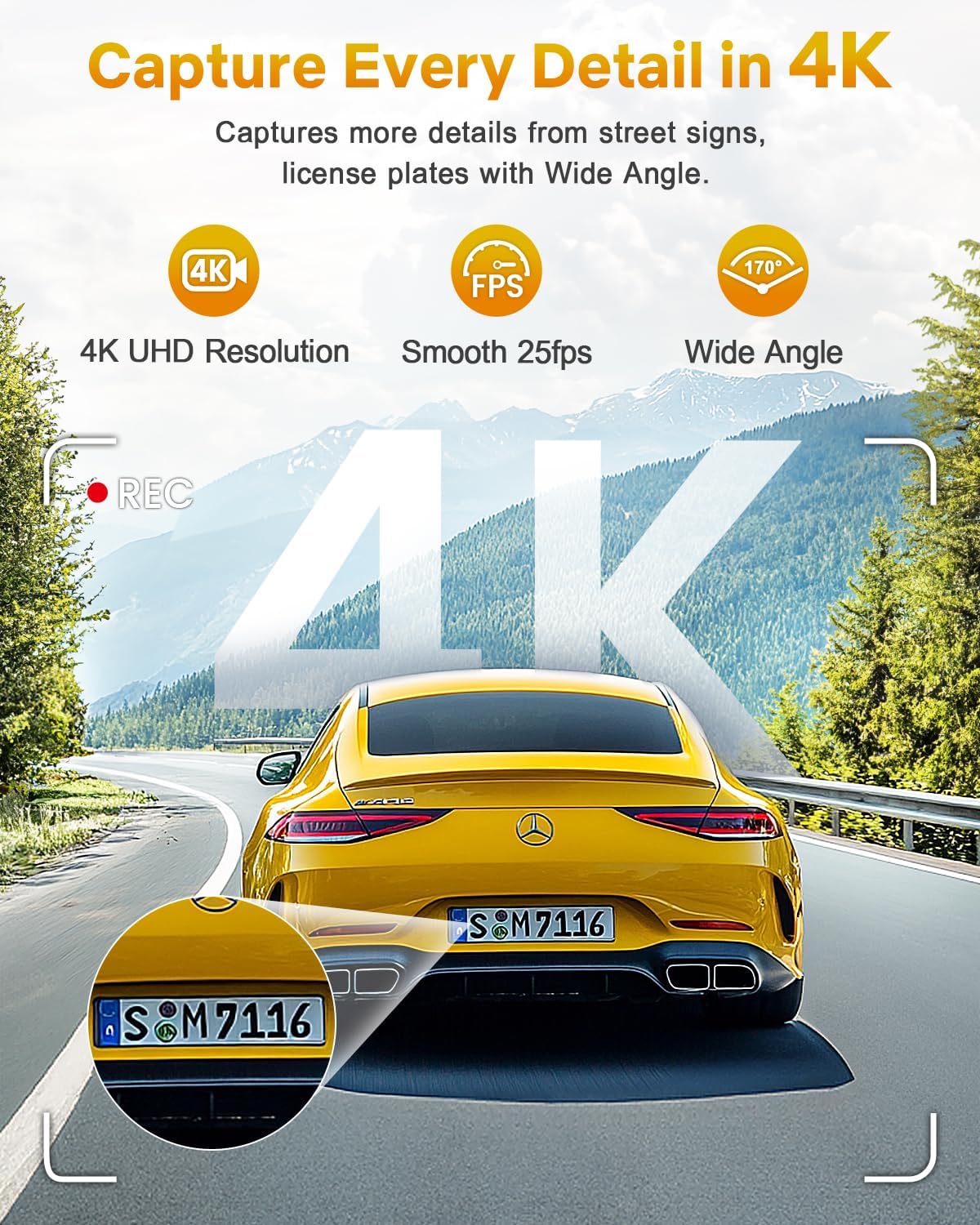
Рисунок 7: Підключення до Wi-Fi та керування за допомогою застосунку.
4.3 G-Sensor & Collision Lock
The integrated G-Sensor detects sudden impacts or collisions. When an event is detected, the dash cam automatically locks the current recording segment, preventing it from being overwritten by loop recording. This ensures critical footagе зберігається.

Figure 8: G-Sensor collision lock feature.
4.4 Цілодобовий моніторинг паркування
With the 24-hour parking monitor feature, the dash cam can continue to record even when your vehicle is parked. It uses impact detection to automatically record footage if a collision or significant vibration is detected. This feature requires a hardwire kit (sold separately) for continuous power supply.

Figure 9: 24-Hour Parking Monitor.
4.5 Нічне бачення
The GKU D200 is equipped with advanced night vision technology, including an F1.8 aperture and Wide Dynamic Range (WDR). This allows the camera to automatically balance exposure and enhance clarity in low-light conditions, ensuring clear recordings during nighttime driving.
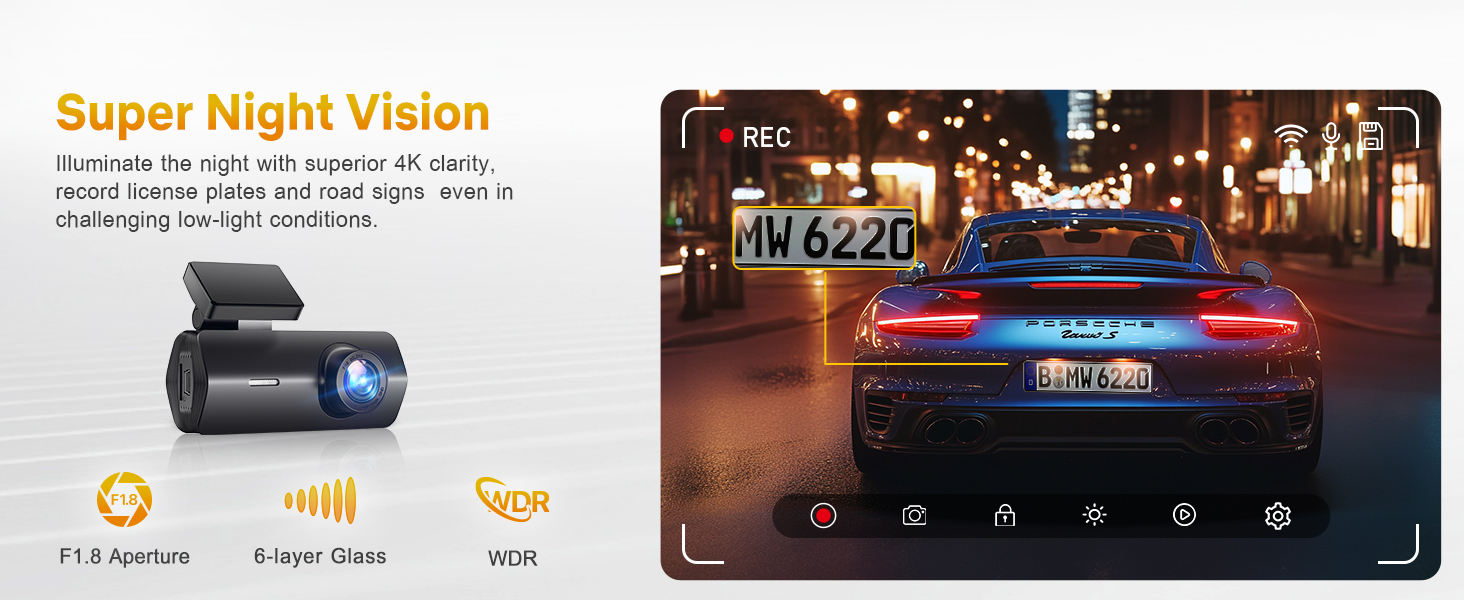
Figure 10: Enhanced night vision capabilities.
5. Технічне обслуговування
5.1 Керування карткою SD
Regularly format your SD card (at least once a month) to ensure optimal performance and prevent data corruption. This can typically be done through the dash cam's settings via the smartphone app.
5.2 Загальний догляд
- Тримайте об'єктив камери в чистоті, використовуючи м'яку тканину без ворсу.
- Avoid exposing the dash cam to extreme temperatures for prolonged periods. The device is designed to withstand temperatures from -4°F (-20°C) to 158°F (70°C).
- Do not attempt to disassemble or repair the dash cam yourself, as this will void the warranty.
6. Вирішення проблем
Поширені проблеми та рішення
- Відеореєстратор не вмикається: Check the power connection and ensure the car charger is securely plugged into both the dash cam and the vehicle's power outlet. Verify the vehicle's power outlet is functional.
- Запис зупиняється або зависає: Format the SD card. If the issue persists, try a different high-speed (Class 10 or U3) SD card. Ensure the firmware is up to date via the app.
- Відключення Wi-Fi: Ensure your smartphone is within close proximity to the dash cam. Restart both the dash cam and your phone. Reconnect through the GKU app.
- Погана якість відео: Clean the camera lens. Ensure the protective film has been removed from the lens. Check that the dash cam is set to 4K resolution in the app settings.
- Не працює монітор паркування: Confirm that the parking monitor feature is enabled in the app settings. Remember that a hardwire kit (not included) is required for continuous 24-hour parking surveillance.
7. Технічні характеристики
| Особливість | Деталь |
|---|---|
| Назва моделі | D200 |
| Роздільна здатність захоплення відео | 4K (UHD 2160P) |
| Поле оф View | 170 градусів |
| Технологія підключення | Wi-Fi |
| Особливості | Night Vision, Built-In WiFi, App Control, G-sensor, Loop Recording, Parking Monitor, Free 64G SD card, Supports 512GB Max, Detachable Compact Design |
| Тип монтажу | Кріплення лобового скла |
| Розміри продукту | 1.97 x 1.18 x 1.18 дюймів |
| Вага товару | 10.6 унції |
| Акумулятори | Потрібен 1 літій-металевий акумулятор |
8. Гарантія та підтримка клієнтів
8.1 Інформація про гарантію
GKU provides a 12-month warranty for the Dash Cam D200, with an additional 12 months available upon official registration with GKU. This ensures a total of 24 months of coverage.
8.2 Підтримка клієнтів
For any questions, technical assistance, or warranty claims, please contact GKU customer support:
- Електронна пошта: support@gkutech.com
- 24/7 customer support is available to provide professional and comprehensive assistance.


