1. Вступ
This manual provides essential information for the proper setup, operation, and maintenance of your realme 14x 5G Smartphone. Please read this guide thoroughly to ensure optimal performance and longevity of your device. Keep this manual for future reference.

Зображення 1.1: Передня та задня частини view of the realme 14x 5G Smartphone, showcasinйого дизайн та модуль камери.
Що в коробці
- realme 14x 5G Smartphone
- Чохол для телефону
- Виштовхувач лотка для SIM-карти
- USB кабель
- Короткий посібник (окремий документ)
- Safety Information (separate document)
2. Початок роботи (налаштування)
2.1 Розмітка пристрою
Familiarize yourself with the physical components of your realme 14x 5G Smartphone.
- Кнопка живлення: Located on the side, used to power on/off the device or wake/sleep the screen.
- Кнопки гучності: Розташований збоку, використовується для регулювання гучності медіа та дзвінків.
- Порт USB: Розташований внизу, для заряджання та передачі даних.
- Лоток для SIM-карти: Розташований збоку, для вставки SIM-карт та карт microSD.
- Фронтальна камера: Розташований у верхній частині дисплея.
- Задні камери: Multiple lenses located on the back of the device.
2.2 Встановлення SIM -карти
- Знайдіть лоток для SIM-картки на боковій стороні пристрою.
- Вставте інструмент для вилучення лотка SIM-картки в маленький отвір поруч із ним і міцно натисніть, доки лоток не вискочить.
- Вставте картку(и) Nano-SIM та/або картку microSD у лоток золотими контактами вниз, переконавшись, що вони правильно вирівняні.
- Обережно вставте лоток назад у телефон, доки він не зафіксується на місці почувши клацання.
2.3 Початкове увімкнення та налаштування
- Натисніть і утримуйте кнопку живлення, доки не з’явиться логотип realme.
- Follow the on-screen instructions to complete the initial setup, including selecting your language, connecting to Wi-Fi, and setting up your Google account.
2.4 Зарядка пристрою
Connect the provided USB cable to the phone's USB port and the other end to a compatible power adapter. Plug the adapter into a wall outlet. The battery indicator on the screen will show charging status.

Image 2.1: The realme 14x 5G Smartphone connected to a charger, illustrating its 5000mAh battery and estimated usage durations for calls, Instagram і YouTube.
3. Using Your Device (Operating)
3.1 Функції дисплея
The realme 14x 5G features a 6.67-inch display with a 120Hz refresh rate for smooth visuals. It includes 10 visual protection modes to enhance eye comfort.

Image 3.1: The realme 14x 5G display highlighting its 120Hz refresh rate and various visual comfort settings like Black and White Display, Paper-like Display, and Scheduled Eye Comfort.
3.2 Робота камери
The device is equipped with a 50MP AI Camera system. This camera enhances details in various scenes, from architecture to landscapes, providing a reliable shooting experience.

Image 3.2: Close-up of the realme 14x 5G camera module, detailing its 50MP AI Camera capabilities and AI Clear Face feature for improved portraits.
3.3 Продуктивність та сховище
The realme 14x 5G is powered by the MediaTek Dimensity 6300 5G chipset, an advanced 6nm octa-core processor with clock speeds up to 2.4GHz. It comes with 8GB of RAM and 256GB of internal storage, ensuring efficient multitasking and ampпростір для ваших даних.

Image 3.3: Visual representation of the MediaTek Dimensity 6300 5G chipset, highlighting its 6nm process, 50% GPU performance increase, 8-core architecture, and 11% power-efficiency enhancements.

Image 3.4: Diagram illustrating the 8GB of dynamic RAM and 256GB of ROM, emphasizing the phone's capacity for fast multitasking.
3.4 Підключення
The device supports 5G connectivity for faster mobile data speeds. It also includes standard connectivity options:
- Wi-Fi: Підключіться до бездротових мереж для доступу до Інтернету.
- Bluetooth: Підключається до бездротових аксесуарів, таких як навушники та динаміки.
- GPS: Для служб визначення місцезнаходження та навігації.
- NFC: Для безконтактних платежів та швидкого сполучення із сумісними пристроями.

Image 3.5: Illustration of the realme 14x 5G Smartphone's 360° NFC capability, allowing multiple cards to be stored and accessed from the phone.
3.5 Операційна система
The realme 14x 5G runs on Android 15 with realme UI 6.0, offering a user-friendly interface with various customization options and features.

Зображення 3.6: закінченоview of realme UI 6.0 features, including new icon design, wallpaper depth effects, and improved notification and quick settings separation.
4. Догляд і технічне обслуговування
4.1 Physical Protection
The realme 14x 5G features ArmorShell Protection and an IP64 rating, providing resistance against dust and splashes. This enhances the device's durability for daily use.
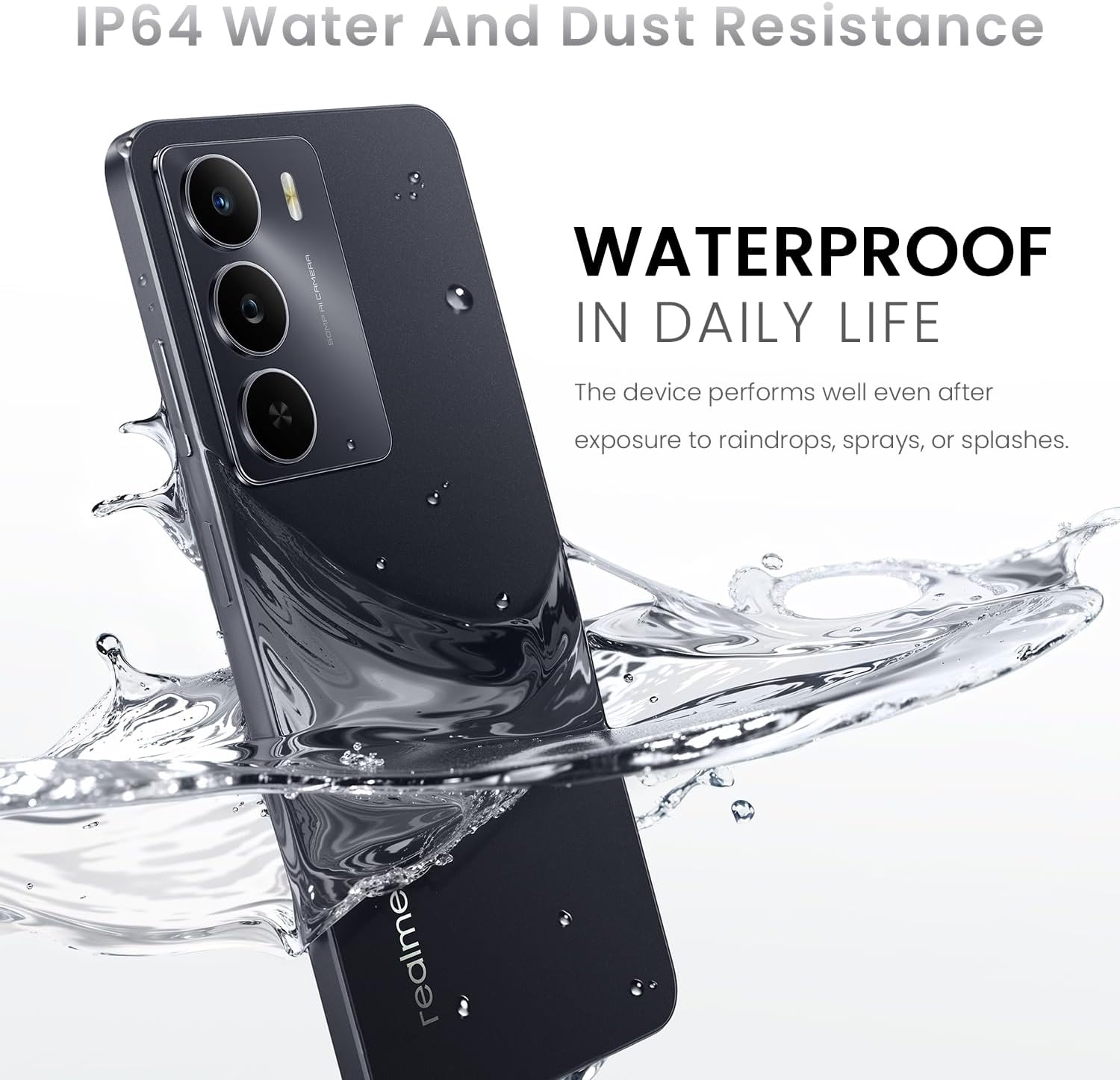
Image 4.1: The realme 14x 5G Smartphone partially submerged in water, illustrating its IP64 water and dust resistance for daily life protection.
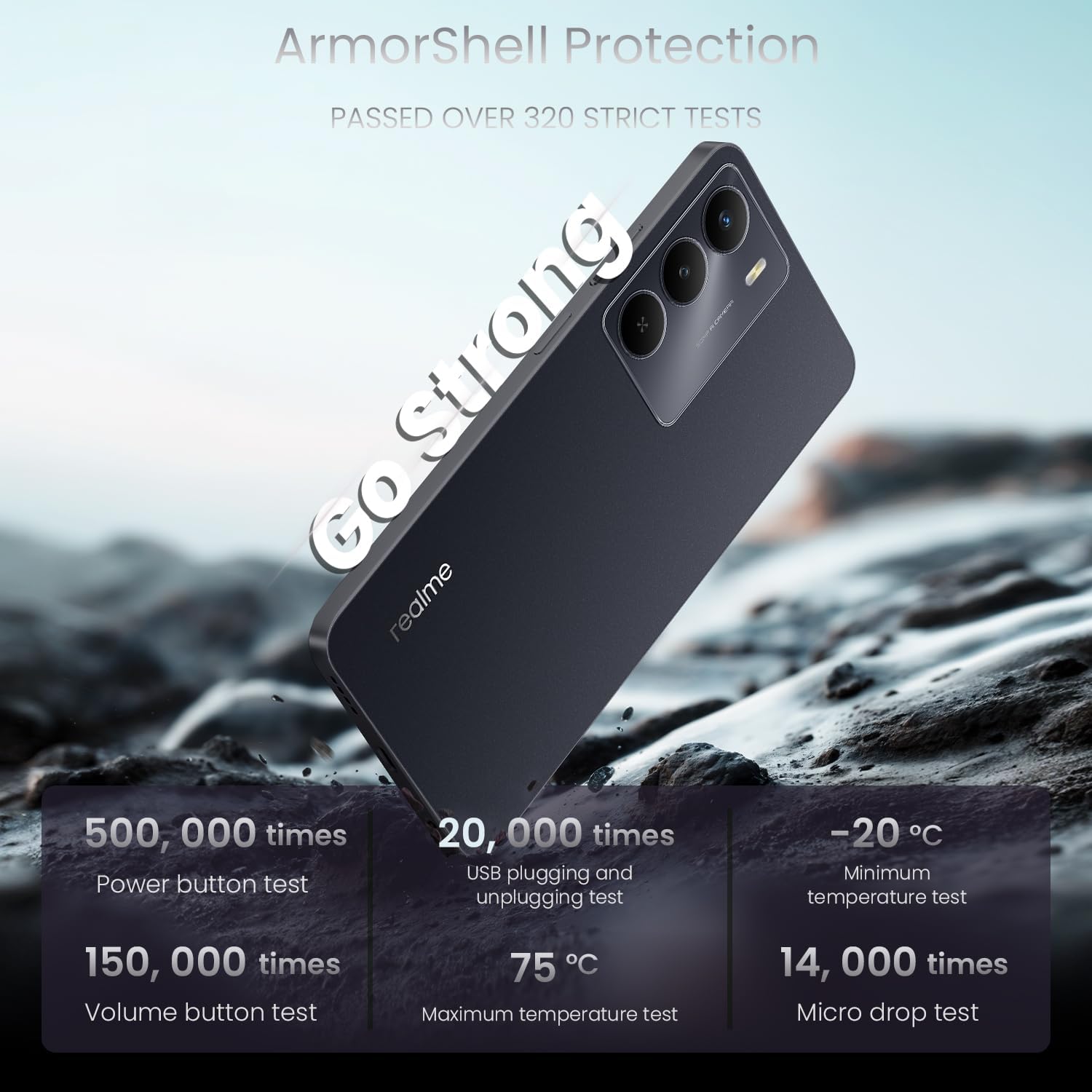
Image 4.2: The realme 14x 5G Smartphone highlighting its ArmorShell Protection, with text indicating it passed over 320 strict tests, including power button, USB plugging, volume button, temperature, and micro drop tests.
4.2 Інструкції з очищення
- Використовуйте м’яку тканину без ворсу для очищення екрана та корпусу телефону.
- Уникайте використання агресивних хімікатів, абразивних матеріалів або аерозольних спреїв.
- Для стійких плям злегкаampпротріть тканину водою або засобом для чищення екранів, спеціально призначеним для електроніки.
4.3 Battery Longevity Tips
- Уникайте екстремальних температур, оскільки вони можуть знизити термін служби акумулятора.
- Не залишайте телефон заряджатися на тривалий час після того, як він досяг 100%.
- Використовуйте оригінальний зарядний пристрій та кабель, що постачаються з пристроєм.
5. Вирішення проблем
This section addresses common issues you might encounter with your realme 14x 5G Smartphone.
5.1 Пристрій не вмикається
- Переконайтеся, що акумулятор заряджений. Підключіть телефон до зарядного пристрою та зачекайте кілька хвилин, перш ніж спробувати знову його ввімкнути.
- Натисніть і утримуйте кнопку живлення щонайменше 10-15 секунд, щоб виконати примусовий перезапуск.
5.2 Екран не реагує
- Restart the device by holding the Power button. If the screen is completely unresponsive, perform a forced restart as described above.
- Переконайтеся, що екран чистий і не містить вологи чи бруду.
5.3 App Issues (Crashing, Freezing)
- Закрийте та знову відкрийте проблемну програму.
- Clear the app's cache and data through the phone's settings (Settings > Apps > [App Name] > Storage > Clear Cache/Clear Data).
- Оновіть програму до останньої версії з Google Play Store.
- Якщо проблема не зникає, видаліть та перевстановіть програму.
5.4 Connectivity Problems (Wi-Fi, Bluetooth, 5G)
- Toggle Wi-Fi, Bluetooth, or Mobile Data off and on again.
- Перезавантажте телефон.
- For Wi-Fi, restart your router.
- For Bluetooth, ensure the device you are trying to connect to is in pairing mode and within range.
- For 5G, ensure you are in an area with 5G coverage and your plan supports 5G.
6. Технічні характеристики
Detailed technical specifications for the realme 14x 5G Smartphone (Model RMA2306).
| Особливість | Специфікація |
|---|---|
| Назва моделі | realme 14X |
| Номер моделі товару | RMA2306 |
| Розміри продукту | 1.28 x 0.83 x 0.81 дюймів |
| Вага товару | 1.47 унції (41.8 грама) |
| Операційна система | Android 15 |
| Модель процесора | MediaTek Dimensity 6300 (Octa-Core) |
| Швидкість ЦП | 2.4 ГГц |
| Розмір екрана | 6.67 дюймів |
| Частота оновлення | 120 Гц |
| Розмір встановленої оперативної пам'яті | 8 ГБ |
| Ємність пам'яті | 256 ГБ |
| Ємність акумулятора | 5000 мАг |
| Номінальна потужність батареї | 45 Вт годин |
| Технології підключення | Bluetooth, USB, Wi-Fi, 5G |
| Особливості | Water Resistant (IP64), ArmorShell Protection, GPS, NFC |
| Особливості камери | 50MP AI Rear Camera, Front Camera |
| Колір | Чорний вуглець |
| Виробник | realme |
7. Гарантія та підтримка
7.1 Інформація про гарантію
Your realme 14x 5G Smartphone is covered by a manufacturer's warranty. Please refer to the warranty card included in your product packaging for specific terms, conditions, and duration. Keep your proof of purchase for warranty claims.
7.2 Підтримка клієнтів
For further assistance, technical support, or service inquiries, please visit the official realme support website or contact their customer service. Contact details can typically be found on the realme official webсайті або в гарантійній документації.


