1. Вступ
This user manual provides comprehensive instructions for the safe and effective operation of the BSIDE Thermal Imager Multimeter. Please read this manual thoroughly before using the device and retain it for future reference.
2. Інформація про безпеку
Завжди дотримуйтесь наступних запобіжних заходів, щоб запобігти травмуванню або пошкодженню пристрою:
- Не використовуйте пристрій, якщо він виглядає пошкодженим.
- Ensure proper polarity when connecting test leads.
- Не перевищуйте максимальні вхідні значення для будь-якої функції.
- Будьте обережні під час роботи з електричними колами під напругою.
- Refer to local electrical codes and safety standards.
3. Продукт закінчивсяview
The BSIDE Thermal Imager Multimeter is a versatile tool combining a high-resolution thermal camera with a full-featured digital multimeter. It is designed for applications such as home inspection, HVAC, electrical plumbing, electronic maintenance, and circuit analysis.
3.1 Основні характеристики
- 428x320 IR Resolution Thermal Imaging Camera
- Dual-Light Fusion for enhanced visibility
- 20000 Count Digital Multimeter functions (AC/DC Voltage, Resistance, Capacitance, Diode, Continuity, Temperature, AC Current Clamp)
- Data Recording Mode for tested data over time
- Macro Lens for detailed inspection of small components
- 15 Thermal Palettes for diverse visualization
- 3.98-inch Touch TFT LCD Screen (320x480 resolution)
- Temperature Range: -20℃ to 550℃ (-4℉ to 1022℉)
- Частота оновлення 25 Гц
- Efficient Data Storage and Export via USB
3.2 Вміст упаковки
- 1 x Infrared Camera Multimeter
- 1 x Macro Lens
- 1 x кабель для зарядки
- 1 х футляр для транспортування
- 1 x Посібник користувача (цей документ)
Note: The flexible AC current clamp is not included in the standard package.
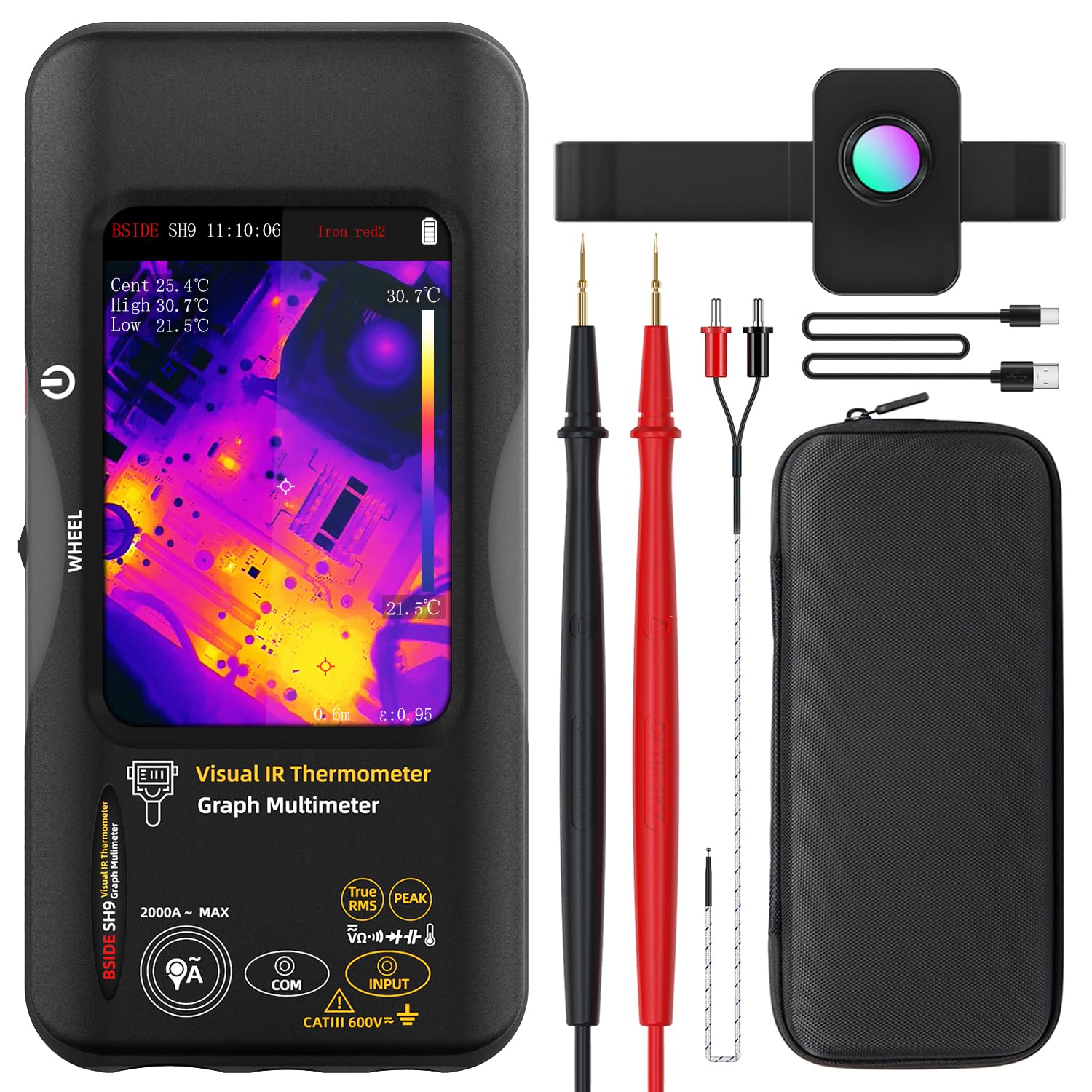
Figure 1: The BSIDE Thermal Imager Multimeter along with its included accessories, such as the macro lens, charging cable, and carrying case.
4. Налаштування
4.1 Зарядка пристрою
The device comes with a built-in 2500mAh rechargeable battery. Before first use, fully charge the device using the provided charging cable. Connect the charging cable to the device's charging port and a suitable USB power source.
4.2 Увімкнення/вимкнення
Press and hold the power button located on the side of the device to power it on or off. The TFT LCD screen will illuminate upon successful power-on.
5. Інструкція з експлуатації
5.1 Навігація інтерфейсом
The device features a 3.98-inch touch TFT LCD screen for intuitive navigation. Use touch gestures to select functions, adjust settings, and view data. A physical wheel button may also be present for additional control.
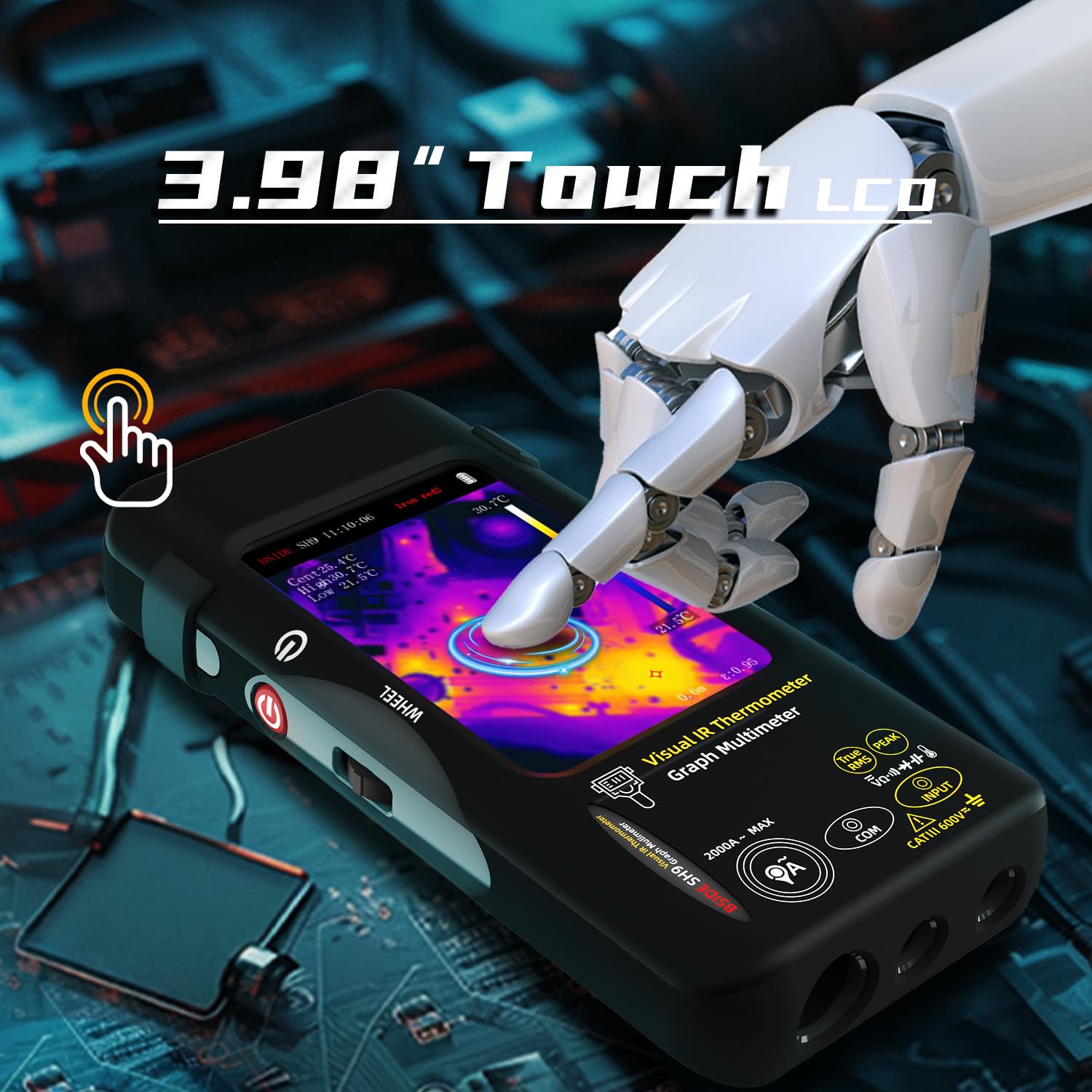
Figure 2: Demonstrates the touch screen interface of the device, allowing for easy interaction and data viewінж.
5.2 Thermal Imaging Mode
To activate the thermal imaging function, select the appropriate mode on the screen. The device will display a thermal image with a resolution of 428x320 pixels. Hot, cold, and central spots temperatures are displayed on the screen.

Figure 3: The device displaying a thermal image with temperature readings, highlighting its 428x320 IR resolution capability.
5.2.1 Dual-Light Fusion
The Dual-Light Fusion feature overlays regular visual images with thermal images, providing enhanced detail and context. This mode is particularly useful for identifying the exact location of thermal anomalies.

Figure 4: Illustrates the difference between Fusion Mode and pure Thermal Mode, demonstrating how dual-light fusion provides a clearer understanding of the thermal landscape.
5.2.2 Thermal Palettes
The device offers 15 different thermal palettes to visualize temperature differences. Users can select the most suitable palette for their application to improve contrast and clarity.

Figure 5: A visual representation of the 15 distinct thermal palettes, including White Hot, Black Hot, Rainbow, and Iron Red, which can be selected to optimize thermal image interpretation.
5.2.3 Using the Macro Lens
Attach the included macro lens for detailed inspection of small electronic components, PCB hot spots, or other miniature objects. The macro lens has a working object distance of 35mm and a magnification of 0.3X.
5.3 Функції мультиметра
The integrated digital multimeter provides 20000 counts for precise measurements. Connect the test leads to the appropriate input jacks on the device.

Figure 6: The multimeter function showing a DC voltage reading with 20000 counts, demonstrating its high precision for electrical measurements.
5.3.1 Режими вимірювання
Select the desired measurement mode (e.g., DC Voltage, AC Voltage, Resistance, Capacitance, Diode, Continuity, Temperature, AC Current) using the on-screen interface or physical controls. Refer to the display for real-time readings.

Figure 7: The device in multimeter mode, displaying an AC voltage measurement along with a graph, indicating its data recording capability.
5.3.2 Data Recording Mode
The device can record up to 3 measurements over time, displaying them as a graph. This feature is useful for monitoring trends or intermittent issues. Access the recording mode through the menu.
6. Управління даними
6.1 Image and Data Export
The device can store over 15,000 images. Connect the device to a computer via the provided USB cable to export stored thermal images and recorded measurement data for further analysis or reporting.

Figure 8: The device connected to a laptop, illustrating the real-time image export feature, allowing users to transfer and review thermal images on a larger screen.
7. Технічне обслуговування
7.1 Очищення
Wipe the device's exterior with a soft, damp тканиною. Не використовуйте абразивні засоби для чищення або розчинники. Перед чищенням переконайтеся, що пристрій вимкнено.
7.2 Зберігання
Коли пристрій не використовується, зберігайте його в футлярі для перенесення в прохолодному, сухому місці, подалі від прямих сонячних променів та екстремальних температур.
7.3 Догляд за акумулятором
To prolong battery life, avoid fully discharging the battery frequently. Recharge the device regularly, even if not in active use, especially if storing for extended periods.
8. Вирішення проблем
| проблема | Можлива причина | Рішення |
|---|---|---|
| Пристрій не включається. | Низький заряд батареї; несправність пристрою. | Charge the battery; Contact customer support. |
| Теплове зображення розмите або нечітке. | Lens is dirty; Incorrect focus/distance. | Clean the lens with a soft cloth; Adjust distance to object. |
| Показники мультиметра неточні. | Incorrect mode selected; Damaged test leads. | Verify the selected measurement mode; Inspect and replace test leads if necessary. |
| Cannot export data to computer. | USB cable issue; Driver not installed. | Try a different USB port/cable; Install necessary drivers (if applicable, check manufacturer webсайт). |
9. Технічні характеристики
9.1 Infrared Camera Specifications
- Розмір дисплея: 3.98-дюймовий TFT LCD
- ІЧ-роздільна здатність: 320 х 428
- Роздільна здатність екрану: 320 х 480
- Кут View (FOV): 50.0°(H)x 37.2°(V)/63.6°(D)
- Spatial Resolution (IFOV): 8.89 мрад
- Діапазон температур: Від -20 до 550 ℃ (-4 -1022 до XNUMX ℉)
- Теплова чутливість/NETD: Less than 50mk
- Частота оновлення: 25 Гц
- Налаштування відстані: 0.3-3 м
- Допустимість: 0.01-1 (регульований)
- Number of storage image: 15000
9.2 Digital Multimeter Specifications
- MAX Display: 20000 відліків
- DC Voltage: 20mV/200mV (±0.1%+3), 2V/20V (±0.1%+3), 200V/1000V (±0.5%+3)
- AC Voltage: 20mV/200mV (±0.5%+3), 2V/20V/200V/750V (±0.05%+3)
- Flexible AC Current: 200A/2000A (0.1A/1A resolution)
- Опір: 200Ω (±0.5%+3), 2kΩ/20KΩ/200KΩ (±0.2%+3), 2MΩ/20MΩ (±1%+3), 200MΩ (±5%+5)
- Ємність: 999.99nF (±5.0%+20), 9.999µF/999.9µF (±2%+5), 99.999mF (±5%+10)
- температура: -20℃~1300℃/-4℉-2372℉ (±2%+5)
- Діод: так
- Безперервність: так
9.3 Macro Lens Specifications
- Working object distance: 35 мм
- Збільшення: 0.3X
9.4 Загальні технічні характеристики
- Потужність: 2500mAh rechargeable battery (built-in)
- розмір: 169 x 81 x 26.8 мм (6.65 x 3.19 x 1.02 дюйми)
- вага: 274 г (9.69 унції)
10. Гарантія та підтримка
Щоб отримати інформацію про гарантію та технічну підтримку, зверніться до офіційного представника виробника webсайт або зверніться до їхнього відділу обслуговування клієнтів. Зберігайте чек про покупку для гарантійних претензій.
Manufacturer: BSIDE
Contact information may be found on the official BSIDE webсайті або в упаковці продукту.


