1. Вступ
This manual provides essential information for the setup, operation, and maintenance of your HP Z2 G1i Workstation. Designed for technical and creative professionals, this workstation delivers high performance for demanding workloads. Please read this manual thoroughly before using your device.
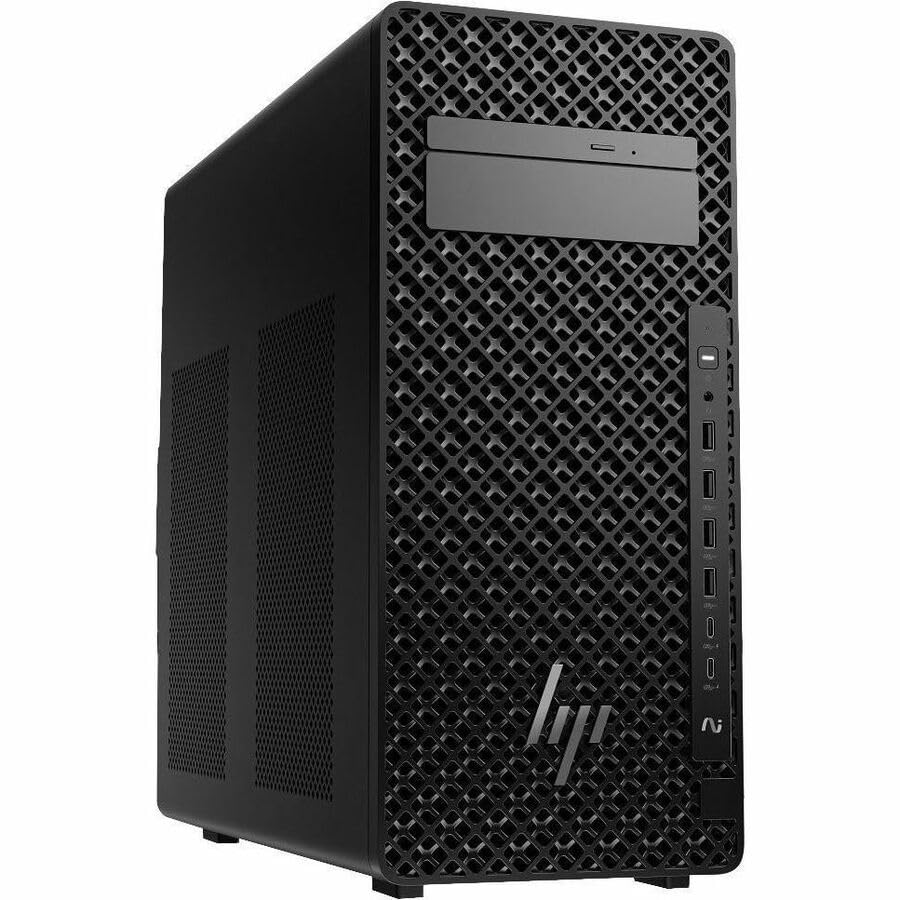
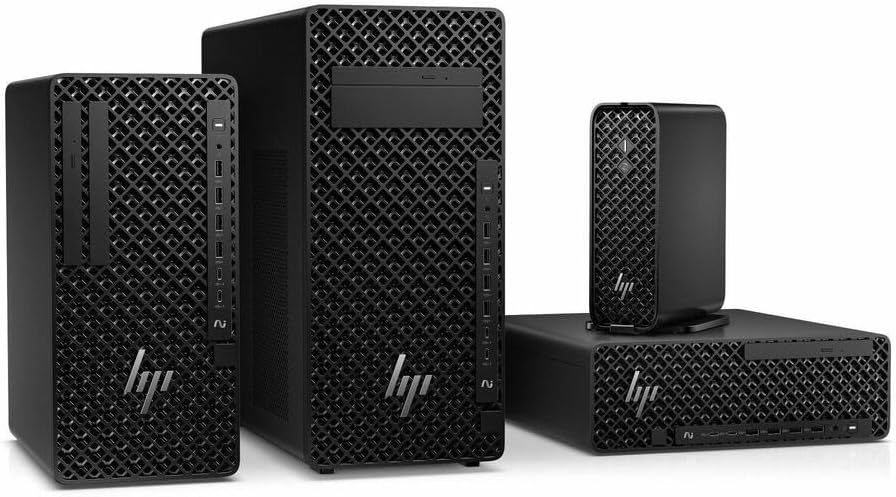
Figure 1.1: HP Z2 G1i Workstation in a professional setting, demonstrating its use for demanding tasks.
2. Що в коробці
Перевірте наявність усіх компонентів в упаковці:
- Z2 Tower G1i Workstation Desktop PC Wolf Pro Security Edition
- HP 320K Wired Keyboard
- Дротова миша HP 320M
3. Інструкції з налаштування
3.1 Розпакування та розміщення
Carefully remove the workstation and its accessories from the packaging. Place the workstation on a stable, flat surface with adequate ventilation to prevent overheating. Ensure no vents are obstructed.
Малюнок 3.1: Спереду view of the HP Z2 G1i Workstation tower, showing its design and front panel ports.
3.2 Підключення периферійних пристроїв
- Монітор: Connect your monitor(s) to the appropriate video output ports (e.g., DisplayPort, HDMI) on the rear of the workstation.
- Клавіатура та миша: Connect the supplied HP 320K Wired Keyboard and HP Wired 320M Mouse to the available USB ports.
- Мережа: Connect an Ethernet cable to the RJ-45 port for wired network access, or configure Wi-Fi after initial setup.
- Потужність: Підключіть шнур живлення до входу живлення робочої станції, а потім до заземленої електричної розетки.

Малюнок 3.2: Задня частина view of the workstation, highlighting the various connectivity ports for peripherals and power.
3.3 Початкове ввімкнення
Press the power button on the front of the workstation. The system will boot into Windows 11 Pro. Follow the on-screen instructions to complete the initial operating system setup, including user account creation and network configuration.
4. Operating the Workstation
4.1 Основна операція
Your HP Z2 G1i Workstation comes pre-installed with Windows 11 Pro. Utilize the familiar Windows interface for launching applications, managing files, and accessing system settings. The Intel Core Ultra 5 processor and NVIDIA RTX A400 graphics card provide robust performance for demanding software.
4.2 Встановлення програмного забезпечення
Install necessary software applications for your professional tasks. Ensure that all software is compatible with Windows 11 Pro and meets the system requirements for optimal performance. Always download software from trusted sources.
4.3 Продуктивність системи
For optimal performance, regularly check for and install updates for Windows, drivers (especially graphics drivers), and your professional applications. Close unnecessary programs to free up system resources when running intensive tasks.
5. Технічне обслуговування
5.1 Очищення
To maintain proper airflow and prevent dust buildup, regularly clean the exterior of the workstation with a soft, dry cloth. Use compressed air to gently clear dust from vents and fan openings. не треба use liquid cleaners directly on the components.
5.2 Оновлення програмного забезпечення
Keep your operating system and all installed software up to date. This ensures security patches, performance improvements, and compatibility with new applications. Windows Update can be accessed via the Settings menu.
5.3 Резервне копіювання даних
Regularly back up your important data to an external drive or cloud storage. This protects against data loss due to hardware failure, software corruption, or other unforeseen events.
6. Вирішення проблем
This section addresses common issues you might encounter with your HP Z2 G1i Workstation.
6.1 Немає живлення
- Переконайтеся, що шнур живлення надійно підключений як до робочої станції, так і до справної електричної розетки.
- Перевірте справність розетки, підключивши інший пристрій.
- Check the power supply unit (PSU) indicator light, if available.
6.2 Немає зображення на моніторі
- Confirm the monitor is powered on and its video cable is securely connected to the workstation.
- Try connecting the monitor to a different video port on the workstation, if available.
- Test the monitor with another computer or device to rule out monitor issues.
6.3 Уповільнення роботи системи
- Закрийте непотрібні програми, що працюють у фоновому режимі.
- Перевірте диспетчер завдань (Ctrl+Shift+Esc) на наявність процесів, які споживають багато ресурсів процесора, оперативної пам’яті або диска.
- Переконайтеся, що ваша операційна система та драйвери оновлені.
- Запустіть сканування системи на наявність шкідливих програм або вірусів.
Щодо складніших проблем зверніться до служби підтримки HP webсайту або зв’яжіться зі службою підтримки клієнтів.
7. Технічні характеристики
Detailed technical specifications for the HP Z2 G1i Workstation (Model: BN5J2UT#ABA).
| Особливість | Специфікація |
|---|---|
| Виробник процесора | Intel |
| Тип процесора | Core Ultra 5 |
| Модель процесора | 235 |
| Ядро процесора | Tetradeca-core (14 Core) |
| Швидкість процесора | 4.4 ГГц |
| ОЗУ | 16 ГБ DDR5 |
| Жорсткий диск | 512 ГБ SSD |
| Графічний співпроцесор | NVIDIA RTX A400 |
| Розмір оперативної пам'яті відеокарти | 4 ГБ |
| Операційна система | Windows 11 Pro |
| Вага товару | 15 фунта |
| Розміри продукту (ДxШxВ) | 12 x 23.23 x 20 дюймів |
| Колір | чорний |
| ШІ | так |
8. Гарантія та підтримка
8.1 Гарантія на виріб
Your HP Z2 G1i Workstation is covered by a standard manufacturer's warranty. For specific terms and conditions, please refer to the warranty documentation included with your product or visit the official HP support webсайт. Зберігайте чек про покупку для гарантійних претензій.
8.2 Технічна підтримка
For technical assistance, driver downloads, and additional resources, please visit the official Підтримка HP Webсайт. You can also find contact information for customer service and support channels there.