1. Вступ
Thank you for choosing the Avatar Controls Solar Pool Thermometer and Smart Lighted Flag Bundle. This product combines a solar-powered floating pool thermometer with integrated RGB LED lights and a smart app-controlled lighted American flag. This manual provides essential information for the safe and efficient operation of your new devices. Please read it thoroughly before use and retain it for future reference.
2. Інформація про безпеку
- Keep all electrical components, especially the flag's USB power and control box, away from water. These parts are not waterproof.
- Ensure the solar pool thermometer is securely floating in the water and not submerged for extended periods beyond its intended design.
- Do not attempt to open or repair the devices yourself. Refer all servicing to qualified personnel.
- Keep out of reach of children and pets to prevent accidental ingestion of small parts or damage to the devices.
- Avoid placing the flag in areas where it may obstruct pathways or create a tripping hazard.
3. Вміст упаковки
Перевірте наявність усіх предметів у вашій упаковці:
- Solar Floating Pool Thermometer with RGB LED Lights
- Remote Control for Pool Thermometer/Lights
- Smart Lighted American Flag (3x5 ft) with integrated LEDs
- USB Power Cable for Smart Lighted Flag
4. Інструкції з налаштування
4.1 Solar Pool Thermometer and Floating Lights
- Початкова оплата: Place the solar pool thermometer in direct sunlight for 4-8 hours to ensure a full initial charge. The device charges automatically during the day.
- Розміщення: Gently place the thermometer into your pool, pond, or hot tub. It will float on the surface.
- Автоматична робота: The lights will automatically turn off during the day while charging and turn on at night, providing illumination for 10-15 hours on a full charge.

Image: The solar pool thermometer charges during the day and automatically illuminates at night, showcasing its solar energy feature.
4.2 Smart Lighted American Flag
- Розпакуйте та розгорніть: Carefully remove the flag from its packaging and unfold it.
- Монтаж: Hang the flag in your desired outdoor location. Ensure the USB power cable can reach a power source.
- Підключення живлення: Connect the flag's USB cable to a compatible USB power adapter (not included). Warning: The USB and control box are not waterproof. Ensure they are protected from moisture.
- Завантаження програми: Завантажте додаток «Hello Fairy» з магазину додатків вашого смартфона.
- Сполучення: Open the 'Hello Fairy' app and follow the on-screen instructions to pair your smart lighted flag. This typically involves ensuring Bluetooth is enabled on your phone and the flag is powered on.

Image: The Smart Lighted American Flag, measuring 3x5 feet, with a close-up of its fabric texture and the USB power connector.
5. Інструкція з експлуатації
5.1 Solar Pool Thermometer and Floating Lights
- Показання температури: The digital display on the thermometer will show the current water temperature.
- Пульт дистанційного керування: Use the provided remote control to manage the floating lights.
- УВІМК./ВИМК.: Press the 'ON' or 'OFF' button to manually control the lights.
- Вибір кольору: Press the 'R', 'G', 'B', or 'W' buttons for red, green, blue, or white light.
- Кольорові режими: Use the 'MODE' button to cycle through various color-changing effects.
- Регулювання швидкості: Use the 'SPEED +' or 'SPEED -' buttons to adjust the speed of color transitions.
- Таймер: Select '2H', '4H', or '6H' to set the lights to turn off automatically after 2, 4, or 6 hours.

Image: The solar pool thermometer floating in water, displaying the temperature, alongside its remote control for light functions.
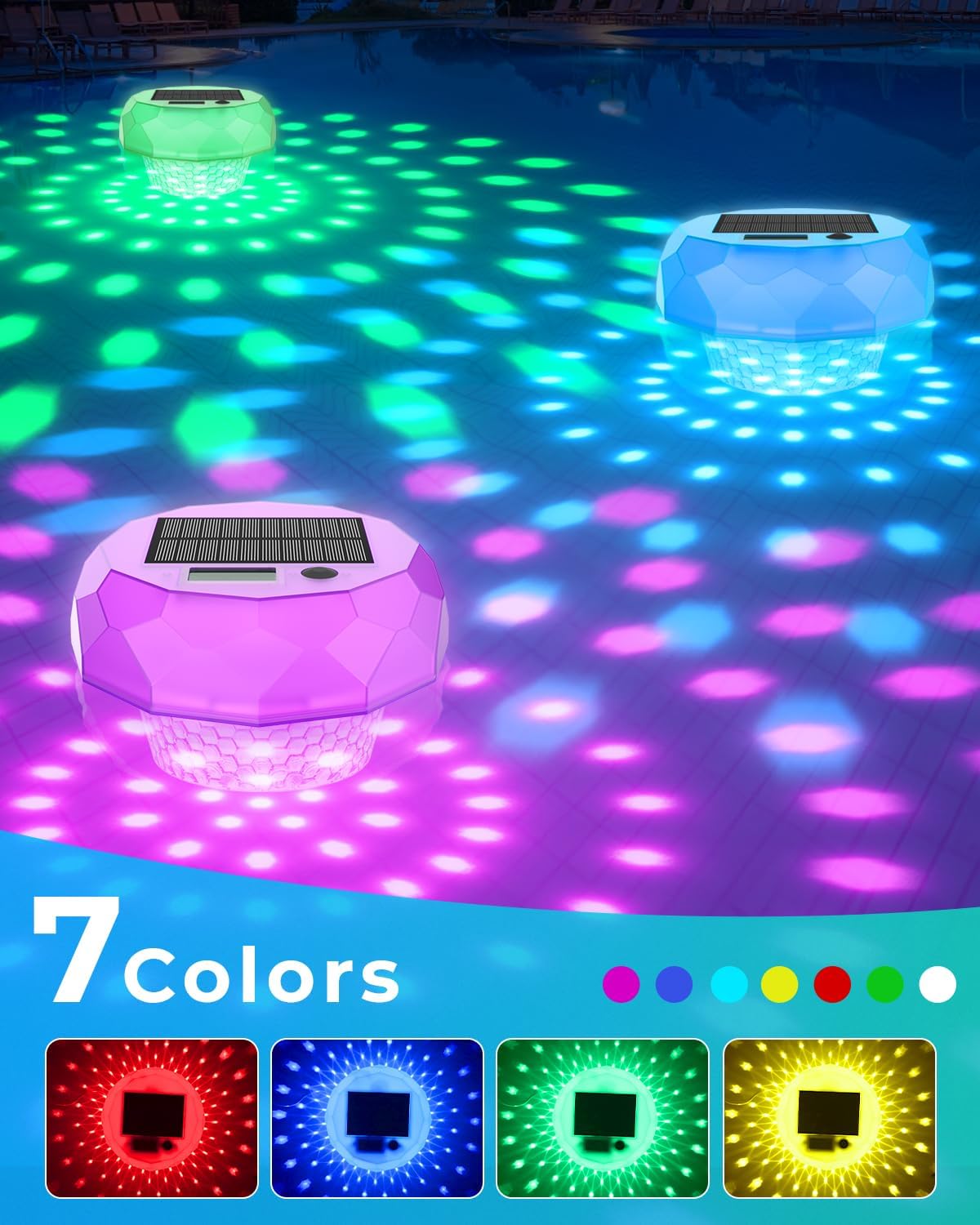
Image: Multiple floating pool lights illuminating the water in various colors, demonstrating the 7-color light show capability.
5.2 Smart Lighted American Flag
Control the flag's lighting effects using the 'Hello Fairy' app:
- Регулювання яскравості: Use the app to increase or decrease the brightness of the 98 integrated LEDs.
- Вибір кольору: Choose from a wide range of colors to customize the flag's illumination.
- Динамічні ефекти: Select various pre-programmed lighting effects or create your own custom 'DIY' patterns.
- Музичні режими: Activate music synchronization mode for the lights to react to sound.
- Планування: Set timers within the app for the flag lights to automatically turn ON/OFF at specific times.

Image: A smartphone screen displaying the 'Hello Fairy' app interface, illustrating options for dynamic DIY flag light customization.

Image: An outdoor scene with people enjoying a gathering, featuring the lighted American flag displaying dynamic colors, indicating music mode functionality.

Image: A hand holding a smartphone displaying the 'Hello Fairy' app, showing the timing schedule interface for setting automatic ON/OFF times for the lighted flag.
6. Технічне обслуговування
6.1 Solar Pool Thermometer and Floating Lights
- Прибирання: Periodically wipe the solar panel and light surface with a soft, damp cloth to remove dirt, dust, or mineral deposits that may hinder charging or light output.
- Зберігання: During off-season or extended periods of non-use, clean the thermometer, ensure it is fully charged, and store it in a cool, dry place away from direct sunlight.
6.2 Smart Lighted American Flag
- Прибирання: The flag is made of Velvet cloth and Non-woven fabric. Spot clean with a damp cloth as needed. Do not machine wash.
- USB Protection: Always ensure the USB connector and control box are protected from rain and moisture. Consider using a waterproof enclosure for the USB connection if used outdoors in wet conditions.
- Зберігання: When not in use, carefully fold the flag and store it in a dry place to protect the fabric and integrated LEDs.
7. Вирішення проблем
- Pool Thermometer Lights Not Turning On: Ensure the solar panel is clean and has received adequate direct sunlight for charging (4-8 hours). Check if the remote control battery needs replacement.
- Неточні показники температури: Ensure the thermometer is floating freely and not obstructed. Allow sufficient time for the thermometer to stabilize in the water.
- Flag Lights Not Turning On: Verify the USB power cable is securely connected to a working power source. Check if the control box is properly connected. Ensure the app settings haven't scheduled the lights to be off.
- Flag Not Connecting to App: Ensure Bluetooth is enabled on your smartphone. Restart the app and try pairing again. Power cycle the flag by unplugging and re-plugging the USB cable.
- Пульт дистанційного керування не працює: Check and replace the remote control battery if necessary. Ensure there are no obstructions between the remote and the pool thermometer.
8. Технічні характеристики
| Бренд | Елементи керування аватаром |
| Модель | Solar Pool Thermometer and Smart Lighted Flag Bundle |
| ASIN | B0FCCPHNRG |
| Pool Thermometer Power | Solar Powered (1200mAh solar panel) |
| Pool Thermometer Lights | RGB LEDs, 7 dynamic lighting modes |
| Pool Thermometer Waterproof Rating | IP68 |
| Smart Lighted Flag Dimensions | 3x5 футів |
| Smart Lighted Flag LEDs | 98 світлодіоди високої яскравості |
| Smart Lighted Flag Material | Velvet cloth and Non-woven fabric |
| Smart Lighted Flag Control | Hello Fairy App (Bluetooth), Local Control |
| Smart Lighted Flag Power | USB Powered (USB and control box are NOT waterproof) |
9. Гарантія та підтримка
Avatar Controls products are designed for reliability and performance. For warranty information, technical support, or customer service inquiries, please refer to the contact information provided with your purchase or visit the official Avatar Controls webсайт. Будь ласка, підготуйте модель вашого продукту та дату покупки, коли звертаєтесь до служби підтримки.


