Продукт закінченийview
The FUNLAB Switch Pro Controller with Charging Dock is a versatile wireless gamepad designed for an enhanced gaming experience across multiple platforms, including Nintendo Switch, Switch OLED, Steam Deck, and PC. It features advanced Hall Effect joysticks for precision, customizable Luminex LED lighting, programmable paddles, and a Turbo function. The included charging dock provides convenient power management and synchronizes with the controller's lighting.

Image: The FUNLAB Switch Pro Controller in purple and black, resting on its matching charging dock. The controller features a unique swirling pattern that illuminates.
Посібник із налаштування
1. Початкове заряджання
Before first use, fully charge the controller. Place the controller onto the charging dock. The dock and controller's integrated LED lights will indicate charging status. A full charge typically takes approximately 6.3 hours.

Image: A banner showing the controller on its intelligent charging dock, highlighting features like dock & charge, linked lighting, and charge protection. The controller's base and the dock illuminate.

Image: A banner illustrating the controller on its charging dock with a battery icon, indicating 12 hours of playing time and a 950 mAh battery capacity.
2. Сполучення з пристроями
The controller supports wireless Bluetooth connectivity.
- Nintendo Switch/Switch OLED: Navigate to the "Controllers" menu on your console, then select "Change Grip/Order." Press and hold the SYNC button on the controller until the LED indicators begin to flash. The controller will pair automatically.
- Steam Deck/PC: Ensure your device's Bluetooth is enabled. On the controller, press and hold the SYNC button. Select the controller from your device's Bluetooth settings to pair.

Image: A banner displaying various gaming devices including a laptop, Steam Deck, Nintendo Switch, and Switch OLED, alongside different color variants of the FUNLAB controller, illustrating its multi-device compatibility.
Інструкції з експлуатації та функції
Джойстики на ефекті Холла
The controller is equipped with Hall Effect joysticks, which utilize magnetic sensors for precise and sensitive control. This technology minimizes mechanical wear, offering a longer lifespan and reducing the likelihood of stick drift.
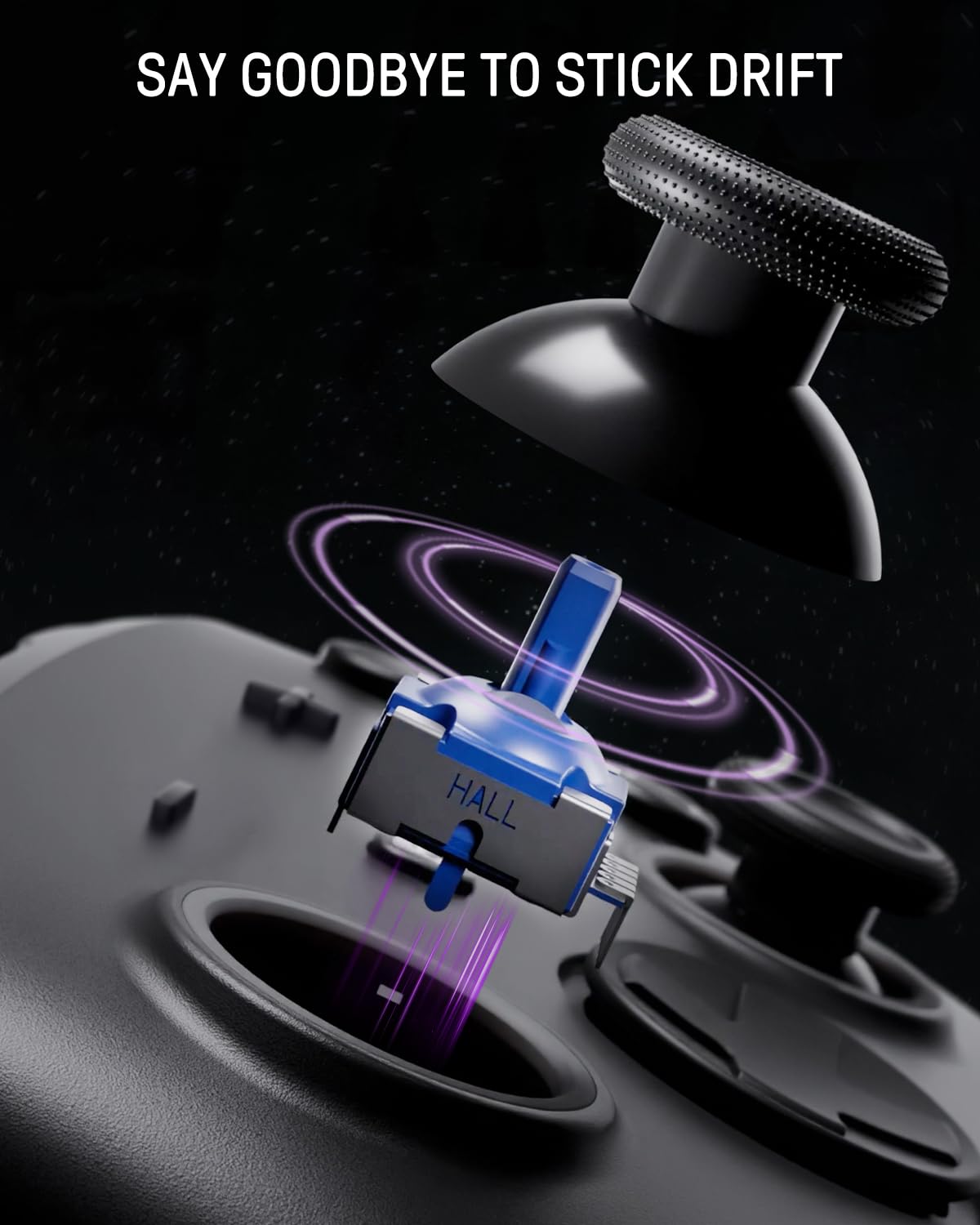
Image: A close-up diagram illustrating the internal components of a Hall Effect joystick, showing the magnetic sensor and its interaction with the joystick mechanism, with text "SAY GOODBYE TO STICK DRIFT".

Image: A banner highlighting the benefits of Hall Effect joysticks: higher accuracy, sensitivity and stability, and reduced drift issues.
Luminex LED Lighting
Both the controller and the charging dock feature a hidden lighting design with 60 individually addressable LED lights. Users can customize the lighting with 7 colors and 3 lighting modes to create a personalized gaming atmosphere. The lighting on the controller and dock synchronize when docked.

Image: The controller illuminated with purple LED lights, showcasing the "60 Individually LEDs Lighting with Full Underglow" feature. Icons for "Powered by Funlab Firefly", "Hidden-Til-Lit Display", and "RGB Sync with Dock" are visible.

Image: The controller and dock in a gaming room setting, with a purple light beam highlighting the "HIDDEN-TIL-LIT DISPLAY" and "ENHANCED GAME NIGHT EXPERIENCE" text.
Програмовані кнопки «Назад».
The controller includes pro-level mappable back buttons (X/L and X/R) that can be assigned to various functions or macros for complex in-game actions. This allows for greater customization and efficiency during gameplay.

Зображення: Крупний план view of the back of the controller, highlighting the "PRO-LEVEL MAPPABLE BACK BUTTONS" (X/L and X/R) in purple.

Image: A banner showing the back of the controller with text "PRO-LEVEL BACK BUTTONS" and "Assign button function and macro".
Турбофункція
The Turbo function allows for rapid continuous input, which is ideal for fast-paced games. Adjustable turbo speeds are available: 5 shots/s, 12 shots/s, and 20 shots/s.

Image: The back of the controller with glowing purple rocket icons, illustrating the "TURBO FUNCTION" and its adjustable speeds: 5, 12, and 20 shots per second.

Image: A banner showing the back of the controller with text "TURBO FUNCTION" and "Adjustable turbo speed for rapid continuous input, ideal for fast-paced games", along with the shots per second rates.
Motion Control (6-Axis Gyro)
The integrated 6-axis gyro sensors detect subtle movements, providing precise motion control for compatible games. This enhances immersion and interactivity.
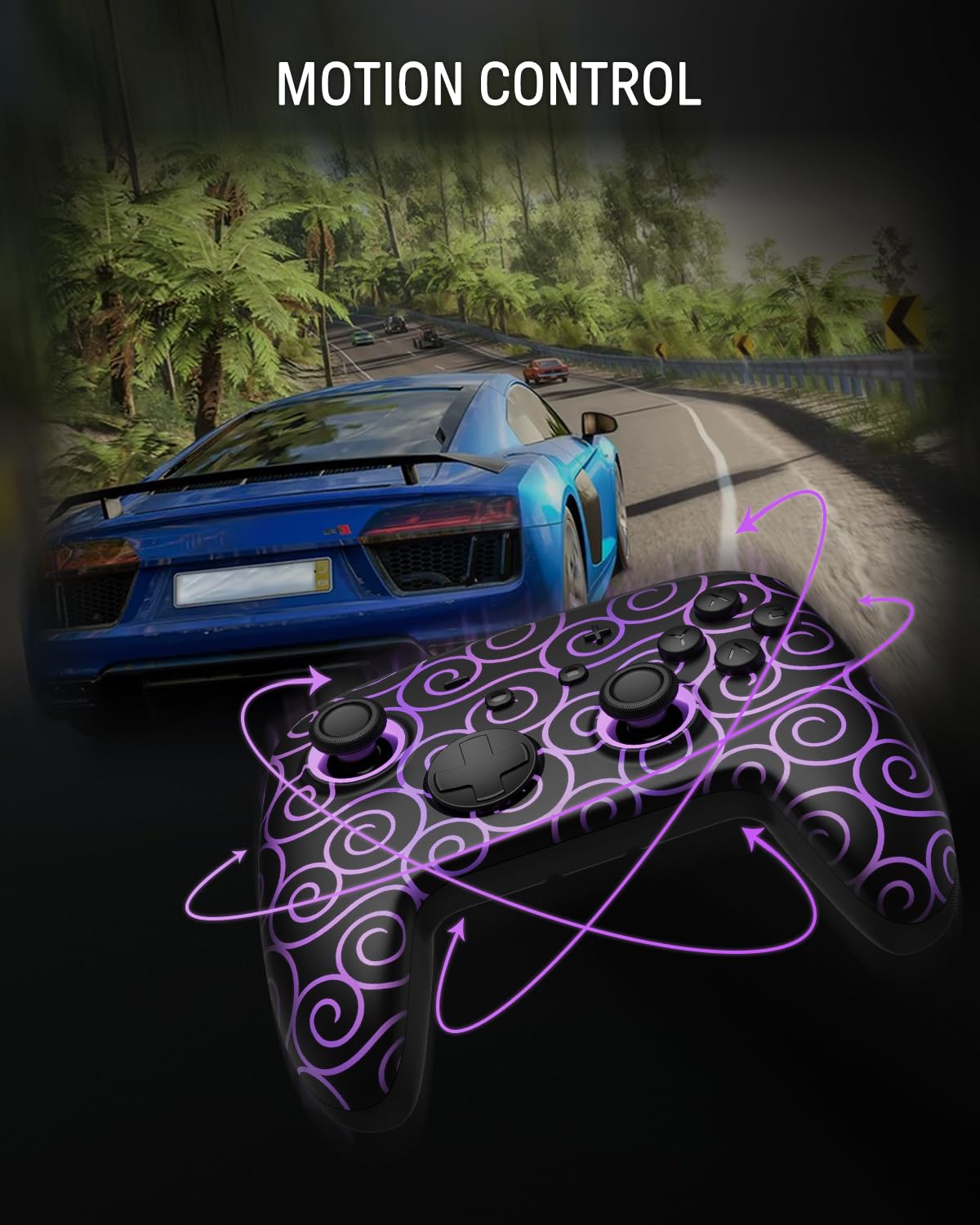
Image: The controller with purple swirling lines indicating motion, superimposed over a racing game scene, demonstrating "MOTION CONTROL".

Image: A banner showing the controller with motion lines, text "6-AXIS GRYO MOTION CONTROL" and "6-axis gyro sensors detecting every detail of your movement", against a racing game background.
Функція вібрації
The controller features adjustable vibration feedback, enhancing immersion and increasing interactivity during gameplay.

Image: A banner showing the controller with vibration waves emanating from its grips, text "VIBRATION FUNCTION" and "Enhances feedback and immersion, increasing interactivity", with a vibration intensity bar.
Підключення додатків
The wireless controller can be connected via a dedicated app to perform various operations, including:
- Remapping button functions
- Joystick calibration and adjustment
- Motor control (vibration intensity)
- Налаштування світлових ефектів
- Adjusting the controller's auto-shutdown time
Технічне обслуговування
- Прибирання: Use a soft, dry cloth to clean the controller and charging dock. Avoid using abrasive cleaners or solvents.
- Зберігання: Зберігайте контролер і док-станцію в прохолодному, сухому місці, подалі від прямих сонячних променів та екстремальних температур.
- Догляд за акумулятором: Щоб продовжити термін служби батареї, уникайте частого повного розряджання контролера. Регулярно заряджайте його, особливо якщо ви зберігаєте його протягом тривалого часу.
- Dock Usage: Ensure the controller is properly seated on the charging dock to prevent damage to the charging contacts.
Усунення несправностей
| проблема | Можлива причина / рішення |
|---|---|
| Контролер не включається. | Battery may be depleted. Place the controller on the charging dock and allow it to charge fully. |
| Контролер не з'єднується з пристроєм. |
|
| Stick drift or inaccurate joystick input. |
|
| LED lights not working or not synchronizing. |
|
| Контролер часто відключається. |
|
Note: No official product videos were provided in the source data with a "Seller" creator type. Therefore, no videos could be embedded in this manual.
Технічні характеристики
| Особливість | Деталь |
|---|---|
| Номер моделі | FF01 |
| ASIN | B0FCC6BH2K |
| Підключення | Бездротовий Bluetooth |
| Тип джойстика | Ефект Холла |
| Освітлення | 60 Individually Addressable LEDs, 7 Colors, 3 Modes |
| Контроль руху | 6-осьовий гіроскоп |
| Тип батареї | 1 літій-іонний акумулятор (у комплекті) |
| Ємність акумулятора | 950 mAh (approximate playing time: 12 hours) |
| Час зарядки | прибл. 6.3 години |
| Розміри продукту | 5.91 x 4.57 x 2.87 дюймів |
| Вага товару | 14.8 унції |
| Виробник | FUNLAB |
| Дата першої доступності | 5 серпня 2025 р |
Гарантія та підтримка
Specific warranty details for the FUNLAB Switch Pro Controller with Charging Dock are typically provided with your purchase or can be found on the official FUNLAB website. For technical support, product registration, or warranty claims, please refer to the contact information provided in your product packaging or visit the manufacturer's official support channels.
Для отримання додаткової інформації та ресурсів ви можете відвідати FUNLAB Store on Amazon.


