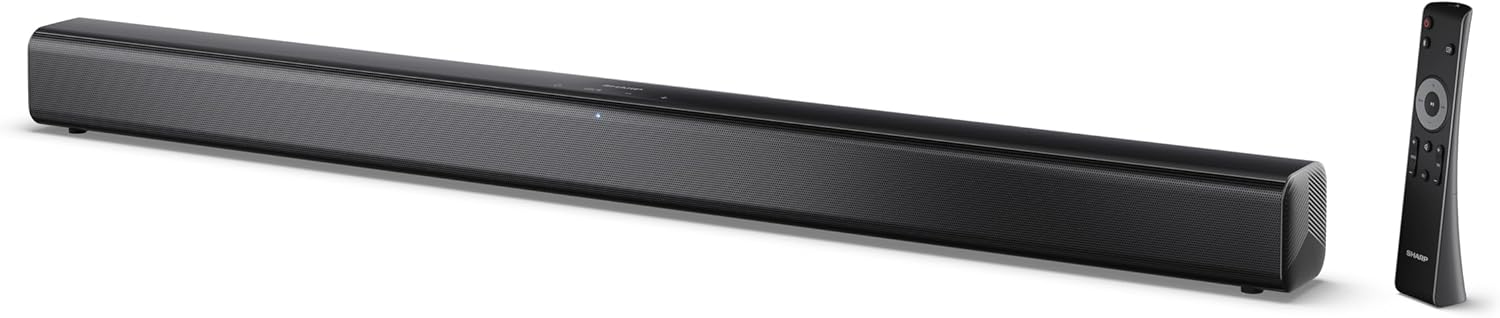
Image 0.1: The SHARP HT-SB145 2.0 Channel Soundbar shown alongside its remote control.
1. Вступ
This manual provides essential instructions for the safe and efficient operation of your SHARP HT-SB145 2.0 Channel Soundbar. Please read this manual thoroughly before use and retain it for future reference.
2. Інформація про безпеку
Дотримуйтесь наступних запобіжних заходів, щоб запобігти ураженню електричним струмом, пожежі або пошкодженню пристрою:
- Не піддавайте цей прилад впливу крапель або бризок.
- Не ставте на пристрій предмети, наповнені рідиною, наприклад вази.
- Забезпечте належну вентиляцію. Не блокуйте вентиляційні отвори.
- Не встановлюйте поблизу будь-яких джерел тепла, таких як радіатори, обігрівачі, печі або інші пристрої (включаючи ampліфікатори), які виробляють тепло.
- Захищайте шнур живлення від наступання або защемлення.
- Використовуйте лише насадки/аксесуари, зазначені виробником.
- Відключайте цей пристрій від мережі під час грози або якщо він не використовується протягом тривалого часу.
- Звертайтеся до кваліфікованого сервісного персоналу.
3. Вміст упаковки
Перевірте, чи всі перелічені нижче предмети входять до вашої упаковки:
- Саундбар SHARP HT-SB145
- Пульт дистанційного керування
- Кабель живлення
- Настінні кронштейни (2)
- Шурупи та дюбелі (для кріплення)
- Батарейки AAA (2)
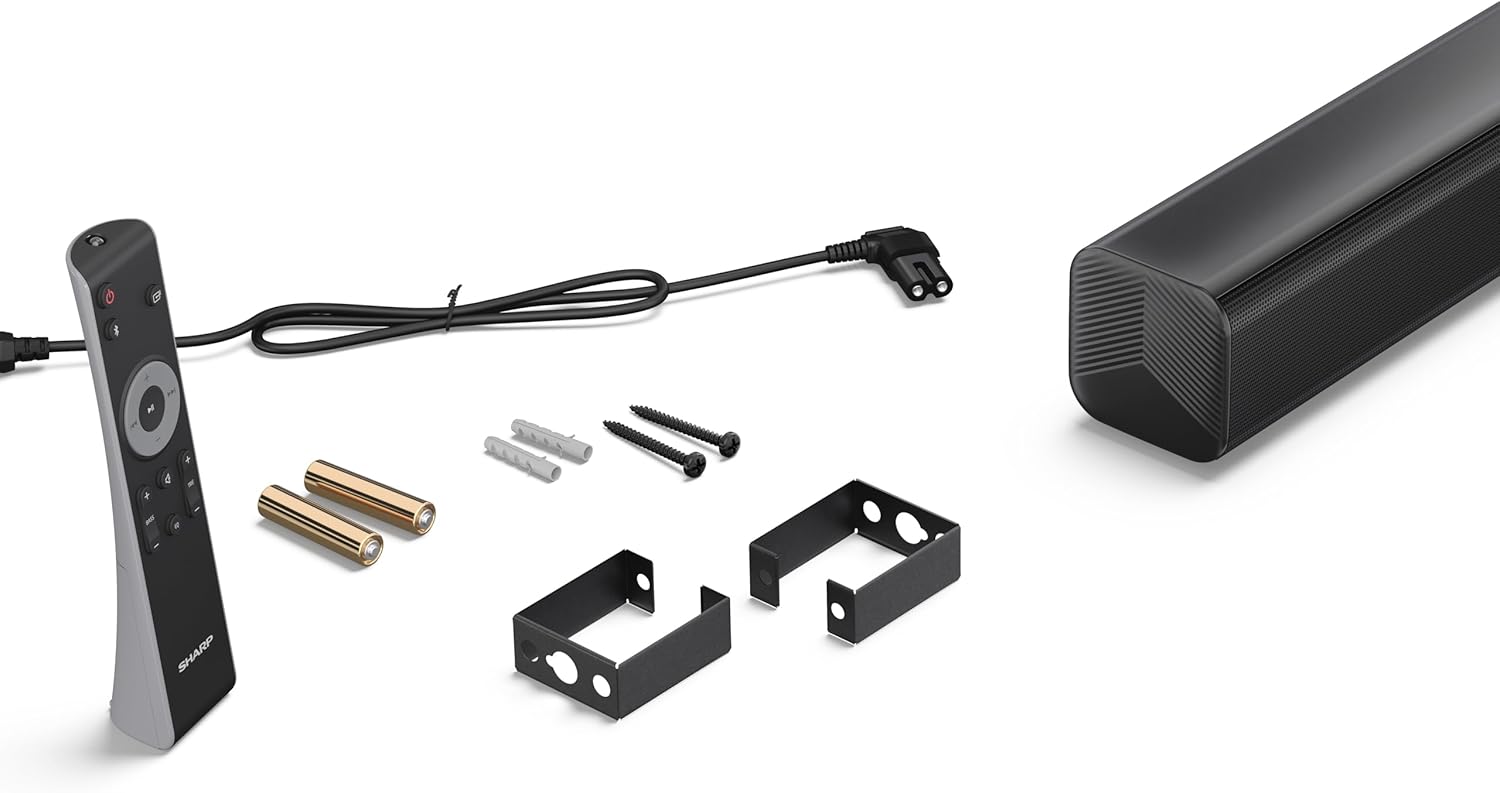
Image 3.1: Contents of the SHARP HT-SB145 Soundbar package, including the soundbar, remote control, power cable, wall mount brackets, screws, and two AAA batteries.
4. Продукт закінчивсяview
4.1 Передня та верхня частини View

Зображення 4.1: спереду view of the SHARP HT-SB145 Soundbar, showcasing the speaker grille and the central LED indicator.
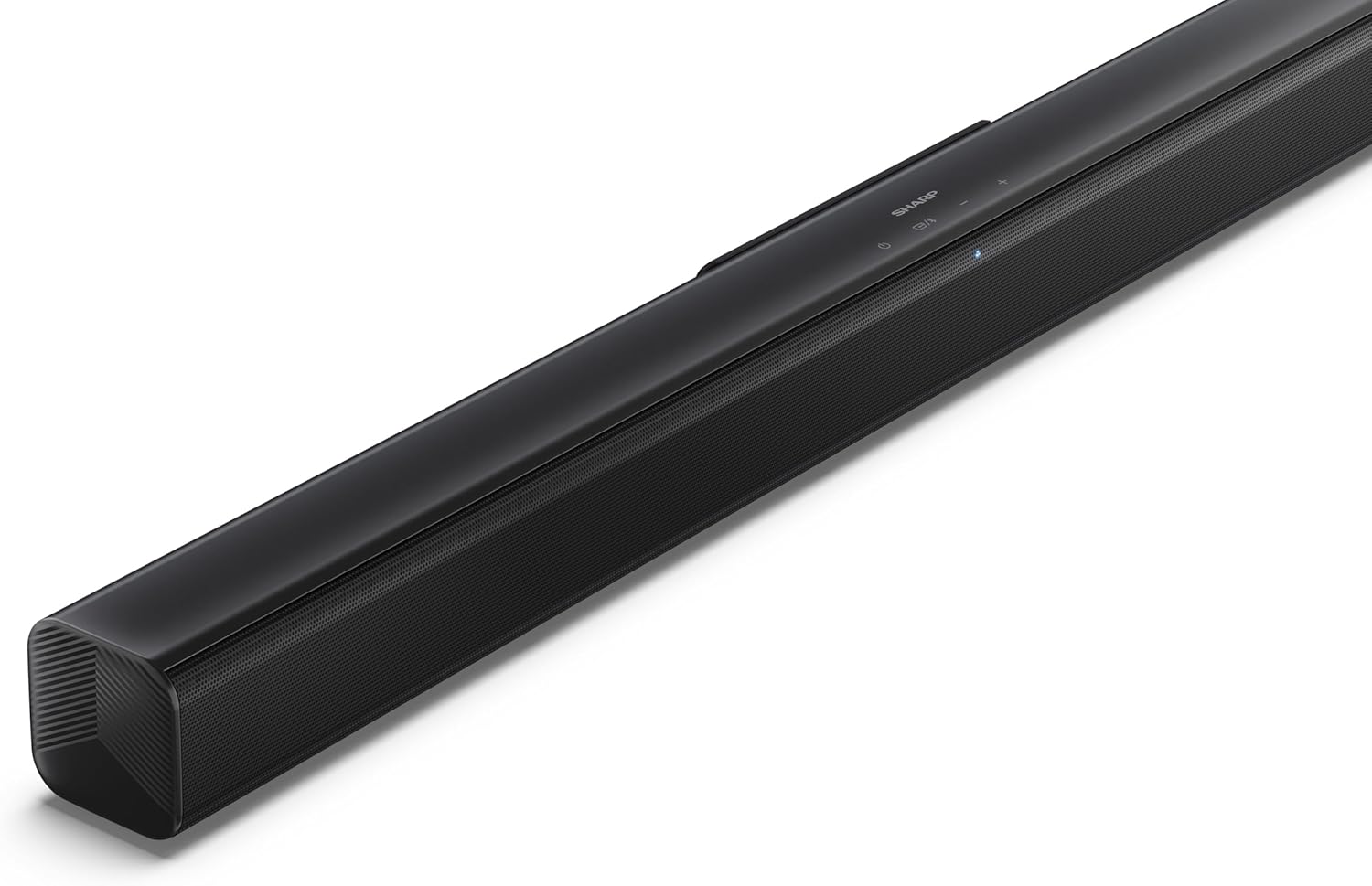
Зображення 4.2: Кутовий верх view of the soundbar, highlighting the integrated control buttons for power, source selection, and volume adjustment, along with the SHARP logo.

Image 4.3: Close-up of the top-mounted control panel, showing the power button, source/Bluetooth button, and volume up/down buttons.
4.2 Підключення задньої панелі

Зображення 4.4: Ззаду view of the soundbar, displaying the various input ports and power connection.

Зображення 4.5: Детальний опис view of the rear panel connections, including OPTICAL input, USB port (5V 500mA), AUX input, and HDMI ARC (TV) port.
5. Налаштування
5.1 Варіанти розміщення
The SHARP HT-SB145 Soundbar offers flexible placement options:
- Розміщення на столі: Place the soundbar on a stable, flat surface in front of your TV. Ensure it does not obstruct the TV's remote sensor.
- Настінне кріплення: Use the provided wall mount brackets to attach the soundbar to a wall below your TV. Refer to section 5.4 for detailed wall mounting instructions.

Image 5.1: The soundbar positioned on a media console beneath a television, demonstrating a typical tabletop setup.
5.2 Підключення до живлення
- Connect the power cable to the AC IN port on the rear of the soundbar.
- Підключіть інший кінець кабелю живлення до розетки.
5.3 Аудіопідключення
Виберіть один із наведених нижче способів підключення саундбара до телевізора або іншого джерела аудіо:
- HDMI ARC/CEC (рекомендовано):
Connect an HDMI cable (not included) from the HDMI ARC port on the soundbar to the HDMI ARC port on your TV. This connection allows for audio return and control via your TV remote.
- Оптичний:
Connect an optical cable (not included) from the OPTICAL port on the soundbar to the optical digital output on your TV or audio source.
- AUX:
Connect a 3.5mm audio cable (not included) from the AUX port on the soundbar to the headphone jack or audio output on your TV or audio source.
5.4 Настінне кріплення
Виконайте такі дії для надійного кріплення на стіну:
- Determine the desired mounting location on the wall, ensuring it is level and within reach of power and audio cables.
- Mark the positions for the two wall mount brackets using a pencil. The distance between the brackets should match the mounting points on the soundbar.
- Drill pilot holes at the marked positions. Insert the wall plugs if mounting into drywall or plaster.
- Secure the wall mount brackets to the wall using the provided screws.
- Carefully attach the soundbar to the mounted brackets. Ensure it is securely seated.
6. Інструкція з експлуатації
6.1 Увімкнення/вимкнення живлення
- Натисніть потужність кнопку на саундбарі або пульті дистанційного керування, щоб увімкнути або вимкнути пристрій.
6.2 Вибір джерела
Натисніть Джерело button on the soundbar or remote control repeatedly to cycle through the available input sources:
- HDMI ARC: For audio from a TV connected via HDMI ARC.
- ОПТИЧНИЙ: For audio from a device connected via optical cable.
- AUX: For audio from a device connected via 3.5mm audio cable.
- BLUETOOTH: Для бездротової потокової передачі аудіо.
- USB: For audio playback from a USB drive.
6.3 Регулювання гучності
- Натисніть Гучність + кнопку для збільшення гучності.
- Натисніть Об'єм - кнопку, щоб зменшити гучність.
6.4 Створення пари Bluetooth
- Turn on the soundbar and select the Bluetooth source. The LED indicator will flash, indicating pairing mode.
- Увімкніть Bluetooth на своєму смартфоні, планшеті чи іншому пристрої.
- шукати "SHARP HT-SB145" in your device's Bluetooth list and select it to pair.
- Once paired, the LED indicator on the soundbar will glow steadily. You can now stream audio wirelessly.
6.5 Відтворення з USB
The soundbar supports MP3/WAV audio playback from a USB drive.
- Insert a USB drive containing MP3/WAV audio fileдо USB-порту на задній панелі саундбара.
- Select the USB source using the Source button.
- Playback will begin automatically. Use the remote control to navigate tracks (if supported).
The USB port also provides 5V 500mA for charging compatible devices.
7. Технічне обслуговування
- Прибирання: Використовуйте м’яку суху тканину для очищення поверхні саундбара. Не використовуйте рідкі засоби для чищення або абразивні матеріали.
- Зберігання: Якщо пристрій зберігатиметься протягом тривалого часу, від’єднайте його від розетки та зберігайте у прохолодному сухому місці.
8. Вирішення проблем
| проблема | Можлива причина | Рішення |
|---|---|---|
| Немає живлення | Кабель живлення не підключено або розетка неактивна. | Ensure the power cable is securely connected and the outlet is functional. |
| Ні звуку | Incorrect input source selected, volume too low, or cable connection issue. | Виберіть правильне джерело вхідного сигналу. Збільште гучність. Перевірте підключення аудіокабелю. |
| Помилка з’єднання Bluetooth | Саундбар не в режимі сполучення або пристрій знаходиться занадто далеко. | Ensure soundbar is in Bluetooth pairing mode (flashing LED). Move device closer. Try re-pairing. |
| Пульт не працює | Batteries depleted or obstructed signal. | Replace batteries. Ensure no obstructions between remote and soundbar. |
9. Технічні характеристики
| Особливість | Деталь |
|---|---|
| Назва моделі | HT-SB145 |
| Тип динаміка | Саундбар |
| Канали | 2.0 канал |
| Максимальна вихідна потужність | 150 Вт |
| Версія Bluetooth | 5.3 |
| Підключення | HDMI ARC/CEC, Optical, AUX, Bluetooth, USB |
| Відтворення через USB | MP3 / WAV |
| USB-вихід для зарядки | 5 В 500 мА |
| Розміри продукту (Д x Ш x В) | 80 см x 6.2 см x 6.3 см (31.5 дюйма x 2.4 дюйма x 2.5 дюйма) |
| Вага товару | 1.4 кілограмів (3.1 фунта) |
| Включені компоненти | Remote Control, Power Cable, Wall Mount Brackets, AAA Batteries |

Image 9.1: Diagram illustrating the dimensions of the SHARP HT-SB145 Soundbar: 800mm length, 63mm height, and 63mm depth.
10. Гарантія та підтримка
Щоб отримати інформацію про гарантію та технічну підтримку, зверніться до гарантійного талона, що додається до вашого продукту, або відвідайте офіційний веб-сайт Sharp. webсайт. Зберігайте чек про покупку для гарантійних претензій.
For further assistance, contact Sharp customer service.


