1. Вступ
This manual provides essential information for the proper use and maintenance of your DigiLand Android Tablet S10. Please read it thoroughly before operating the device to ensure optimal performance and longevity. The DigiLand S10 is a 10.1-inch Android 14 tablet designed for versatile use, featuring an Octa-Core processor, ample memory, and a high-definition display.
2. Інформація про безпеку
- Не піддавайте планшет впливу екстремальних температур, прямих сонячних променів або високої вологості.
- Уникайте падіння планшета та сильних ударів.
- Use only the original charger and accessories provided with the tablet.
- Не намагайтеся розбирати або ремонтувати планшет самостійно. Зверніться до кваліфікованого сервісного персоналу.
- Тримайте планшет подалі від води та інших рідин.
- Утилізуйте планшет та його акумулятор відповідально згідно з місцевими правилами.
3. Вміст упаковки
Після відкриття упаковки, будь ласка, перевірте наявність та стан усіх перелічених нижче предметів:
- DigiLand Android Tablet S10 (Blue)
- Зарядний кабель USB Type-C
- Адаптер живлення
- Короткий посібник

Figure 3.1: Items included in the DigiLand Tablet S10 package. This image displays the tablet itself, its packaging box, a USB Type-C charging cable, a power adapter, and a quick start guide, ensuring users can confirm all components are present.
4. Продукт закінчивсяview
The DigiLand S10 tablet features a sleek design with essential ports and controls for user convenience.
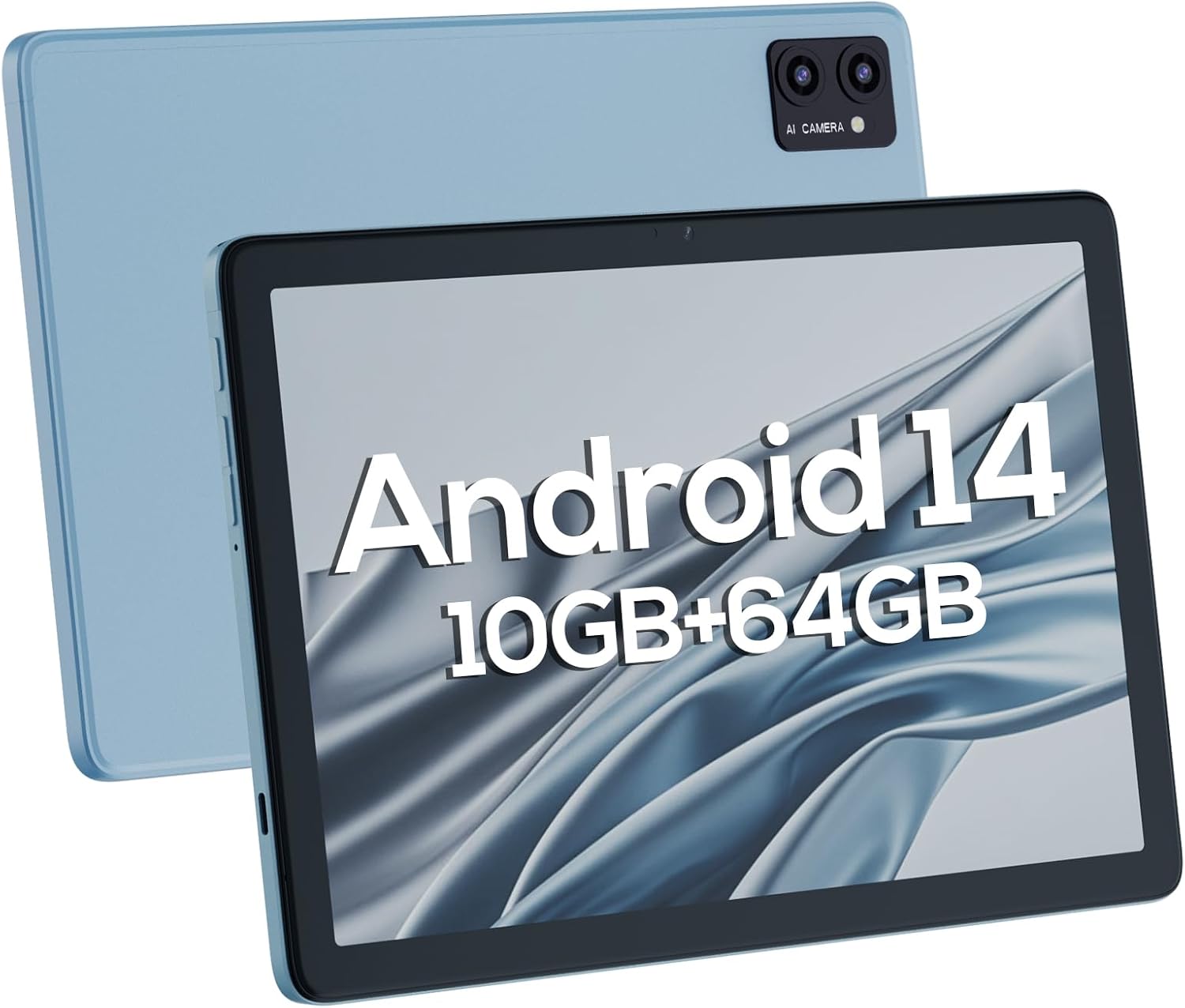
Рисунок 4.1: Передня та задня частини views of the DigiLand Android Tablet S10. The image highlights the tablet's 10.1-inch display on the front and the dual camera module on the blue-colored back panel.
Ключові компоненти:
- 10.1-дюймовий IPS HD-дисплей: Provides vibrant visuals with 800x1280 resolution.
- Фронтальна камера (5 МП): Located on the front bezel, suitable for video calls and selfies.
- Задня камера (8 МП): Located on the back, for capturing photos and videos.
- Кнопка живлення: Used to turn the tablet on/off or put it to sleep/wake.
- Кнопки гучності: Відрегулюйте гучність звуку.
- Порт USB Type-C: Для зарядки та передачі даних.
- Гніздо для навушників 3.5 мм: Для підключення дротових навушників.
- Слот для карт MicroSD: Для розширення пам'яті до 256 ГБ.
- Подвійні динаміки: Забезпечити аудіовихід.
5. Налаштування
5.1 Початкове заряджання
Before first use, fully charge your tablet. Connect the USB Type-C cable to the tablet's charging port and the power adapter to a wall outlet. The battery indicator on the screen will show charging status. A full charge typically takes several hours.
5.2 Увімкнення/вимкнення
- Щоб увімкнути: Press and hold the Power button until the DigiLand logo appears.
- Щоб вимкнути: Натисніть і утримуйте кнопку живлення, доки не з’явиться меню вимкнення живлення. Виберіть «Вимкнути живлення» та підтвердіть.
- Для сну/пробудження: Коротко натисніть кнопку живлення.
5.3 Майстер початкового налаштування
Після першого ввімкнення майстер налаштування Android 14 проведе вас через основні налаштування:
- Виберіть свою мову.
- Підключіться до мережі Wi-Fi.
- Увійдіть за допомогою свого облікового запису Google або створіть новий.
- Review та прийняти умови та положення.
- Налаштуйте блокування екрана (PIN-код, графічний ключ або пароль).
- Налаштуйте інші параметри, як буде запропоновано.
5.4 Розширення сховища
The tablet supports MicroSD cards up to 256GB for additional storage. Locate the MicroSD card slot (often near the headphone jack or power button, as shown in Figure 4.1) and insert the card gently until it clicks into place. You may need to format the card via the tablet's settings for optimal use.
6. Керування планшетом
6.1 Основна навігація
- Головний екран: Головний екран, де ви можете отримати доступ до програм та віджетів.
- Ящик програм: Проведіть пальцем угору від головного екрана до view всі встановлені програми.
- Панель сповіщень: Проведіть пальцем униз від верхньої частини екрана, щоб отримати доступ до сповіщень та швидких налаштувань.
- Останні програми: Tap the square navigation button (or swipe up and hold from the bottom if using gestures) to see recently opened applications.
6.2 Підключення до Wi-Fi та Bluetooth
- Wi-Fi: Перейти до Налаштування > Мережа та інтернет > Wi-Fi. Turn Wi-Fi on and select your desired network. Enter the password if required.
- Bluetooth: Перейти до Налаштування> Підключені пристрої> Параметри з'єднання> BluetoothУвімкніть Bluetooth та з’єднайте пристрій із доступними пристроями.
6.3 Використання камер
Планшет оснащений 5-мегапіксельною фронтальною камерою та 8-мегапіксельною задньою камерою.
- Відкрийте програму Камера.
- Торкніться значка перемикача камери, щоб перемикатися між передньою та задньою камерами.
- Натисніть кнопку спуску затвора, щоб зробити фотографію або розпочати/зупинити відеозапис.

Figure 6.1: Visual representation of the tablet's camera capabilities, showing sample images captured by both the 5MP front and 8MP rear cameras.
6.4 Керування батареєю
Акумулятор ємністю 6000 мАг забезпечує тривале використання. Щоб оптимізувати час роботи від акумулятора:
- Зменшити яскравість екрана.
- Вимикайте Wi-Fi та Bluetooth, коли вони не використовуються.
- Закрийте невикористовувані програми, що працюють у фоновому режимі.
- Увімкніть режим економії заряду батареї в налаштуваннях.

Figure 6.2: Battery performance details for the DigiLand Tablet S10. This graphic illustrates the 6000mAh battery capacity and provides estimated usage durations for various activities like video playback (9 hours), music (14 hours), and browsing (15 hours).
7. Технічне обслуговування
- Прибирання: Use a soft, lint-free cloth to clean the screen and body. Avoid abrasive cleaners.
- Оновлення програмного забезпечення: Регулярно перевіряйте наявність та встановлюйте оновлення системи, щоб забезпечити оптимальну продуктивність і безпеку. Перейдіть до Налаштування > Система > Оновлення системи.
- Управління сховищем: Періодично очищуйте кеш, видаляйте непотрібні fileта видаляйте невикористовувані програми, щоб звільнити місце для зберігання.
- Резервні дані: Регулярно створюйте резервні копії важливих даних у хмарний сервіс або на зовнішній накопичувач, щоб запобігти їх втраті.
8. Вирішення проблем
| проблема | Можливе рішення |
|---|---|
| Планшет не вмикається | Переконайтеся, що акумулятор заряджений. Натисніть і утримуйте кнопку живлення протягом 10-15 секунд, щоб примусово перезавантажити пристрій. |
| Повільна продуктивність | Close unused apps, clear cache, restart the tablet. Consider a factory reset if issues persist (backup data first). |
| Проблеми з підключенням Wi-Fi | Restart the tablet and router. Forget the network and reconnect. Ensure Wi-Fi is enabled. |
| Програми виходять з ладу | Clear app cache/data (Settings > Apps), update the app, or reinstall it. |
| Екран не відповідає | Force restart the tablet. If issue persists, contact support. |
9. Технічні характеристики
Below are the detailed technical specifications for the DigiLand Android Tablet S10:
| Особливість | Деталь |
|---|---|
| Бренд | DigiLand |
| Назва моделі | DigiLand-S10 |
| Операційна система | Android 14 |
| Розмір екрана | 10.1 дюймів |
| Роздільна здатність екрана | 800 x 1280 (IPS HD Display) |
| Процесор | A523, Octa core, Cortex A55@1.8 GHz, 22nm |
| ОЗУ | 10 ГБ (4+6 ГБ) |
| Внутрішня пам'ять | 64 ГБ |
| Розширюване сховище | Up to 256GB via TF card (MicroSD) |
| Фронтальна камера | 5 МП |
| Задня камера | 8 МП |
| Ємність акумулятора | 6000 мАг |
| Підключення | Wi-Fi (2.4G+5G), Bluetooth 5.0, USB Type-C, 3.5mm Headphone Jack |
| Розміри (ДxШxВ) | 7 x 4 x 0.5 дюймів |
| Вага товару | 2.42 фунта (приблизно 510 г) |
| Колір | Синій |

Малюнок 9.1: Закінченоview of the DigiLand Tablet S10's core specifications. This graphic highlights features such as Android 14, MTK Helio A523 Octa-Core Processor, 10GB RAM, 64GB ROM (expandable to 256GB), 10.1-inch HD display, 6000mAh battery, 5MP front camera, 8MP rear camera, 510g weight, and 8.8mm thickness.
10. Гарантія та підтримка
10.1 Інформація про гарантію
DigiLand products typically come with a limited manufacturer's warranty. Please refer to the warranty card included in your product packaging or visit the official DigiLand website for detailed terms and conditions regarding warranty coverage, duration, and limitations. Keep your proof of purchase for warranty claims.
10.2 Підтримка клієнтів
For technical assistance, troubleshooting, or any inquiries regarding your DigiLand Android Tablet S10, please contact DigiLand customer support. Contact information can usually be found in the Quick Start Guide or on the official DigiLand website. When contacting support, please have your product model (DigiLand-S10) and purchase details ready.
Thank you for choosing DigiLand. We hope you enjoy your new tablet!


